This guide shows you how to change the payment method on your GroupApp account.
Changing Your Payment Method on GroupApp
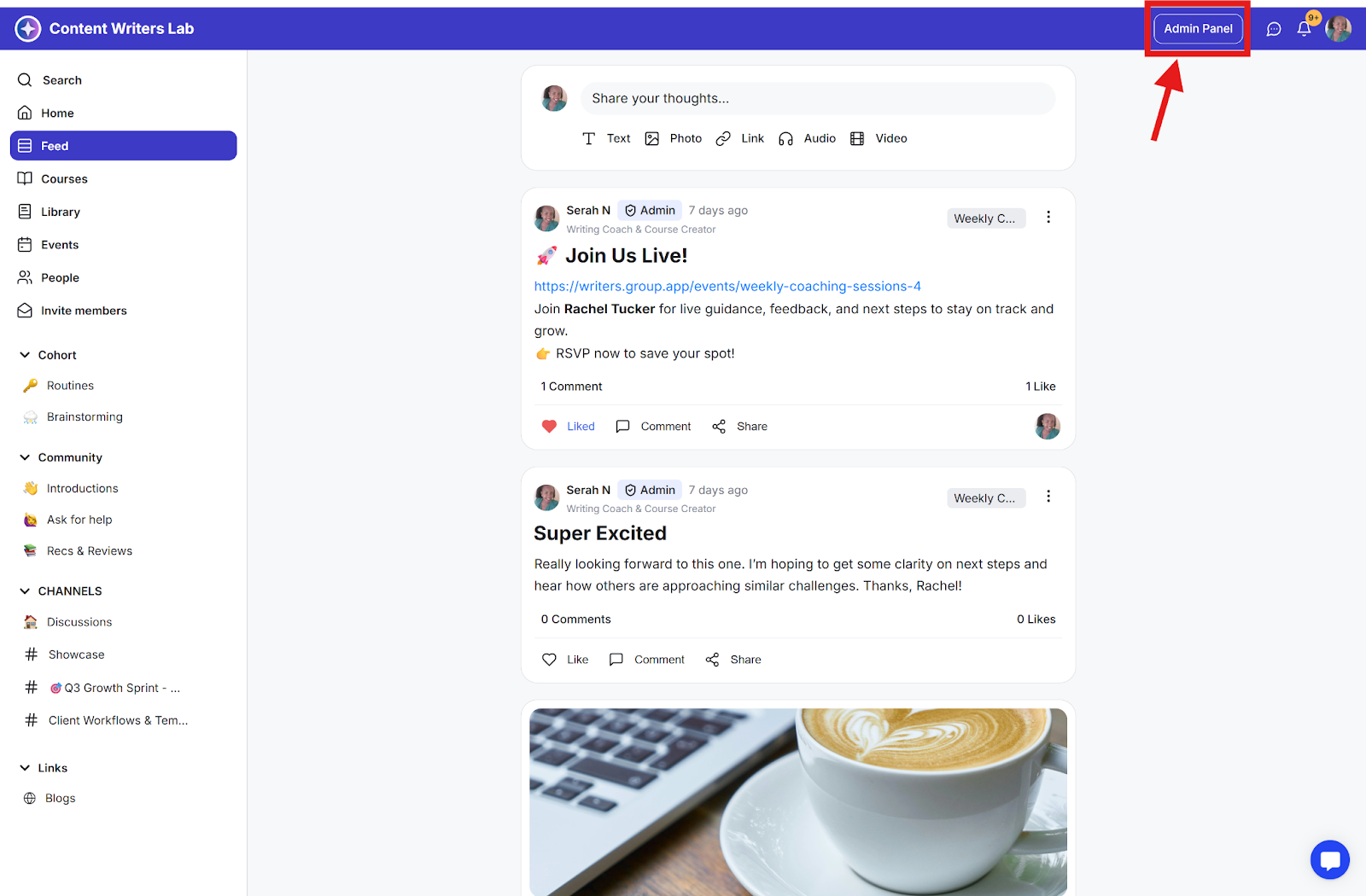
Step 1: Go to the Admin Panel.
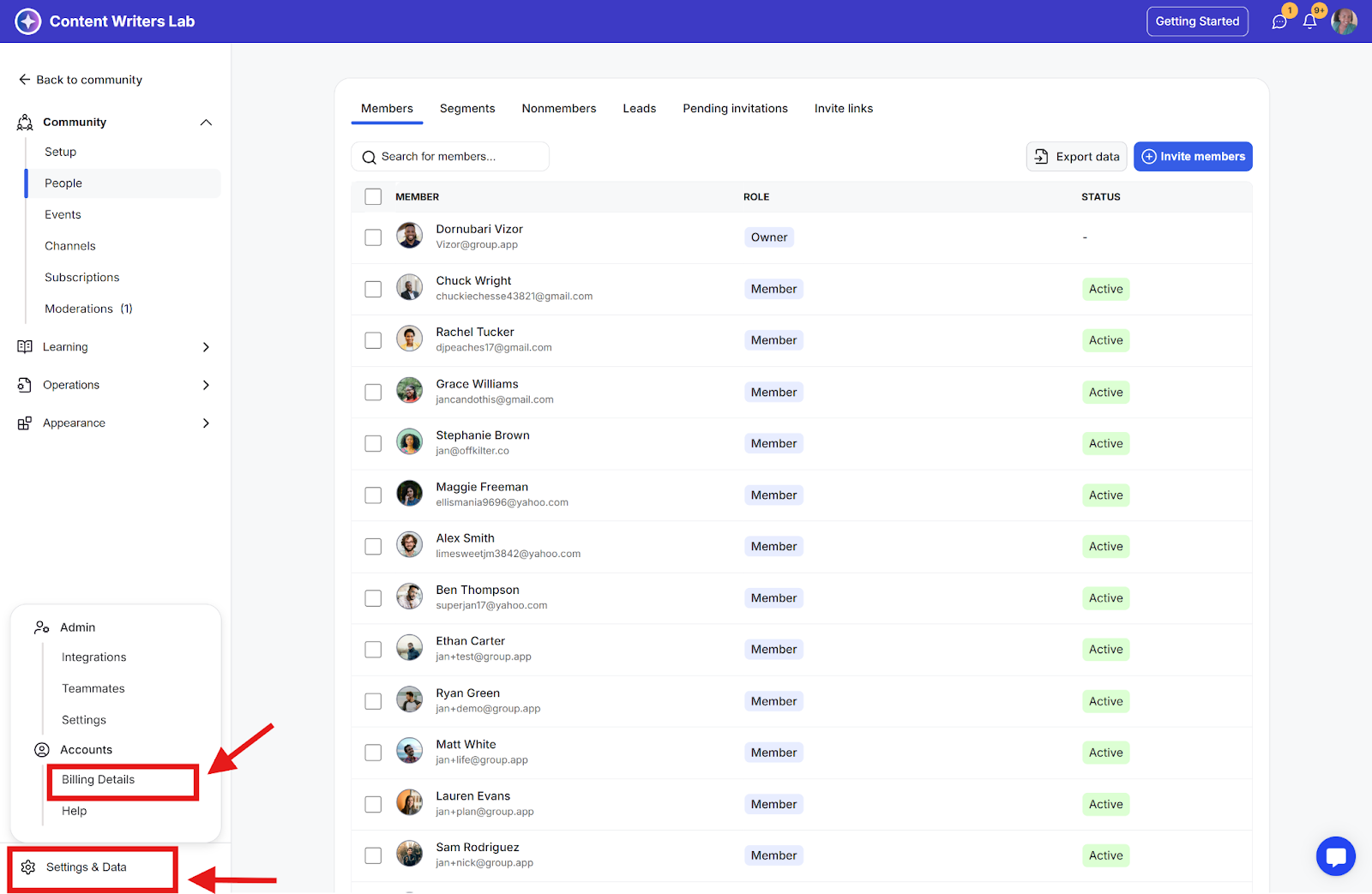
Step 2: Navigate down to Settings & Data and select Billing Details.
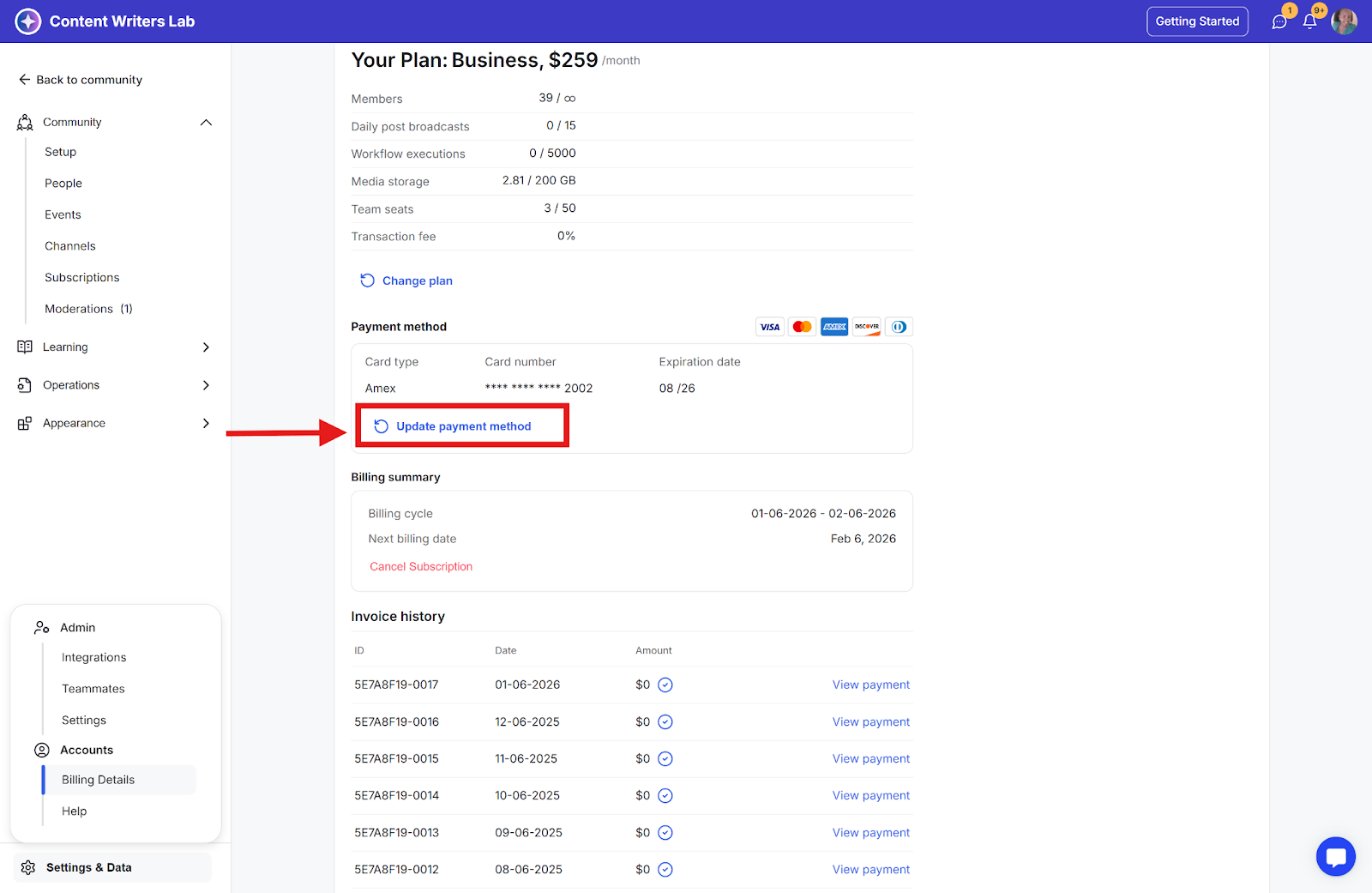
Step 3: Click on the Update Payment Method text link.
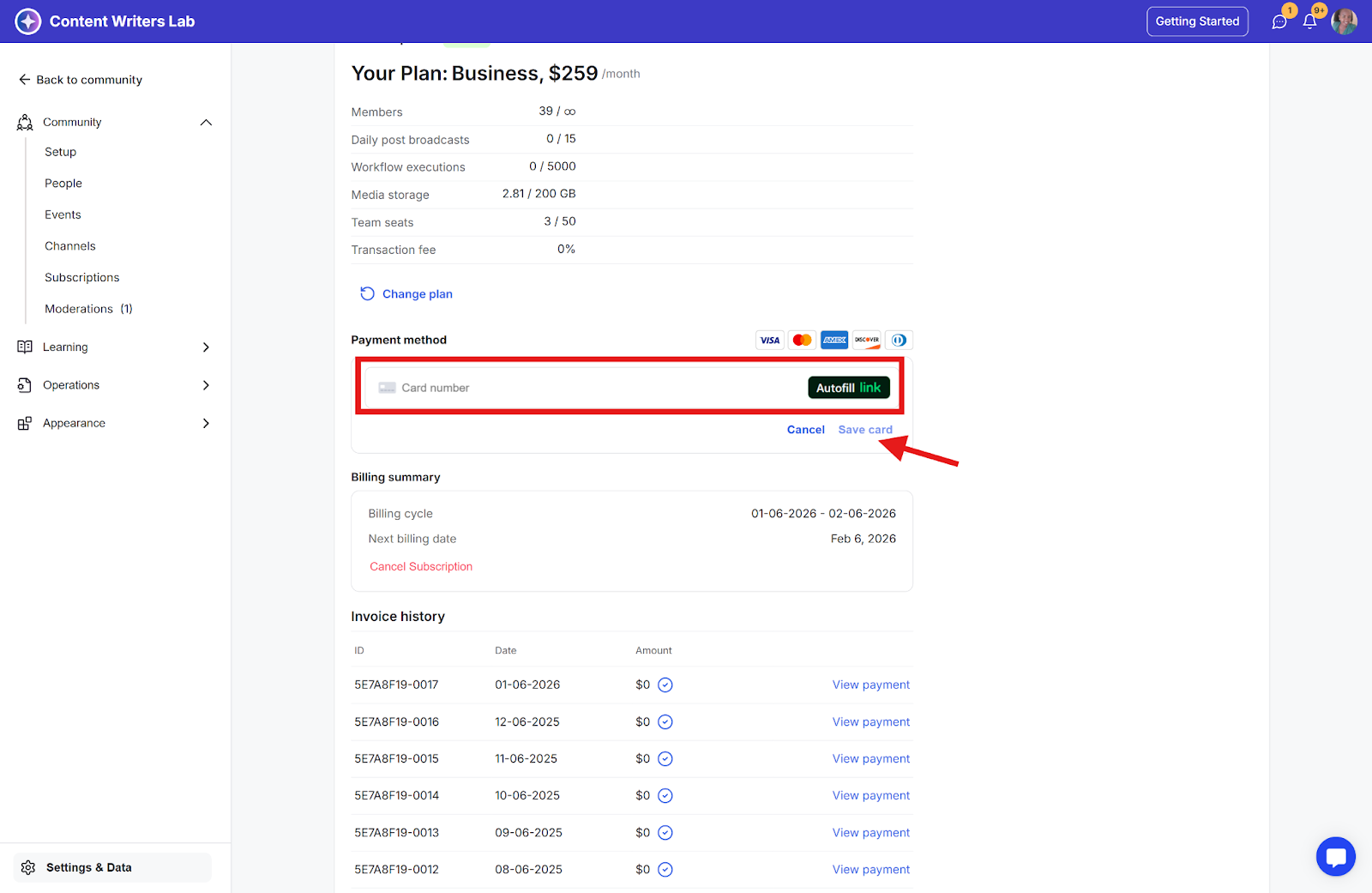
Step 4: Update the new card and click Save Card.