You can add GroupApp Customer Support to your community to help troubleshoot issues directly inside your workspace.
Once added, the support team can access your community to investigate technical problems, review configurations, and resolve support-related requests more efficiently
Adding Groupapp Customer Support to Your Community
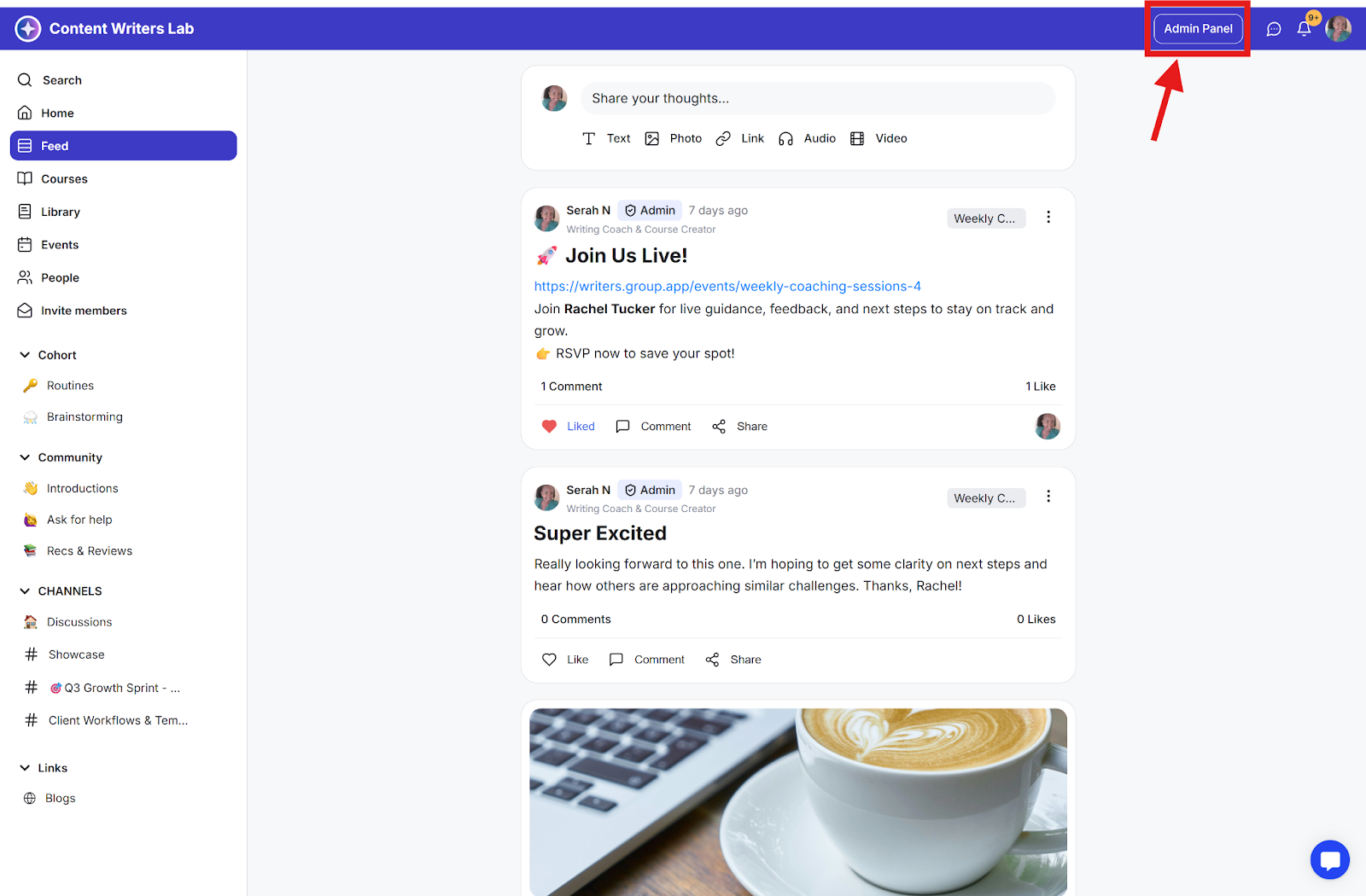
Step 1: Click the Admin Panel button.
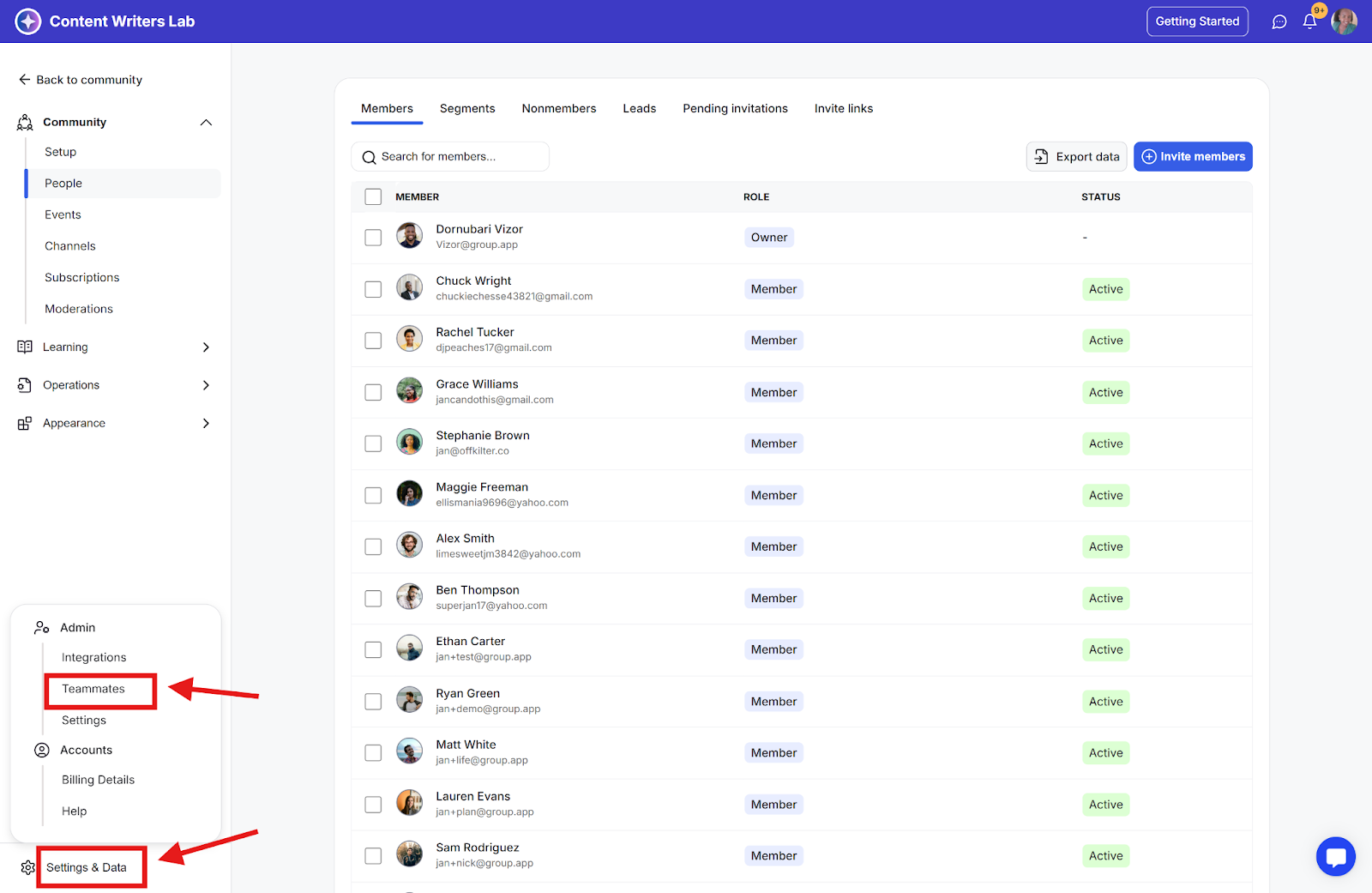
Step 2: Go to Settings & Data at the bottom of the side menu and select Teammates.
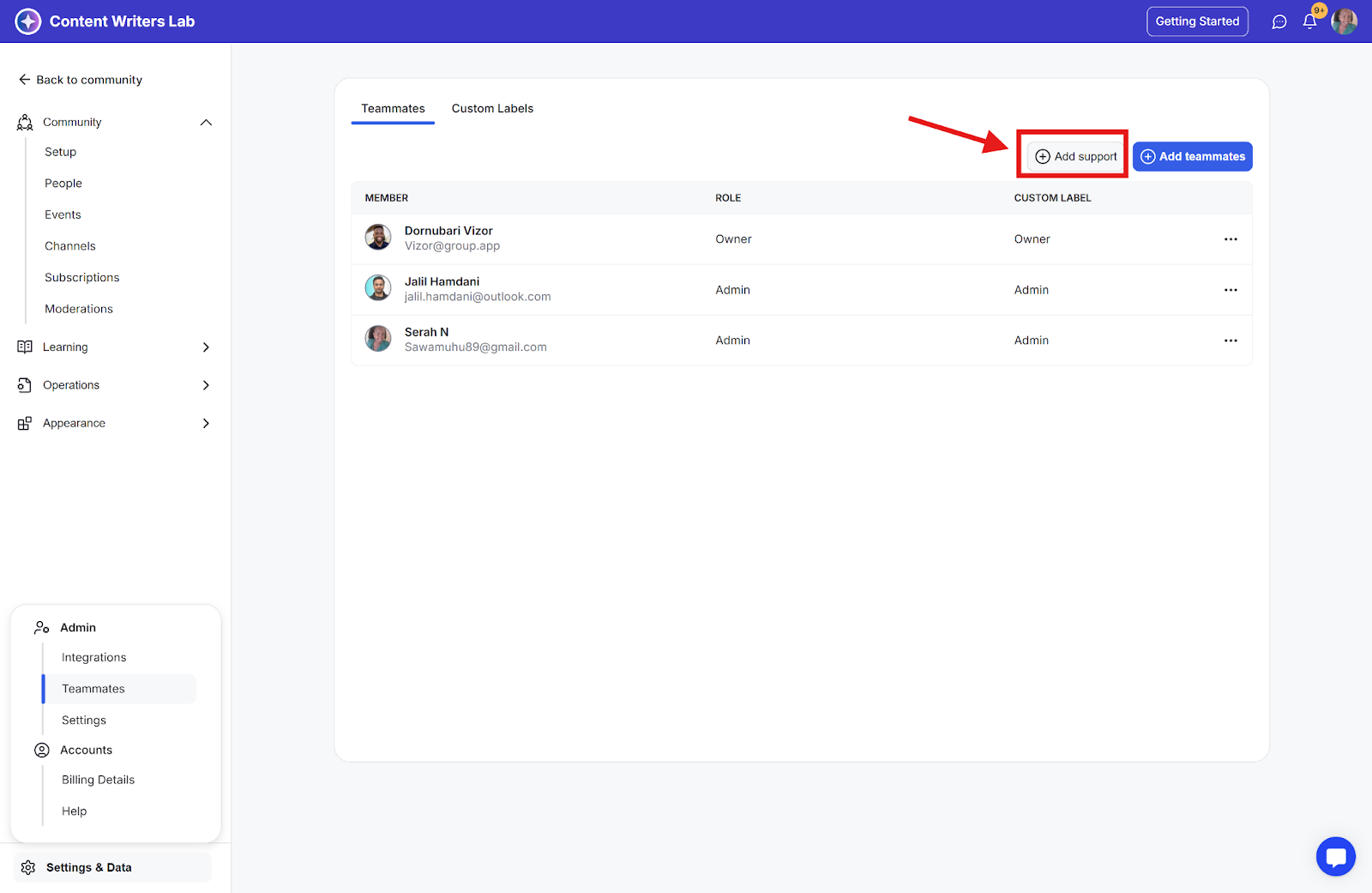
Step 3: Click the Add Support button.
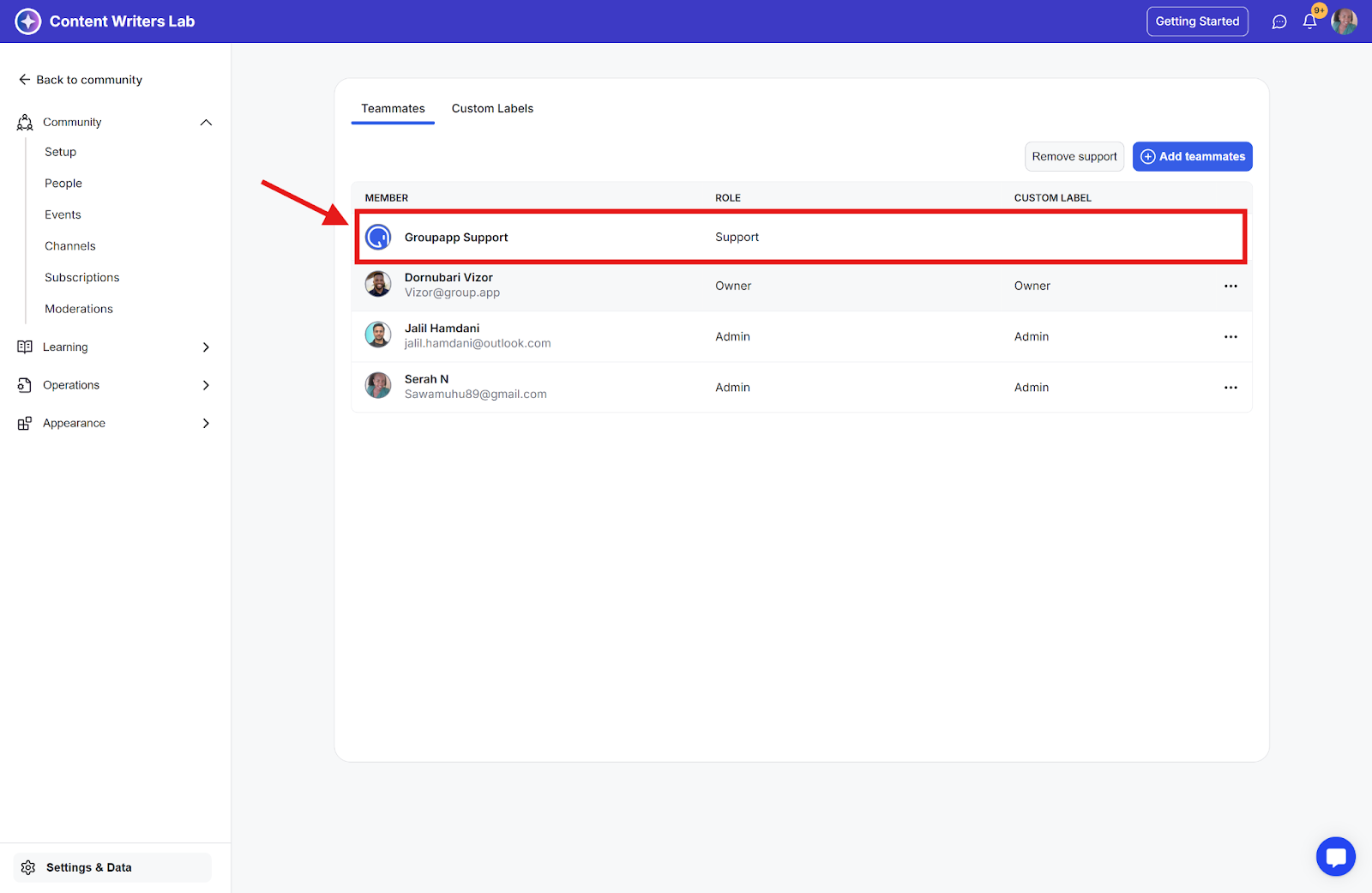
Step 4: Once added, GroupApp Customer Support will appear in your Teammates list and have access to provide support for your community.