
Removing an integration will disconnect the tool and stop any data sharing or automation linked to it.
1) Go to the Admin Panel.
2) Click on Settings & Data in the bottom-right corner.
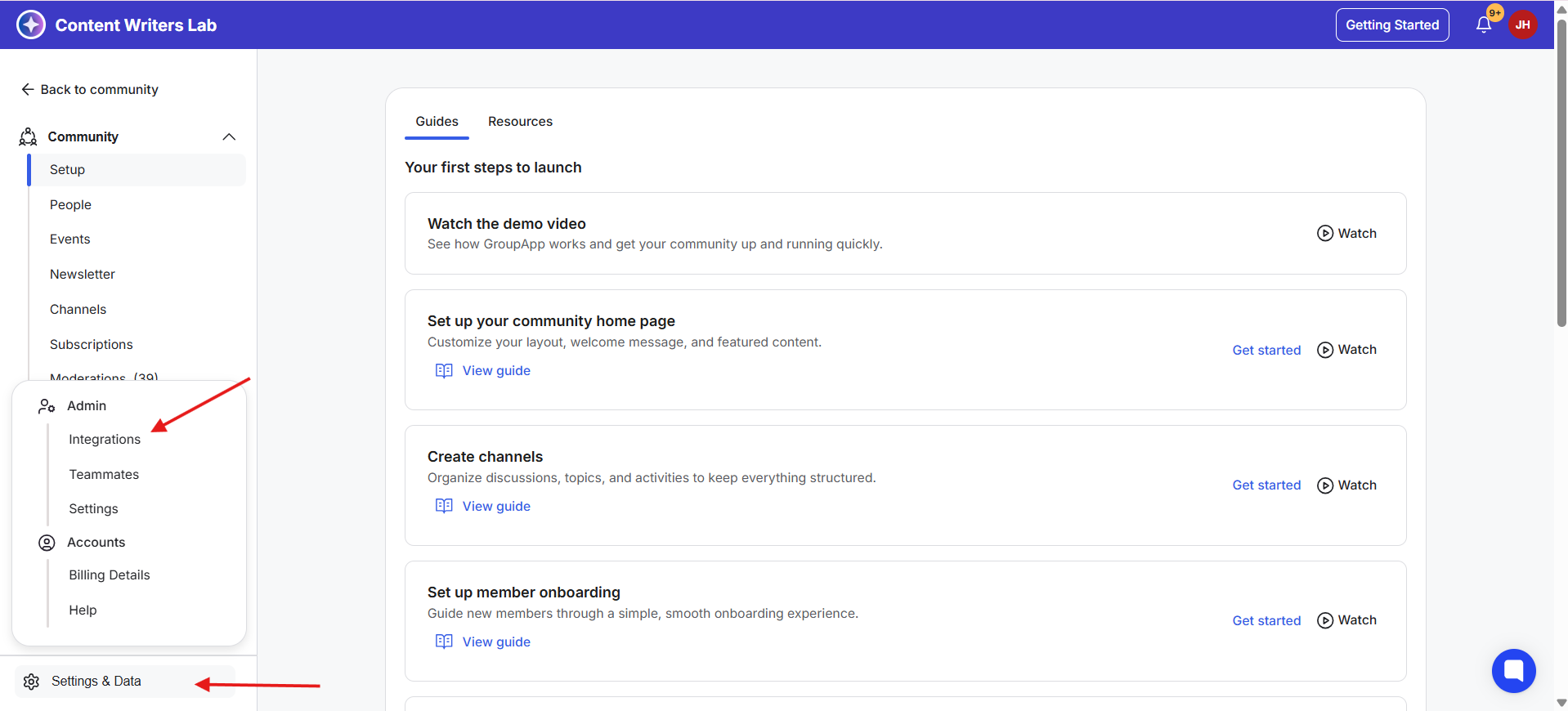
3) Select Integrations from the pop-up menu. This opens the Integrations Dashboard.
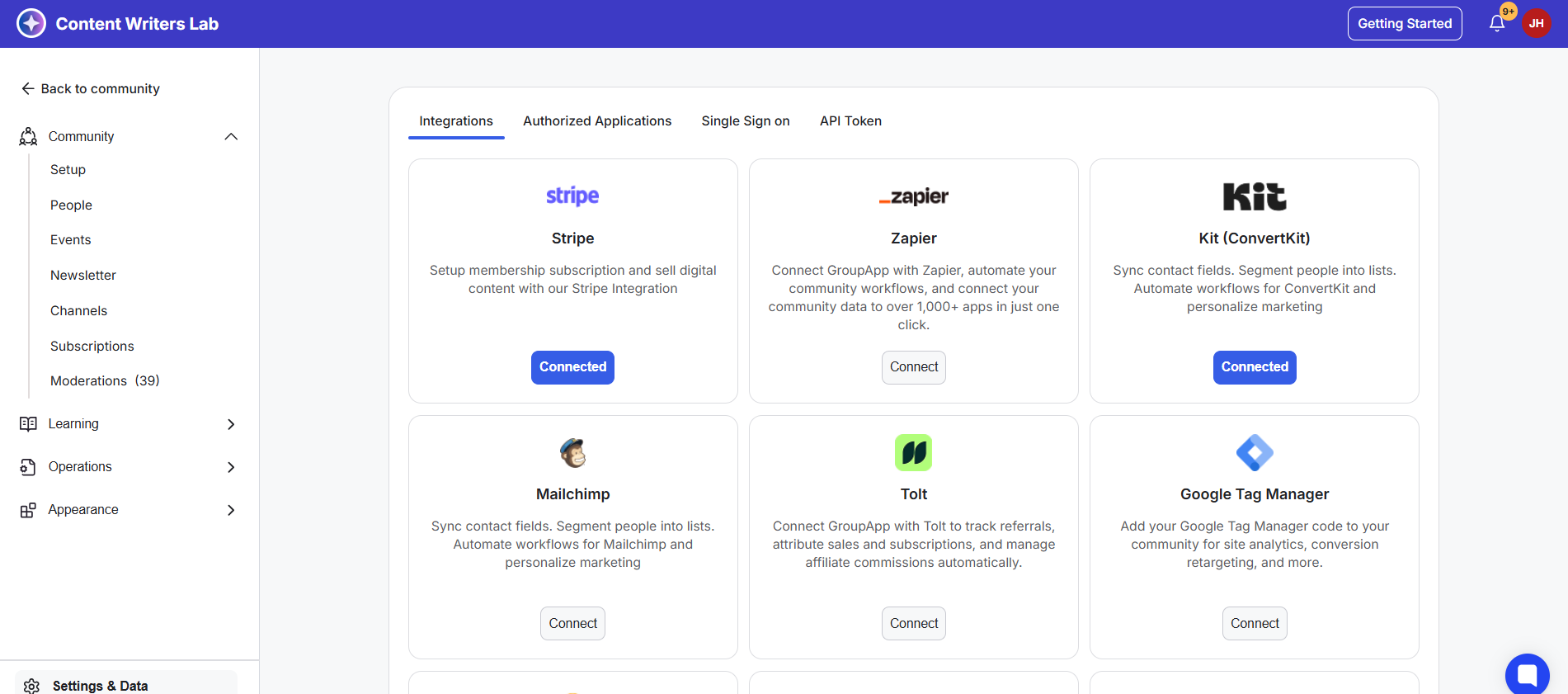
4) Open the Authorized Applications tab. This lists all the tools currently connected to your community.
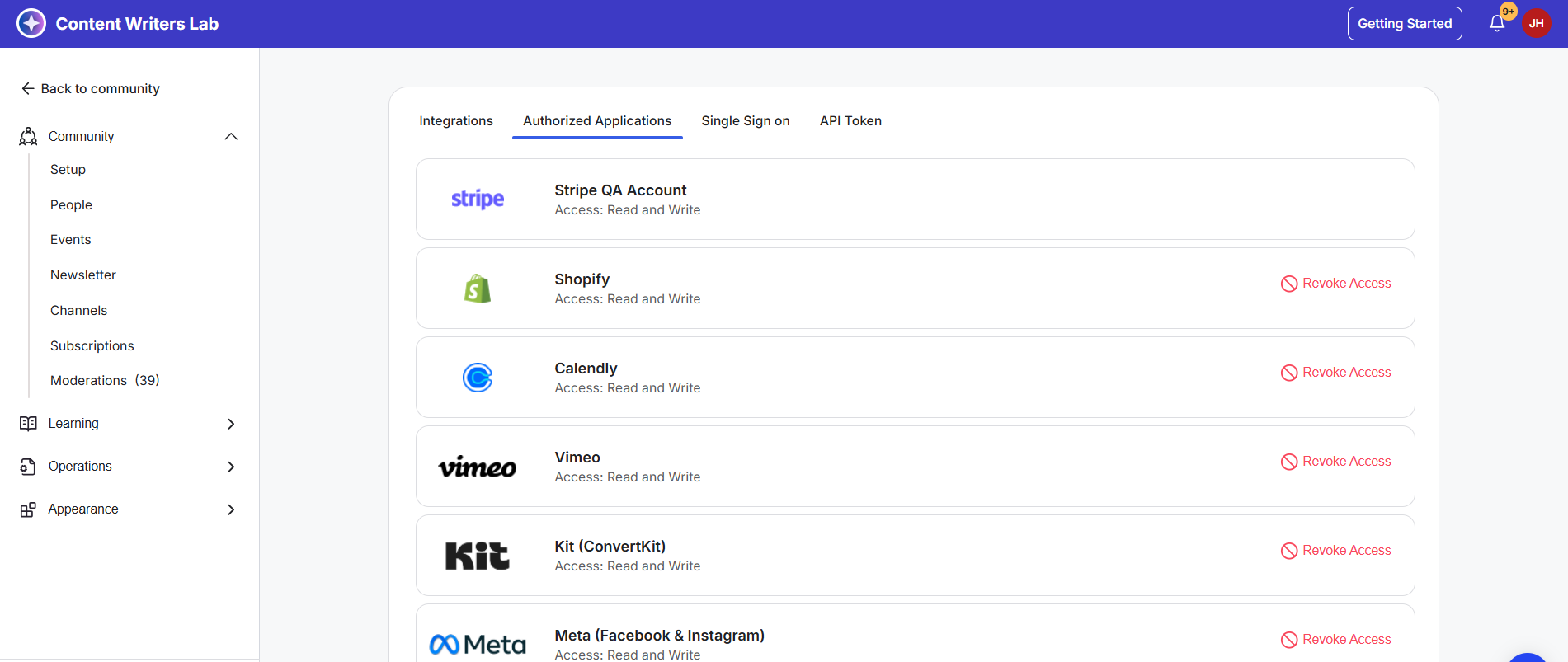
5) Find the tool you want to remove. Click Revoke Access. Once revoked, the integration is removed and will no longer have access to your community.
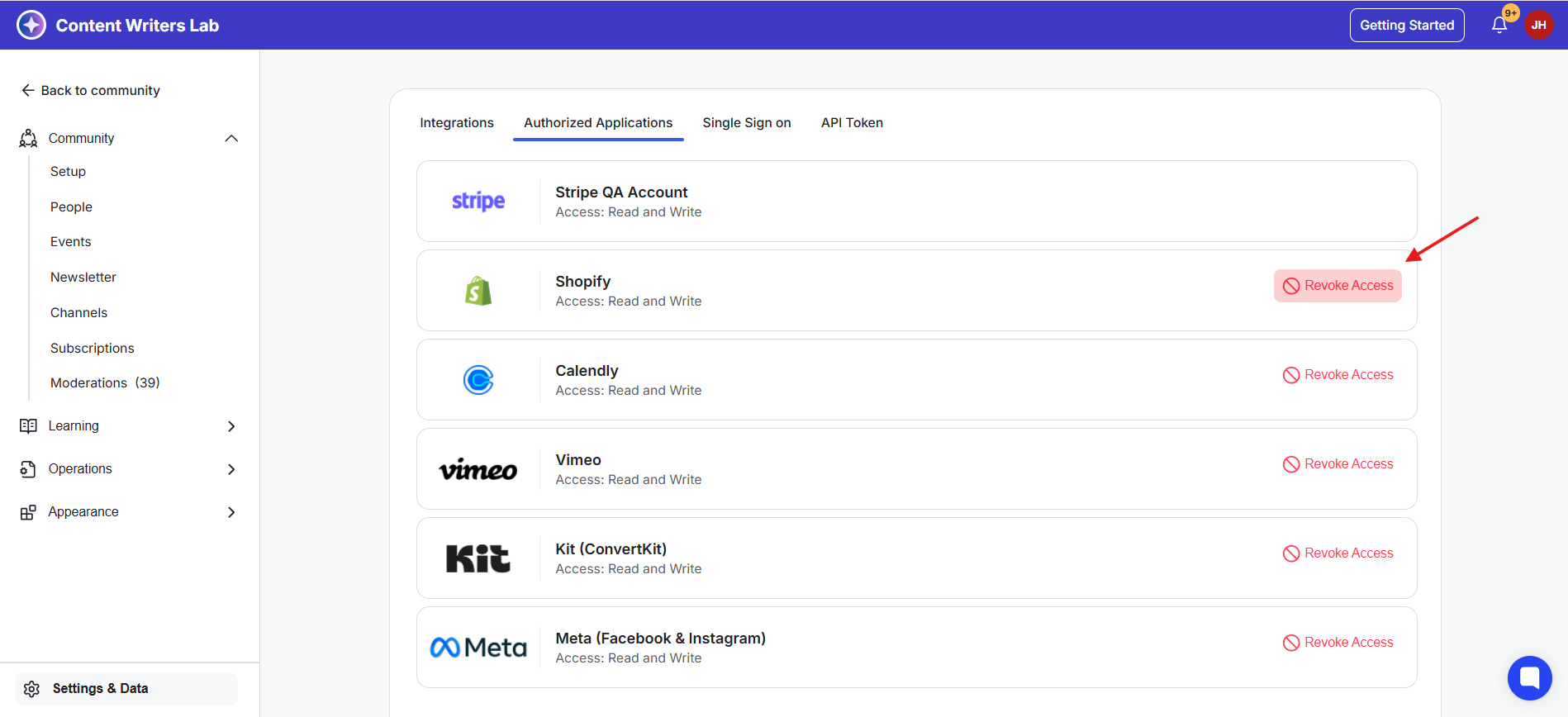
Please Note: You can revoke access for all integrations except Stripe. Learn more about removing Stripe:
Disconnecting your connected Stripe account
Please review the following before requesting that we disconnect your Stripe account.