
Add-ons are optional upgrades that let you extend your current plan without changing it. They are useful as your community grows and needs more resources.
At the moment, GroupApp offers storage add-ons that let you increase your available storage while staying on your existing plan.
When to Get an Add-On
You may want to purchase a storage add-on if you:
Are running out of storage space
Upload a lot of videos, audio, or downloadable files
Want to scale your content without upgrading your entire plan
How to Add an Add-On In GroupApp
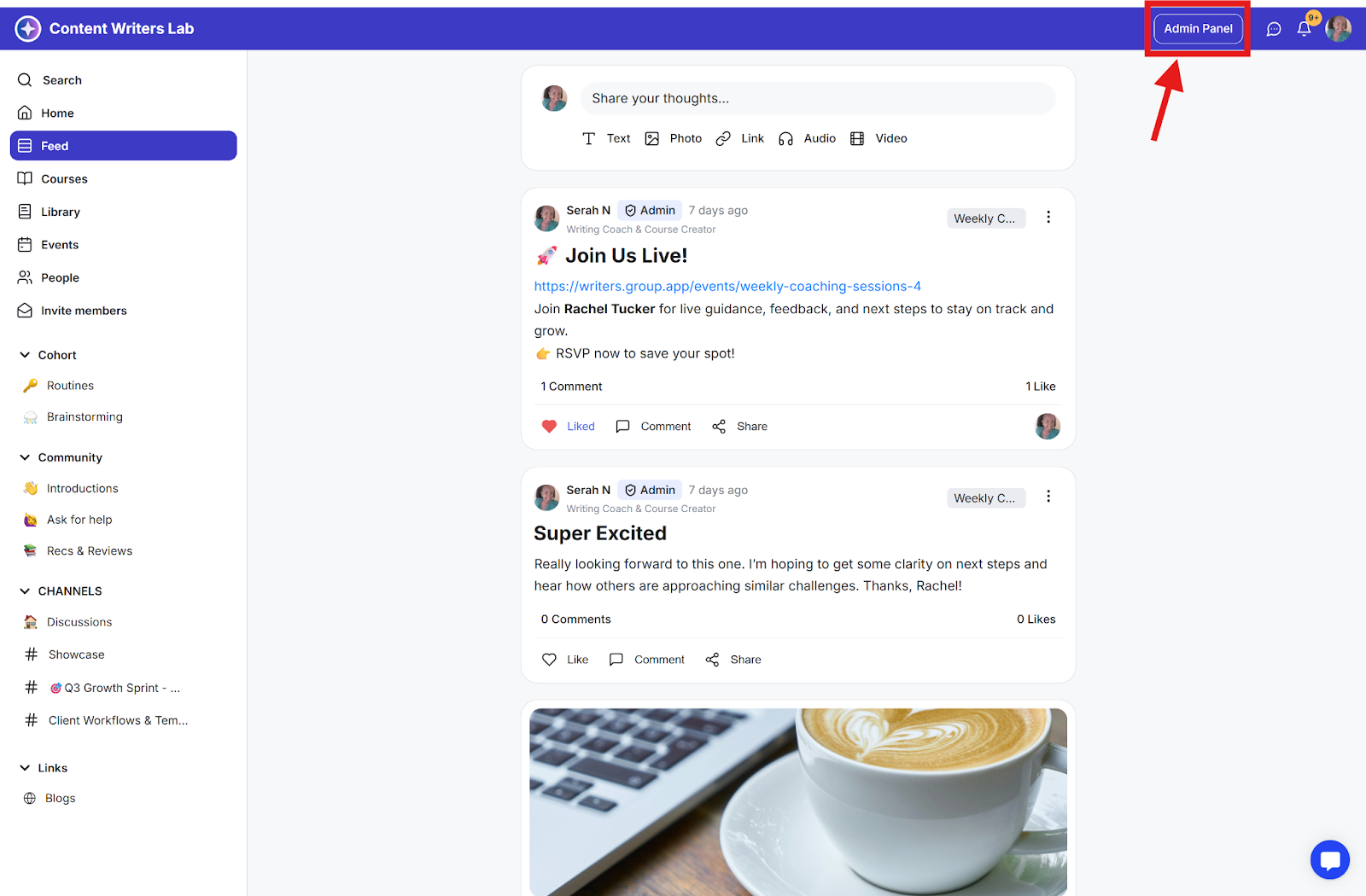
Step 1: Go to your Admin Panel.
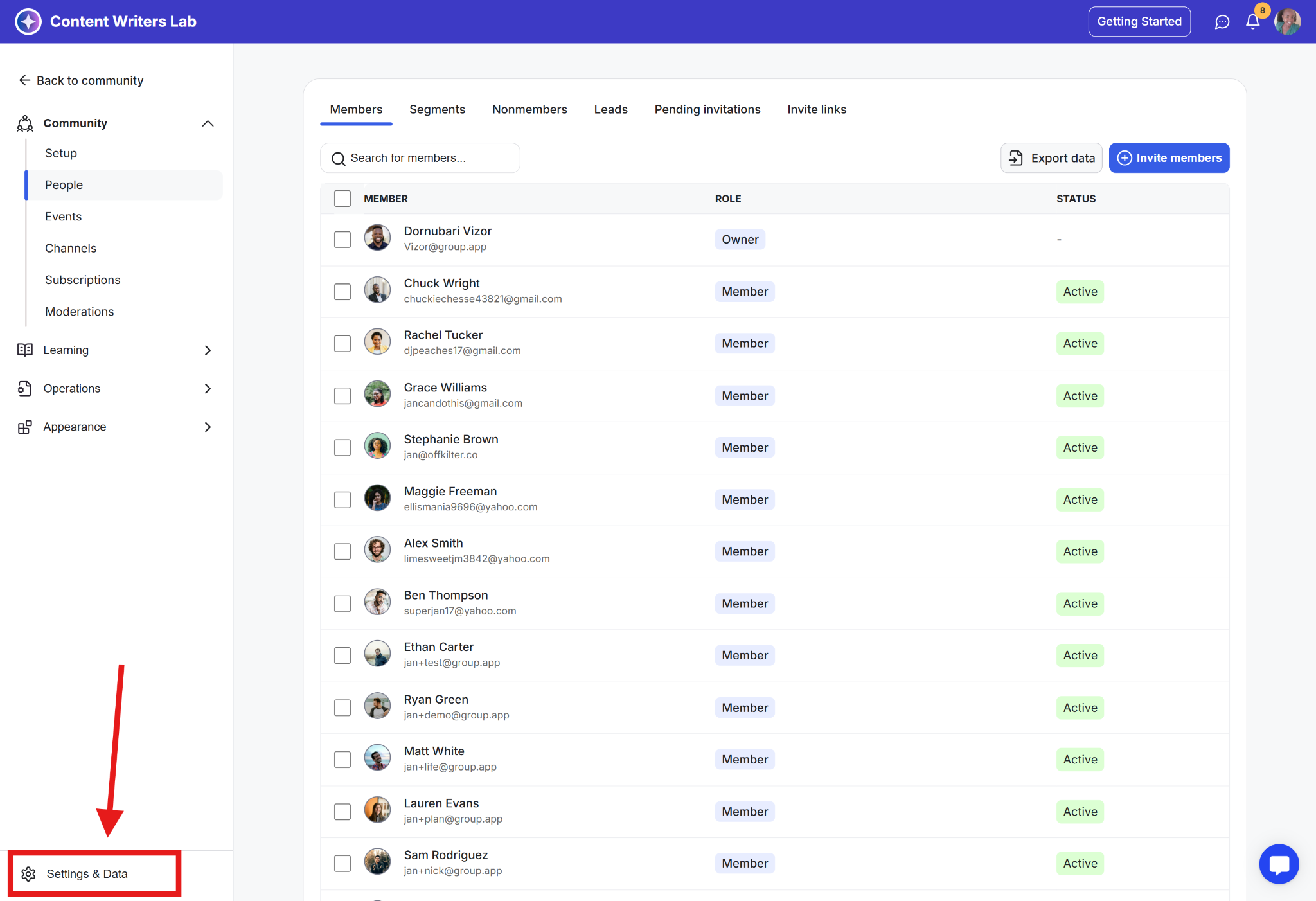
Step 2: In the left-hand side menu, click Settings & Data at the bottom.
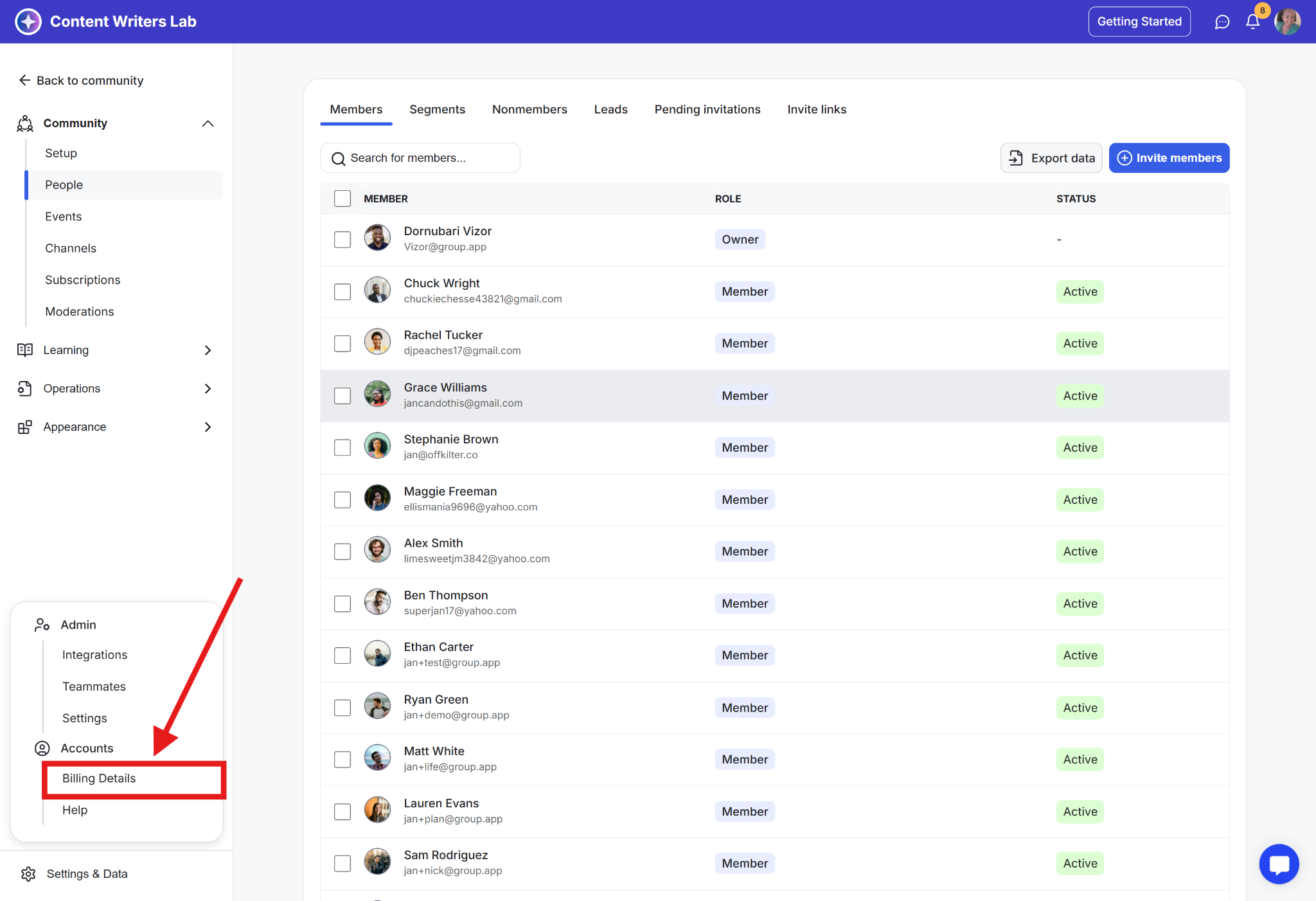
Step 3: Select Billing Details.
Step 4: On the billing page, locate Add-ons and click Add Add-On.
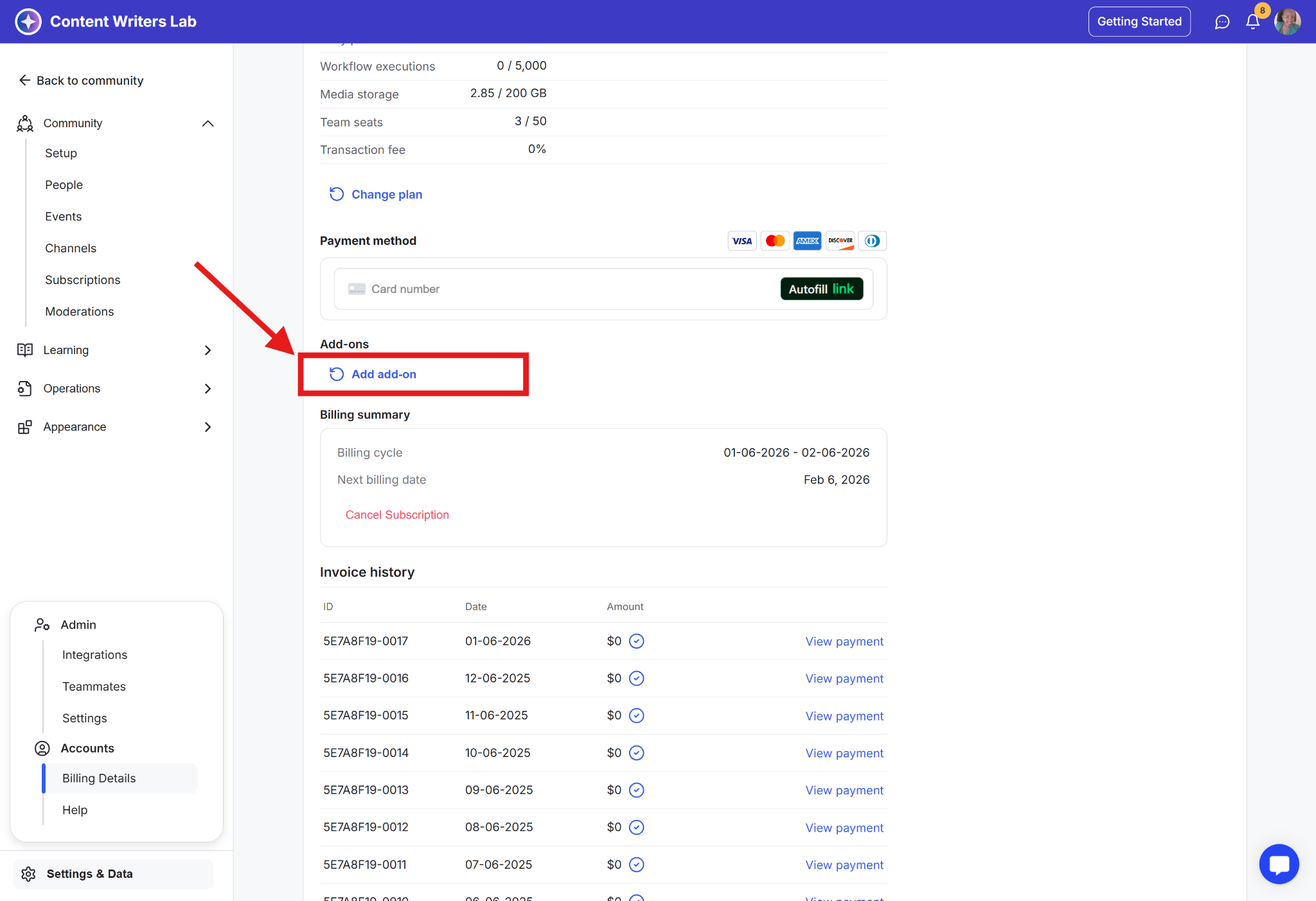
Step 5: Enter or confirm your payment details.
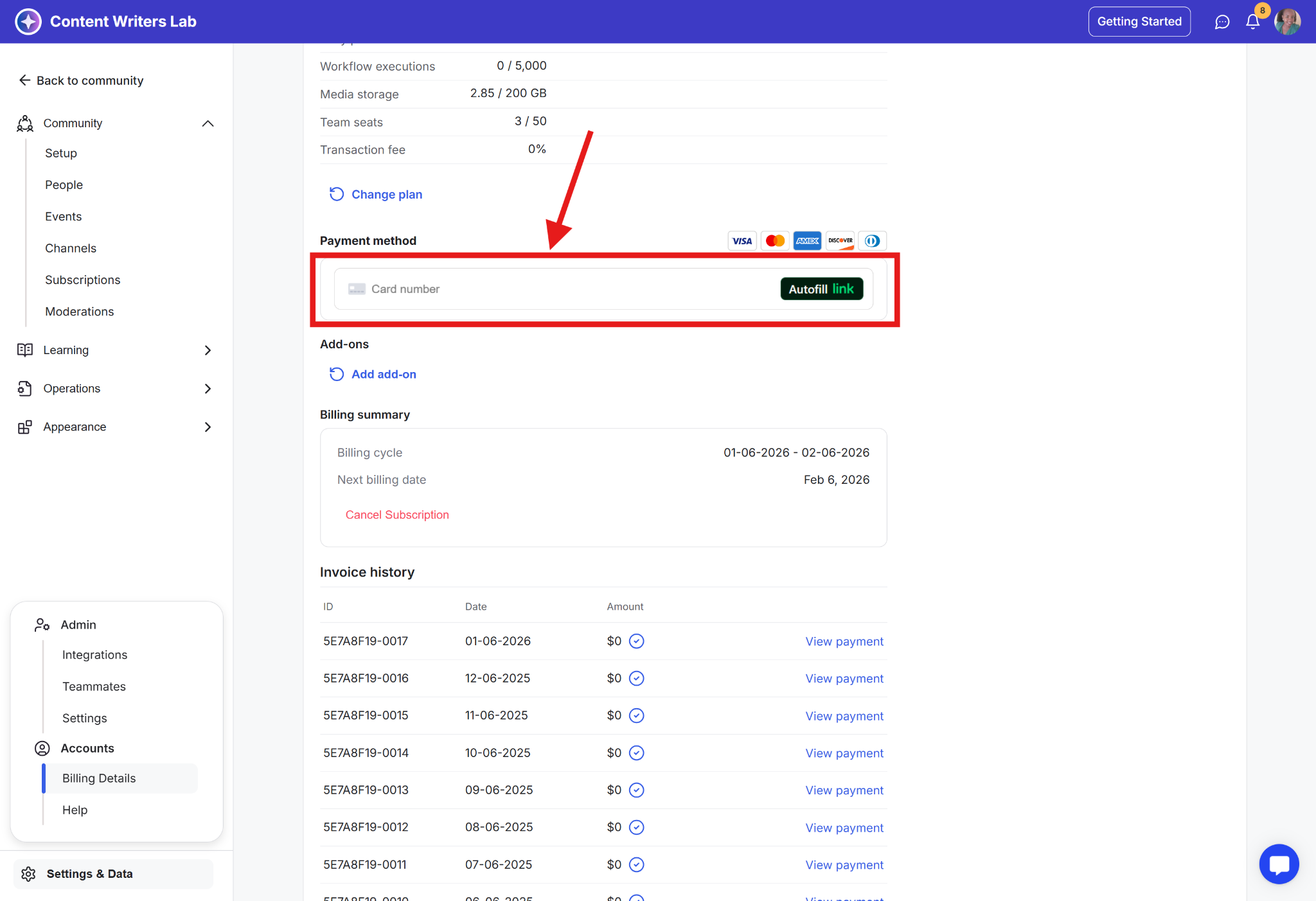
Step 6: Choose the add-on you want and complete the purchase.
Once added, the add-on is applied to your existing plan and becomes available immediately.