
This guide shows you how to view your community’s subscription limits and current usage details.
Monitor Your Community's Subscription Limits and Usage Metrics
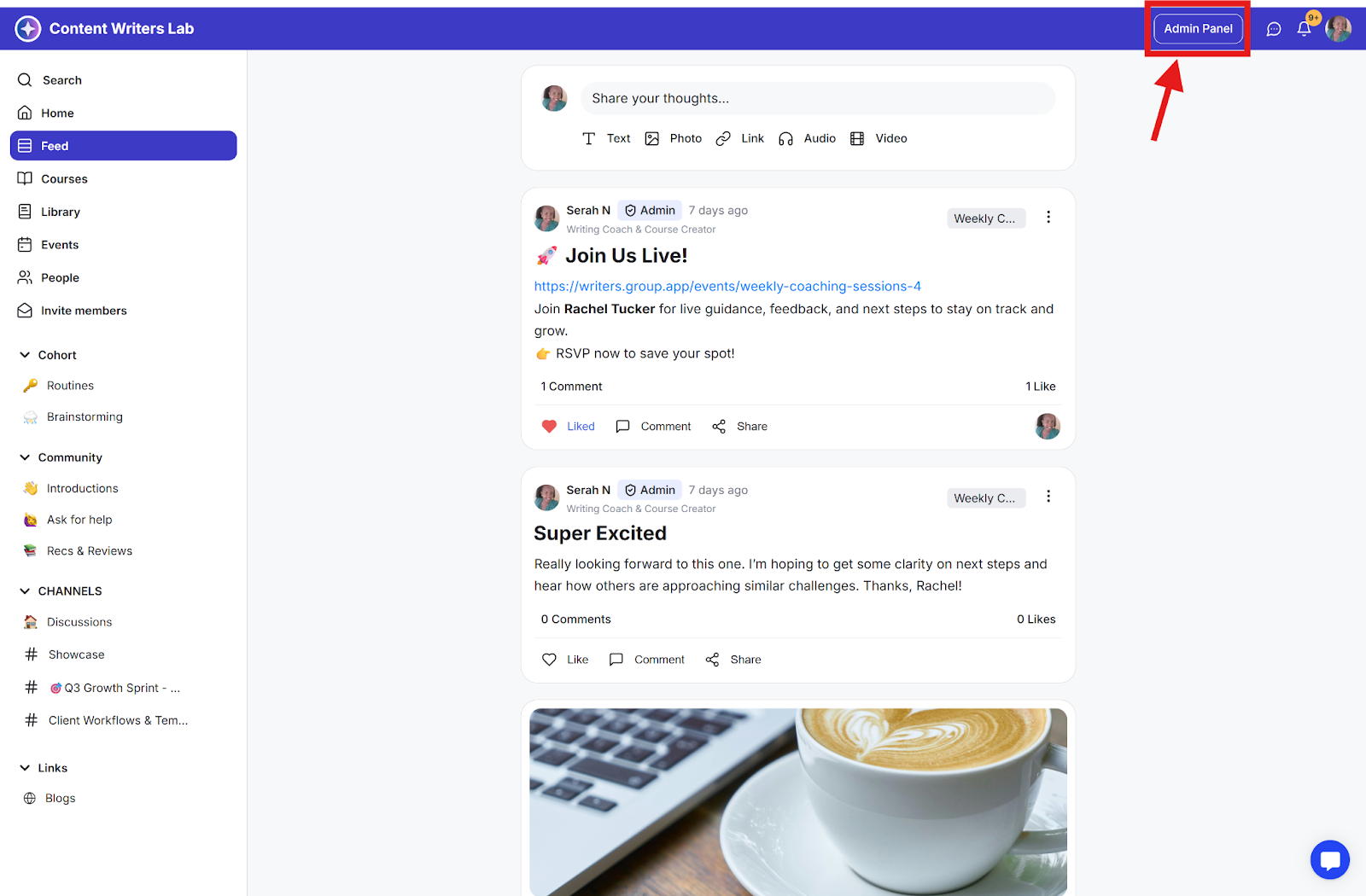
Step 1: Click the Admin Panel.
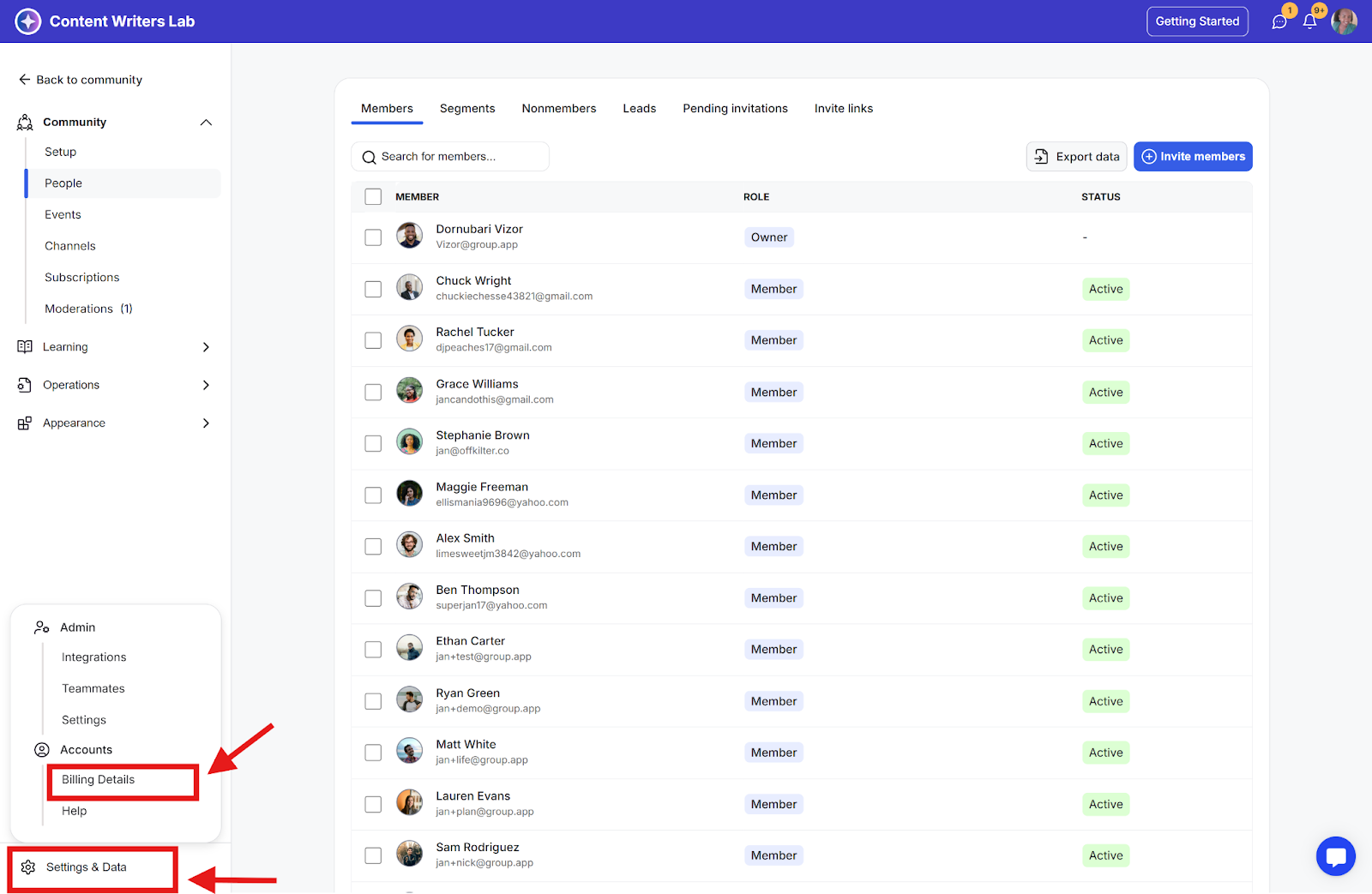
Step 2: In the side menu, click Settings & Data and select Billing Details.
What You'll See
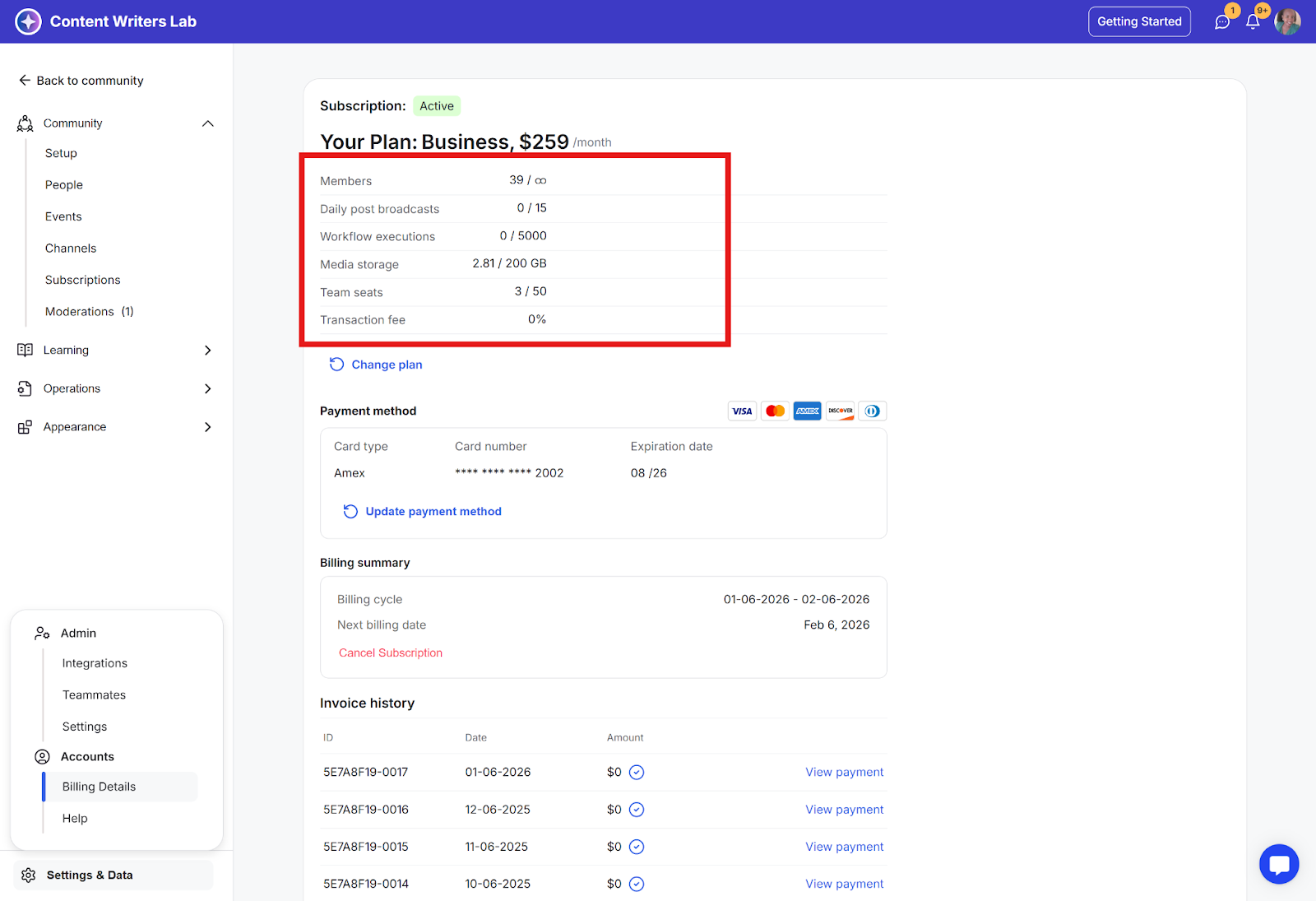
The Billing Details page shows:
Member limits and usage
Daily broadcast limits and usage
Workflow execution limits
Media storage allocation
Team seat availability (only in case of a group subscription)
Transaction fee information
Each category displays both your current usage and maximum limits.