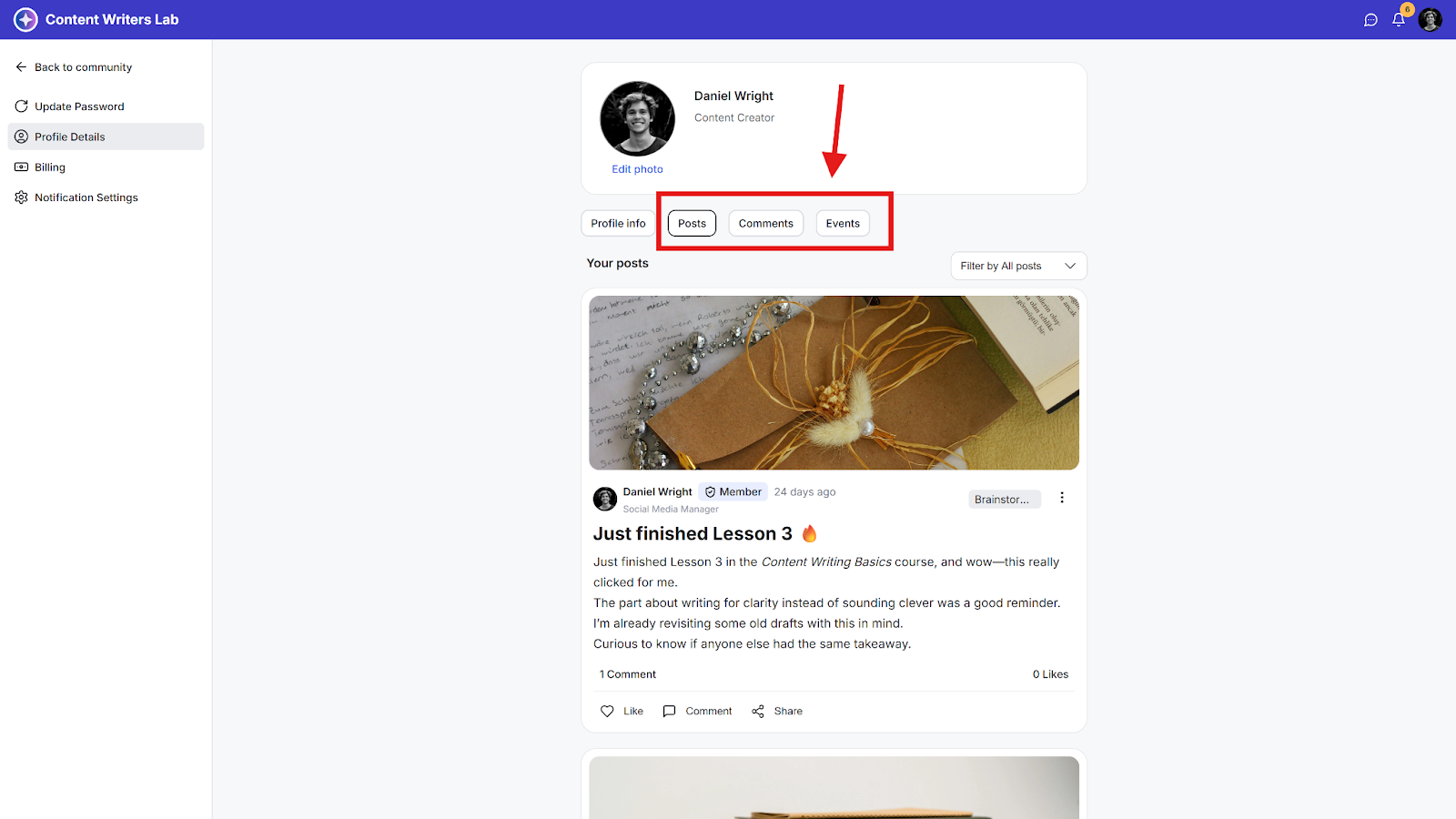
This guide shows you how to view all your posts, comments, and event RSVPs as a community member.
Viewing Your Posts, Comments, and Event RSVPs
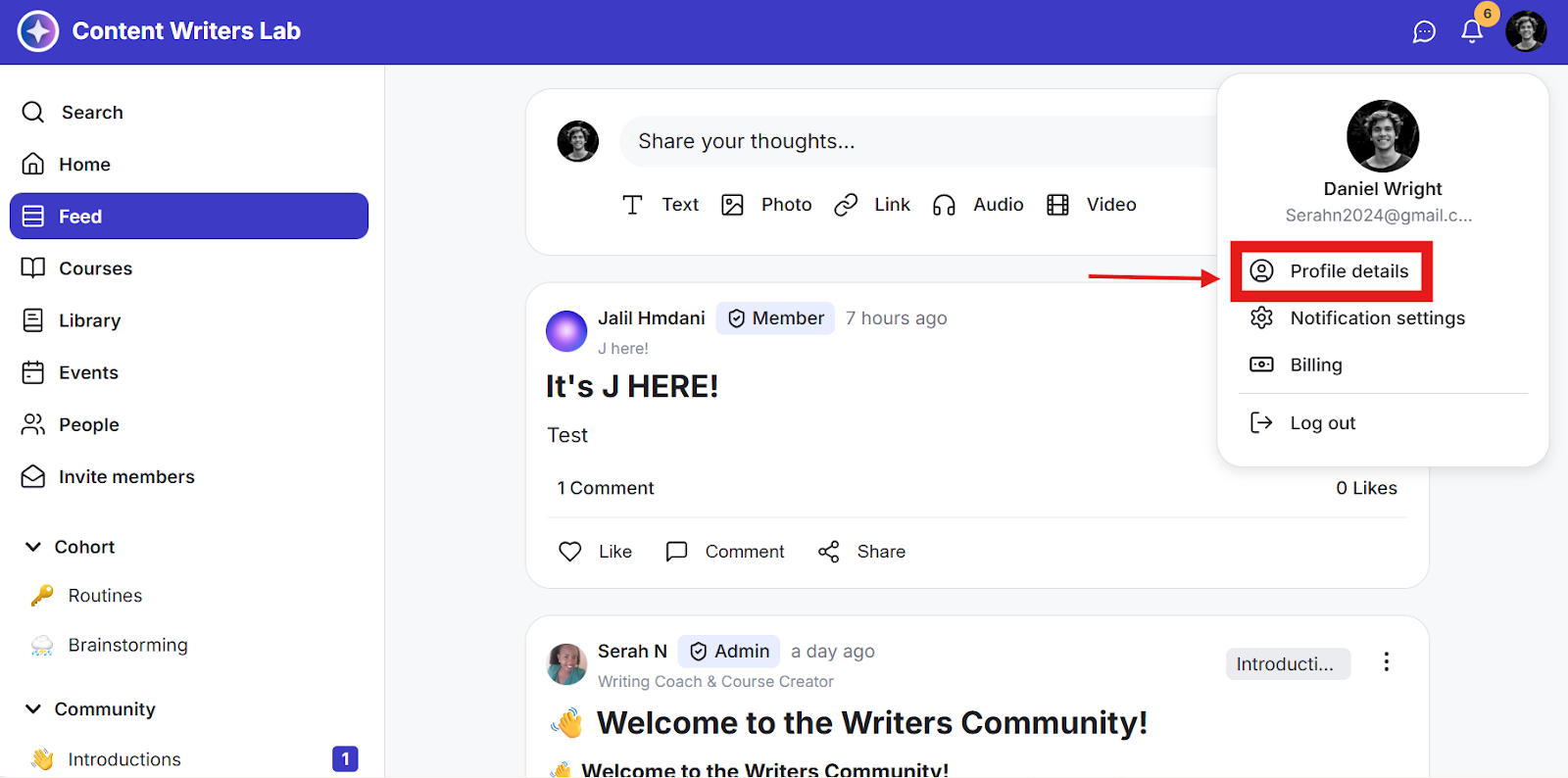
Step 1: Click on the Profile icon on the top bar and select Profile Details.
Step 2: Click on the corresponding tab to view your posts, the comments you left on community posts, and the events you RSVP’d to.