
This guide shows you how to permanently delete your community profile as a member.
Deleting Your Profile as a Community Member
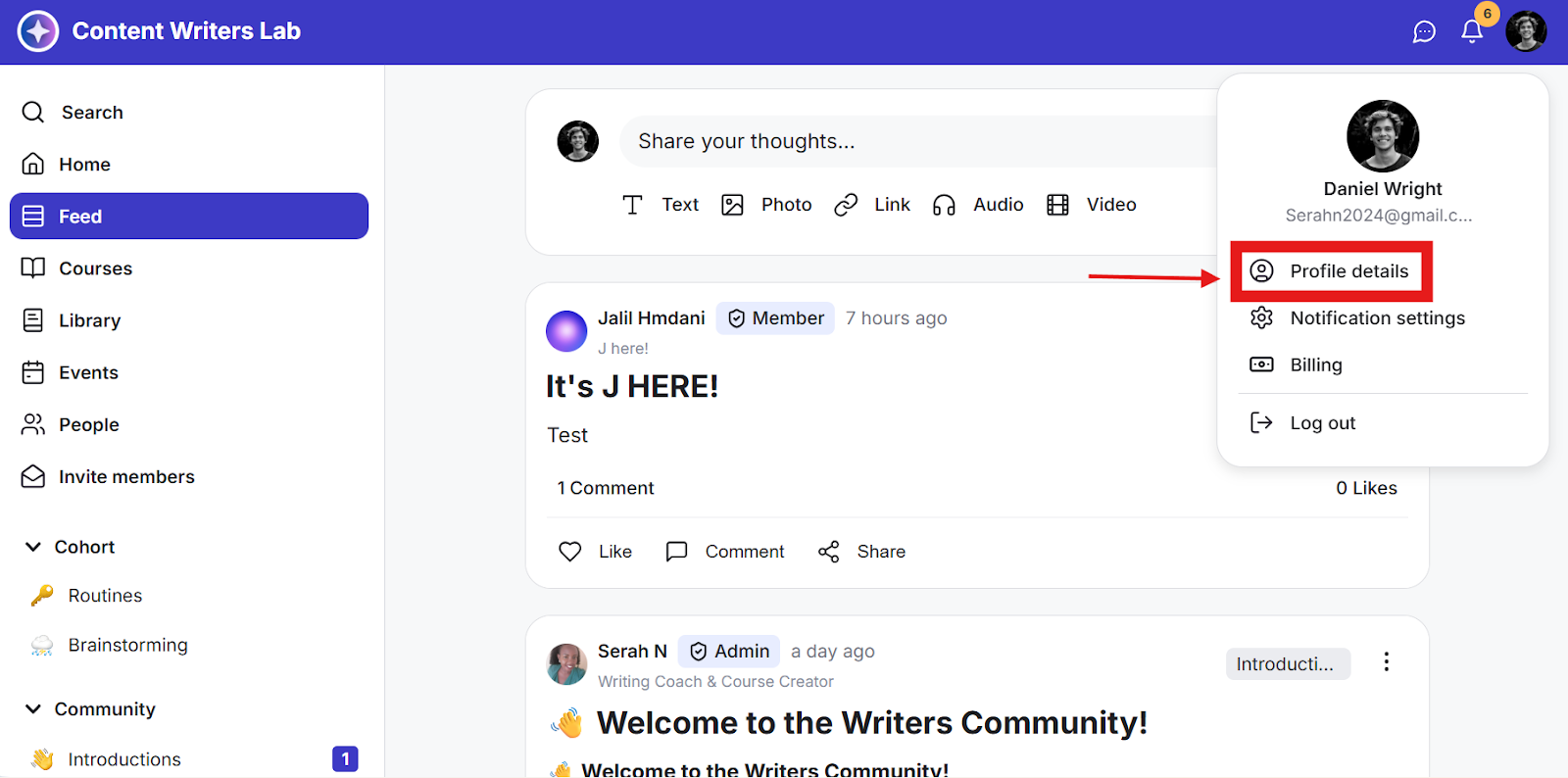
Step 1: Click on the Profile icon on the top bar and select Profile Details.
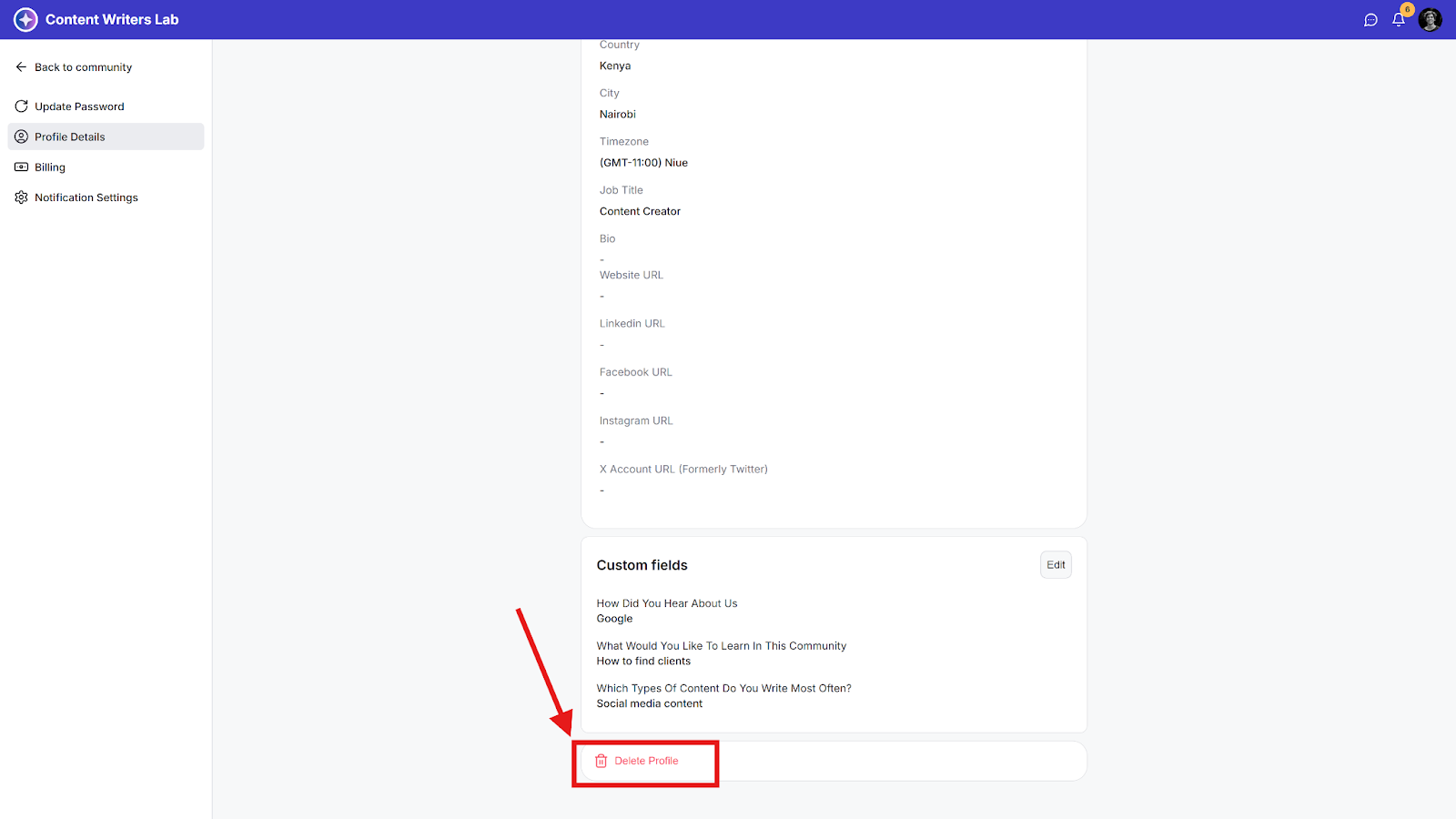
Step 2: Scroll down to the bottom of the page and click Delete Profile.
Step 3: Confirm the warning pop-up and click Delete.
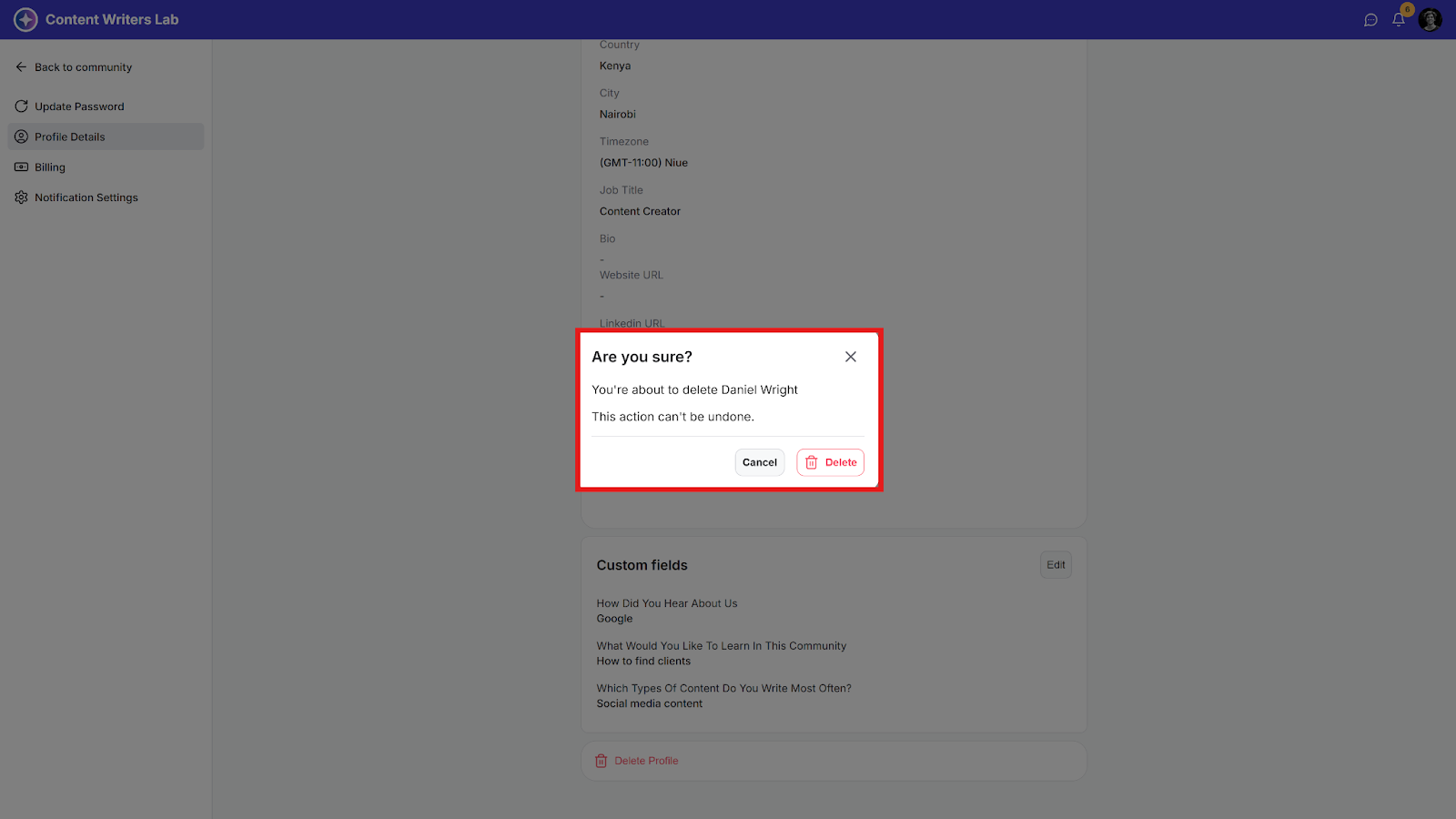
Note: You will be logged out after you delete your profile and will have to sign up again if you want to access the community as a member.a