This guide will walk you through updating the questions you answered when you signed up for your community.
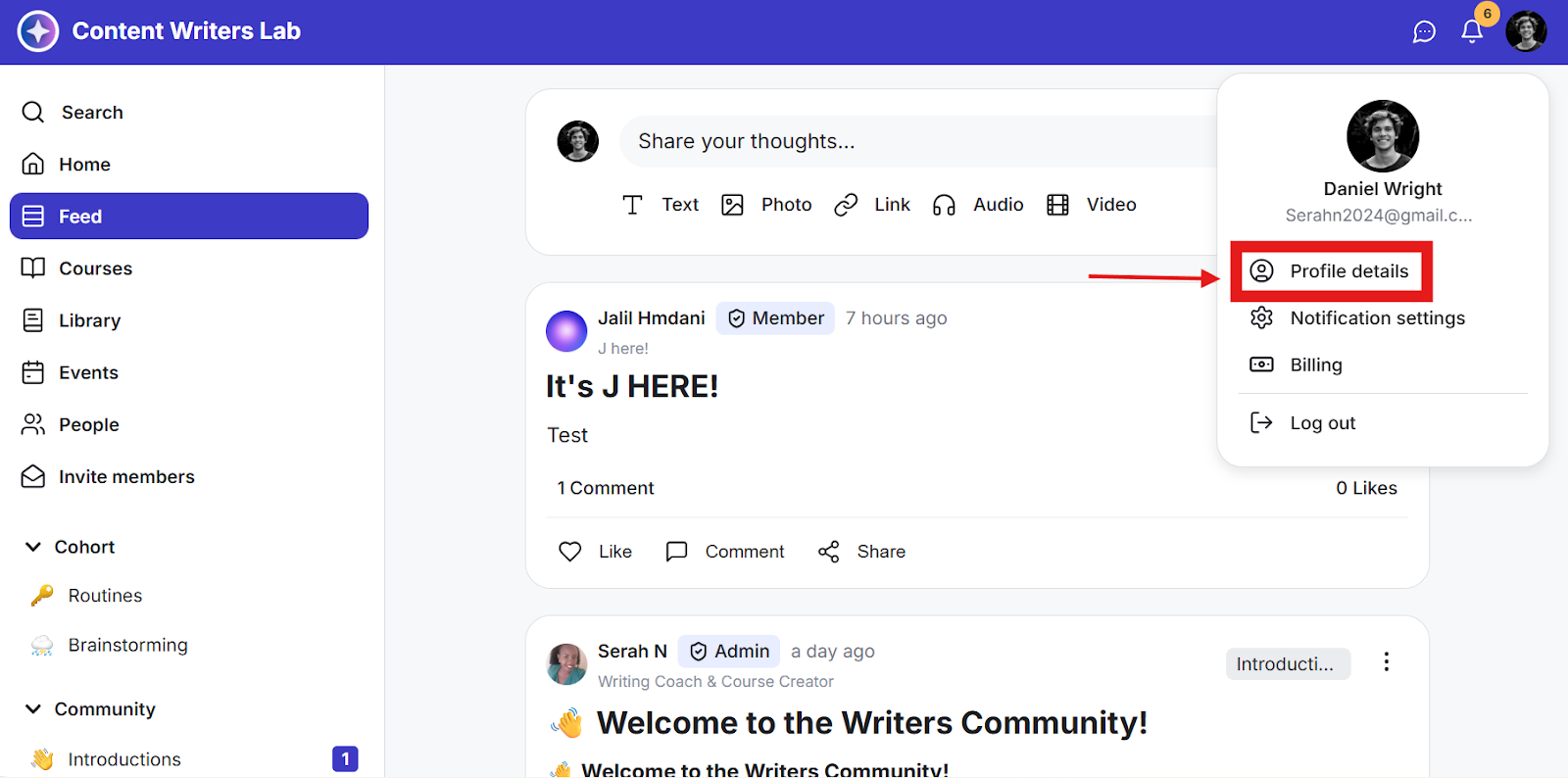
Step 1: Click on the Profile icon on the top bar and select Profile Details.
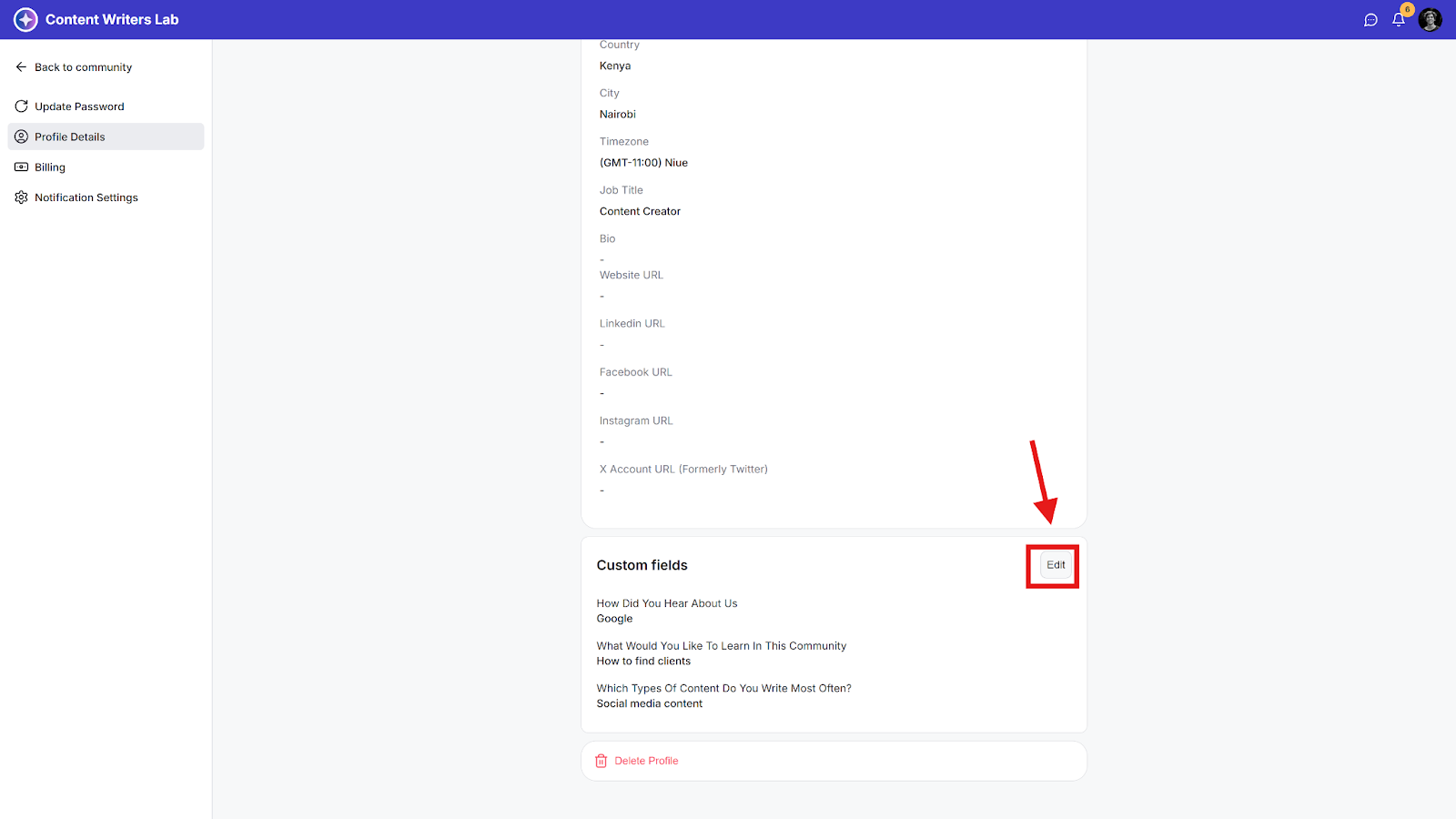
Step 2: Scroll down the page to the Custom Fields section and click Edit.
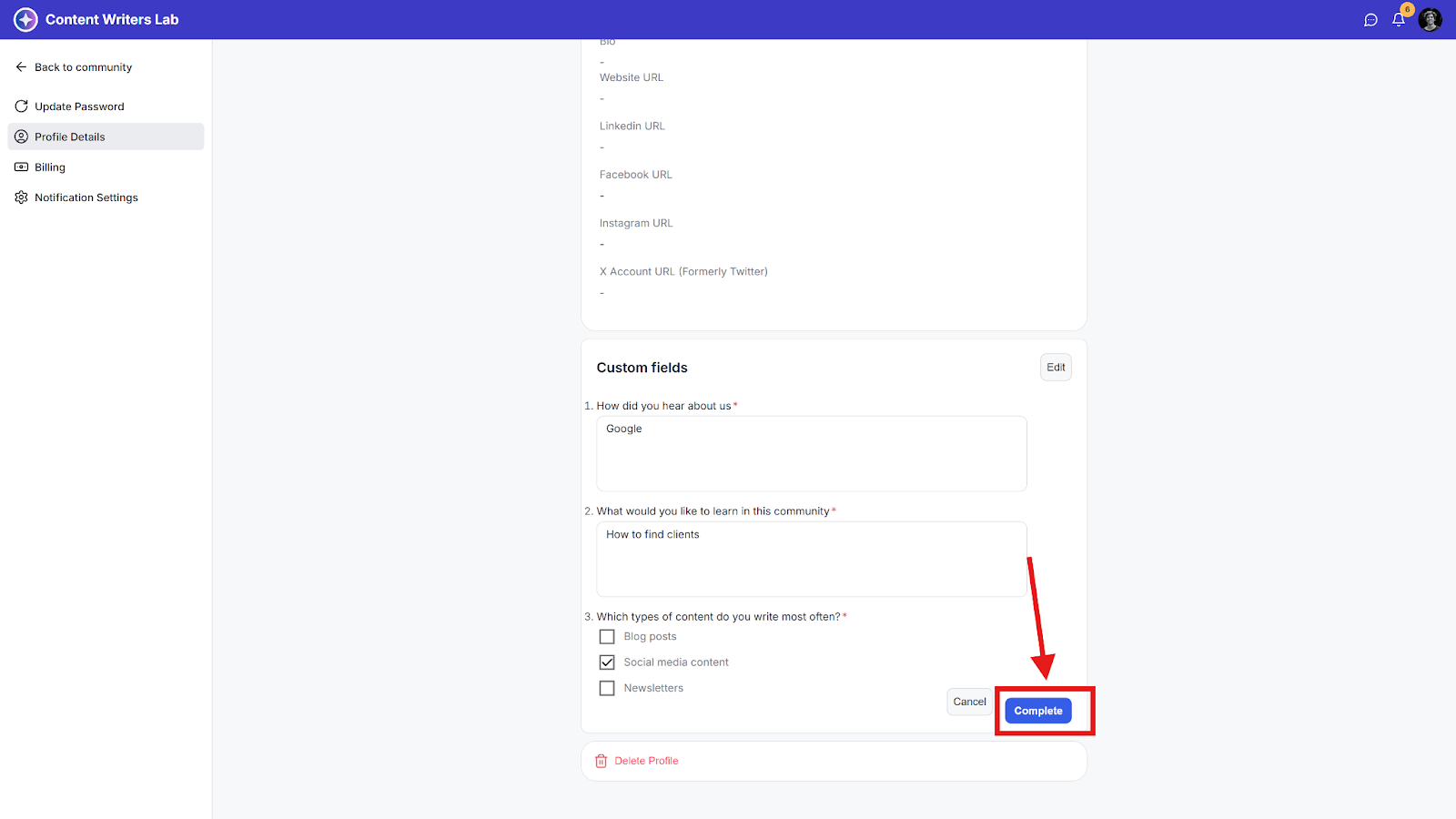
Step 3: Enter the new answers and click Complete.