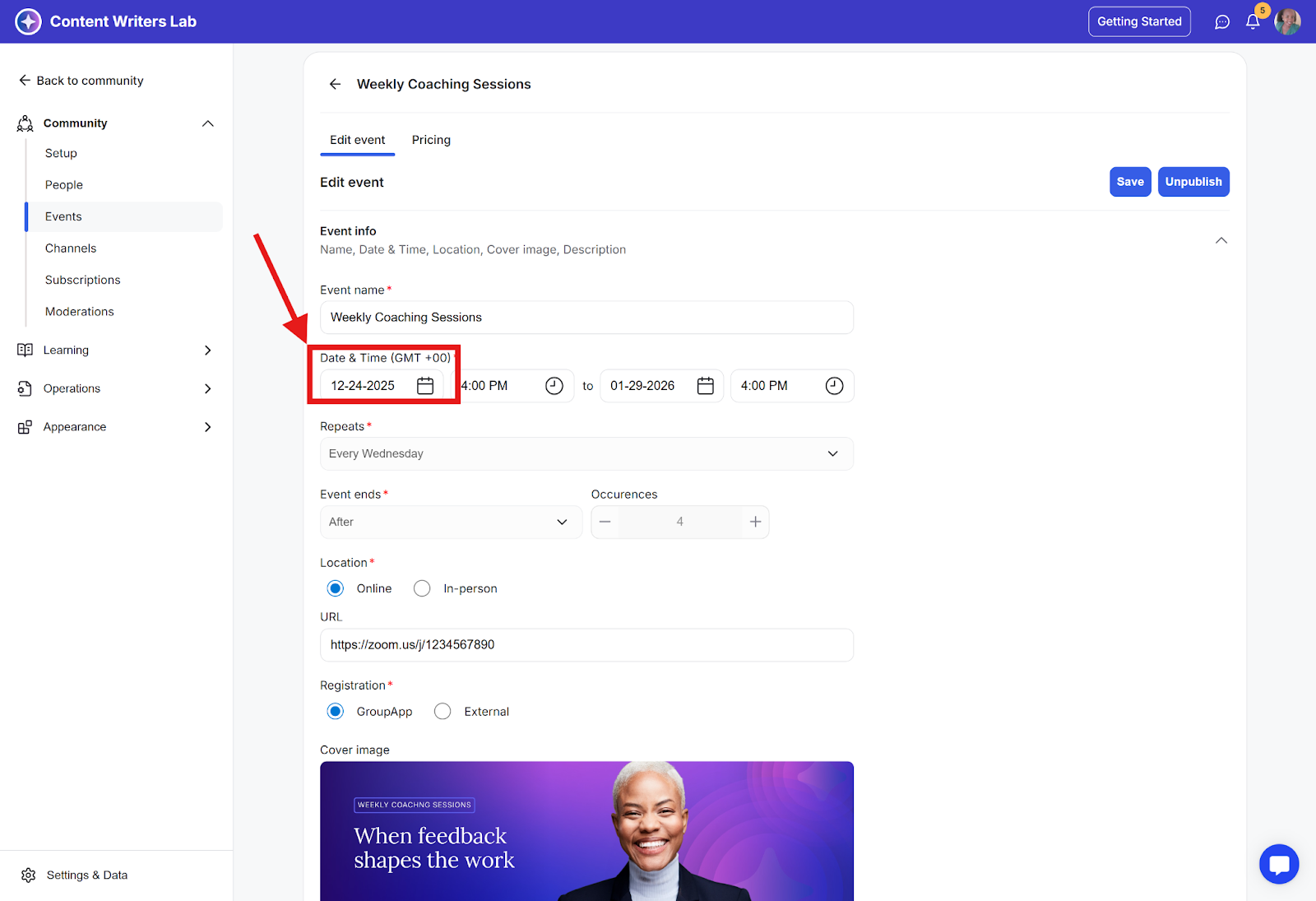
When creating or editing an event, the community time zone is shown on the Create/Edit Event page.
How to Check or Update Your Community Timezone
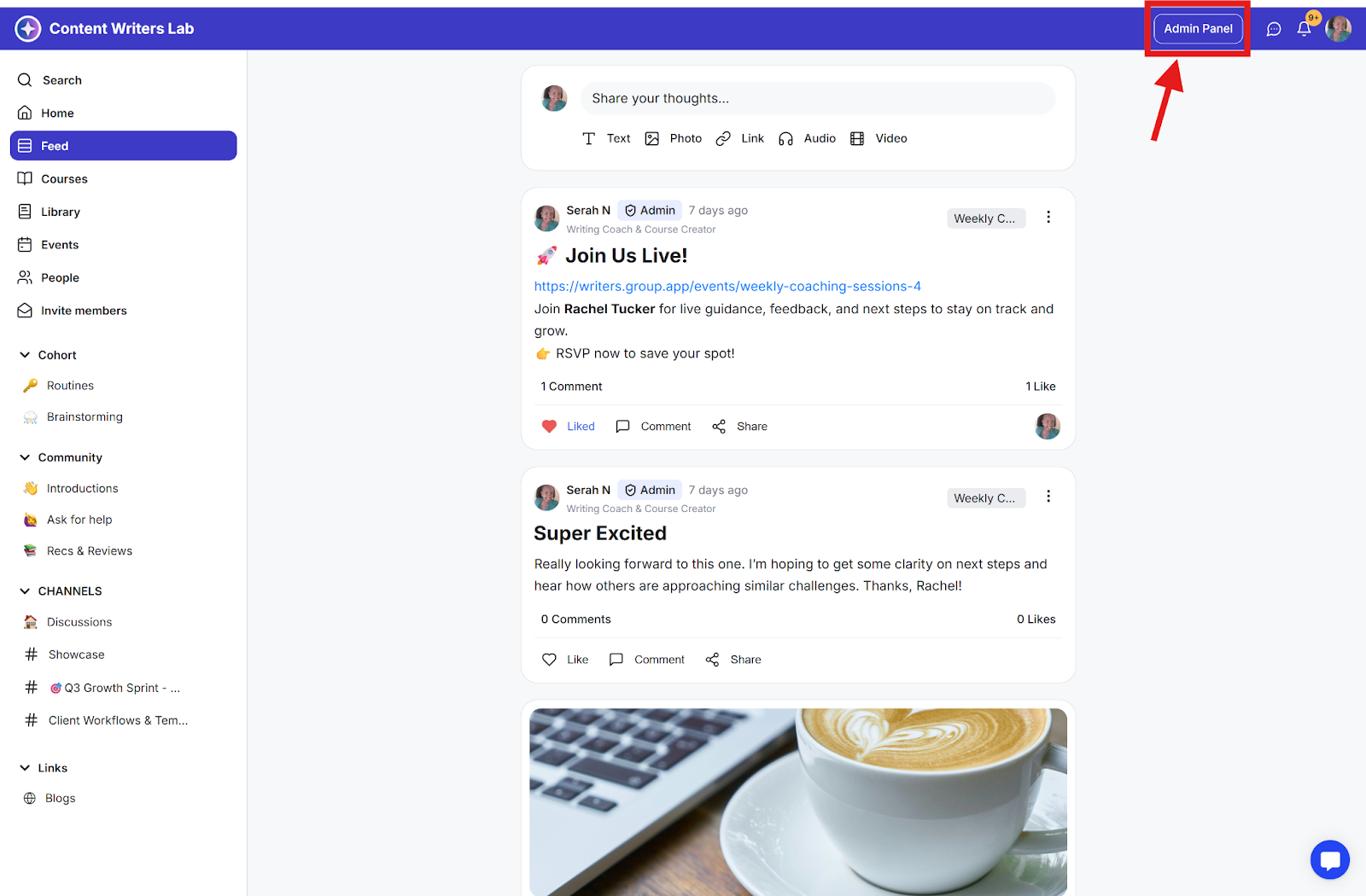
Step 1: Click Admin Panel.
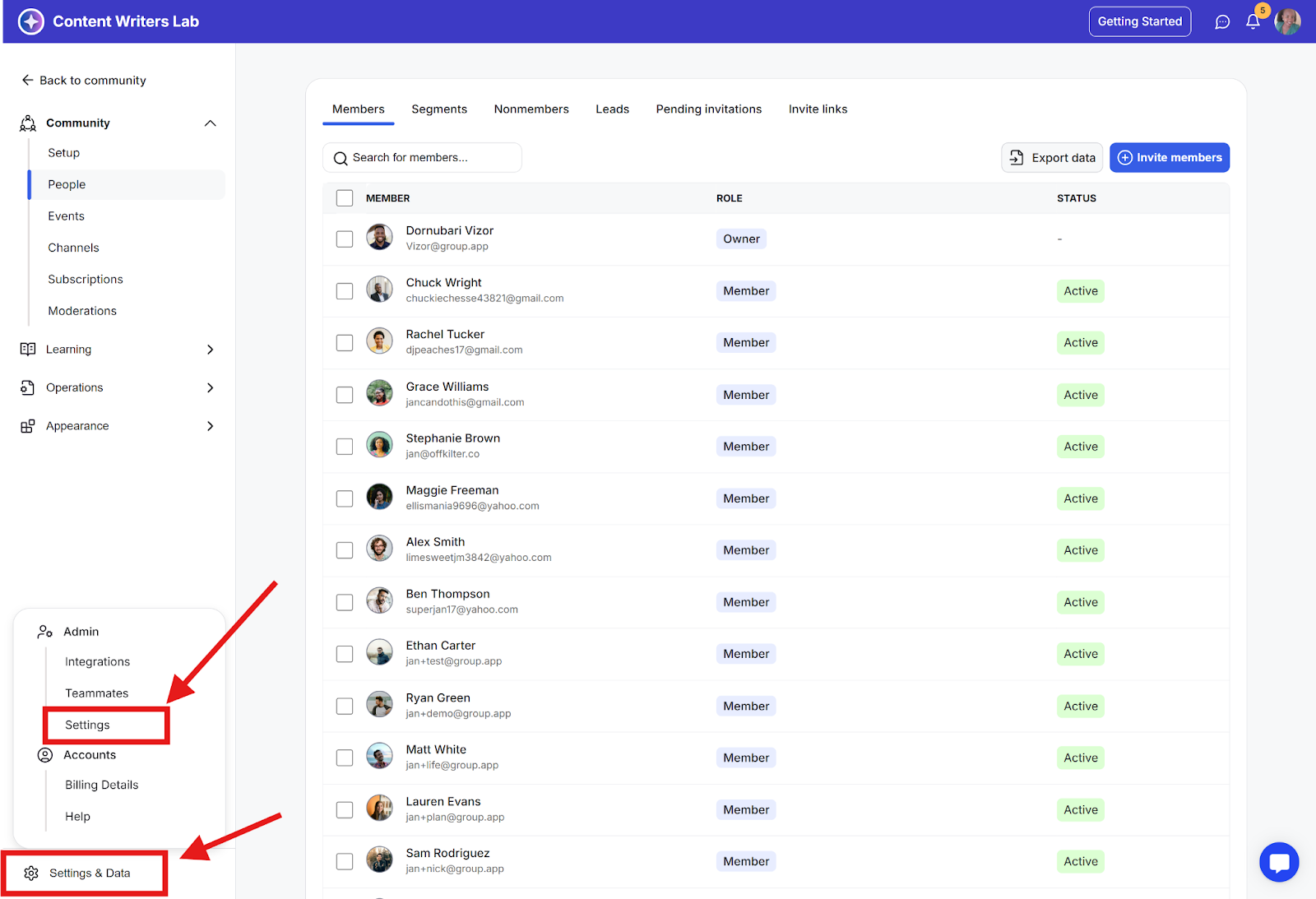
Step 2: Go to Settings & Data and click Settings.
Step 3: On the Community Details tab, scroll down to the Timezone section.
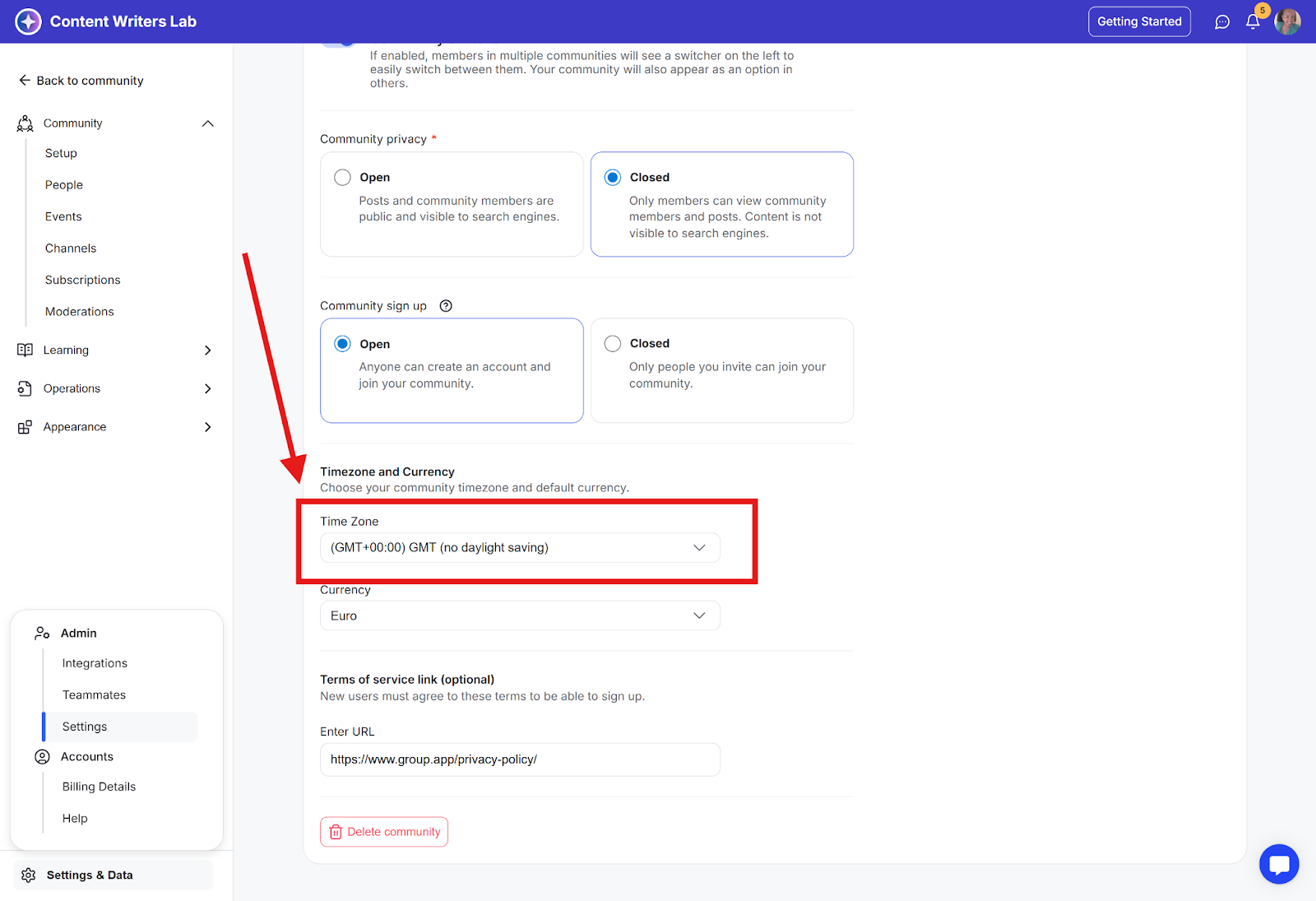
Event Timezone on Admin Panel and Community Events Pages
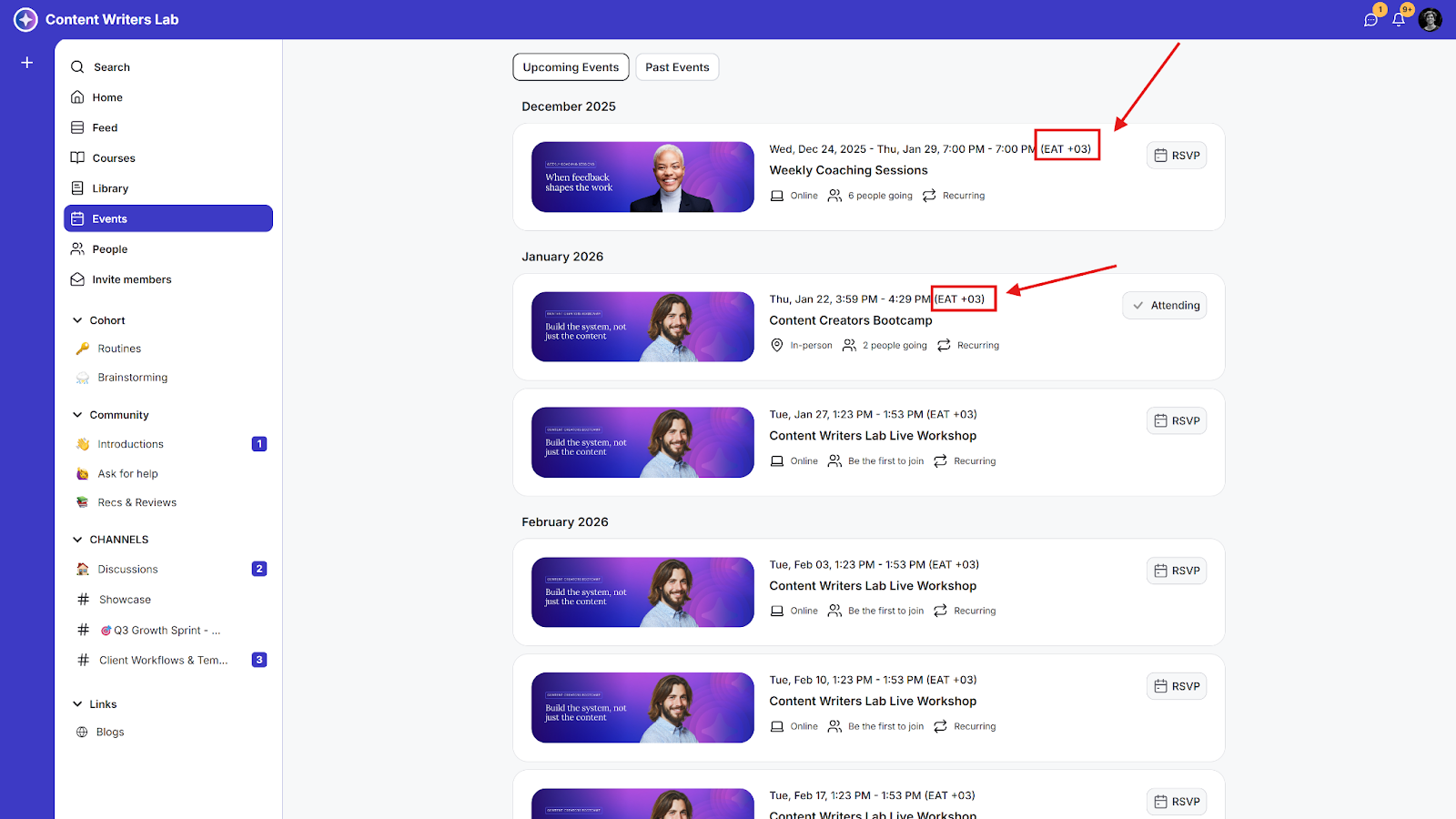
On the Admin Panel Events list page and the Community Events page, event times are displayed in the viewer’s local time zone, making it easier for members to see the correct time.
Admin panel view:
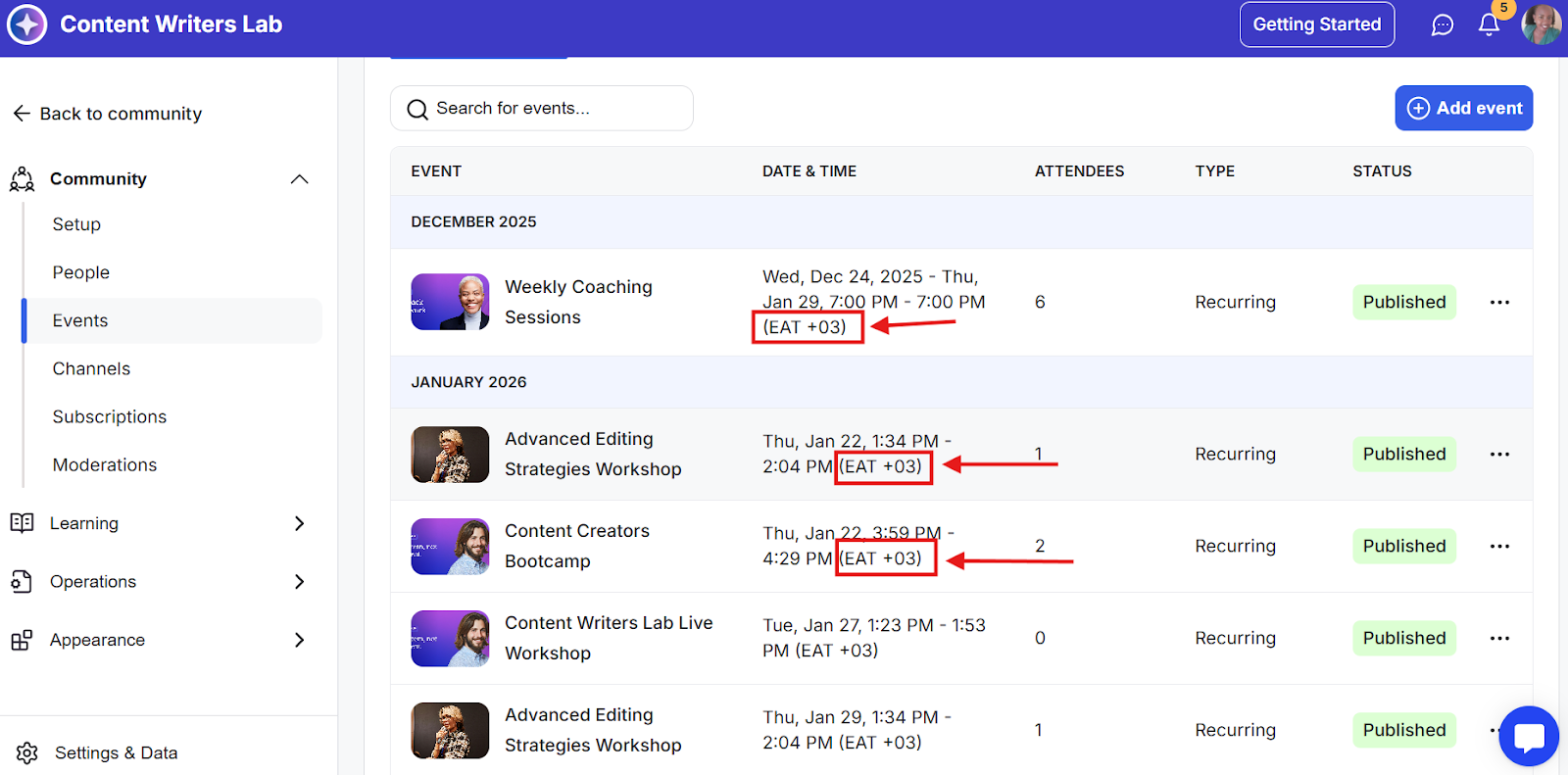
Community events page view