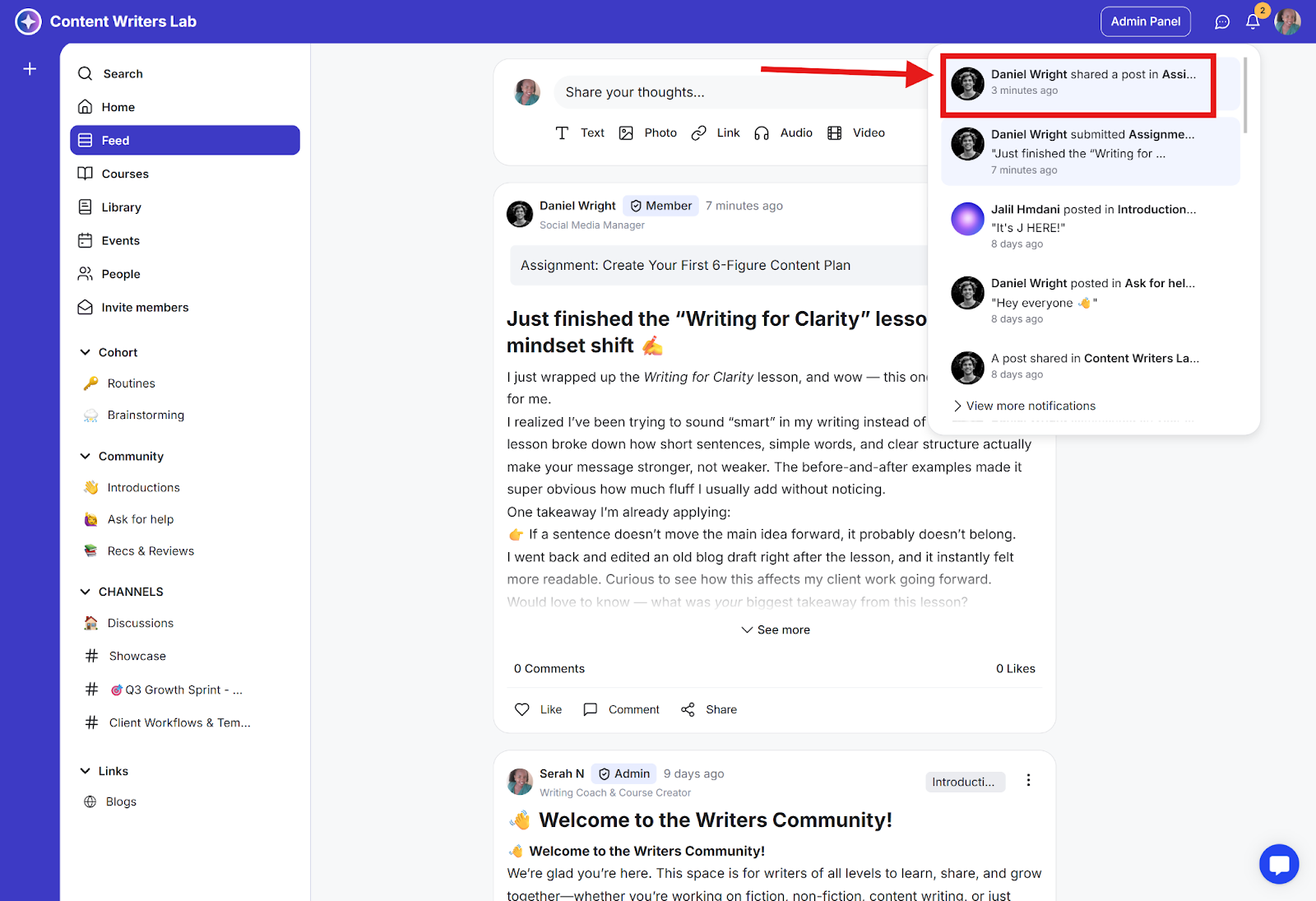
Broadcasting a post means sending a dedicated email that includes that post to relevant members, along with an in-app notification. There is a daily broadcast limit based on your current plan.
How to Broadcast a Post?
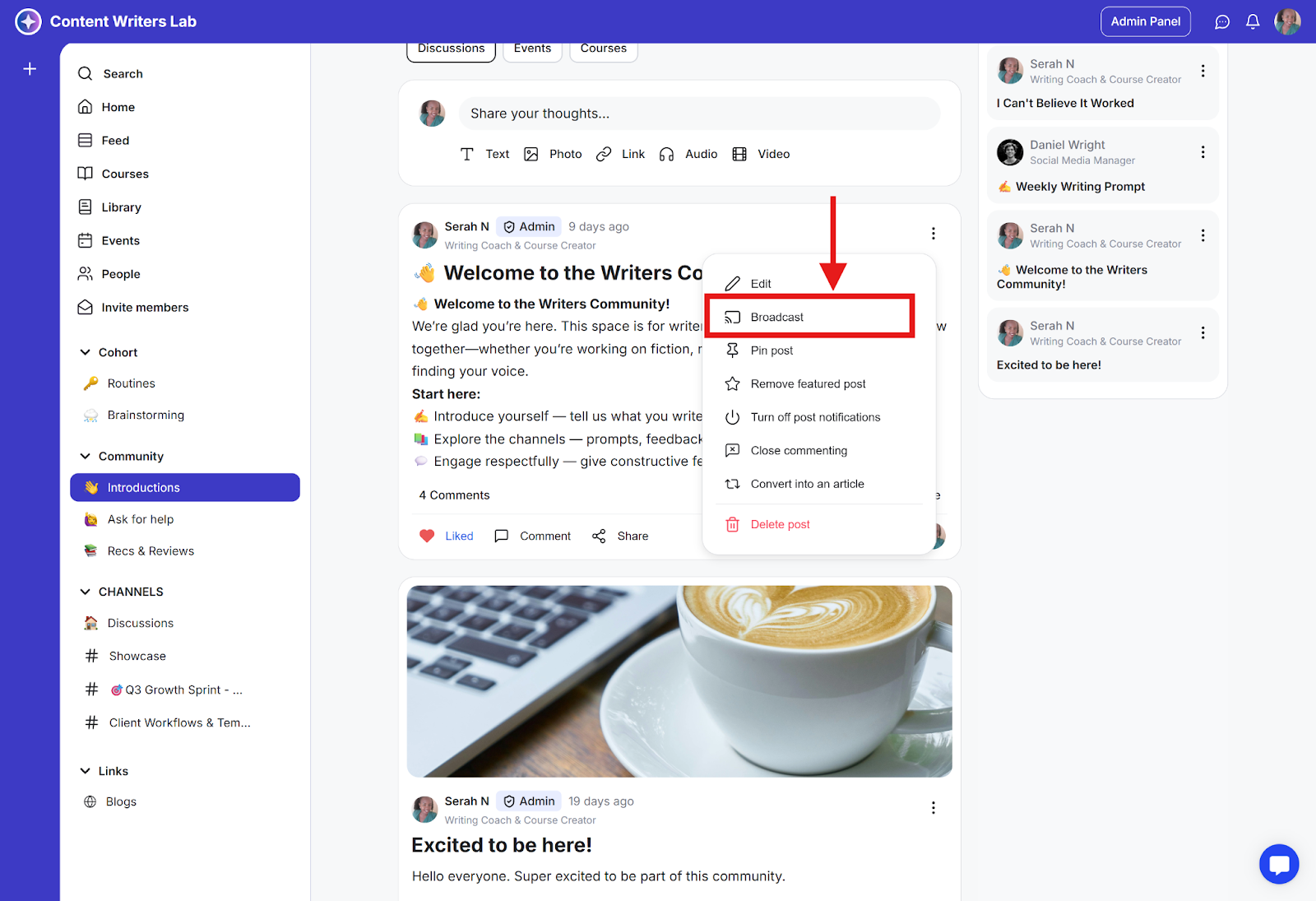
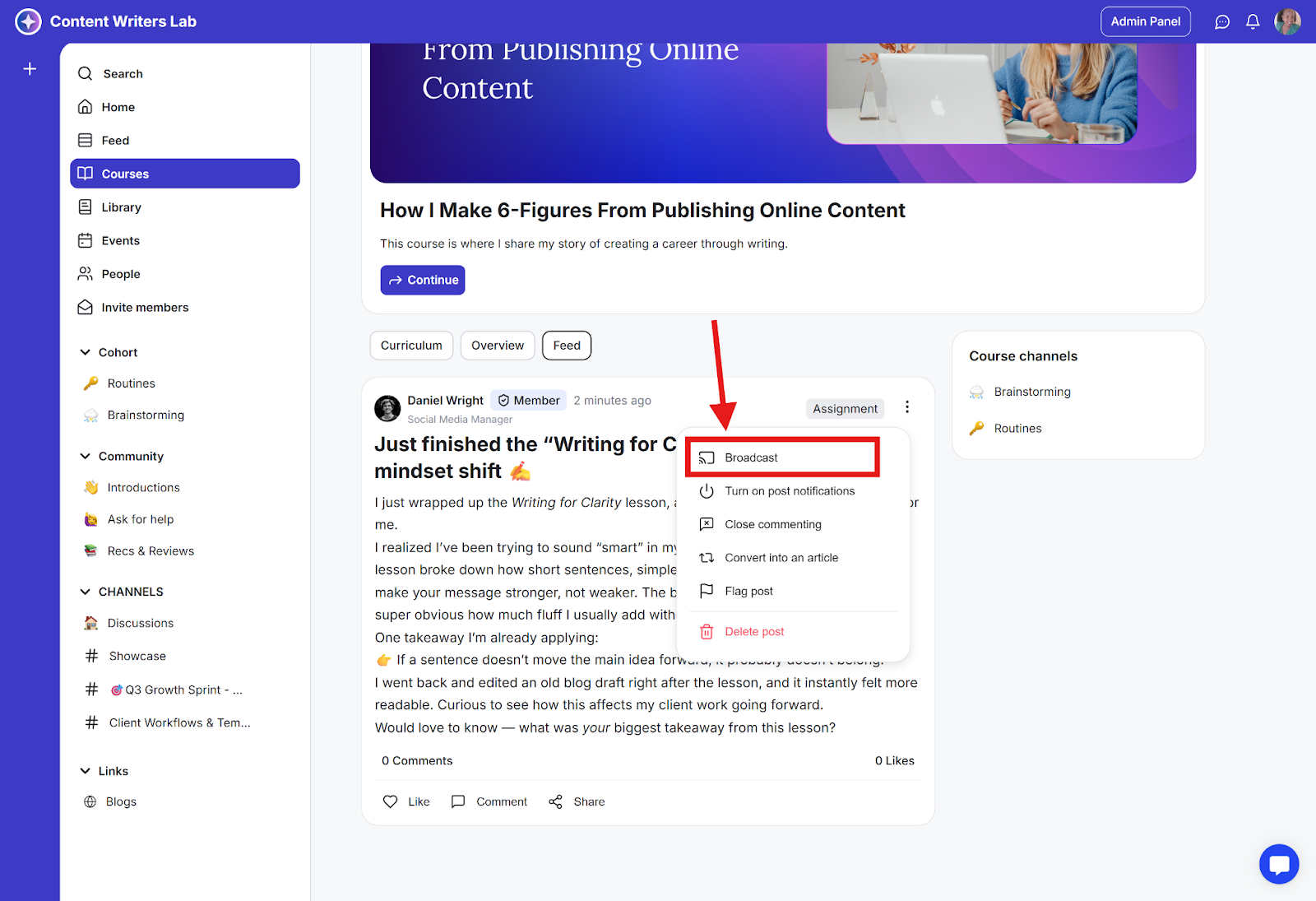
Step 1: Go to a channel, course discussion page, library content discussion page, or event discussion. Click the three-dot icon on the post and select Broadcast.
Channel Post
Course Discussion Post
Note:
Broadcast emails will only be sent to users who have:
Joined the channel (if the post is from a channel)
Enrolled in the course (if the post is from a course discussion page)
Accessed the library content (if the post is from a library discussion page)
RSVPed for the event (if the post is from an event discussion page)
Users will also receive in-app notifications about the post.