
This guide explains how to cancel membership subscriptions for community members. You can choose to end a subscription immediately or schedule the cancellation for the end of the billing period.
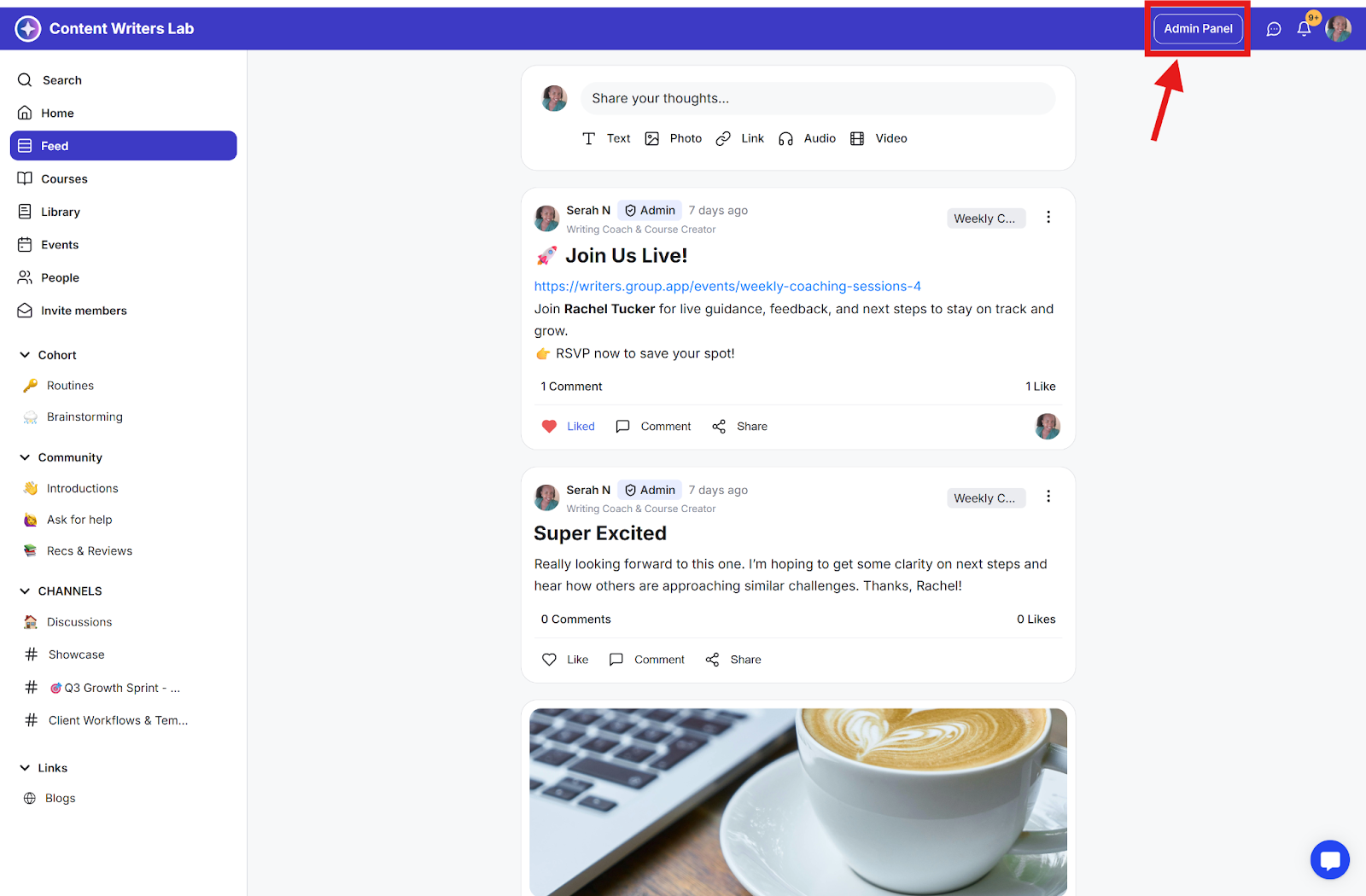
Step 1: Click the Admin Panel button.
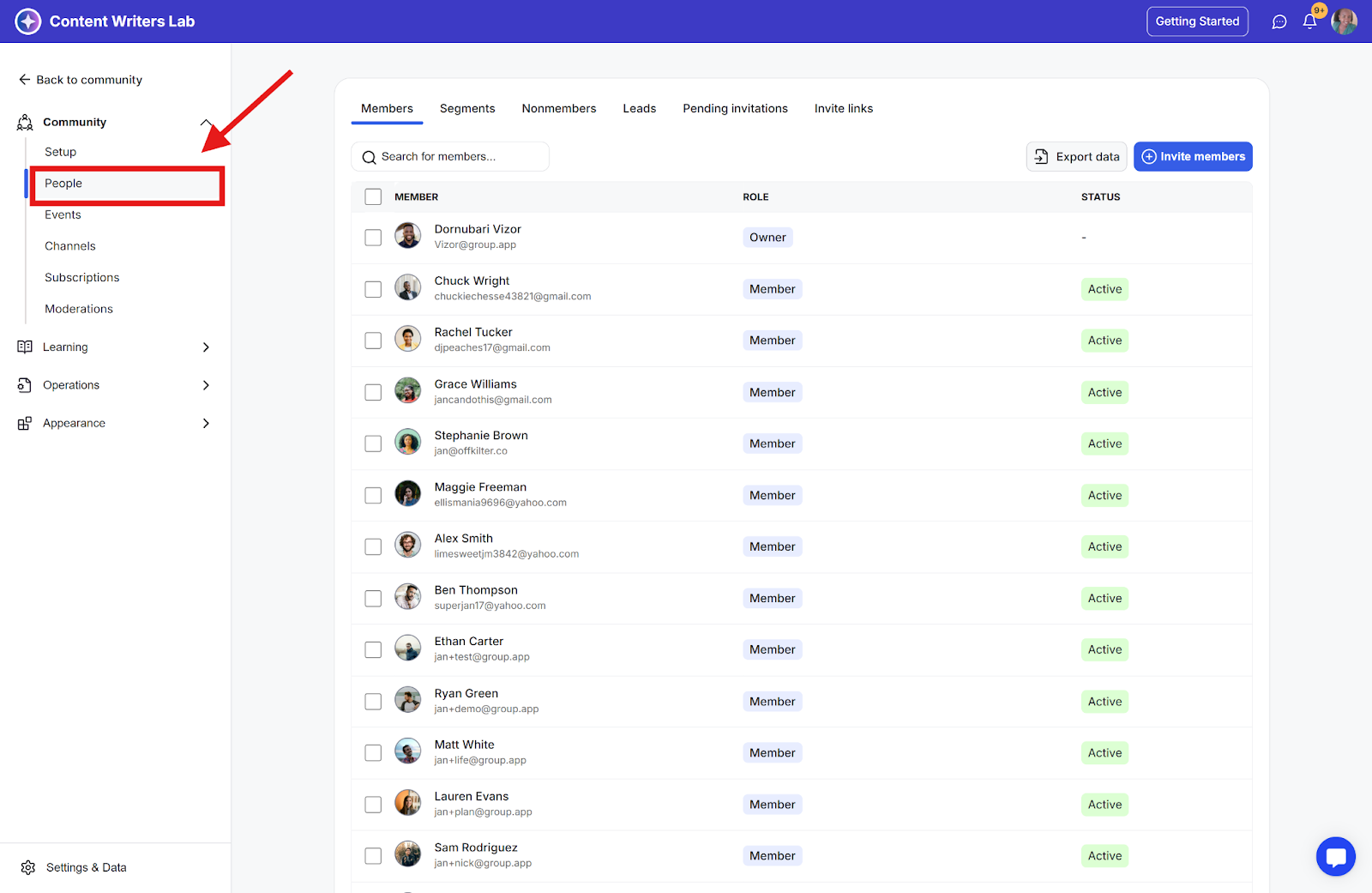
Step 2: Click People on the side menu.
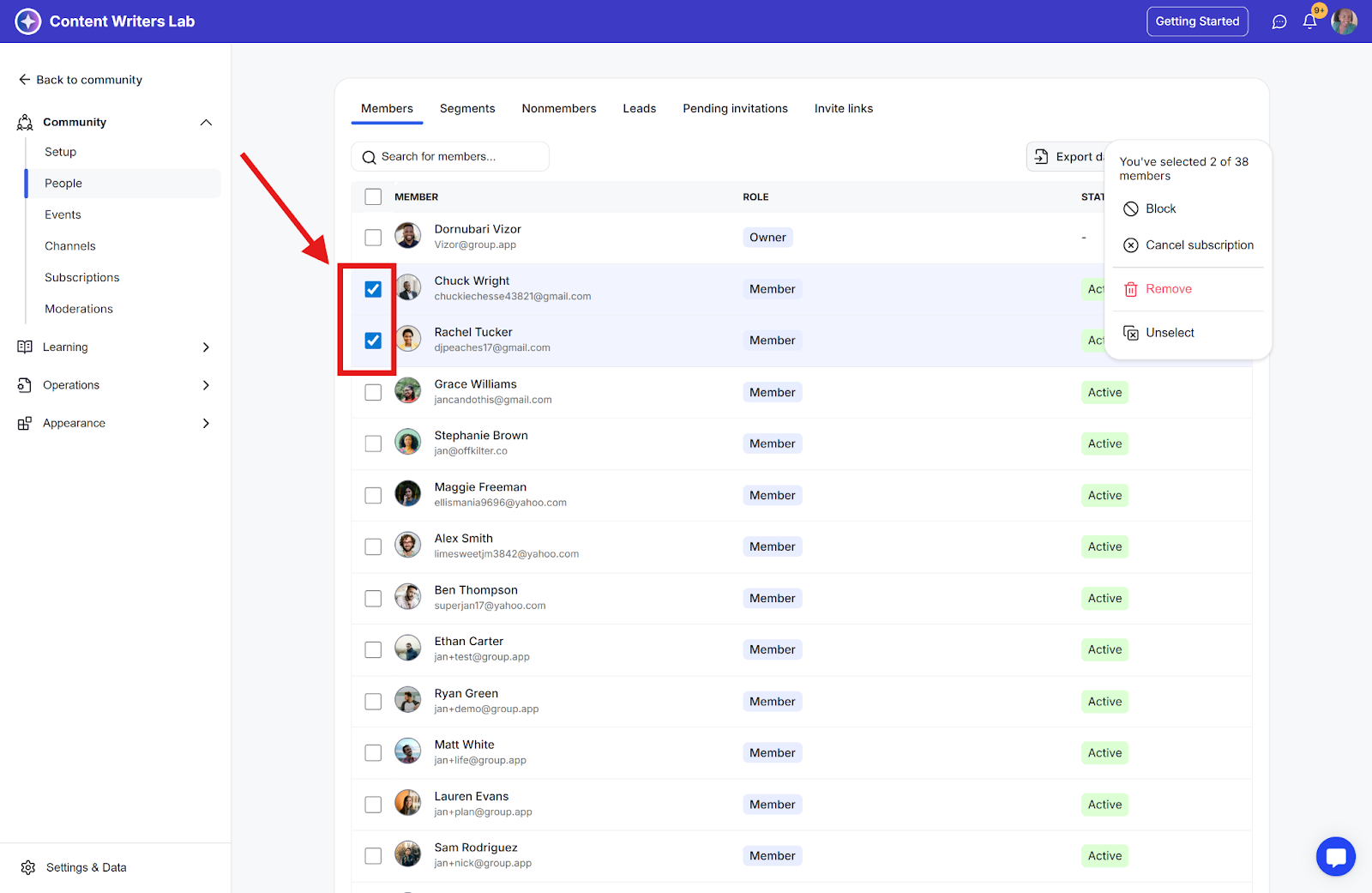
Step 3: On the member’s page, locate the specific people you want to cancel their subscription and tick the corresponding checkboxes.
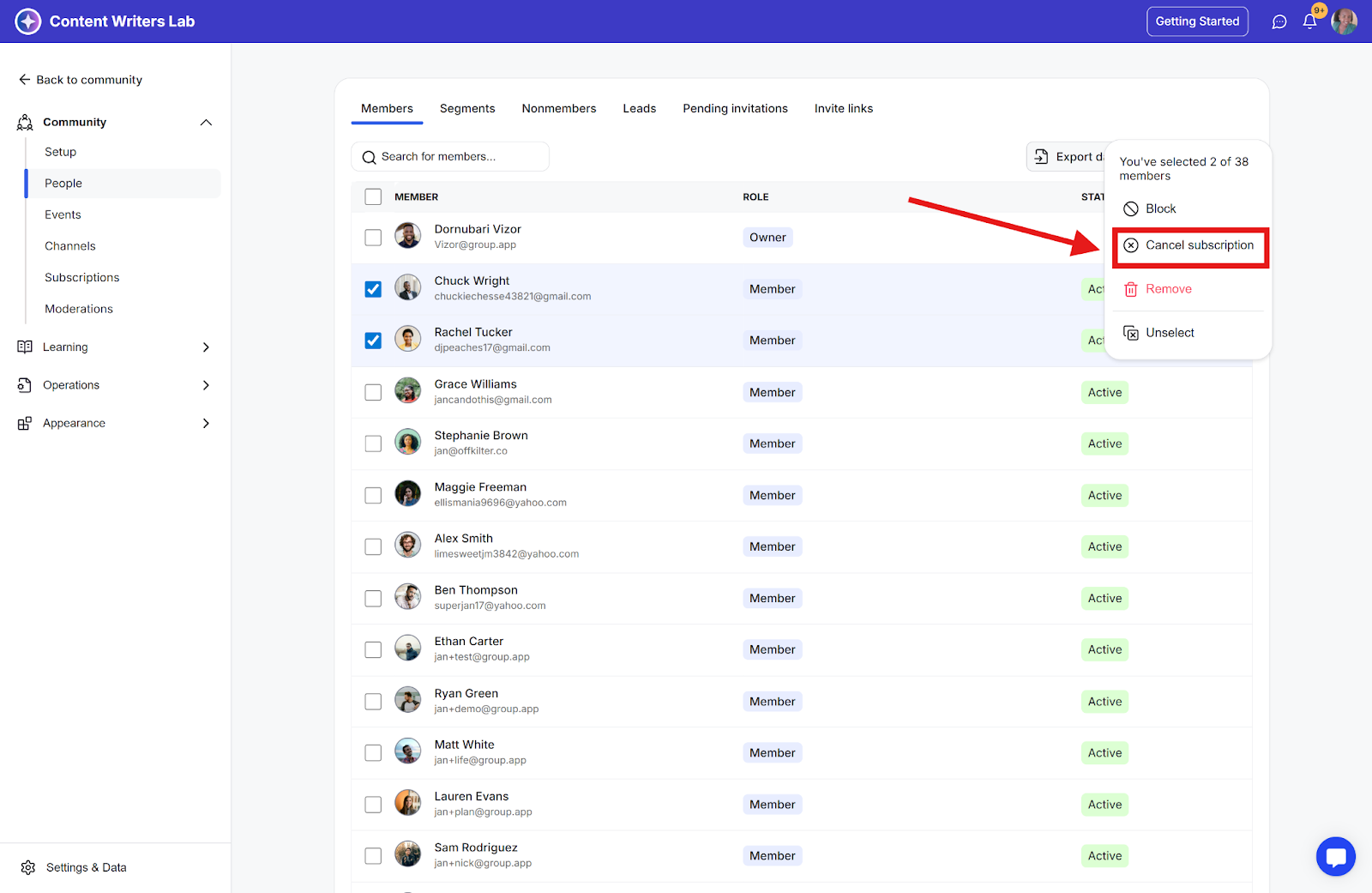
Step 4: Click the Options button and click the Cancel Subscription option.
Step 5: You can choose to cancel immediately or at the end of the billing period. Select one of the cancellation options and click Confirm.
