Every GroupApp community comes with a default community URL (example.group.app). You can change that URL at any time, or replace it entirely with your own branded web address. This guide covers both.
Default community URL — your free GroupApp subdomain (example.group.app). You can edit this anytime from your community settings.
Custom domain — a branded address on a domain you already own (community.yourdomain.com). This requires a CNAME record in your DNS settings.
If your organization has rebranded or changed its name, you can update your GroupApp subdomain so it matches. Only community owners and admins can make this change.
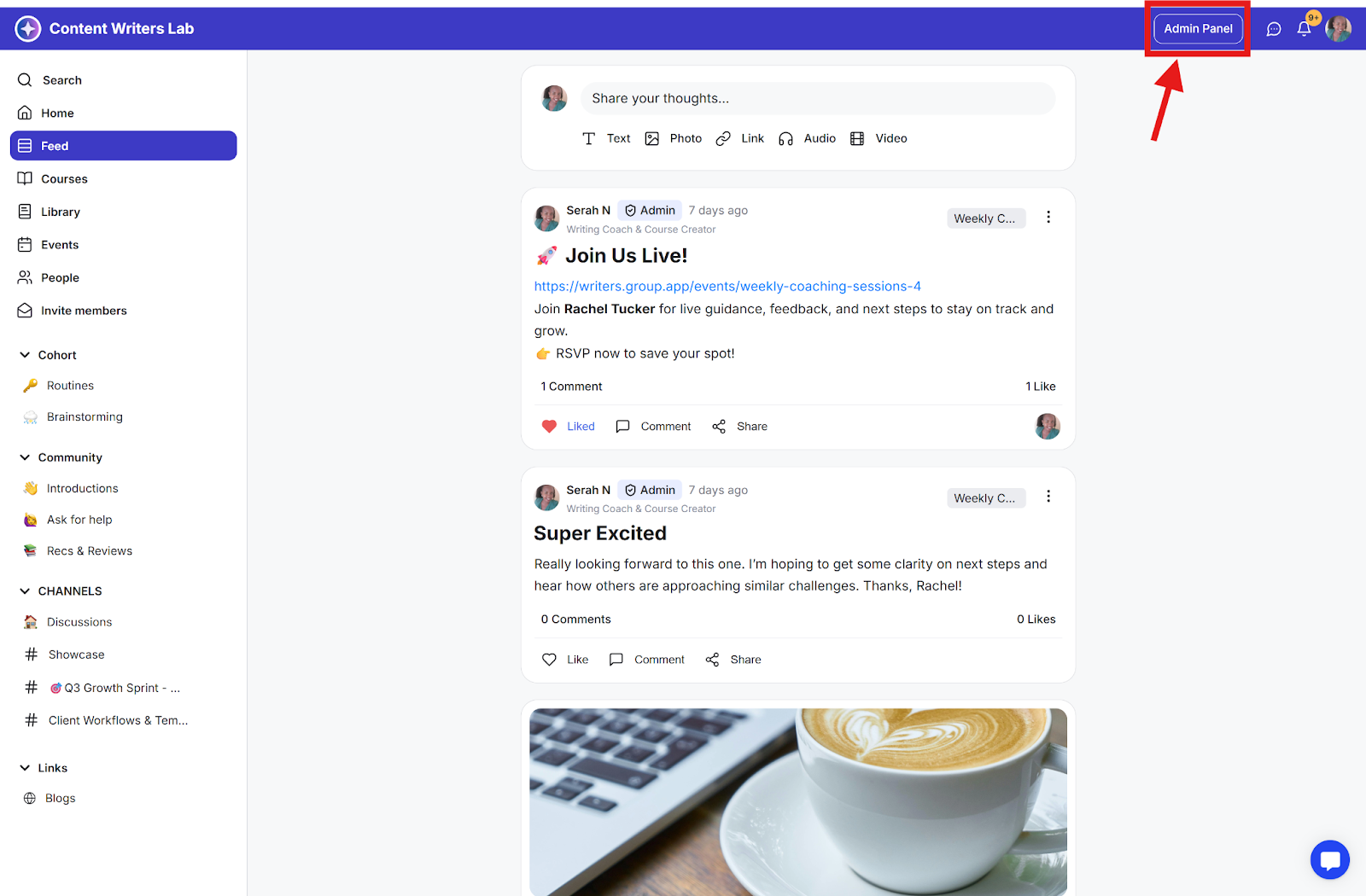
Step 1: Click on Admin Panel.
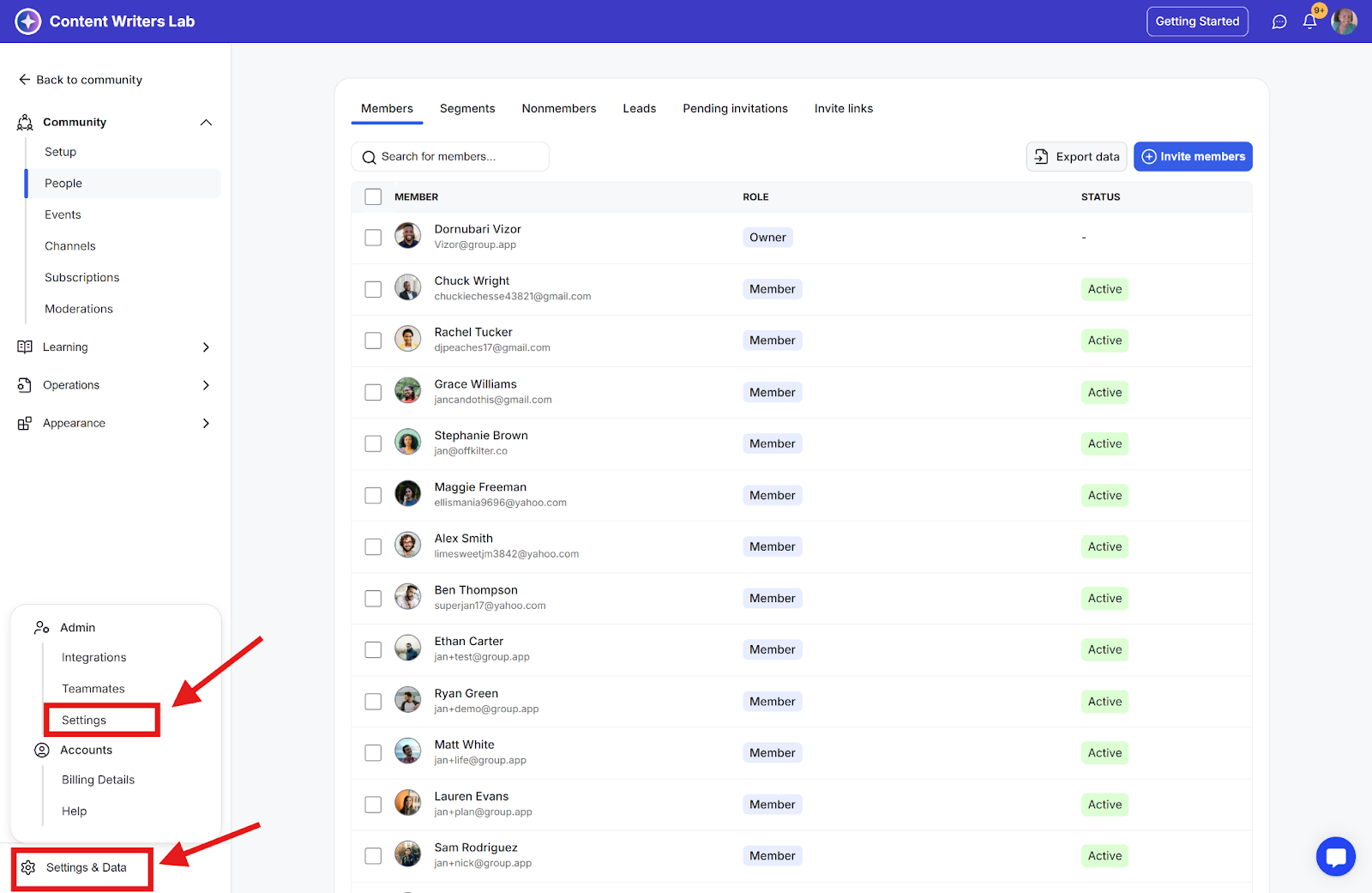
Step 2: Click on Settings & Data at the bottom of the side menu and select Settings.
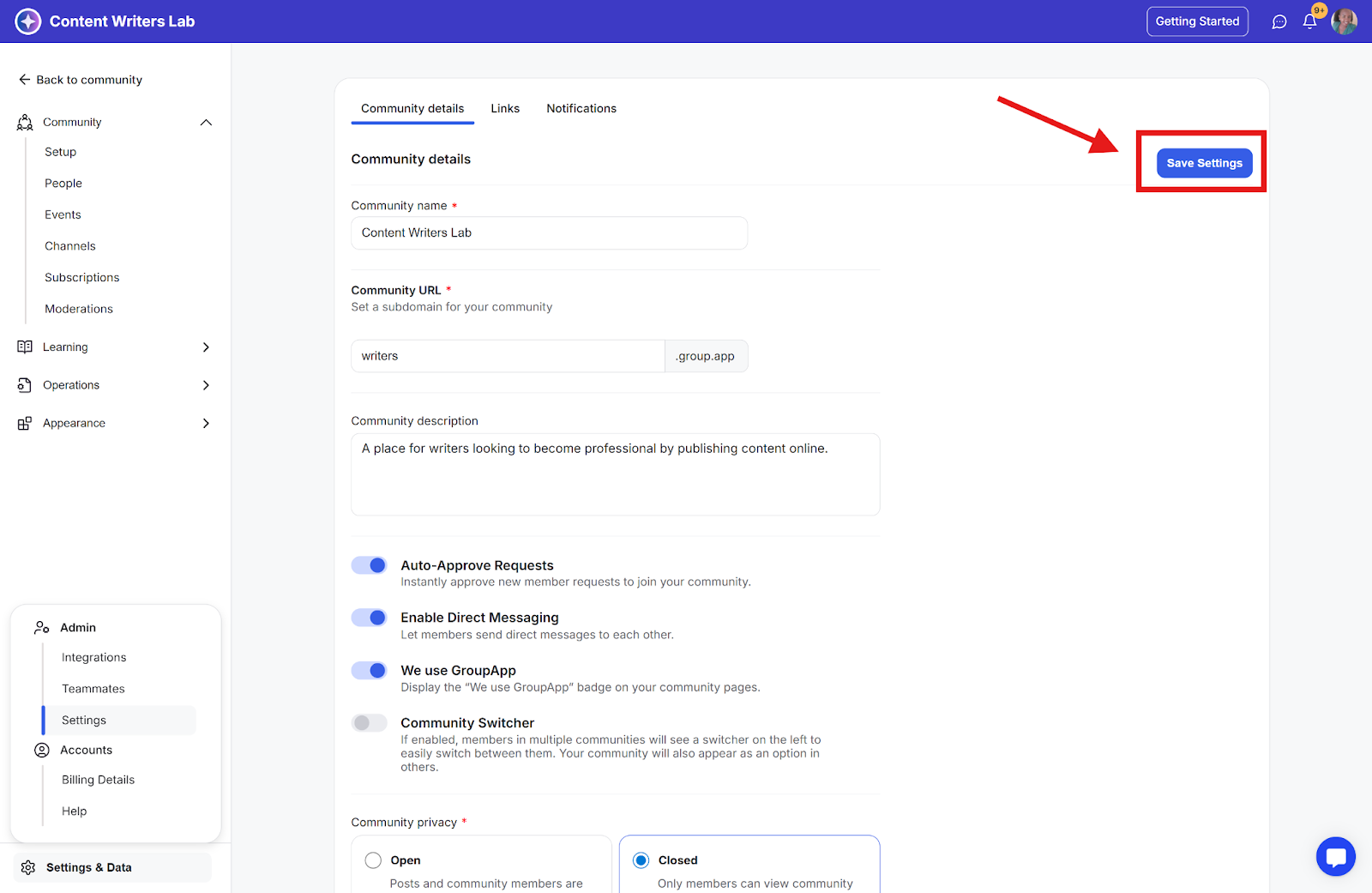
Step 3: You will land on the Community Details tab. Locate the Community URL field.
Step 4: Replace the existing subdomain with the one you want to use. Subdomains must be unique across GroupApp, so if the name you enter is already taken, you will be prompted to choose a different one.
Step 5: Click Save Settings to apply the change. Your community will be available at the new address right away.
Important: Your old community URL stops working as soon as the change is saved. It is not redirected to the new address, so anyone who visits the old link will see a page not found error. Plan the change before you make it.
Tell your members first. Send an announcement, email, or direct message with the new link before and after you make the change. Members who do not know about the new URL may assume the community was deleted, and some try to create their own new GroupApp community instead.
Update the link everywhere you have shared it. This includes welcome and onboarding emails, email signatures, landing pages, sales and checkout pages, course and event links, social media bios, and any documentation you hand to new members.
Ask members to update their bookmarks and home screen shortcuts. Anyone who added the community to their phone home screen will need to remove the old icon and add it again using the new URL.
If you use a custom domain, update your CNAME record. Your CNAME record points to your default GroupApp subdomain. If you change that subdomain, edit the CNAME record at your DNS provider to point to the new one, otherwise your custom domain will stop resolving.
Search engine results and links from other websites will continue to point to the old address until they are re-crawled or updated.
Tip: If you want an address that never changes even when your organization rebrands, set up a custom domain on a domain you own. You can then change your GroupApp subdomain behind the scenes without affecting the link your members use.
Setting up a custom domain allows you to replace your default community URL with your own branded web address. To do this, you’ll need to configure two things:
DNS Settings:
DNS (Domain Name System) controls where your domain directs traffic. You’ll access your DNS settings through your domain provider, such as GoDaddy or Cloudflare.
CNAME Record:
A CNAME record connects your custom subdomain (for example, community.yourdomain.com) to your default GroupApp subdomain. This tells your domain to point visitors to your community.
Note: Only custom subdomains are supported. To have your community appear at yourdomain.com, set your custom subdomain to www (www.yourdomain.com), then configure a redirect from the root domain to www.yourdomain.com at your domain provider.
Step 1: Log in to your DNS provider:
Step 2: Navigate to the domain to which you would like to map a custom subdomain and add a CNAME record that points to your default GroupApp subdomain (example.group.app).
Cloudflare Example

Cloudflare User Note: If you are using Cloudflare for your DNS provider, make sure to disable the orange Cloud icon for your newly created CNAME record.
Below are links to popular DNS providers and their guides for setting up CNAME:
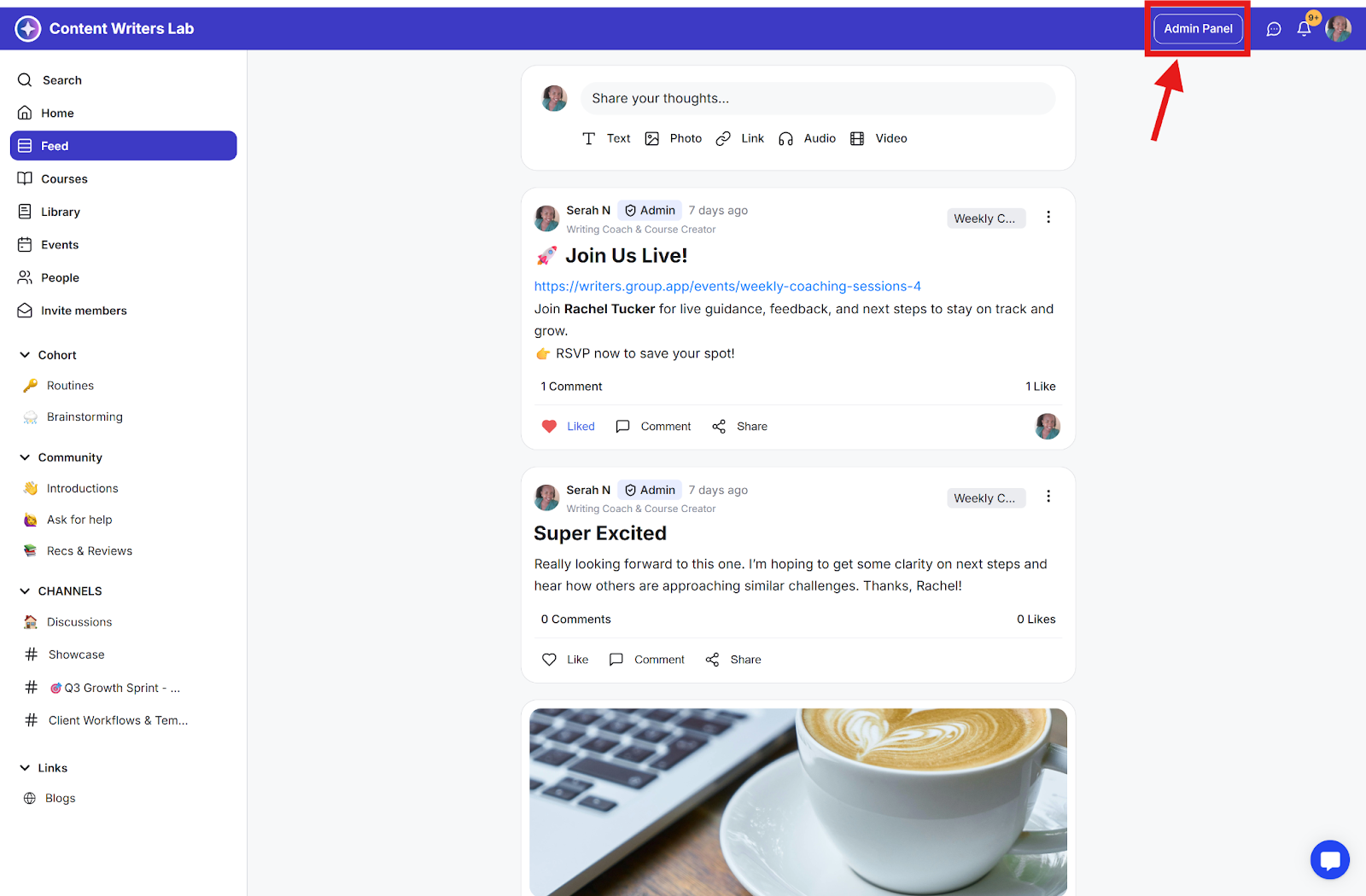
Step 1: To configure a custom domain, first click Admin Panel.
Step 2: Go to Appearance on the side menu and select Branding.
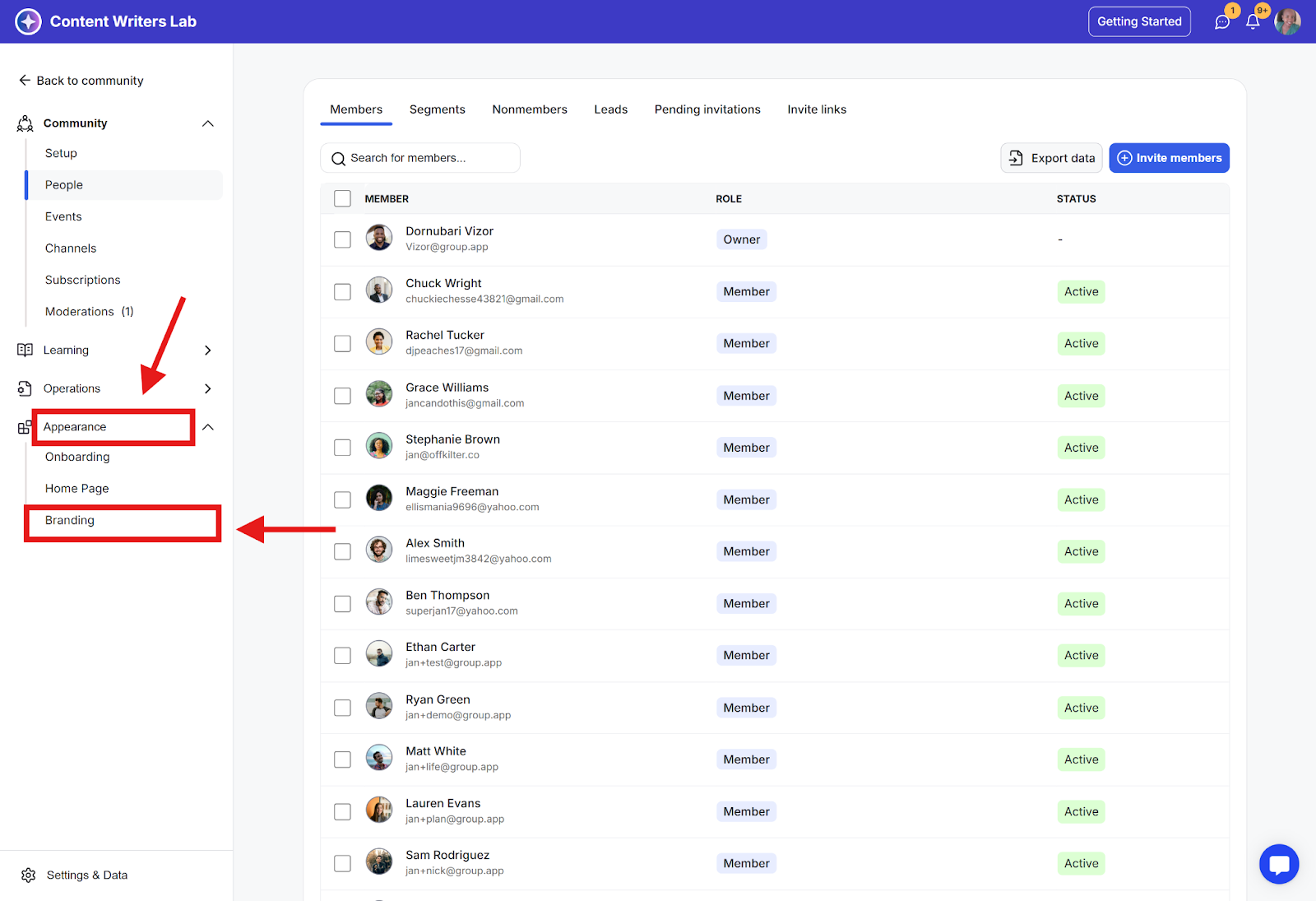
Step 3: Scroll to the bottom of the page to find the Custom Subdomain section.
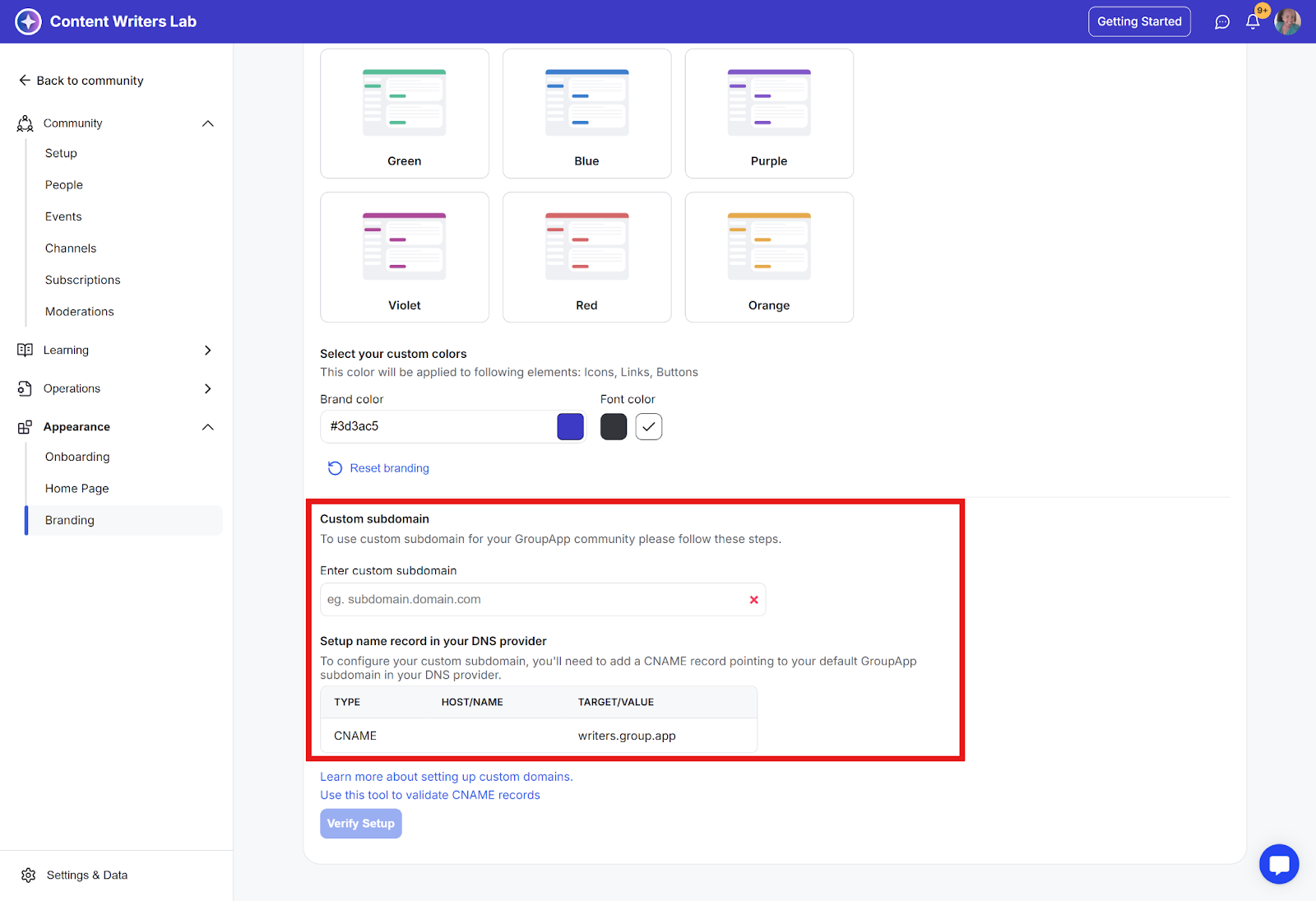
Step 4: Enter the custom subdomain that you created a CNAME record for, and click Verify Setup.
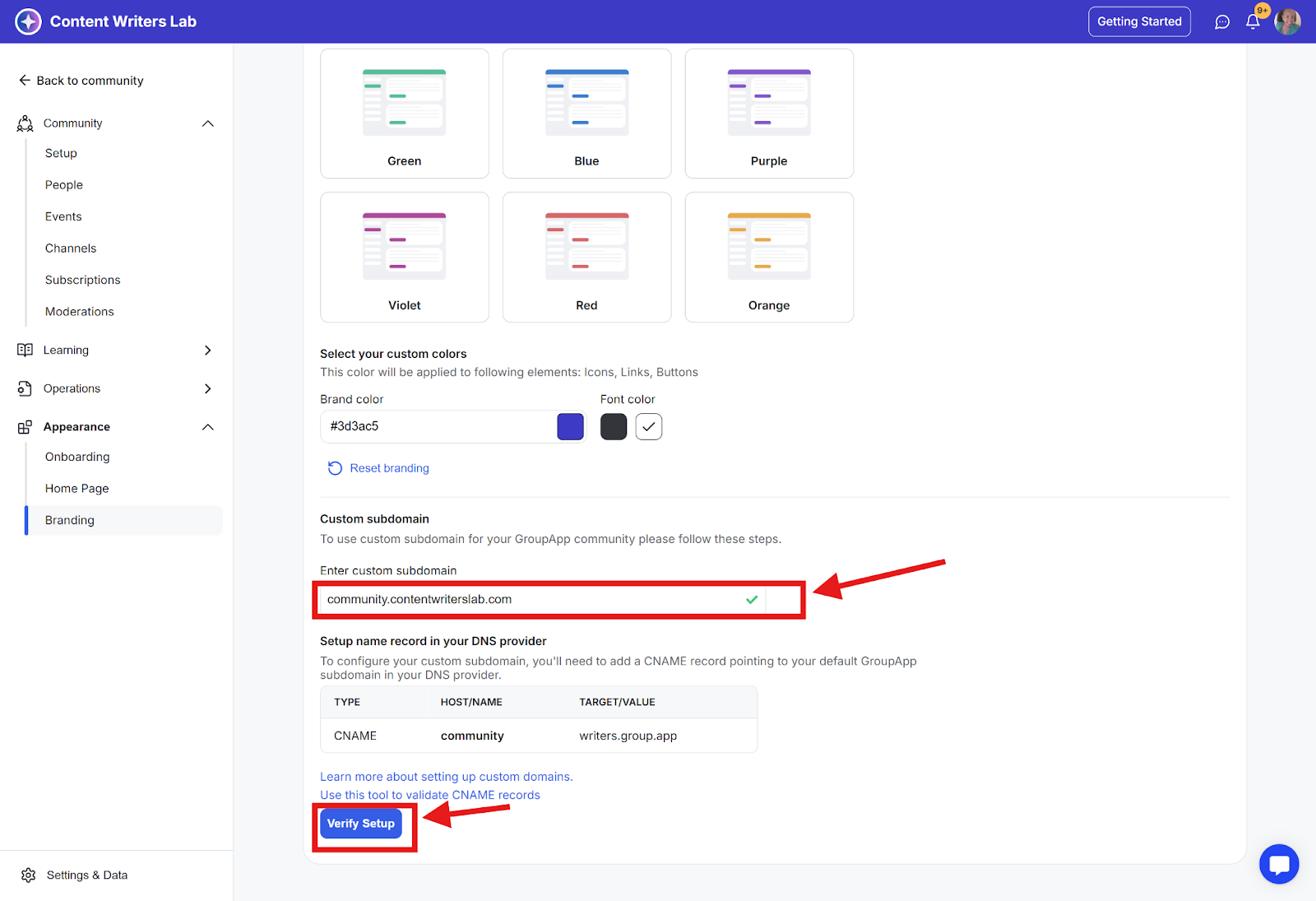
Step 5: GroupApp will verify your setup and apply the custom subdomain to your community
The status of your custom subdomain will change from pending to active once your custom subdomain is ready to be used. If your custom subdomain is not active within 3 to 24 hours, contact us.
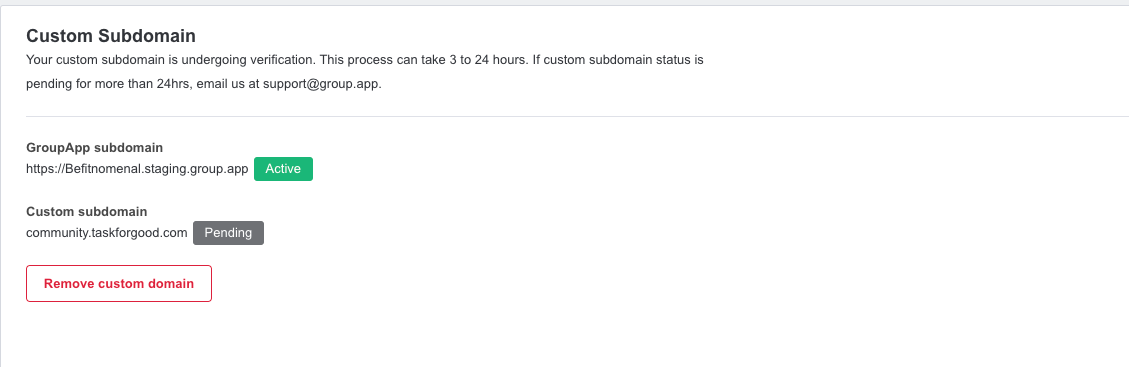
Note: GroupApp's default community URL will redirect to your new custom subdomain once your custom subdomain is active.
Can I change my community URL later?
Yes. You can edit your subdomain at any time from the Community Details tab in your community settings. Keep in mind that the previous URL will no longer work once the change is saved.
Will my old URL redirect to the new one?
No. When you change your default community URL, the old address stops working and visitors will see a page not found error. Share the new link with your members before you make the change.
Will changing my community URL affect member accounts or content?
No. Your members, posts, courses, events, and settings all stay exactly as they are. Only the web address used to reach your community changes.
What if the subdomain I want is already taken?
Subdomains are unique across GroupApp. If the one you want is unavailable, try a variation, or set up a custom domain on a domain you own instead.
