You can let people discover your community and join through the GroupApp mobile app or access your community directly through your branded app. This gives prospective members a way to get started for free and experience your community before choosing a paid membership on the web.
What members can access depends on the free membership plan you assign to them.
To allow people to sign up through the mobile apps using a free membership plan, follow these steps:
1) Open your Admin Panel and click Subscriptions. Select App Sign-ups.
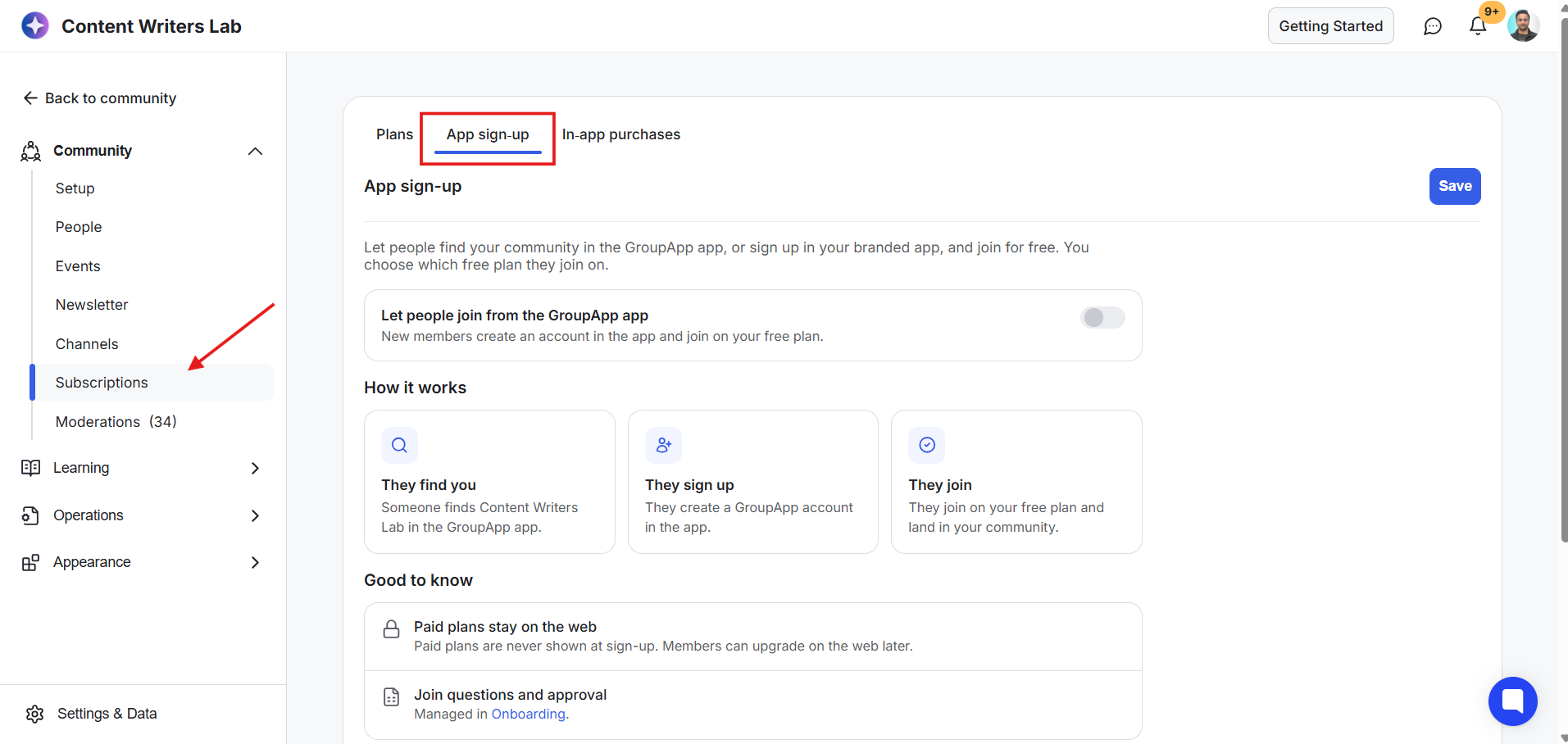
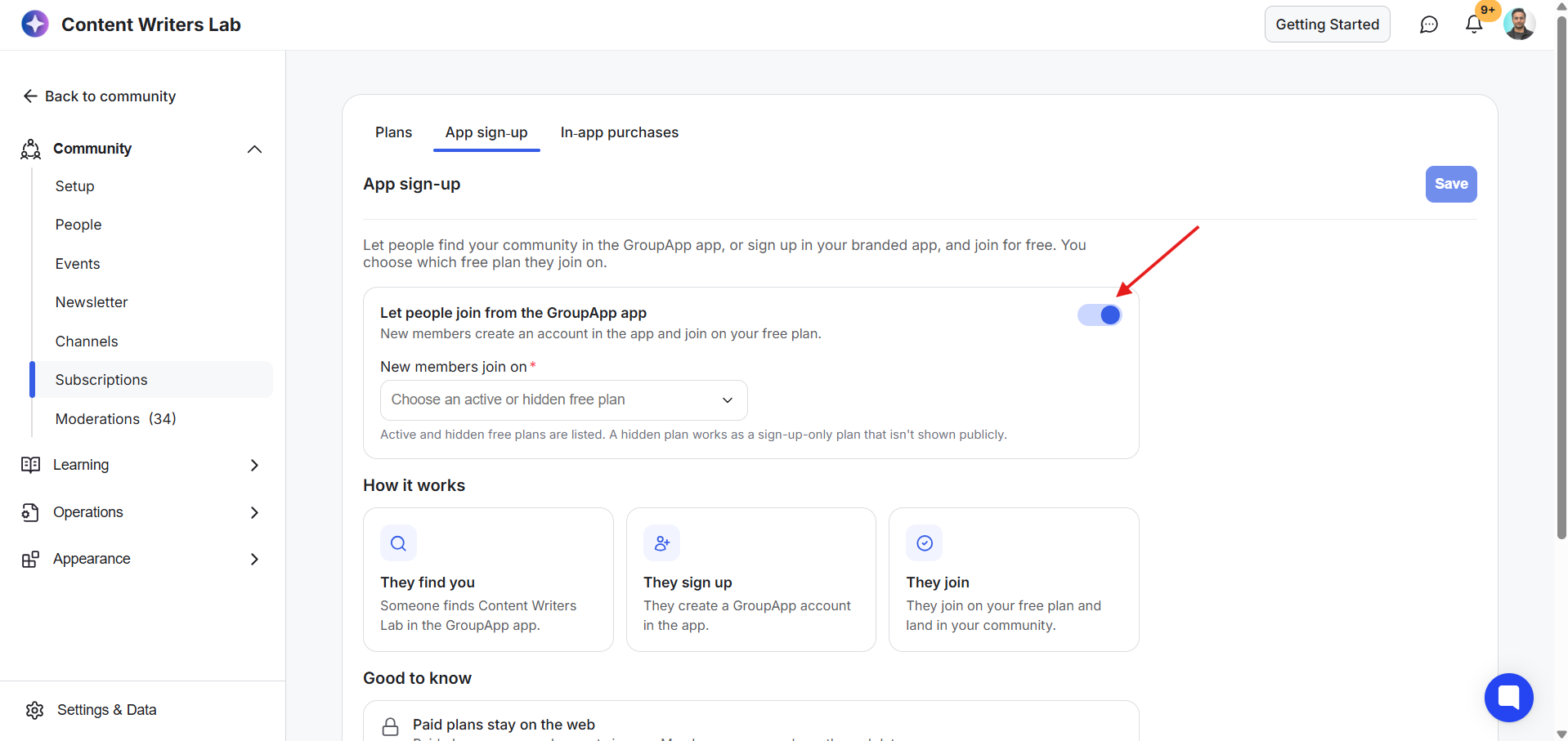
2) Enable the option that allows users to sign up on the GroupApp app using a free plan. This setting also applies to your branded mobile app.
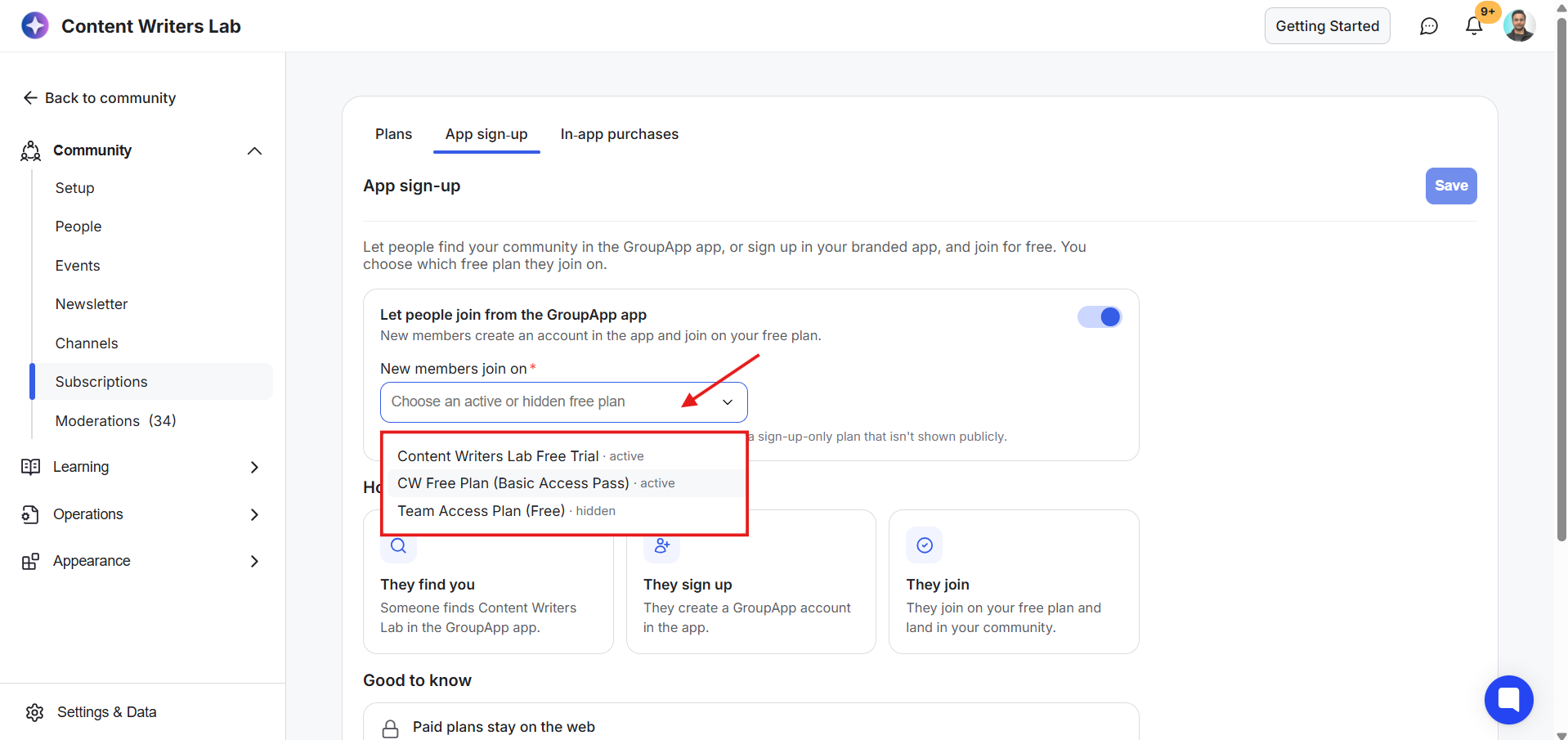
3) Select the free membership plan you want new members to join through the drop-down menu.
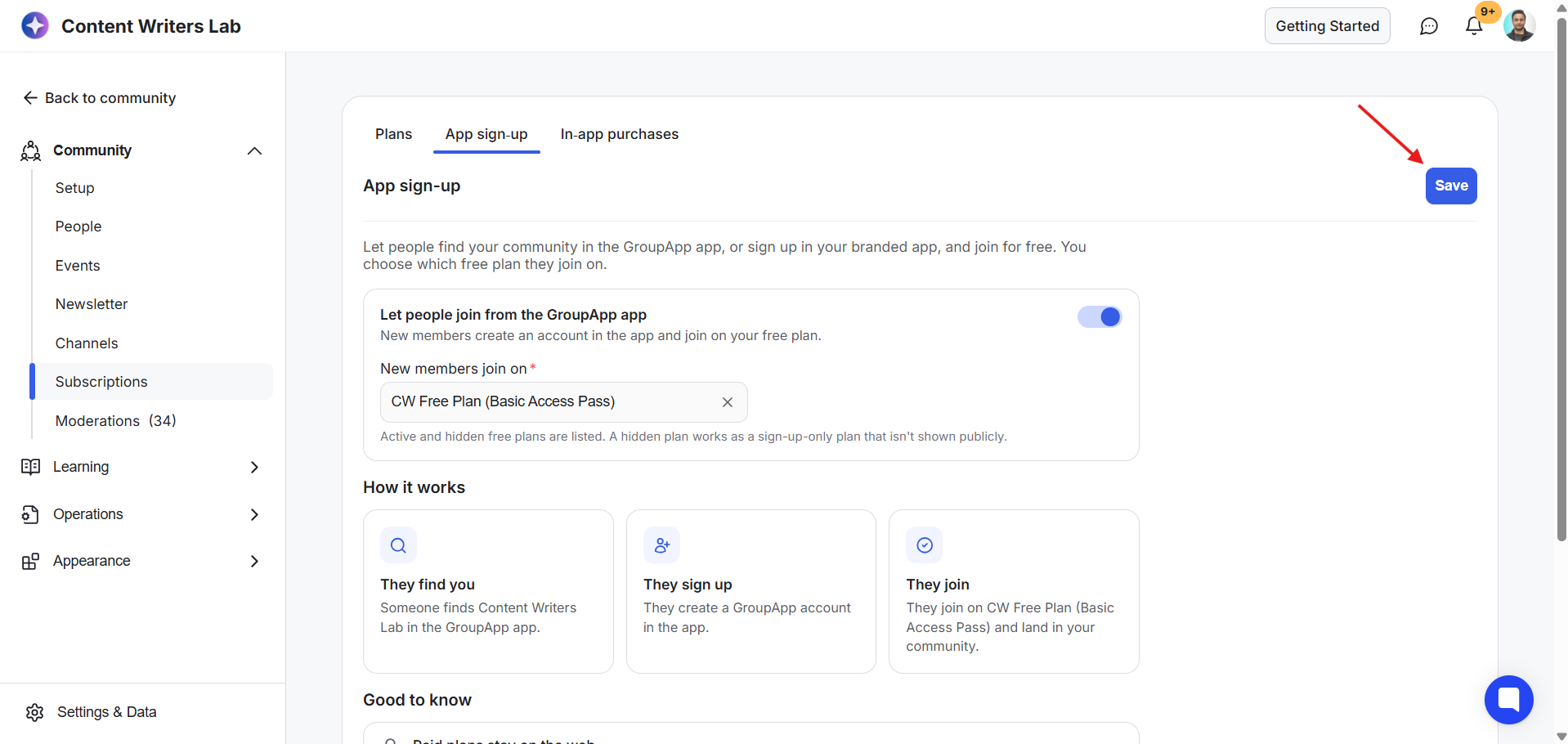
4) Click Save.
Important: The drop-down includes all your free membership plans, including hidden. A hidden plan can be used as a sign-up-only plan without being displayed publicly. Make sure you select the plan you want new members to receive when signing up through the apps.
Creating a GroupApp account doesn't automatically make someone a member of your community. They must discover your community and request to join it.
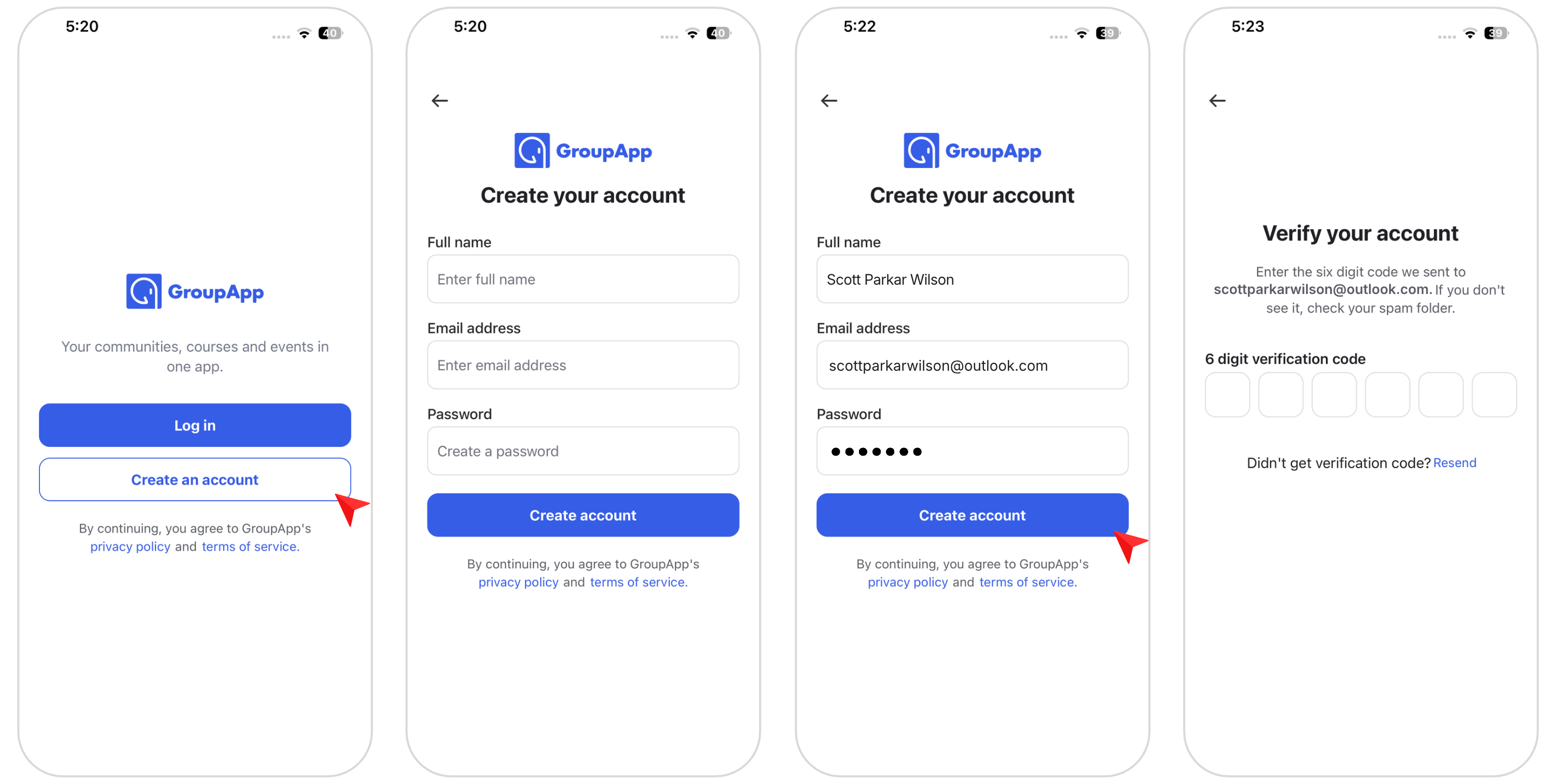
Members download and open the GroupApp mobile app.
They enter their full name, email address, and password.
They tap Create Account.
They enter the verification code sent to their email address.
Once their account is created, they can use GroupApp to discover communities. They aren't automatically enrolled in any community.
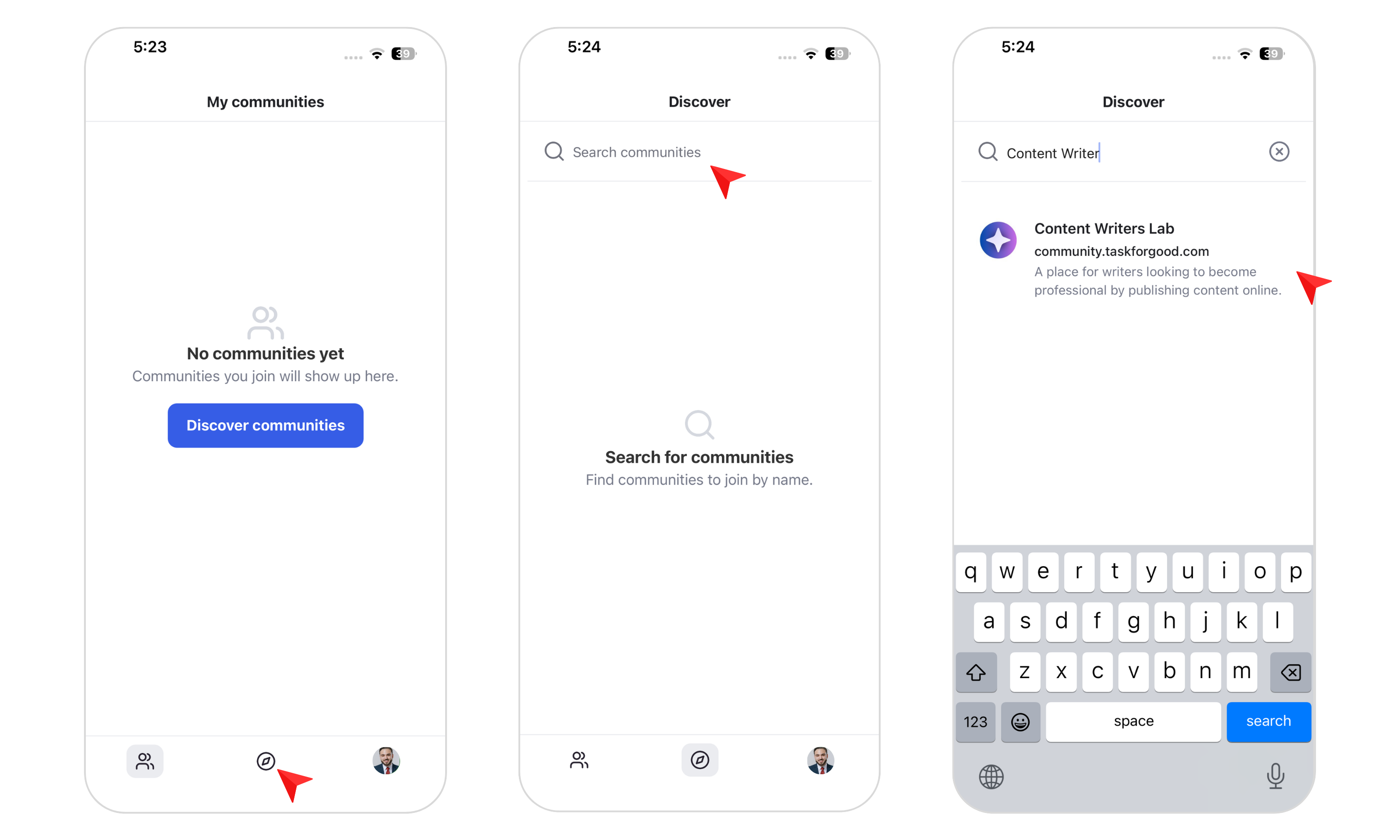
After creating an account, members can browse the available communities in the GroupApp app.
They can scroll through the list or use the search option to find your community.
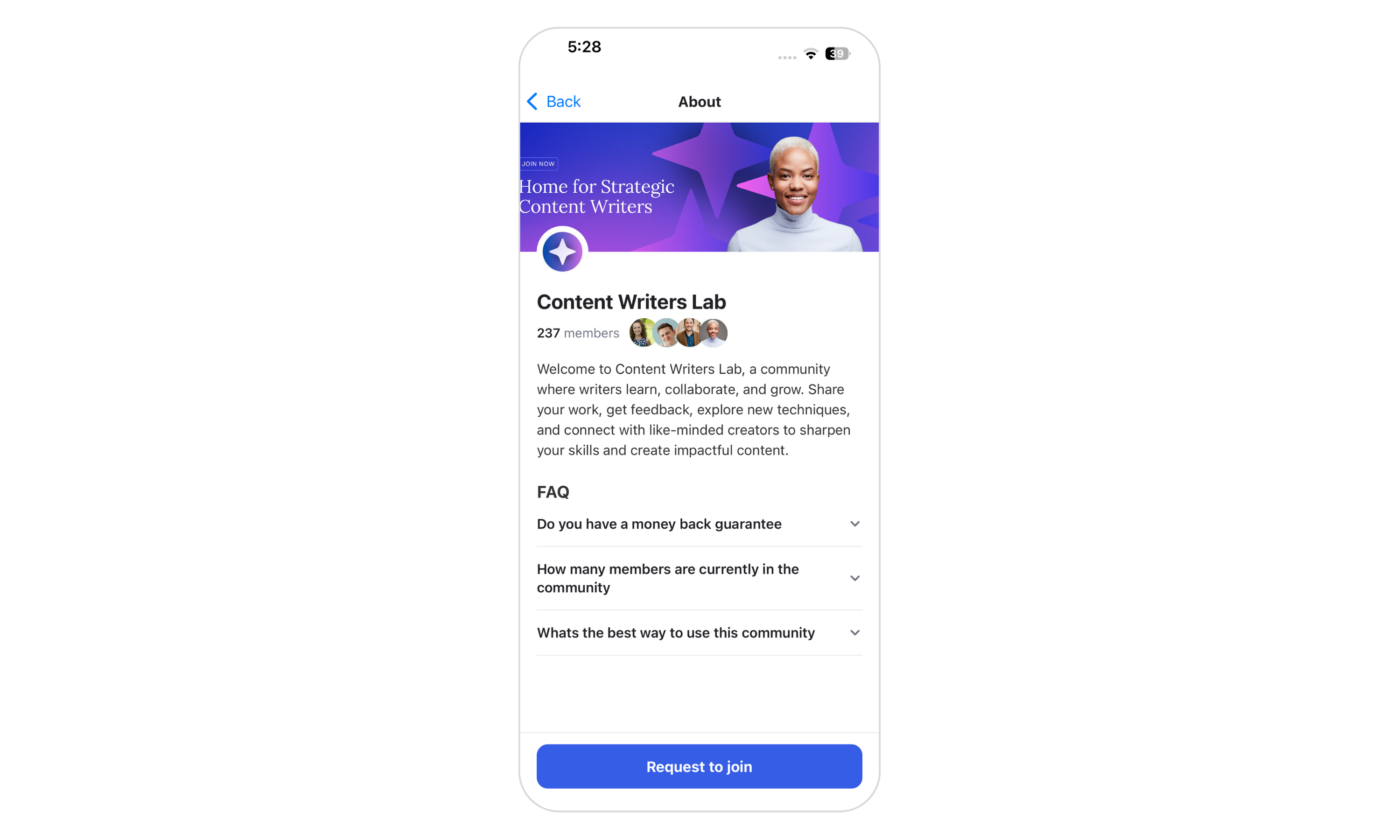
When members select your community, they're taken to its About page. Here, they can view the community details you've chosen to display.
Note: Members won't see your paid membership plans when discovering your community through the GroupApp mobile app.
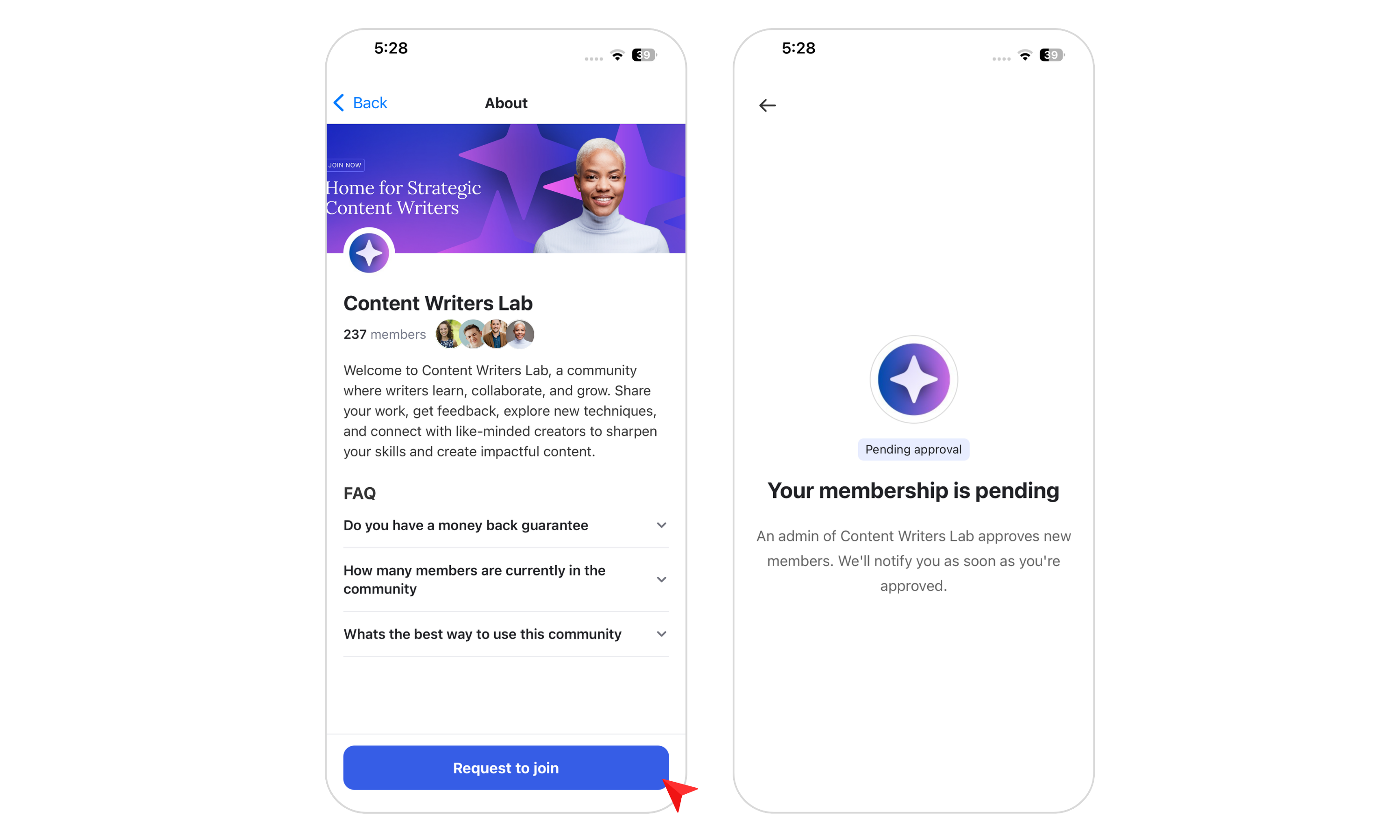
Members can tap Request to Join Community to submit their request to join.
Your admin team can then review and approve the request. Once approved, members can access your community according to the selected free membership plan.
What if sign-ups are closed?
If your community isn't accepting new sign-ups, the Join Community button will appear as unavailable. People won't be able to submit a request to join until sign-ups are available again.
When people sign up through your branded app, they can join your community directly using the free membership plan you've selected.
Here's how the process works:
Members download and open your branded mobile app.
They enter their full name, email address, and password.
They tap Create Account.
They enter the verification code sent to their email address to verify their email.
An admin approves their sign-up request.
Once approved, members can proceed to your community and access it through the branded app under the selected free membership plan.
The content and features available to members depend on the access included in that plan.