
Content flagging allows members to report posts that may be inappropriate, irrelevant, or against your community guidelines. When a post is flagged, it is sent to admins and moderators for review.
How to Flag a Post?
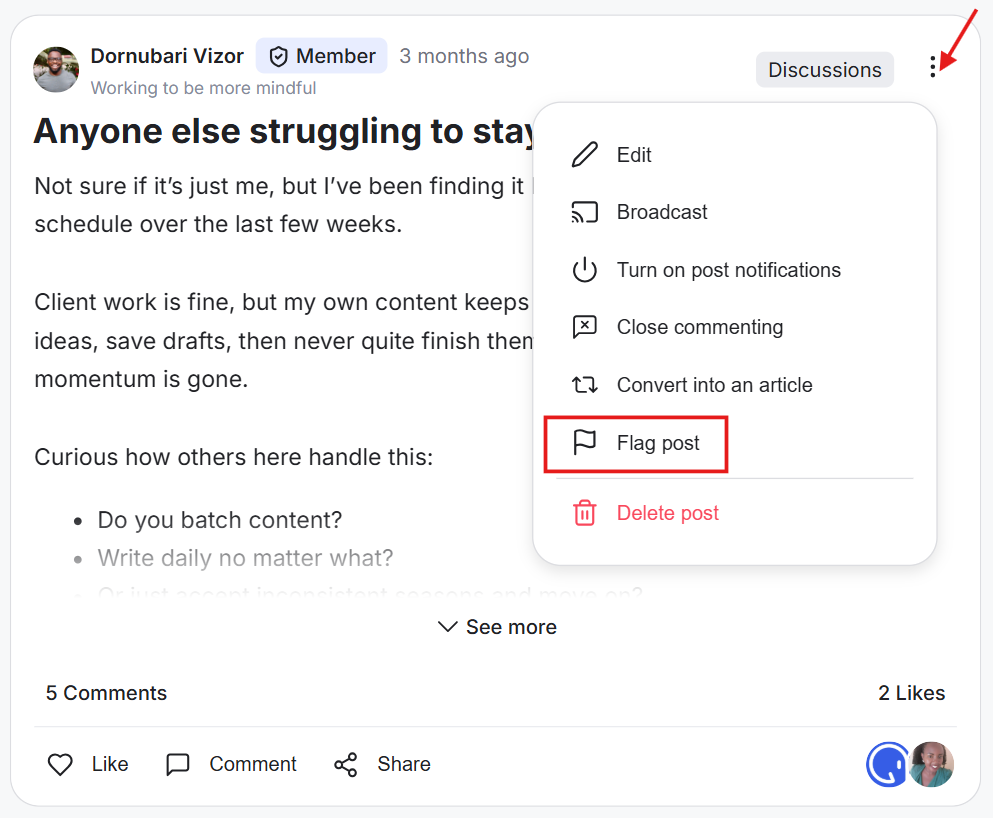
Members, admins, and moderators can flag a post. Click the three-dot icon on a post and select the flag option. The post is then reported for review.
How to Review Flagged Content as an Admin/Moderator?
1) Go to the Admin Panel.
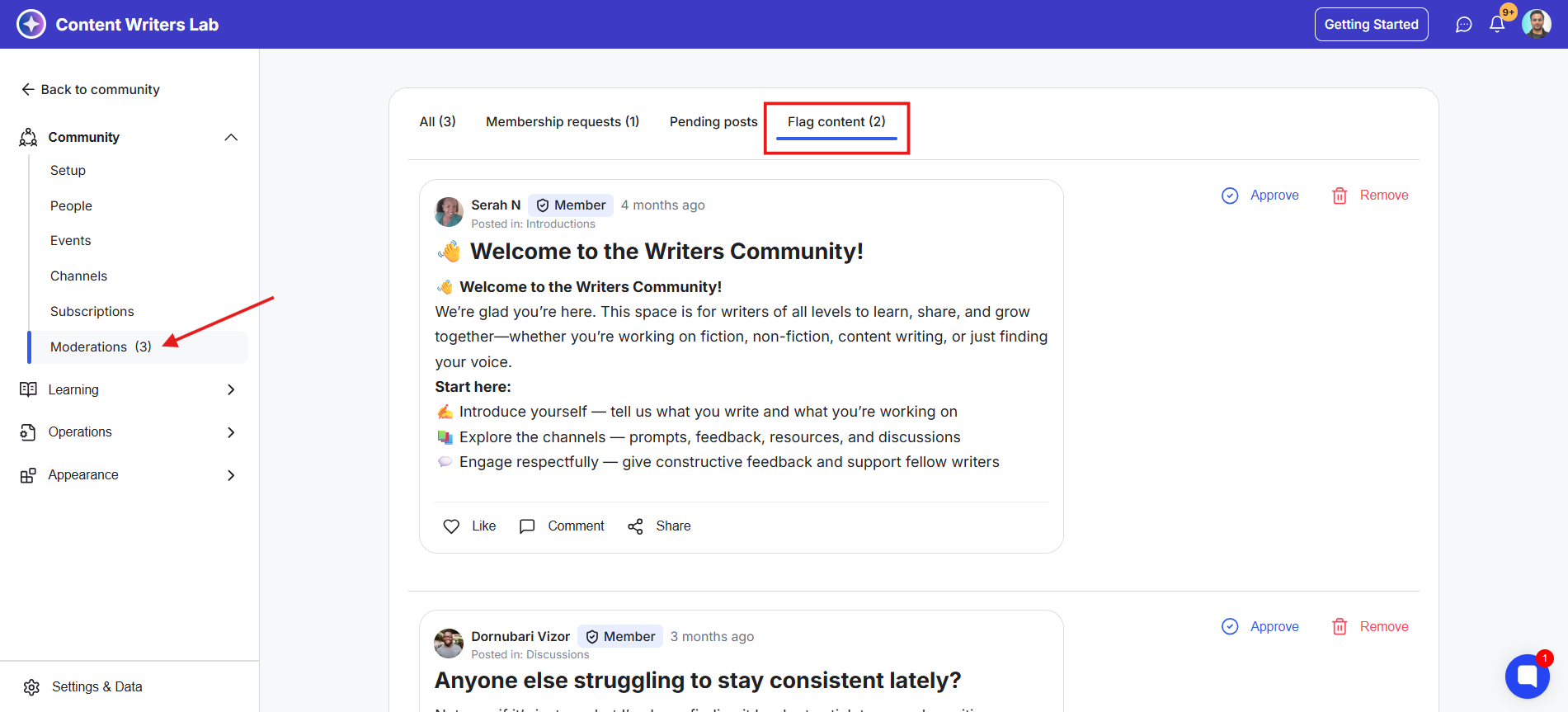
2) On the left-side menu, open Community drop-down and click Moderation. This opens the Moderation Dashboard.
3) Open the Flagged Content tab. The flagged post will also appear in the All Tab.
4) Select a flagged post and you will have two options.
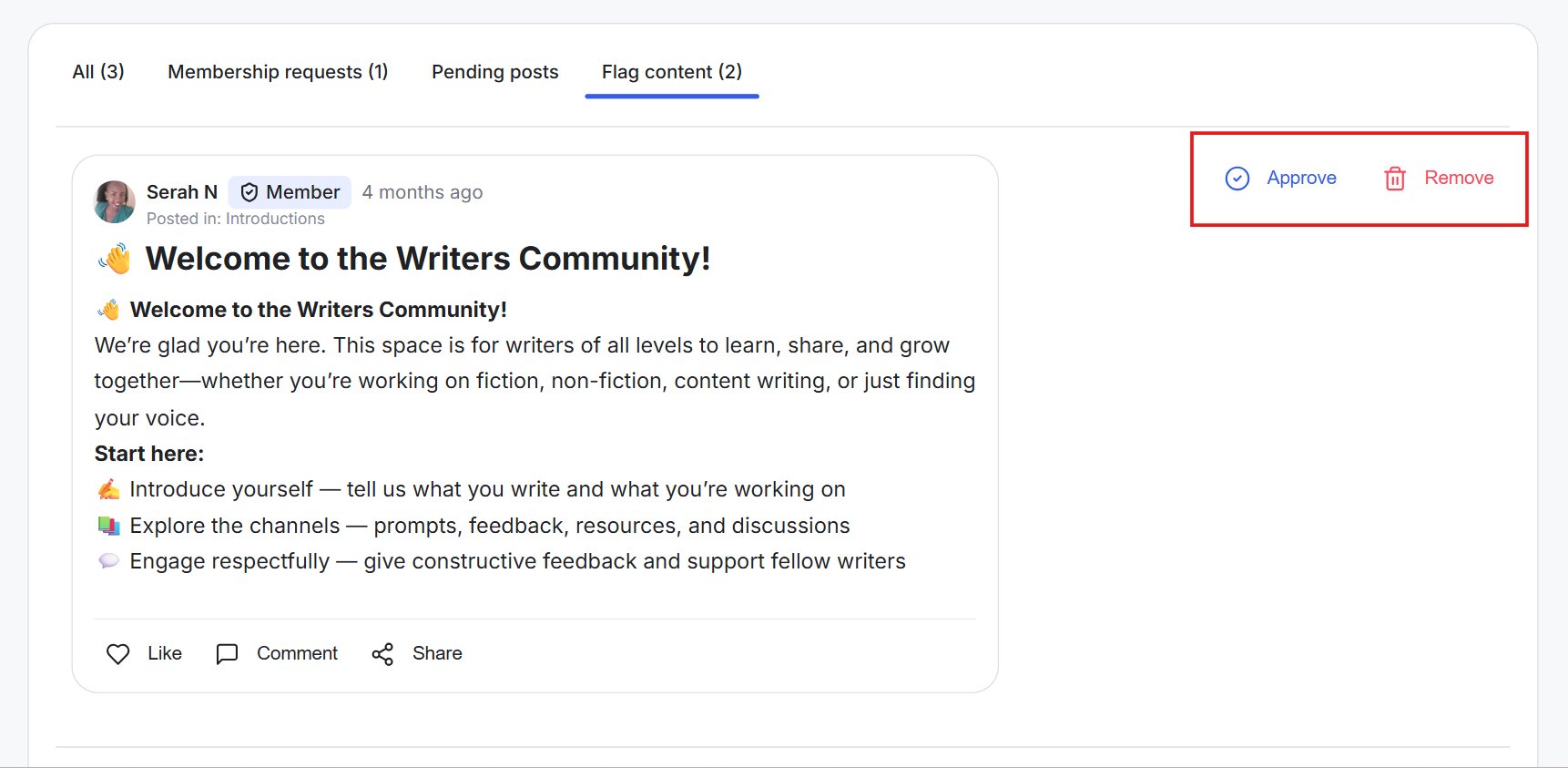
Approve: The post stays in the community
Remove:The post is deleted from the community
Tip: If needed, message or email the member to explain why the post was flagged. You can also share posting guidelines and outline what happens if the issue is repeated.