Tolt is an affiliate marketing platform that you can connect with GroupApp to run affiliate programs for your membership community and courses.
Once integrated, GroupApp automatically sends purchase data and referral IDs to Tolt, enabling accurate tracking of affiliate sales and the calculation of commissions based on actual purchases.
Tolt works together with Stripe for commission tracking and payouts. GroupApp will send referral IDs directly to both Tolt and Stripe to ensure accurate attribution and tracking across both platforms.
Make sure you have the following ready:
A Tolt account
Your Data-tolt ID from the Tolt dashboard
Stripe connected inside Tolt for commission tracking and payouts
Access to the Admin Panel of your GroupApp community
1) Go to https://app.tolt.io/sign-in and log in to your Tolt account.
2) If you do not already have an account, create one and complete the basic setup. Once done, you’ll reach your Tolt Dashboard.
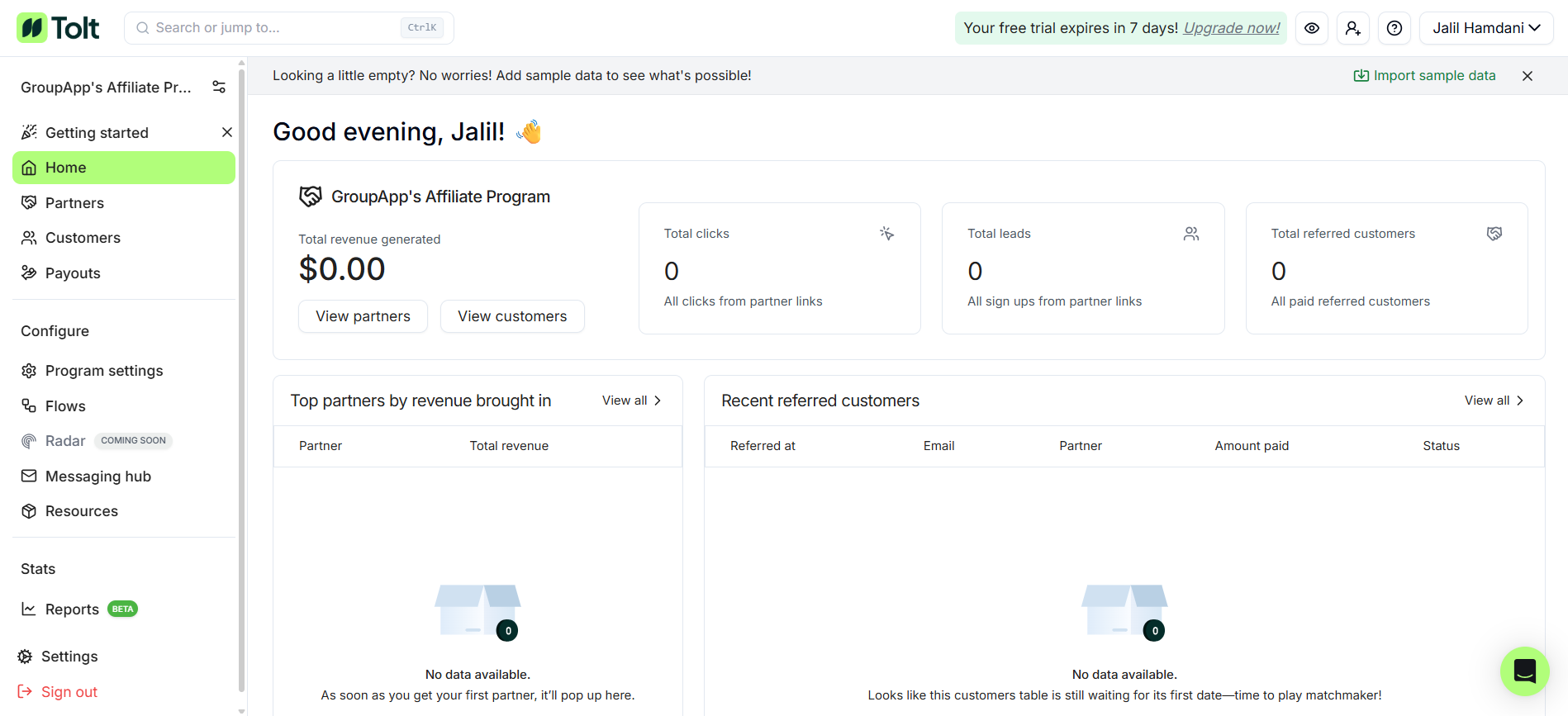
3) Next, you need to integrate Stripe with Tolt to proceed.
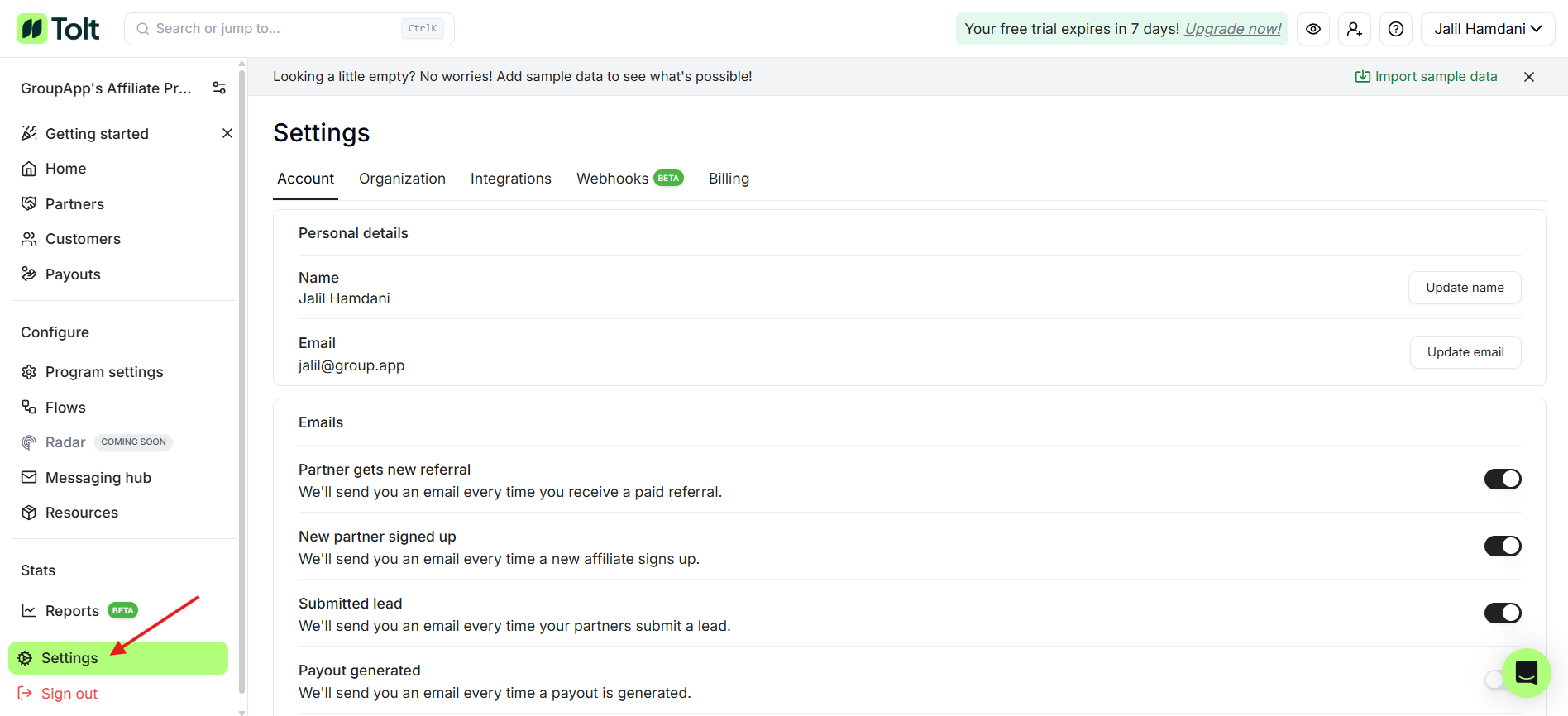
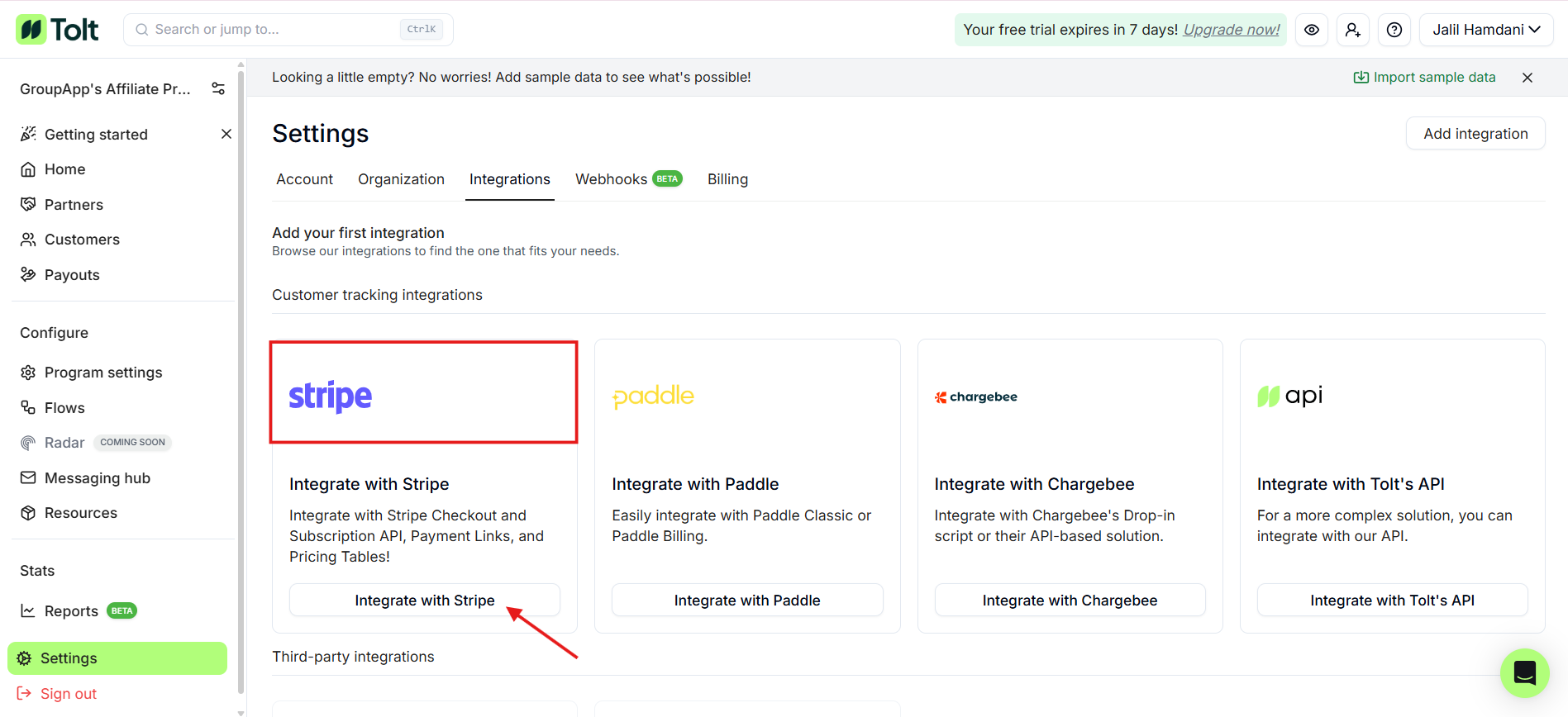
4) Click on the Settings option in the bottom-left corner of your Tolt Dashboard. This opens the Settings Dashboard.
5) Click on the Integrations Tab on the Settings Dashboard. This opens the Integrations Dashboard, where you’ll see all the available options.
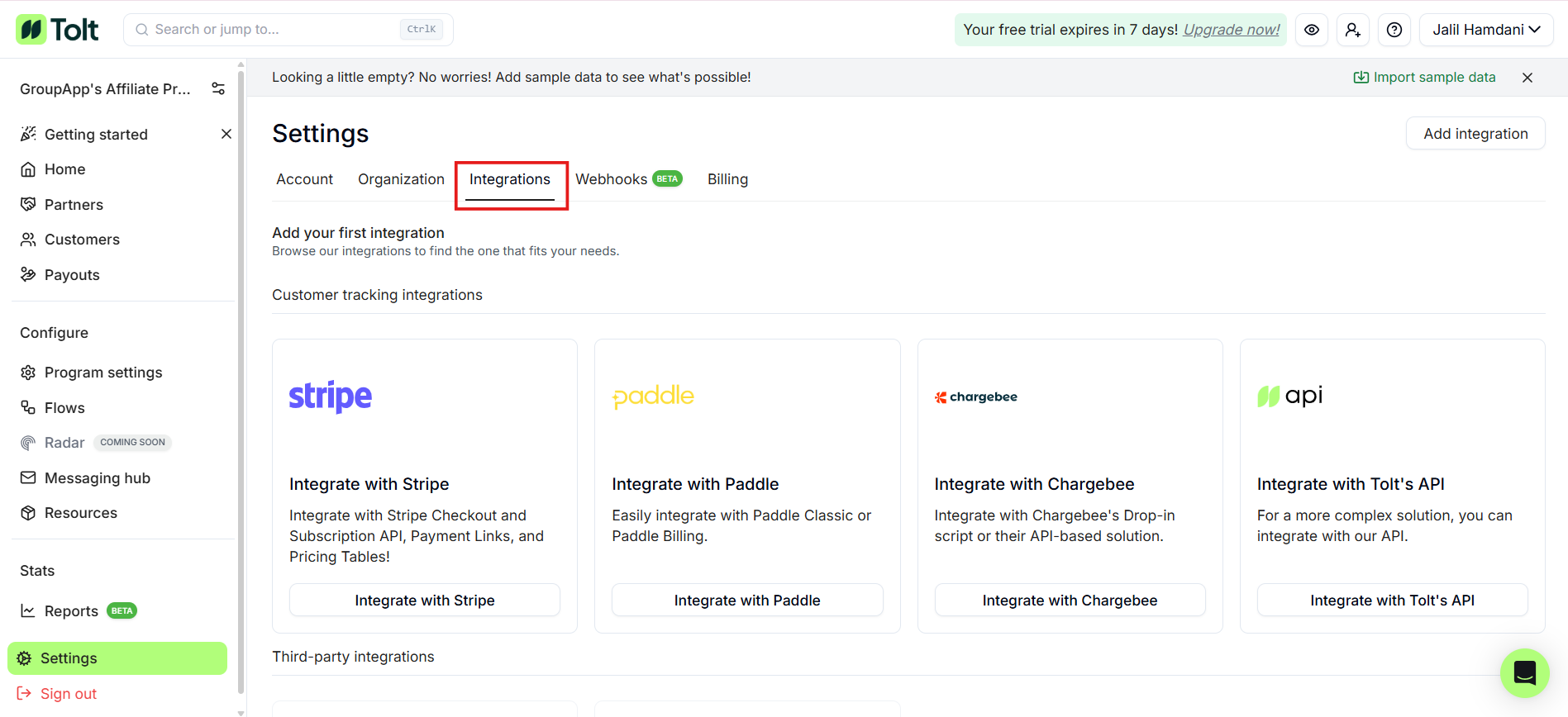
6) Locate the Stripe Integration card, then click the Integrate With Stripe Button on the card.
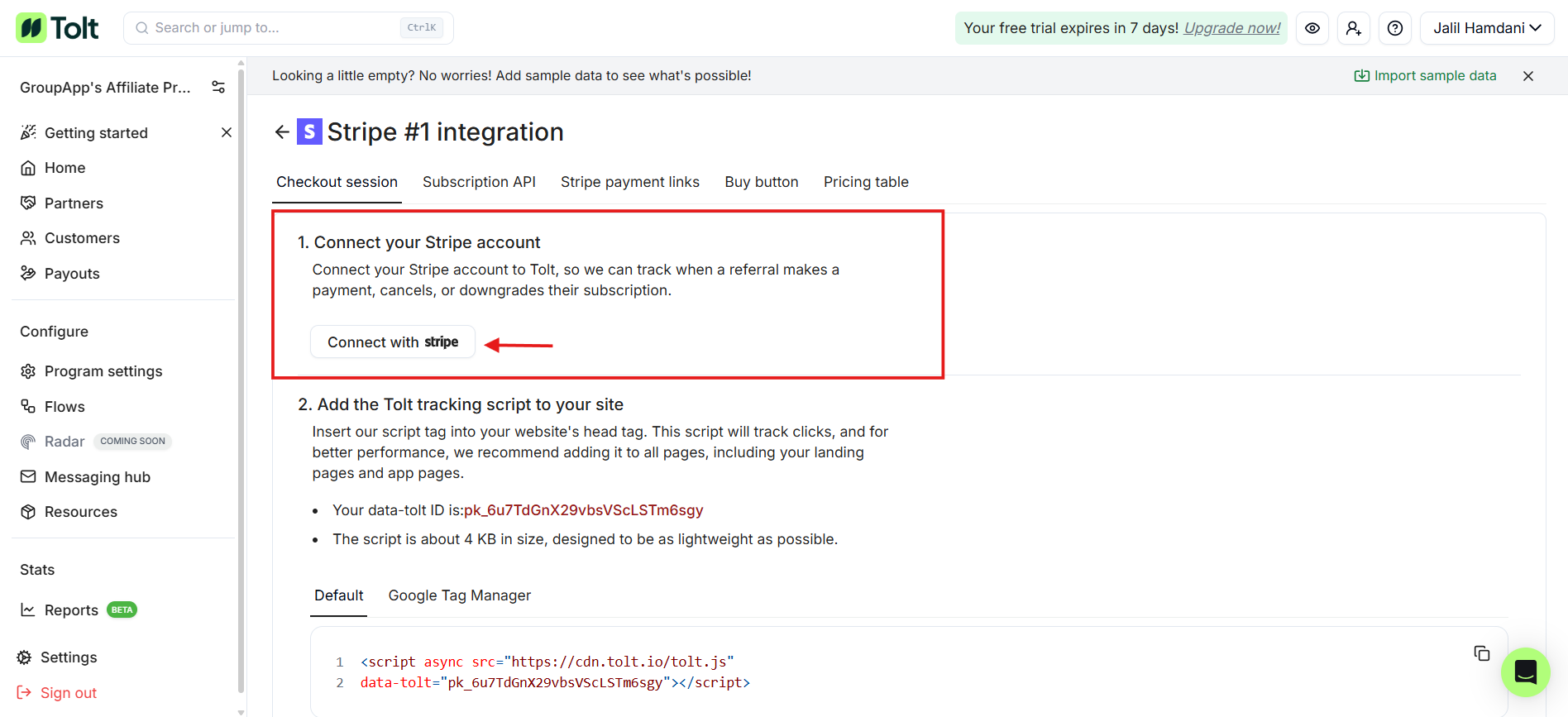
7) This opens the Stripe Integration Setup. In the first step, click on the Integrate With Stripe Button to connect your Tolt account with Stripe. Use your credentials to establish the integration.
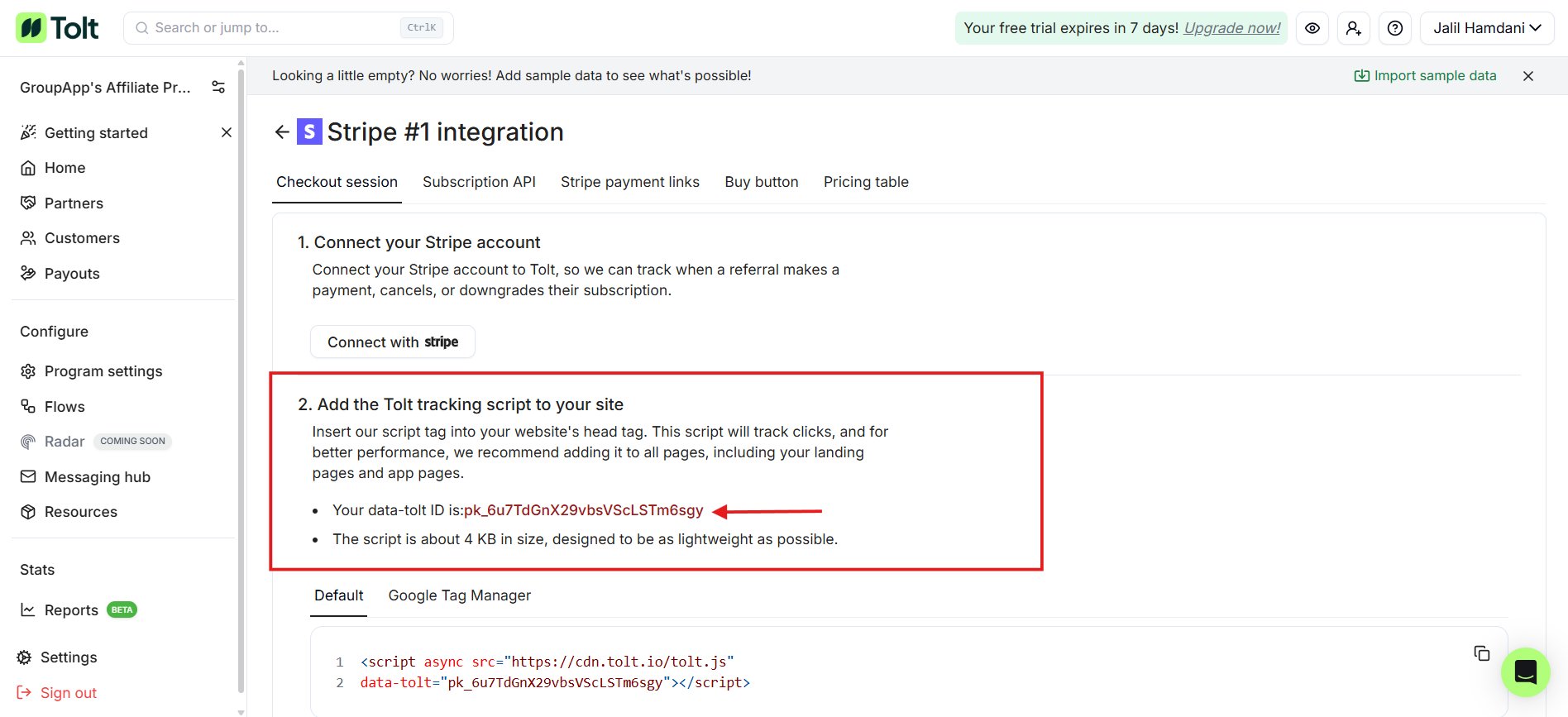
8) Once connected, we’ll go to the second step to get the Data-tolt ID. This value is a must-have to integrate with GroupApp. Copy the ID.
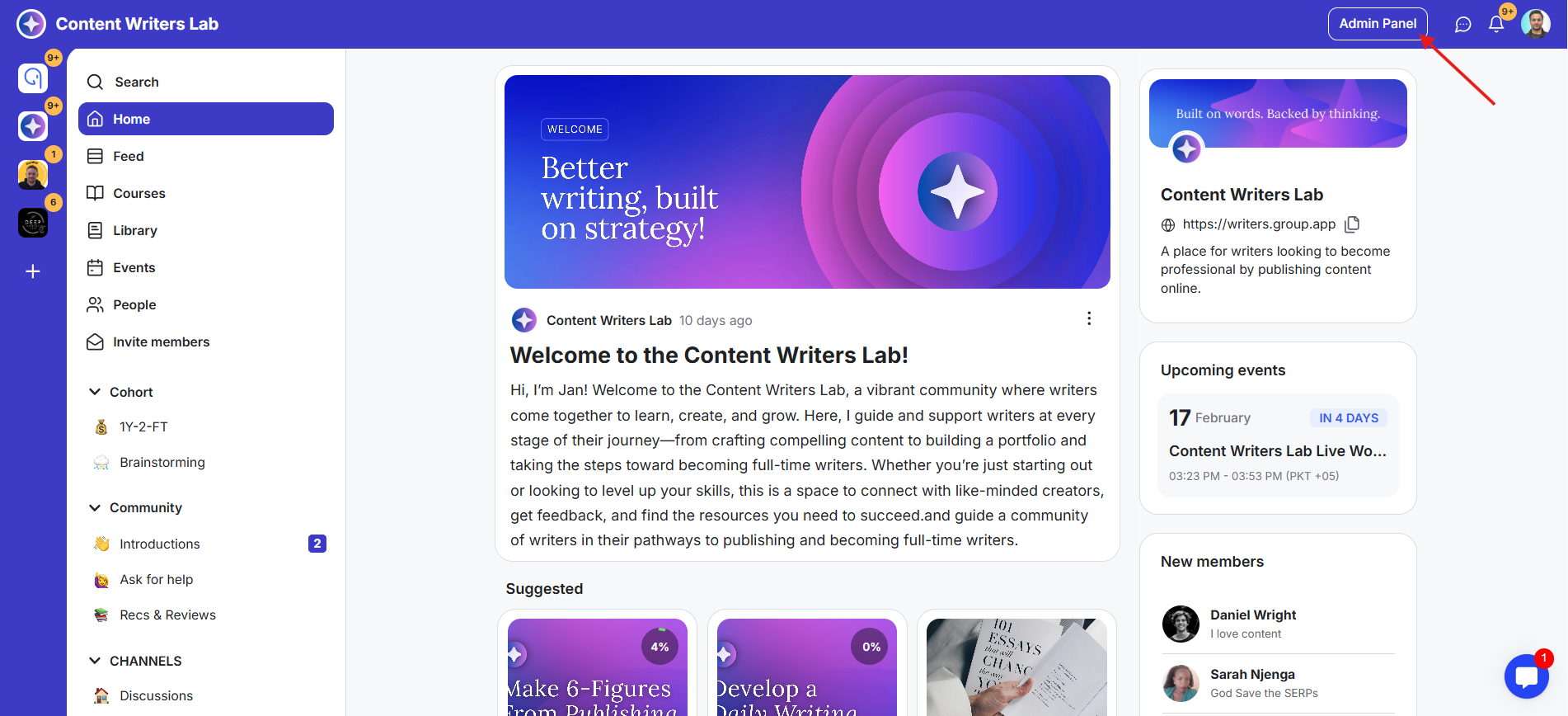
1) Go to the Admin Panel in your GroupApp community.
2) In the bottom-left corner of the Admin Panel, click Settings & Data.
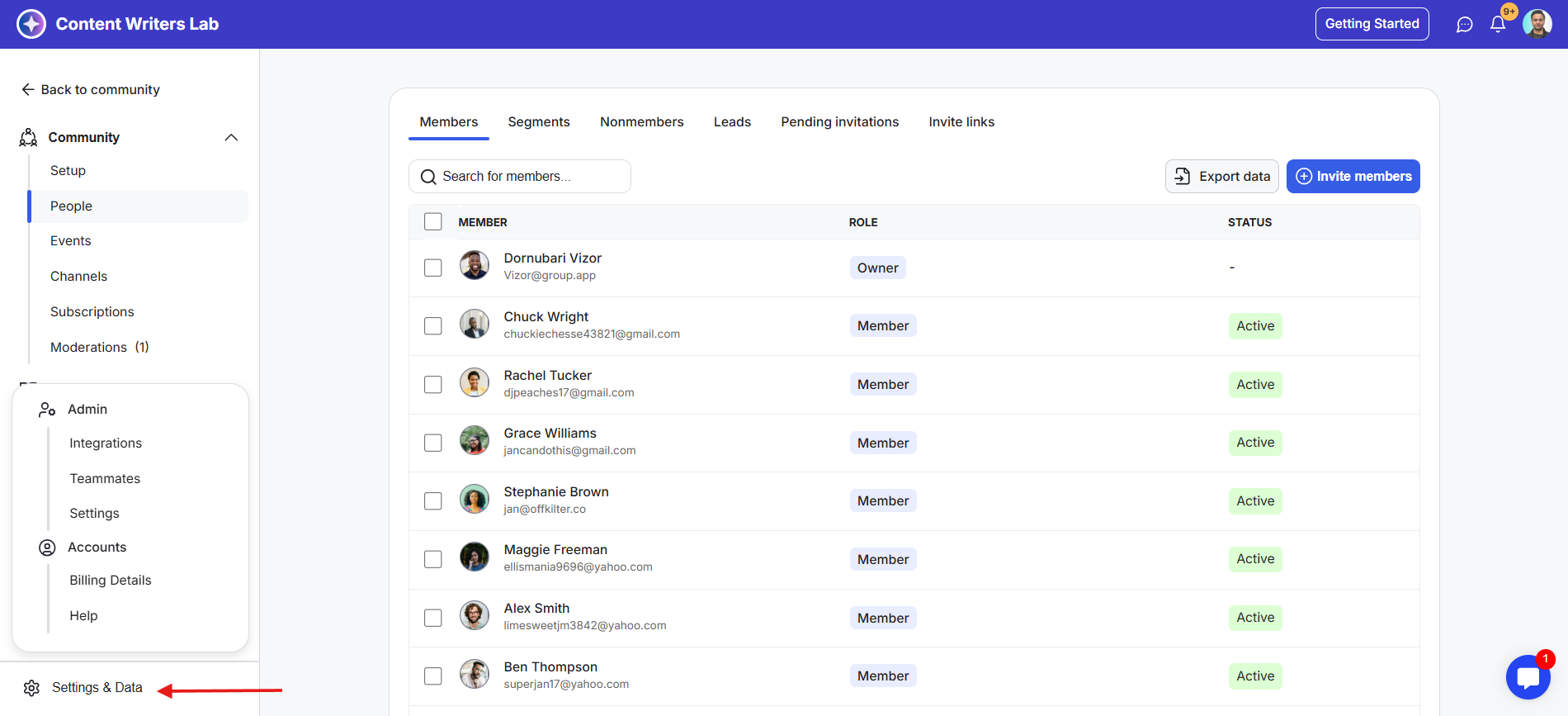
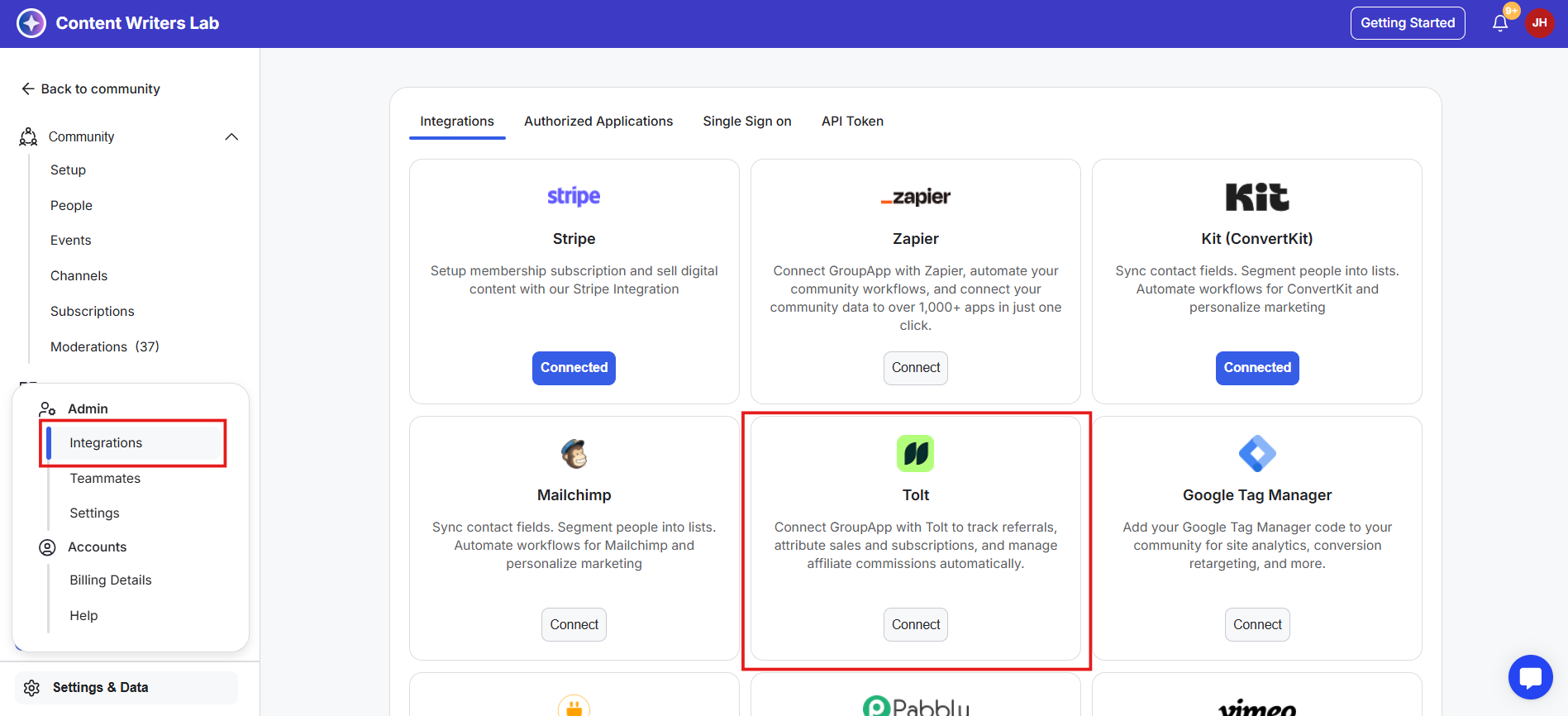
3) From the menu, click Integrations. This opens the Integrations Dashboard, which displays all available integrations, including the ones you have already connected.
4) Find the Tolt Integration card.
5) Click the blue Connect button on the Tolt Integration card.
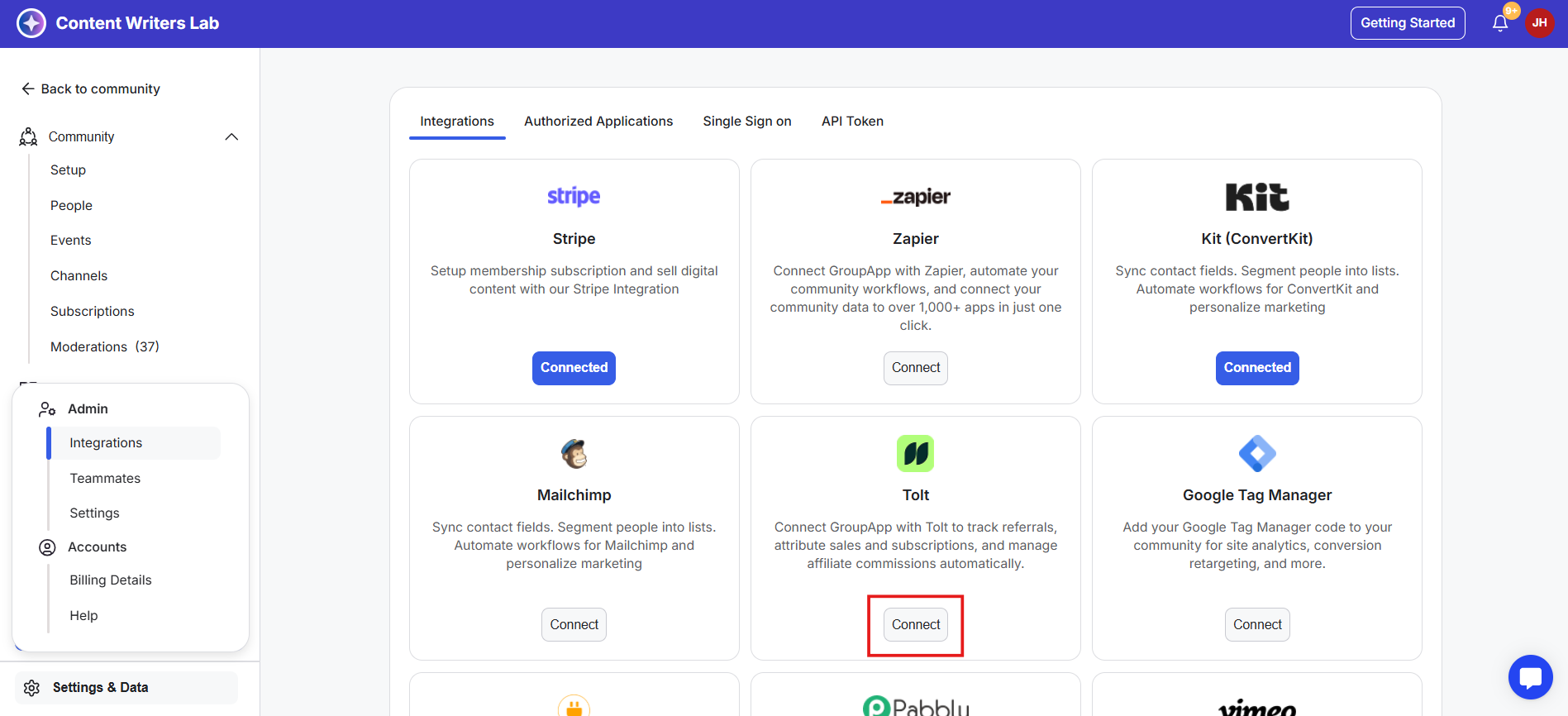
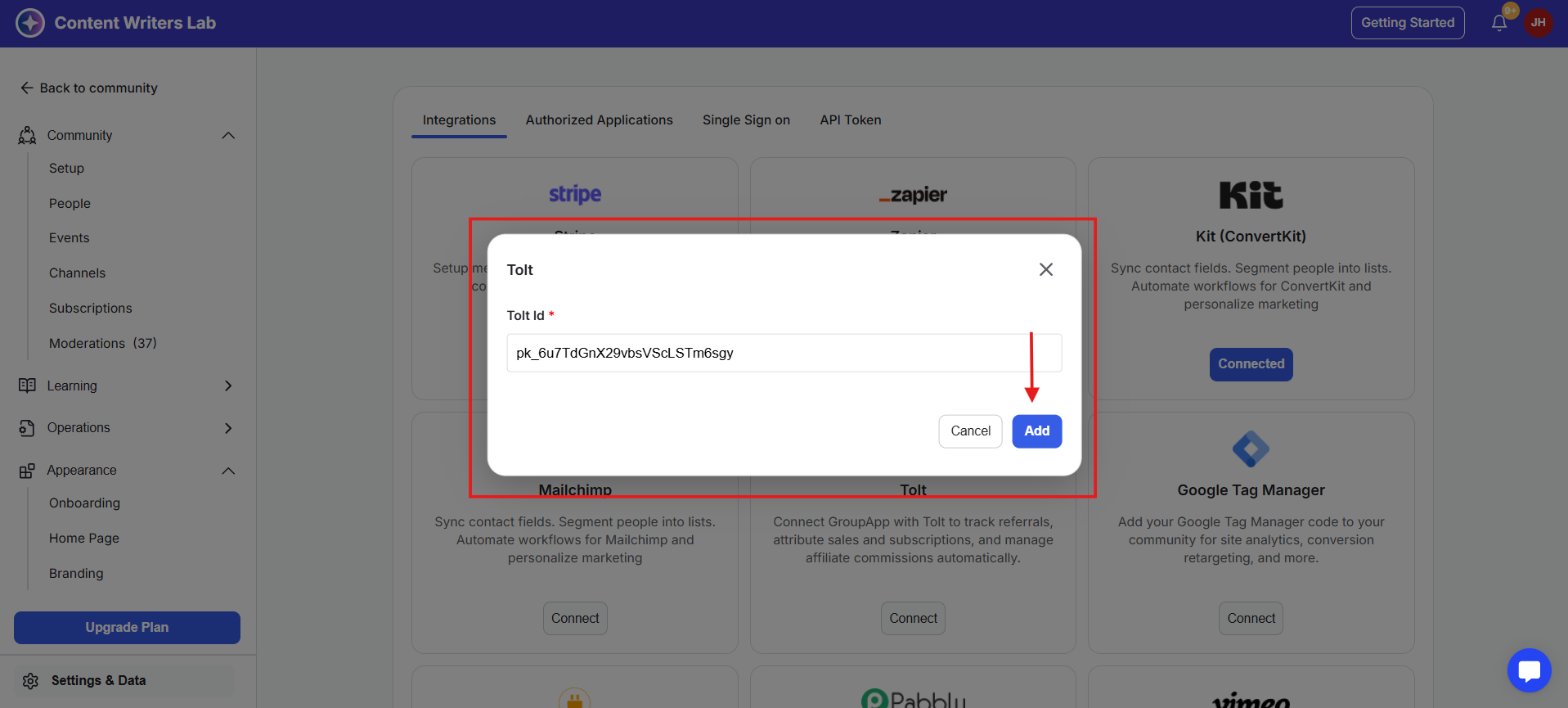
6) A pop-up appears asking for your Data-tolt ID. Paste your Data-tolt ID from your Tolt account into the field.
8) Click Add. Your community will now be connected to Tolt.