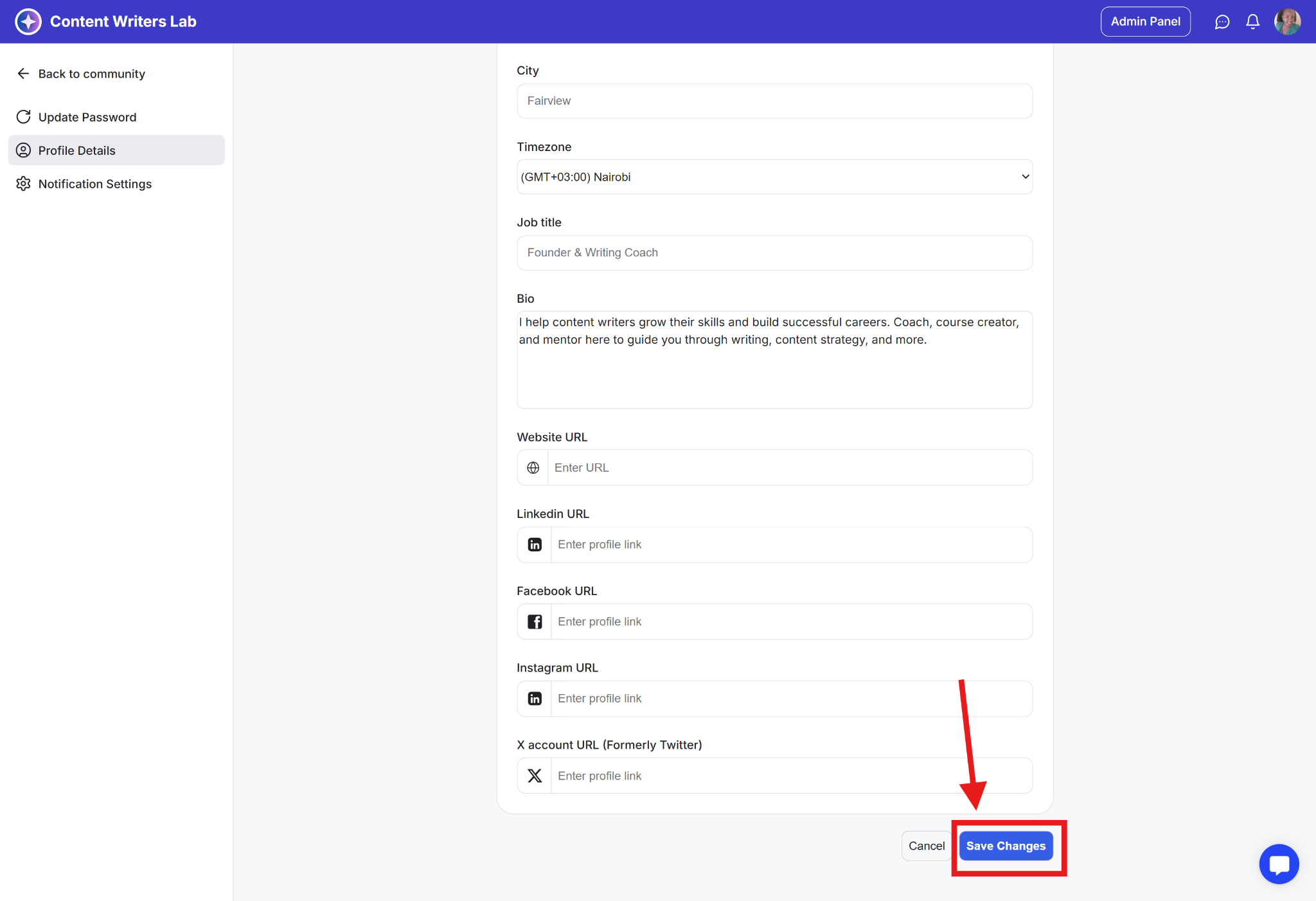
Your community profile displays details like your name, headline, contact info, bio, timezone, location, website, and social links to other members. If you've verified your email address, a blue verified badge will also appear on your profile.
You can update these fields anytime, and if a field is required by the community owner, you’ll need to complete it before saving your changes.
Learn How to Update Your Public Profile Information
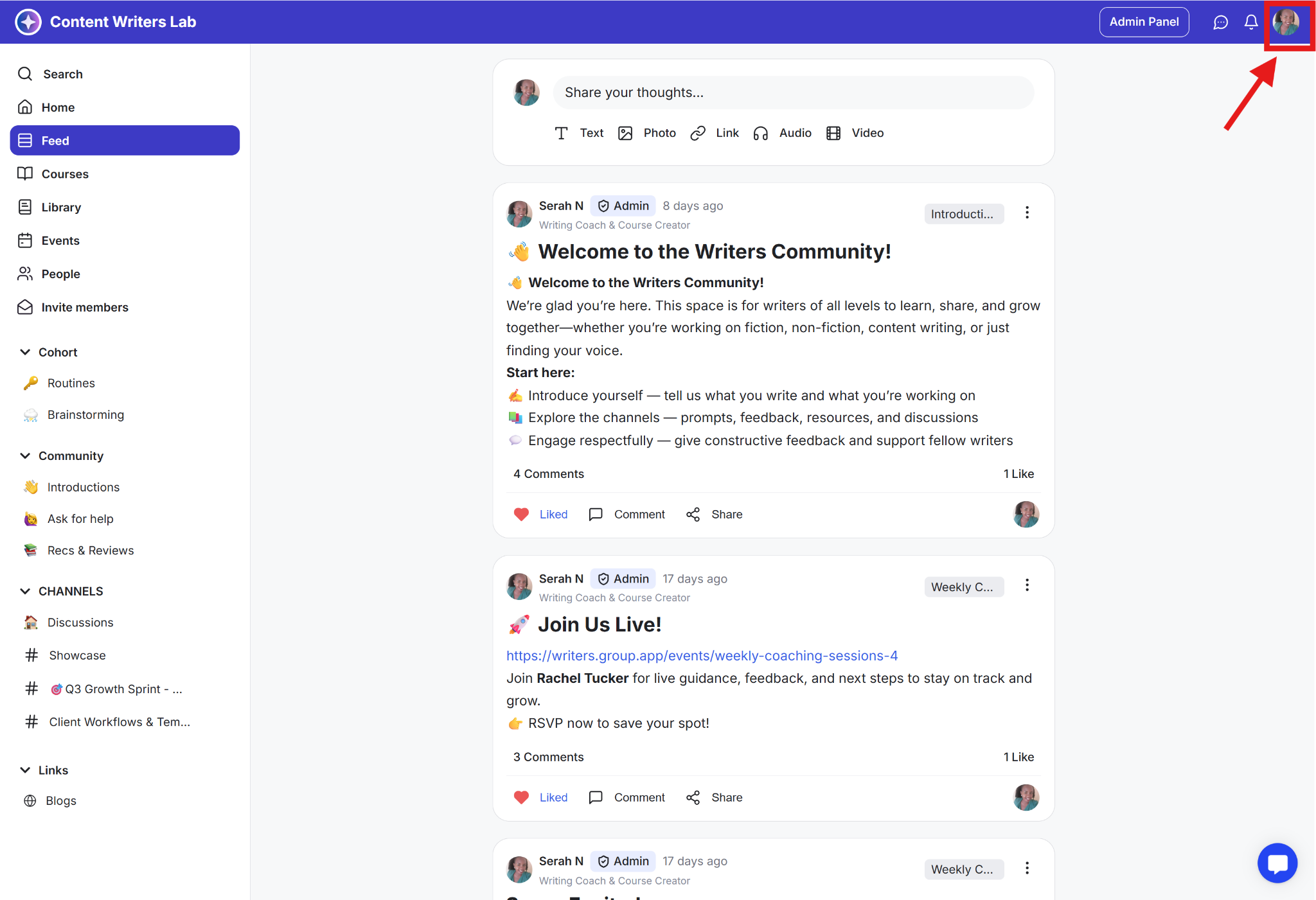
Step 1: Click on your profile icon in the top-right corner of the community dashboard.
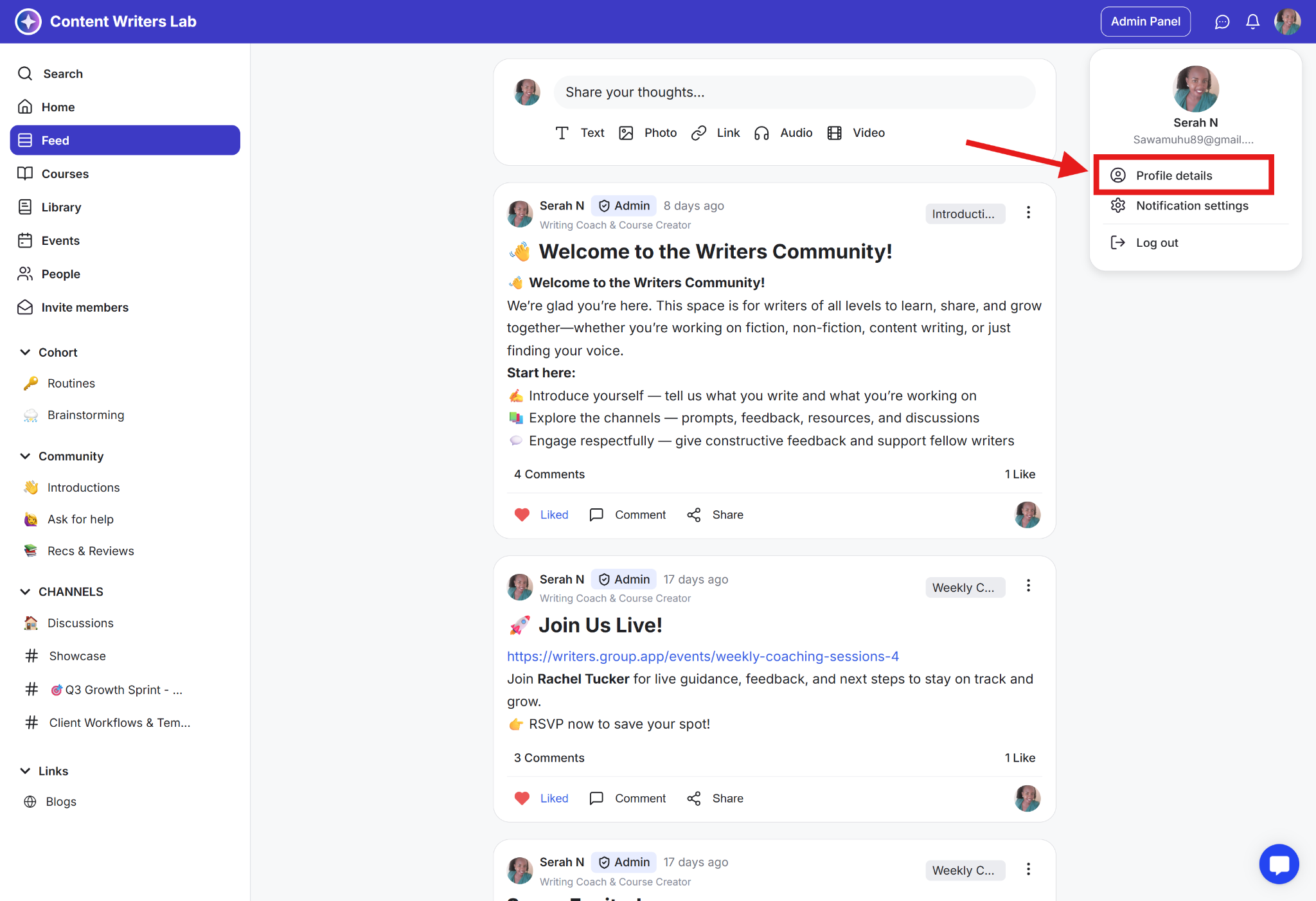
Step 2: From the menu that appears, select Profile Details to open your profile page.
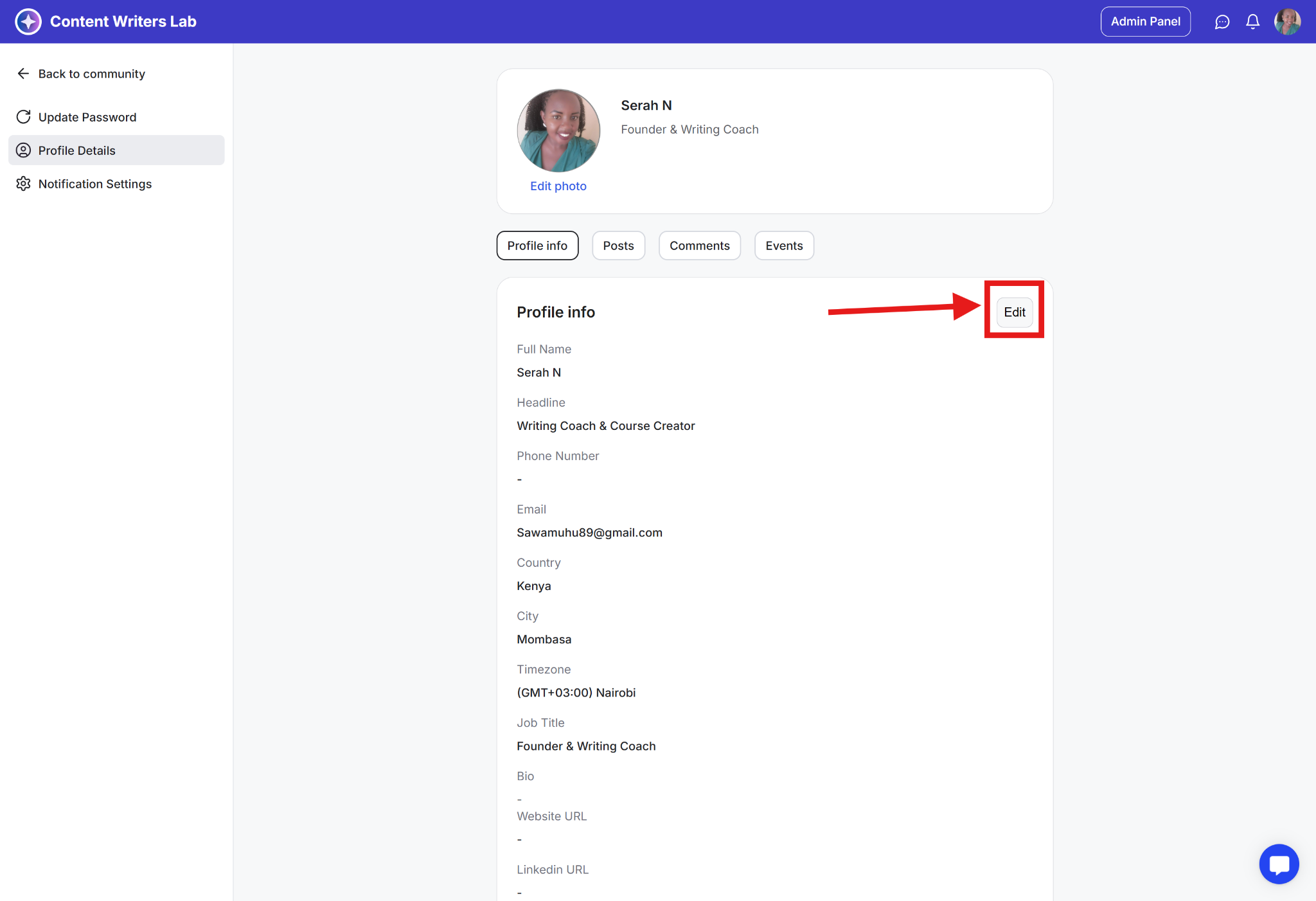
Step 3: On your profile page, find and click the Edit button.
Step 4: You can now update your information on any of the following fields:
Name
Headline
Contact
Bio
Timezone
Location
Website
Social Media Handles
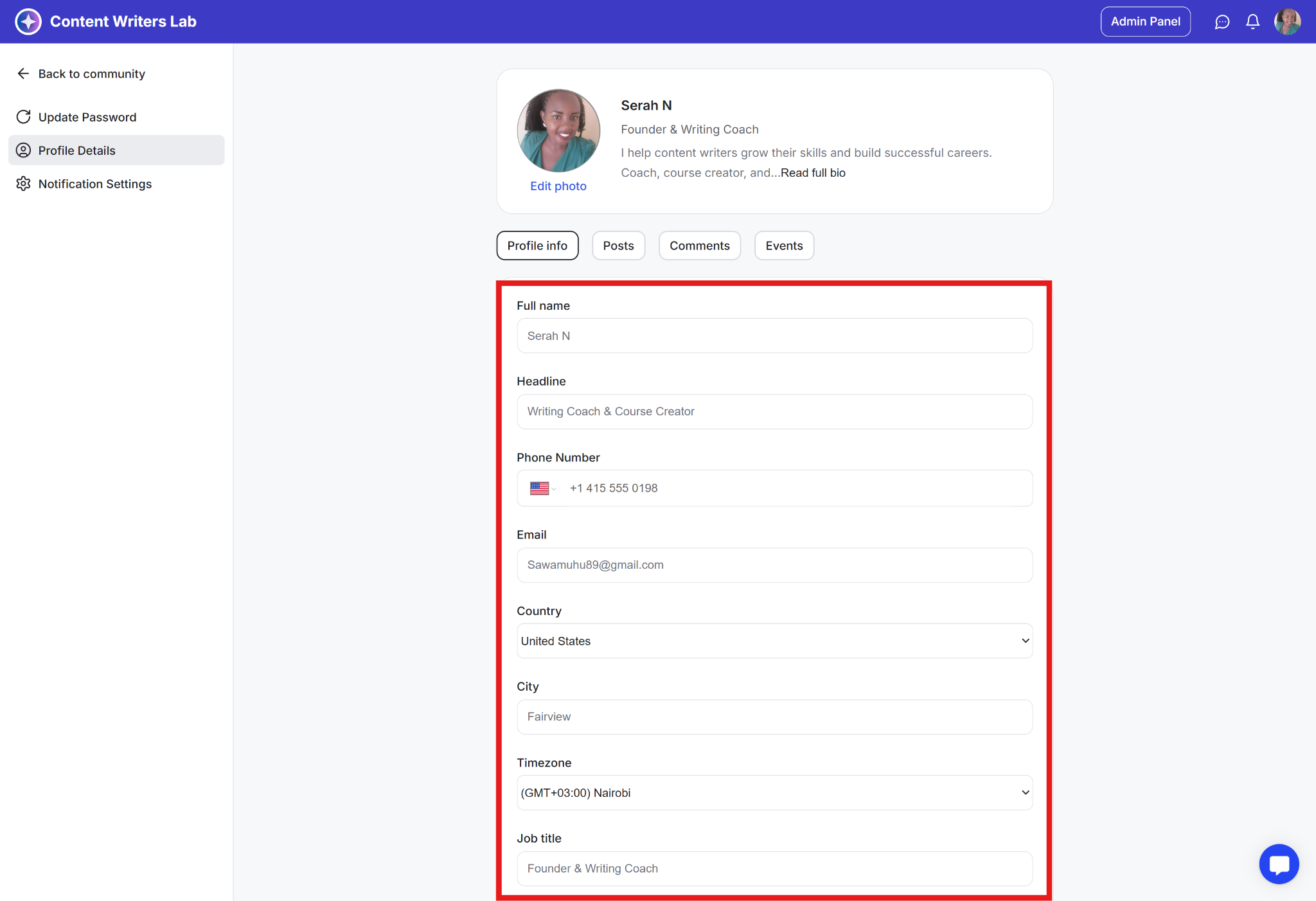
Step 5: Scroll to the bottom of the page and click Save Changes to update your profile.