
Disabling self-cancellation prevents members from canceling their subscription directly from their community billing page.
Instead, you can display custom instructions that explain how members should request cancellation. Please note that this setting only affects cancellations inside the community interface and does not prevent members from canceling directly through Stripe or their payment processor
How to Disable Self-Cancellation
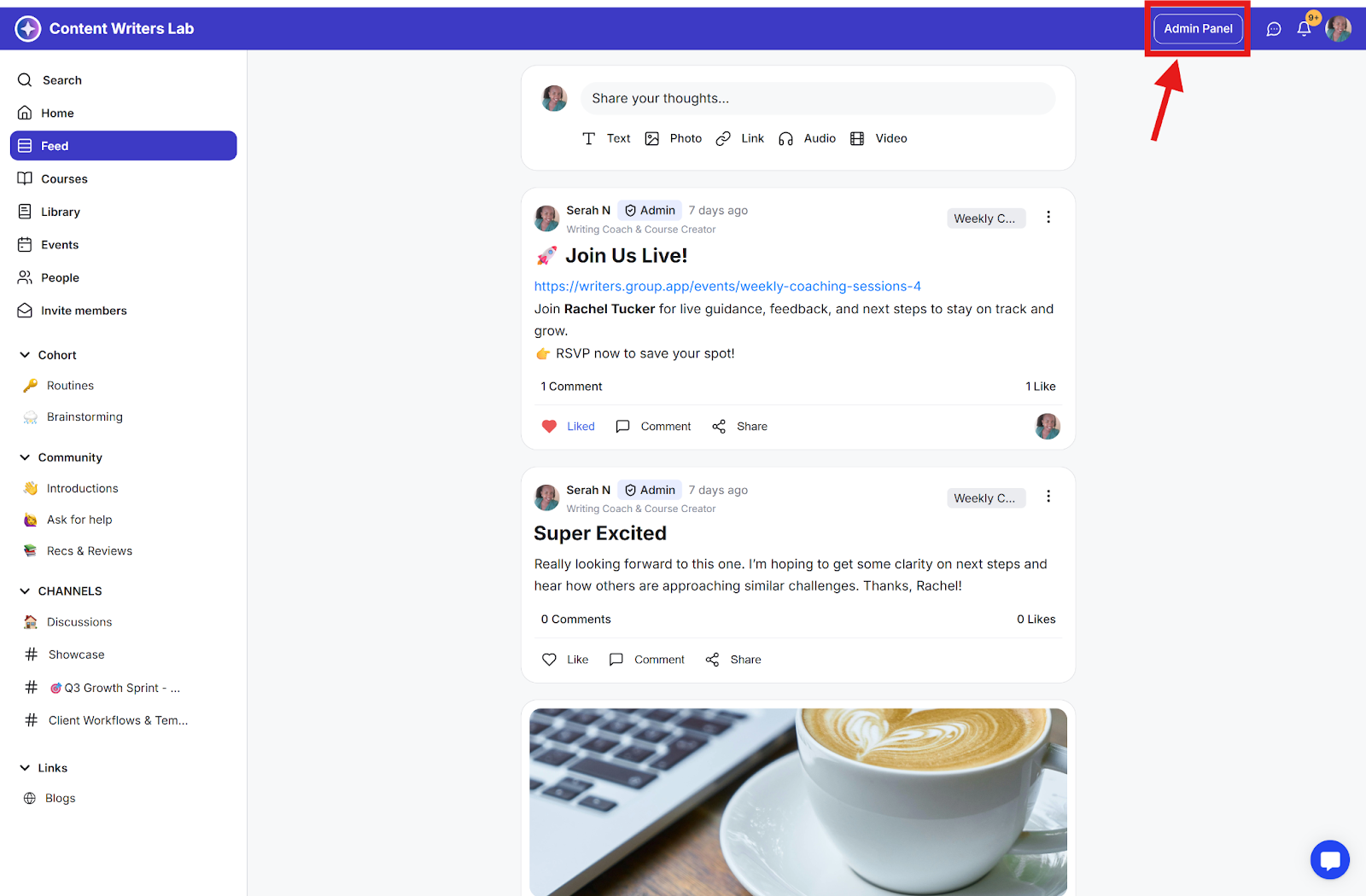
Step 1: Click the Admin Panel button.
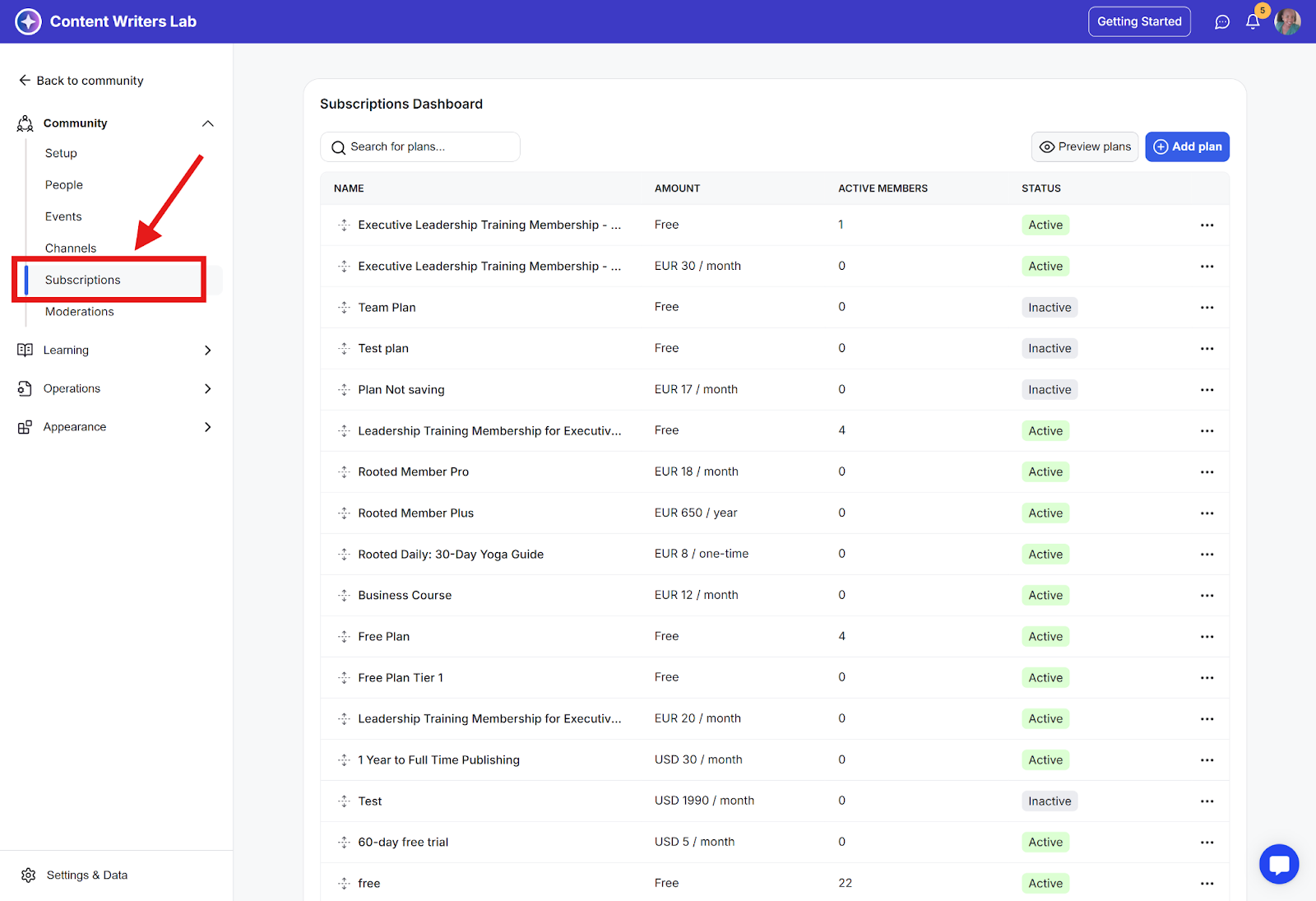
Step 2: Go to the Subscriptions menu.
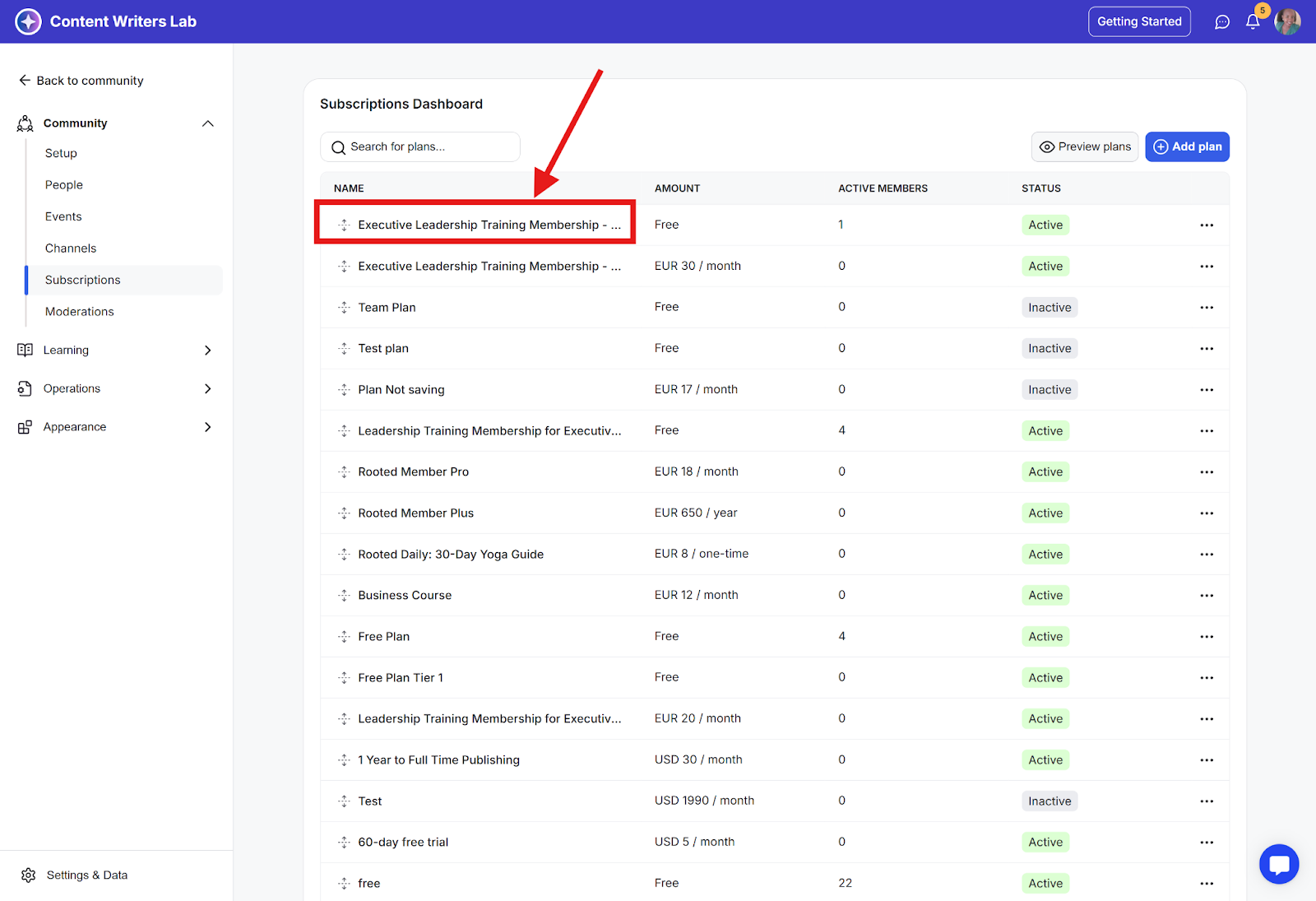
Step 3: Select an existing subscription or create a new one.
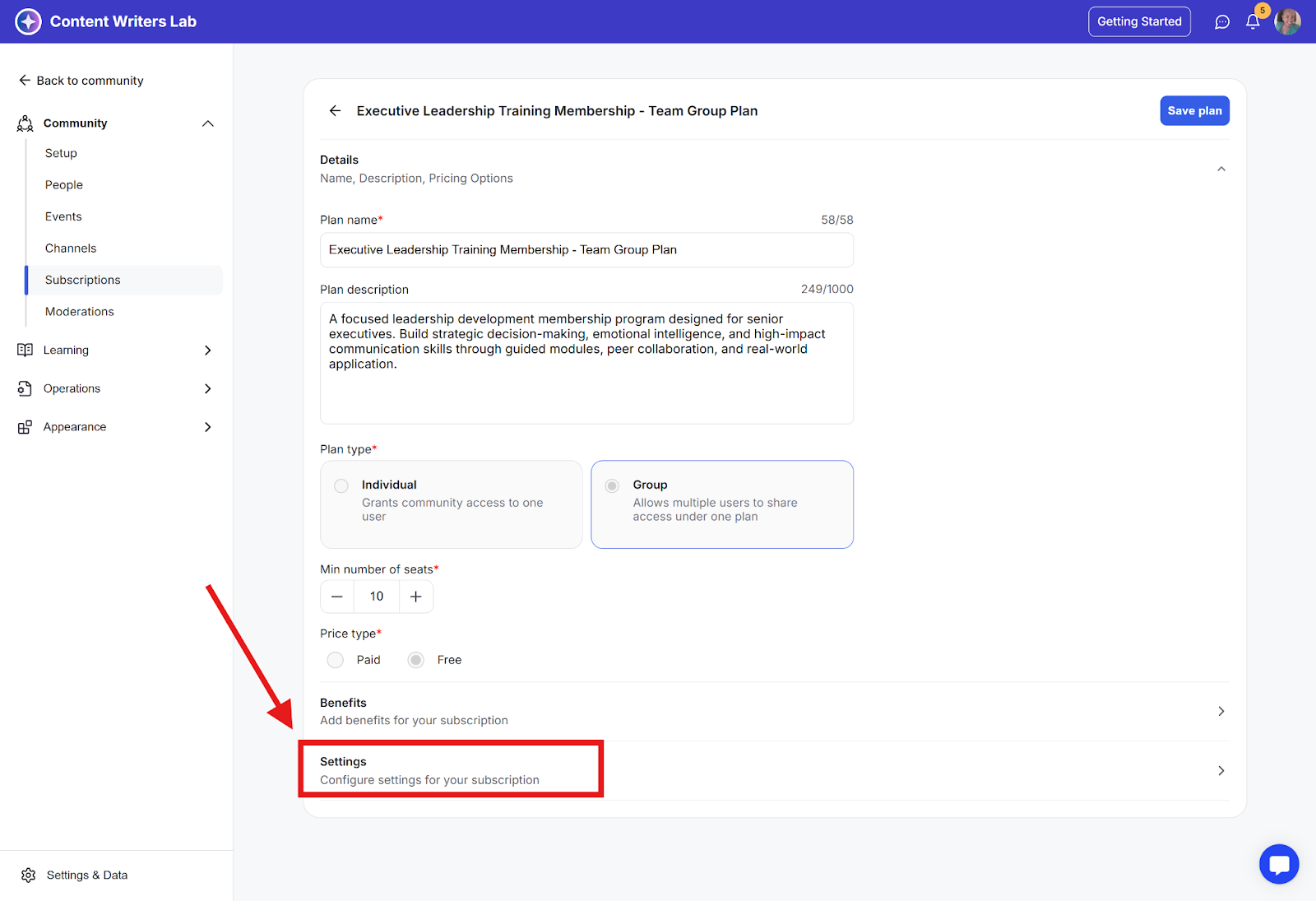
Step 4: Scroll down to the Settings section.
Step 5: Enable the Disable Self-Cancellation toggle.
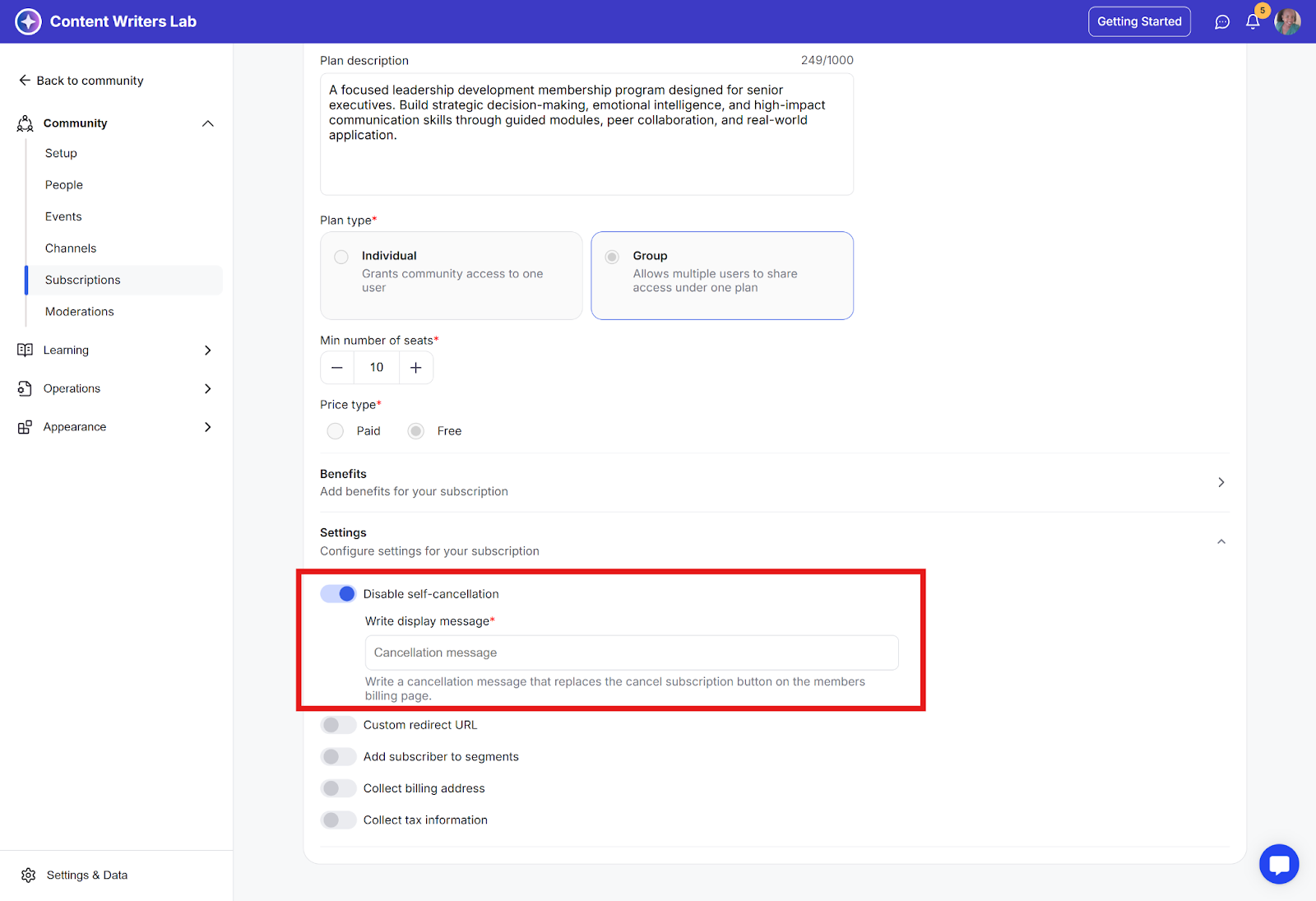
Setting a Custom Cancellation Message
After disabling self-cancellation restrictions, you can:
Create a custom message that appears when members visit the billing page.
Include specific instructions for the cancellation process.
Add a URL where members can submit cancellation requests
Best Practices
Keep instructions clear and concise.
Include at least one direct contact method.
Specify any required notice periods.
Consider adding links to FAQs or help documentation.