
Global styles help you maintain consistency across your landing page by applying uniform styling to elements like fonts, buttons, and backgrounds.
How to Apply Global Styles to Your Landing Page
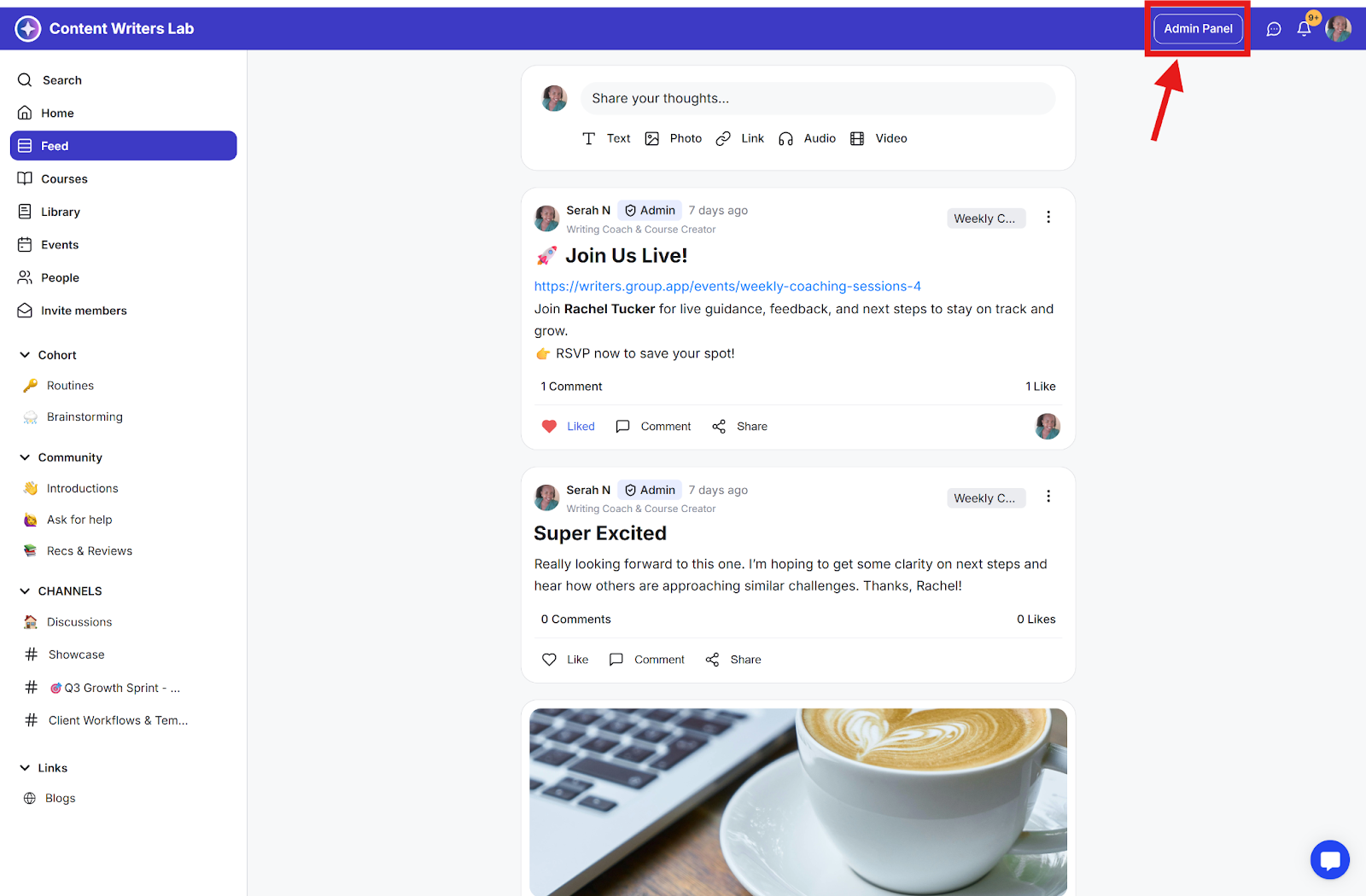
Step 1: Click on the Admin Panel to navigate to the admin section.
Step 2: Click on Operations and select Landing Pages.
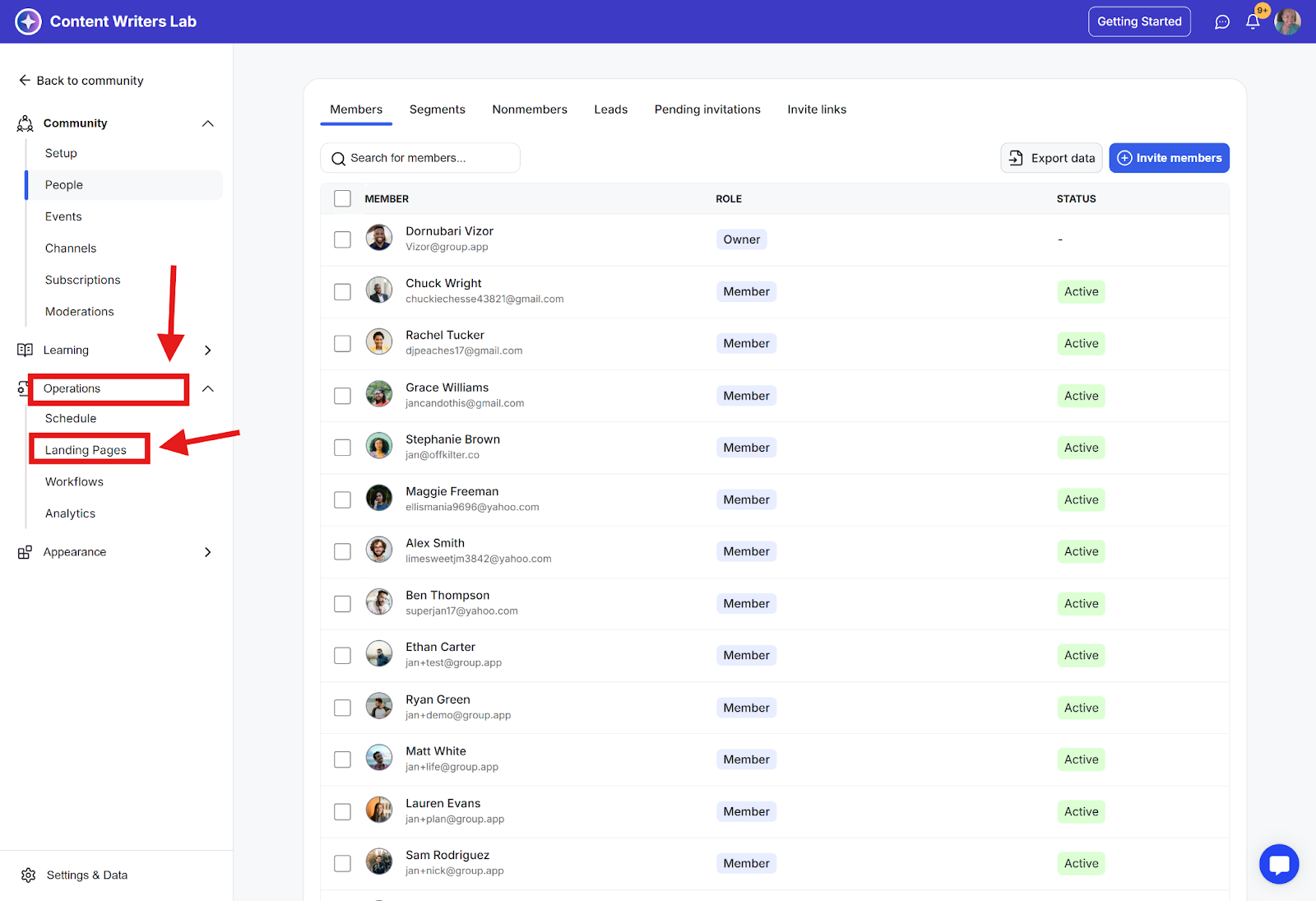
Step 3: On the dashboard, click on the page name to open the landing page you want to edit.
Accessing Global Styles
Navigate to the Styles tab in your landing page editor.
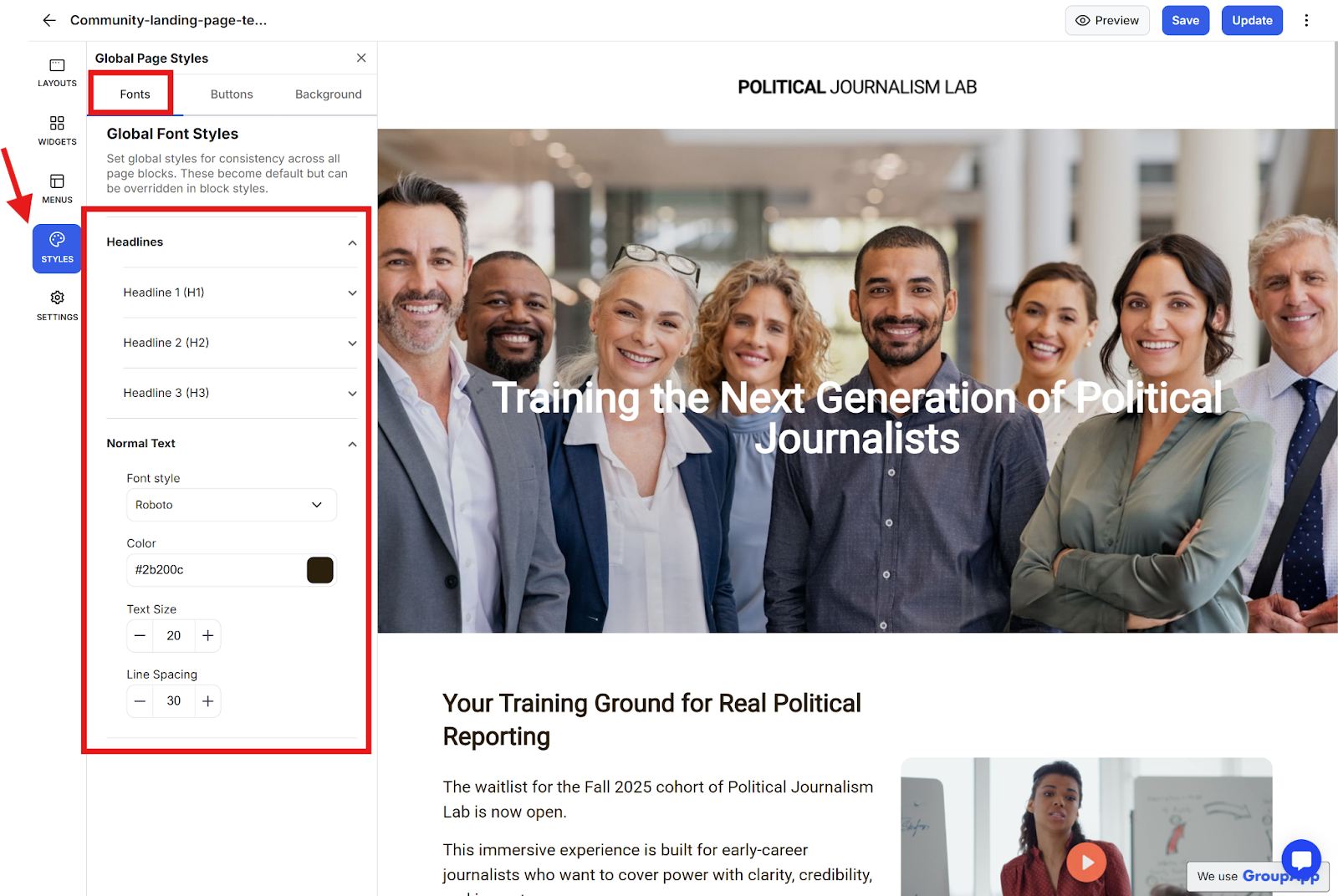
Font Styles
You can customize global font styles for:
H1, H2, and H3 headings
Normal text
For each text element, you can adjust:
Font style
Color
Text size
Line spacing
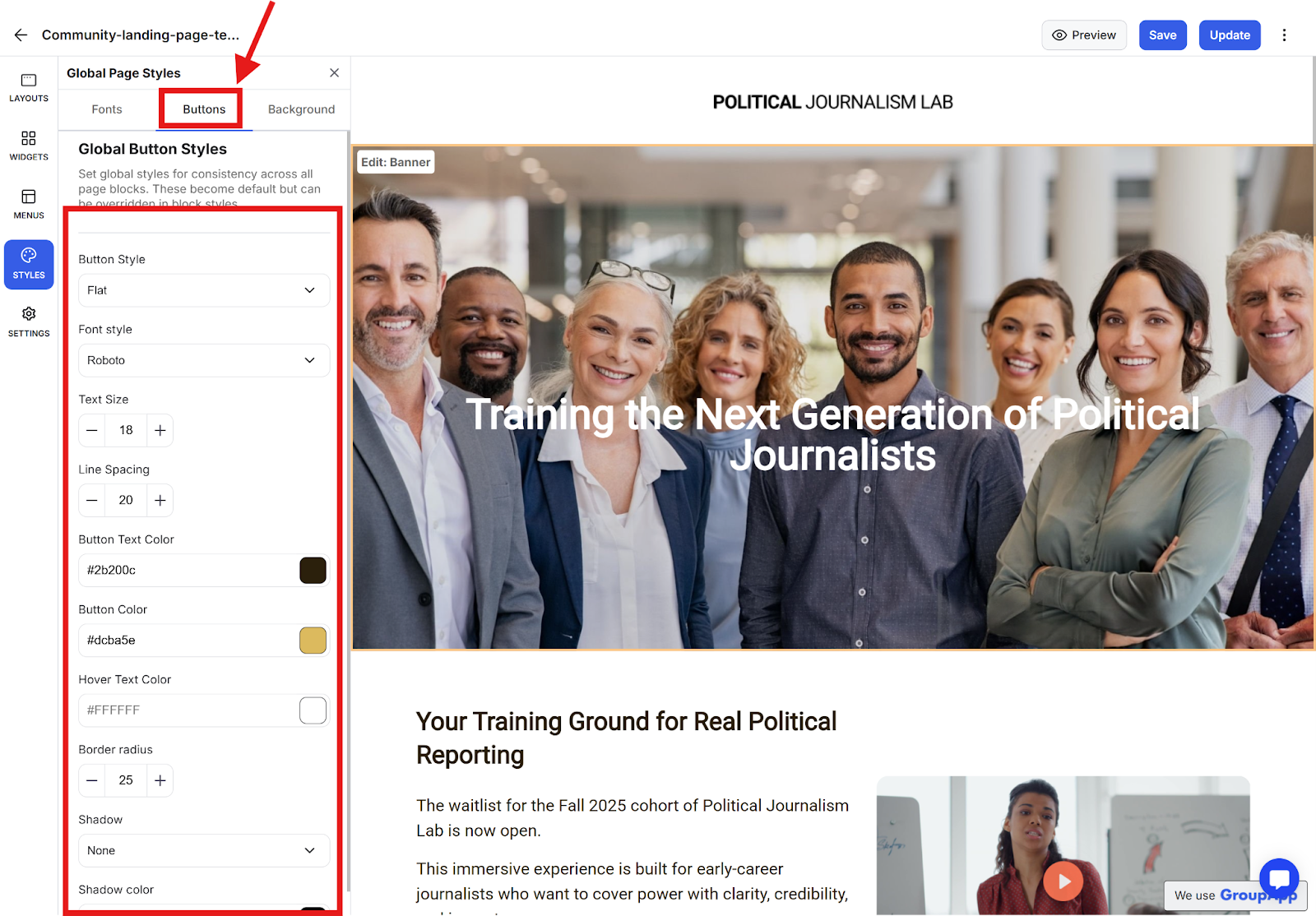
Button Styles
Under the Styles tab, you can apply consistent styling to all buttons across your landing page.
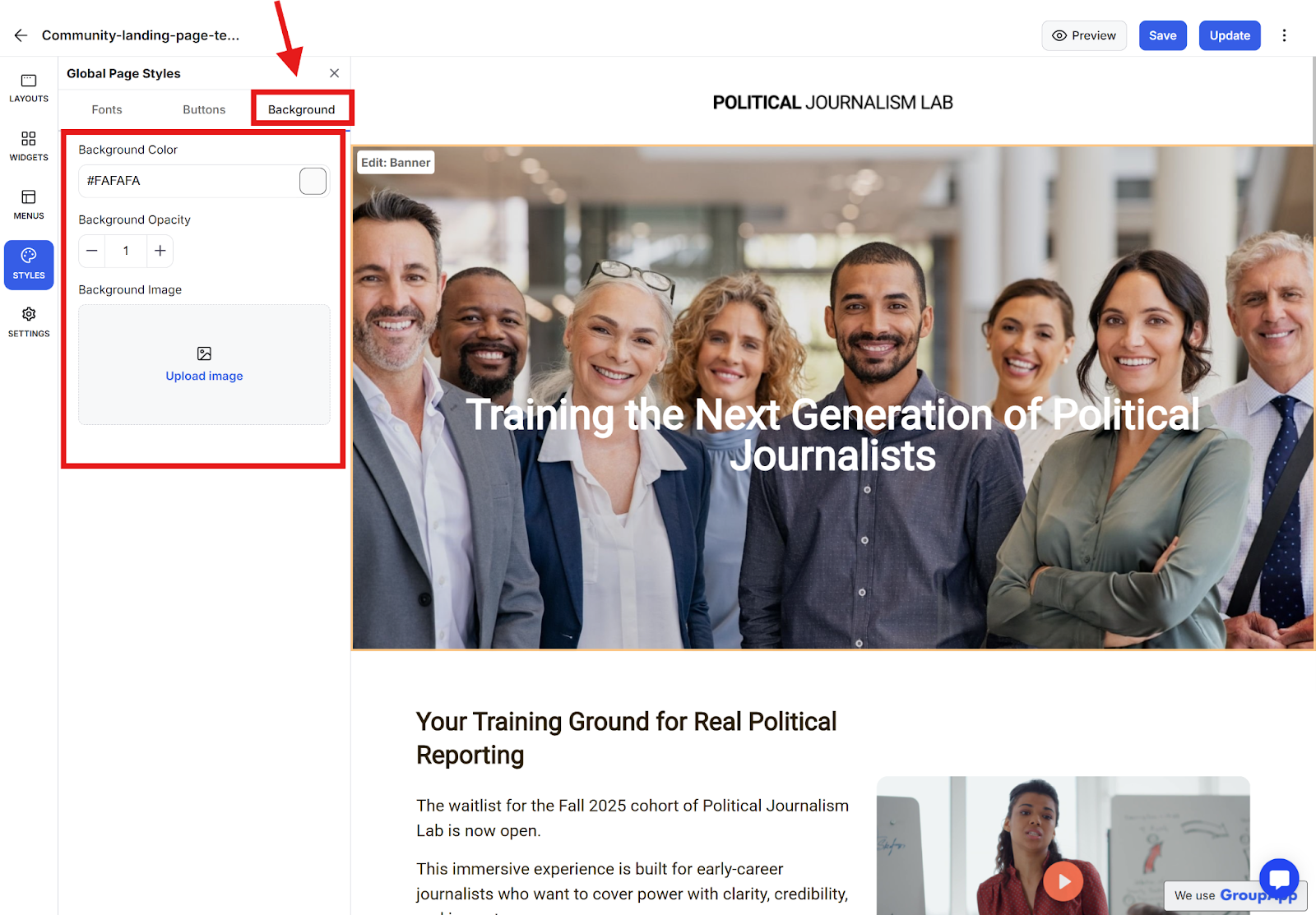
Background Styles
You can set global background properties, including:
Background color
Background opacity
Background image
By using global styles, you ensure a consistent look and feel across your entire landing page without having to style each element individually.