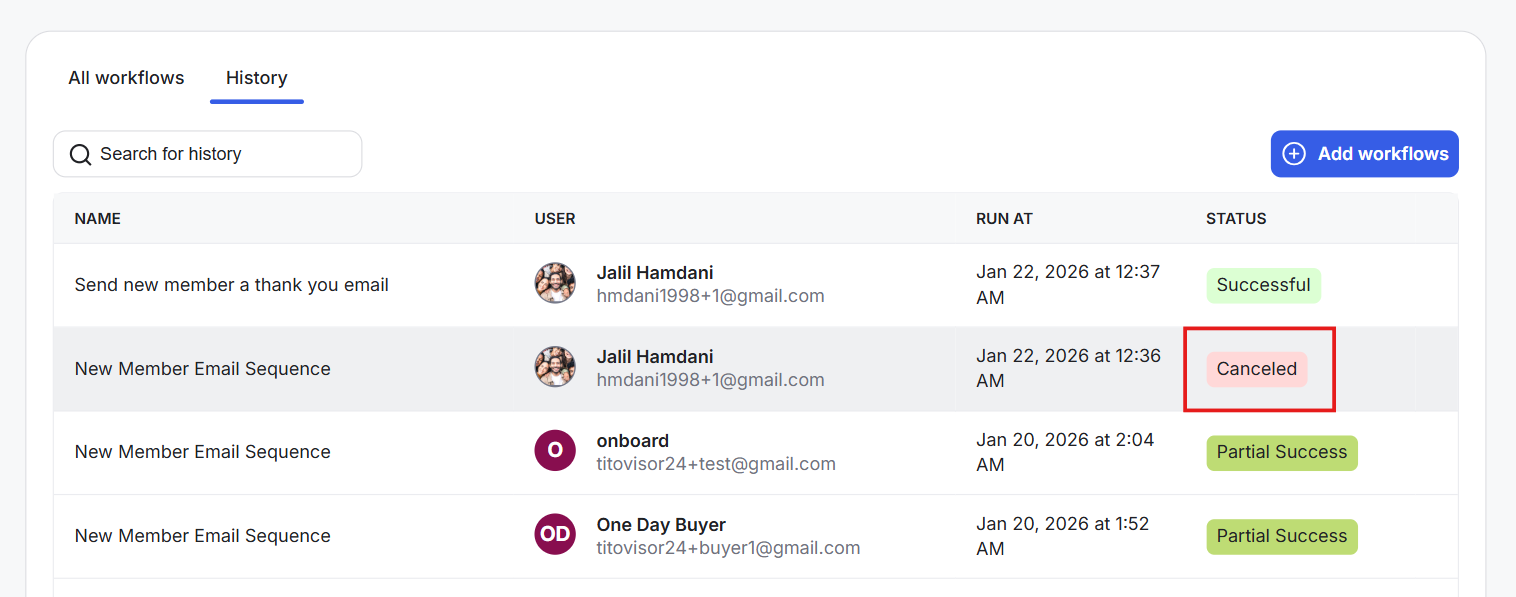
If a workflow is already running, it can’t be edited. You’ll need to stop it first, and any changes you make will apply to future runs. This guide shows you how to cancel a workflow in progress.
Cancelling Workflow Execution in Progress
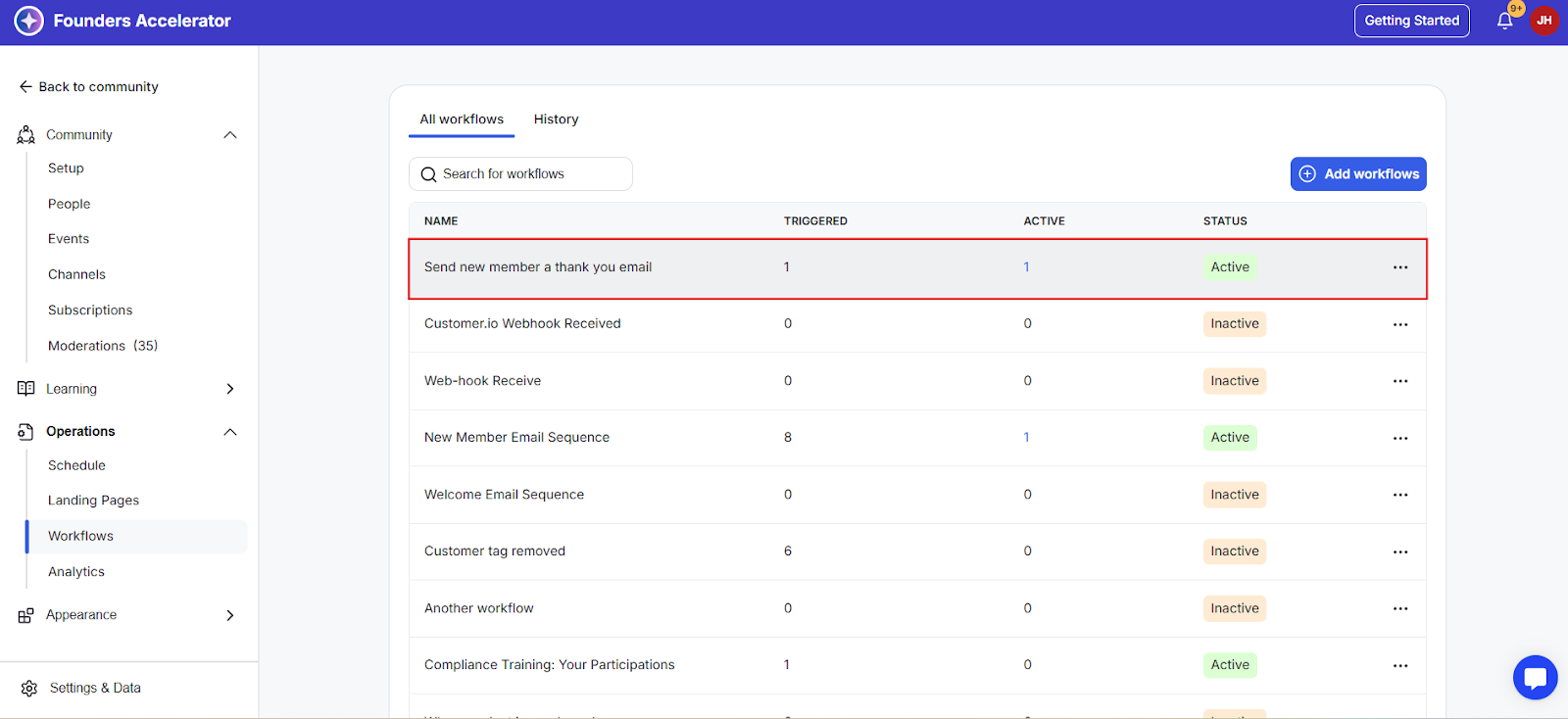
Step 1: Locate the workflow that still has an active member by checking the active column number.
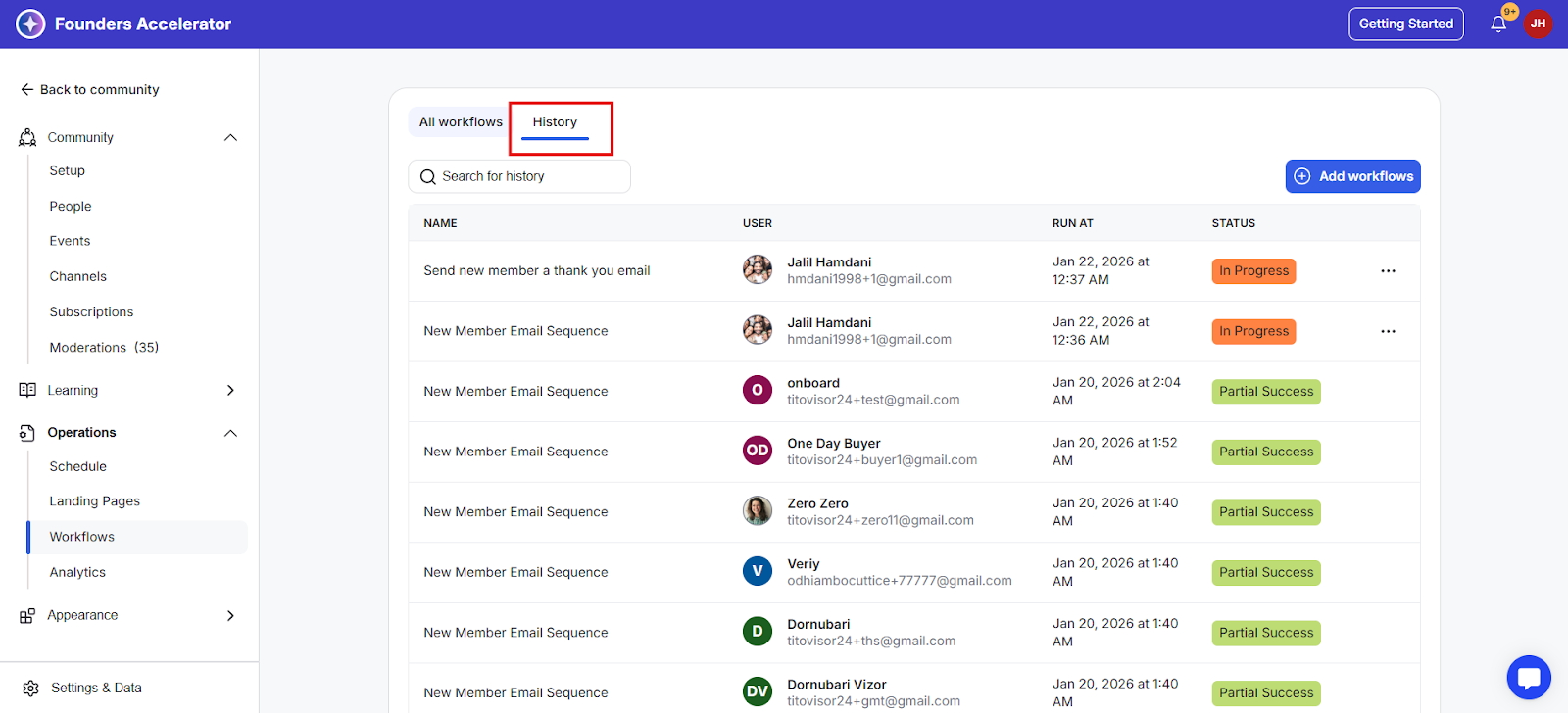
Step 2: Click the History tab.
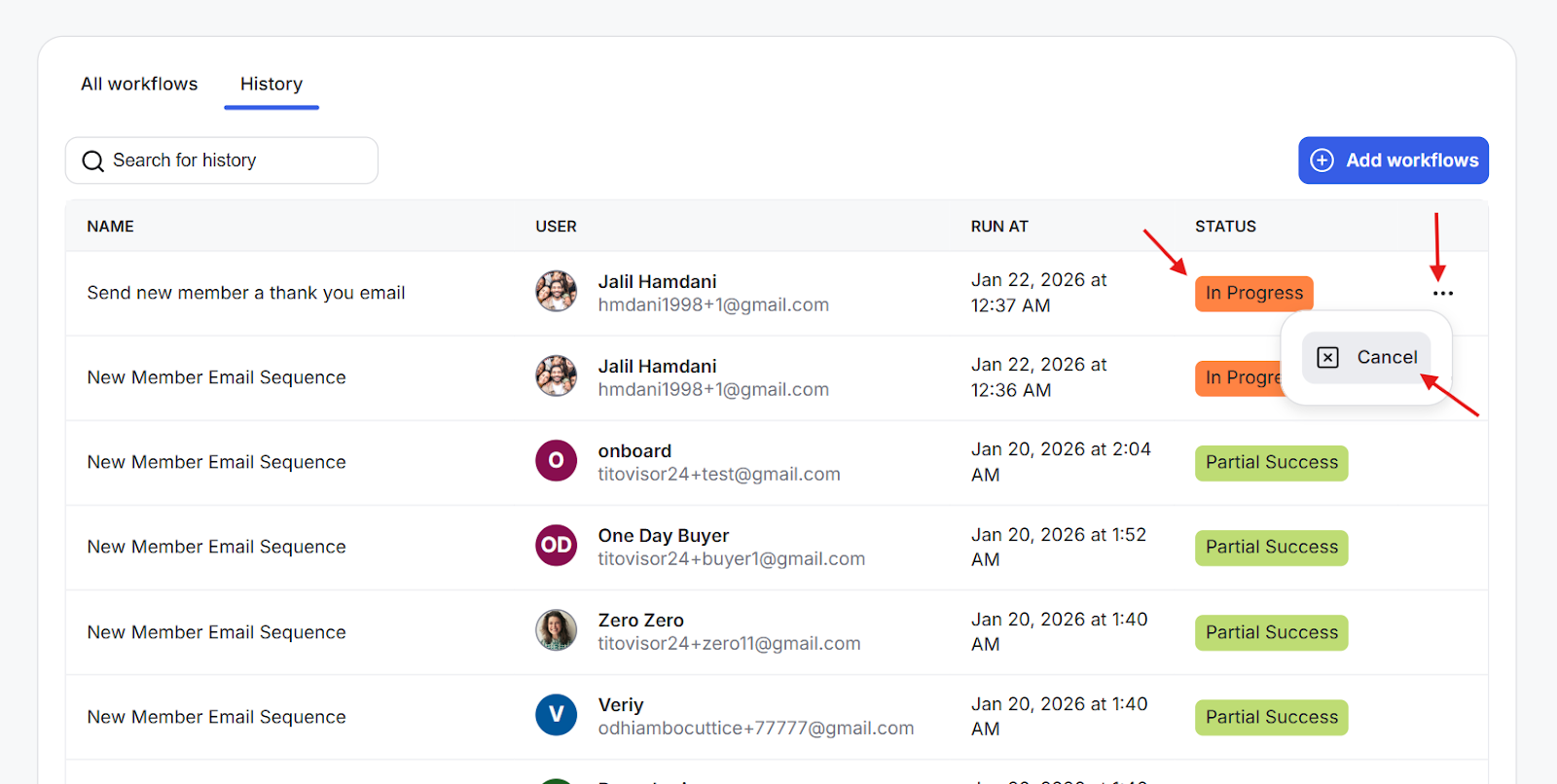
Step 3: Click the three-dot icon for the executions that have the status of “In Progress” and select the cancel option.
Step 4: Cancelled executions will appear like this;