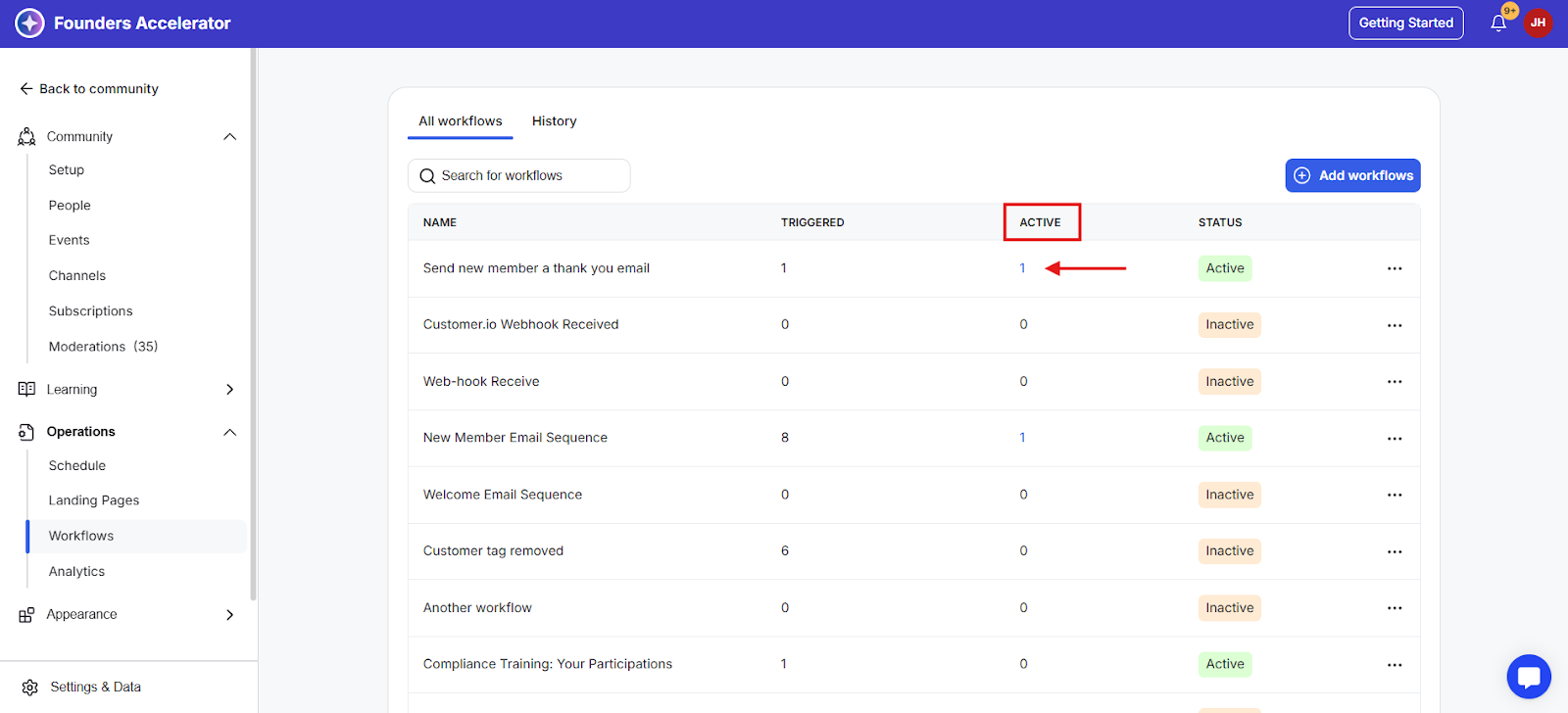
Once you have created a workflow, you have the option to view members who are still active while a workflow is still executing.
Viewing Active Members on a Workflow
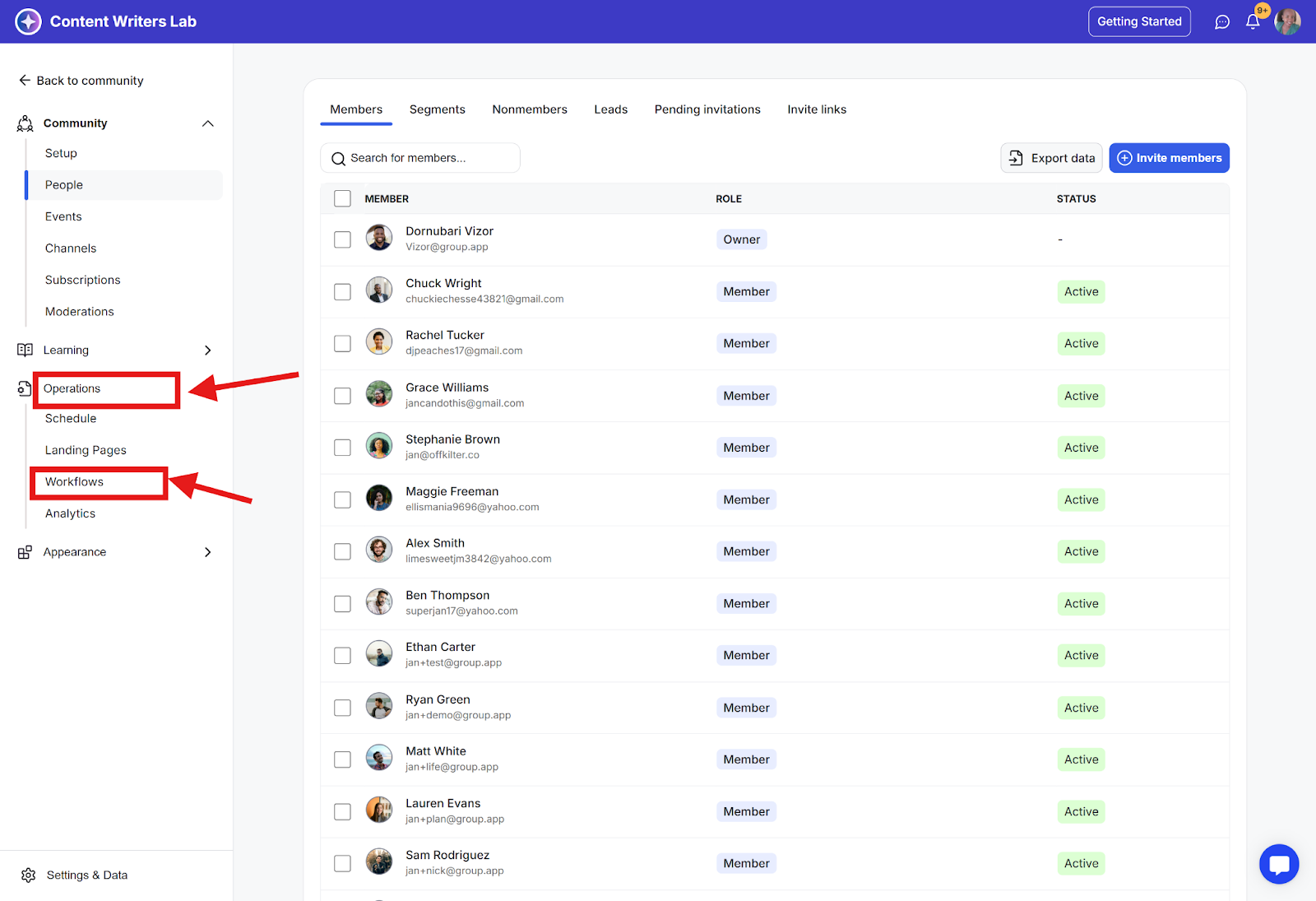
Step 1: Go to the Admin Panel.

Step 2: Click Operations in the side menu and select Workflows to open the Workflows dashboard.
Step 3: Click on the active column to see active members while it is executing.