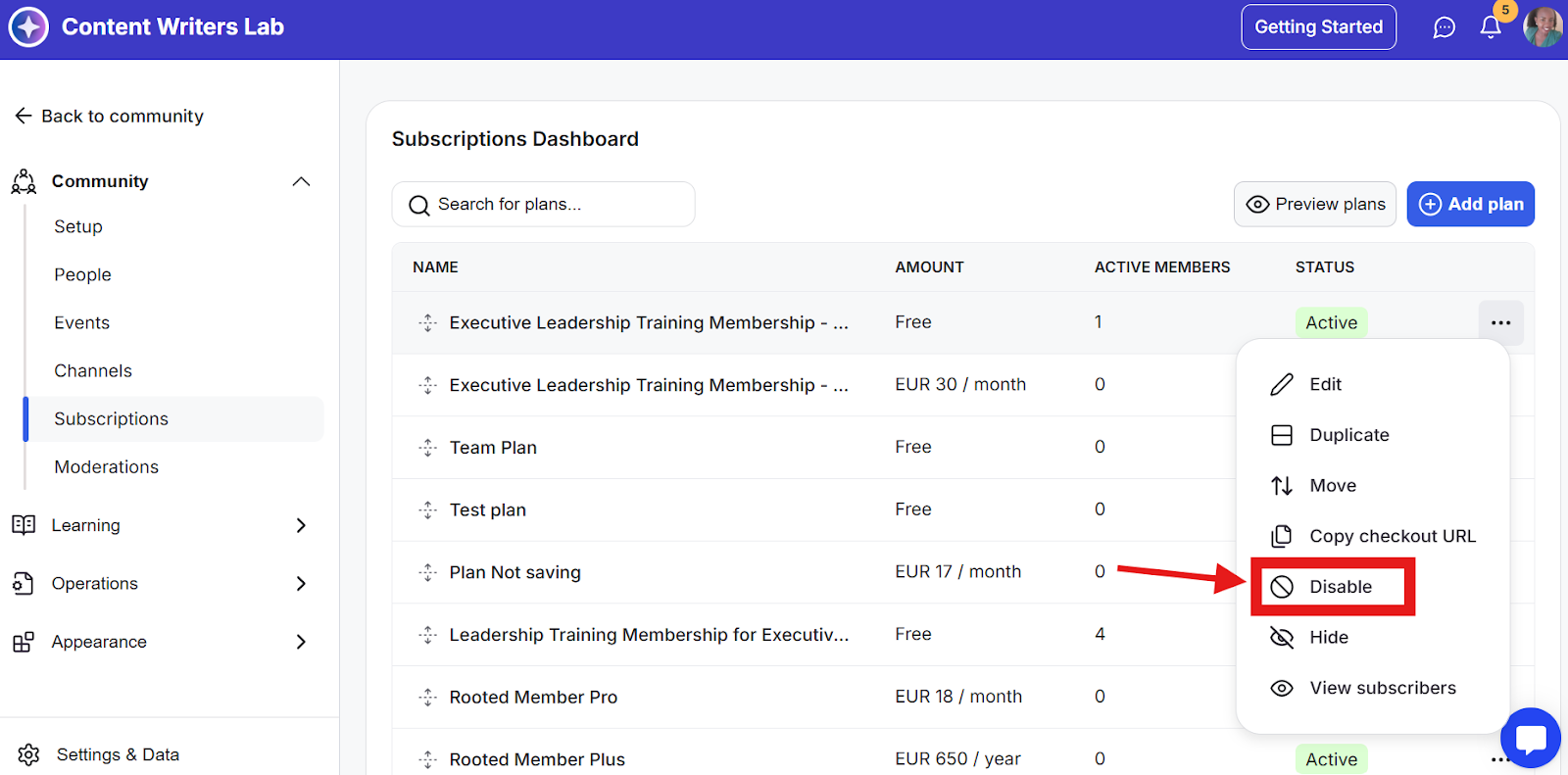
Disabling a subscription plan removes it from your public sign-up and pricing pages, so new members can no longer subscribe to it.
However, existing subscribers on that plan remain active and will continue to be billed through Stripe on their normal schedule until they cancel or their payment fails.
How to Disable a Plan
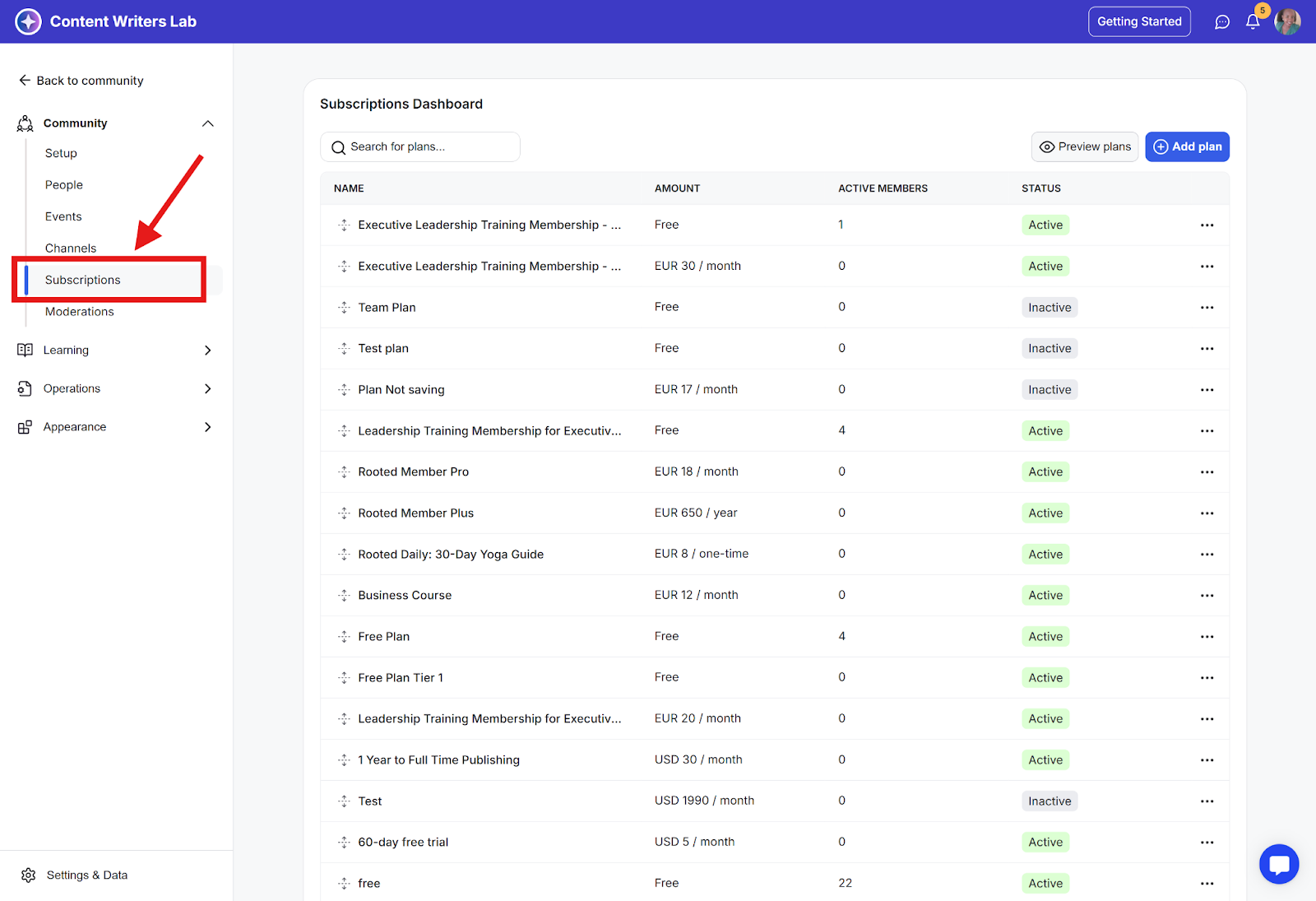
Step 1: Go to the Admin Panel and click on Subscriptions.
Step 2: Find the plan you want to disable, then click on the corresponding three-dot icon and select Disable.