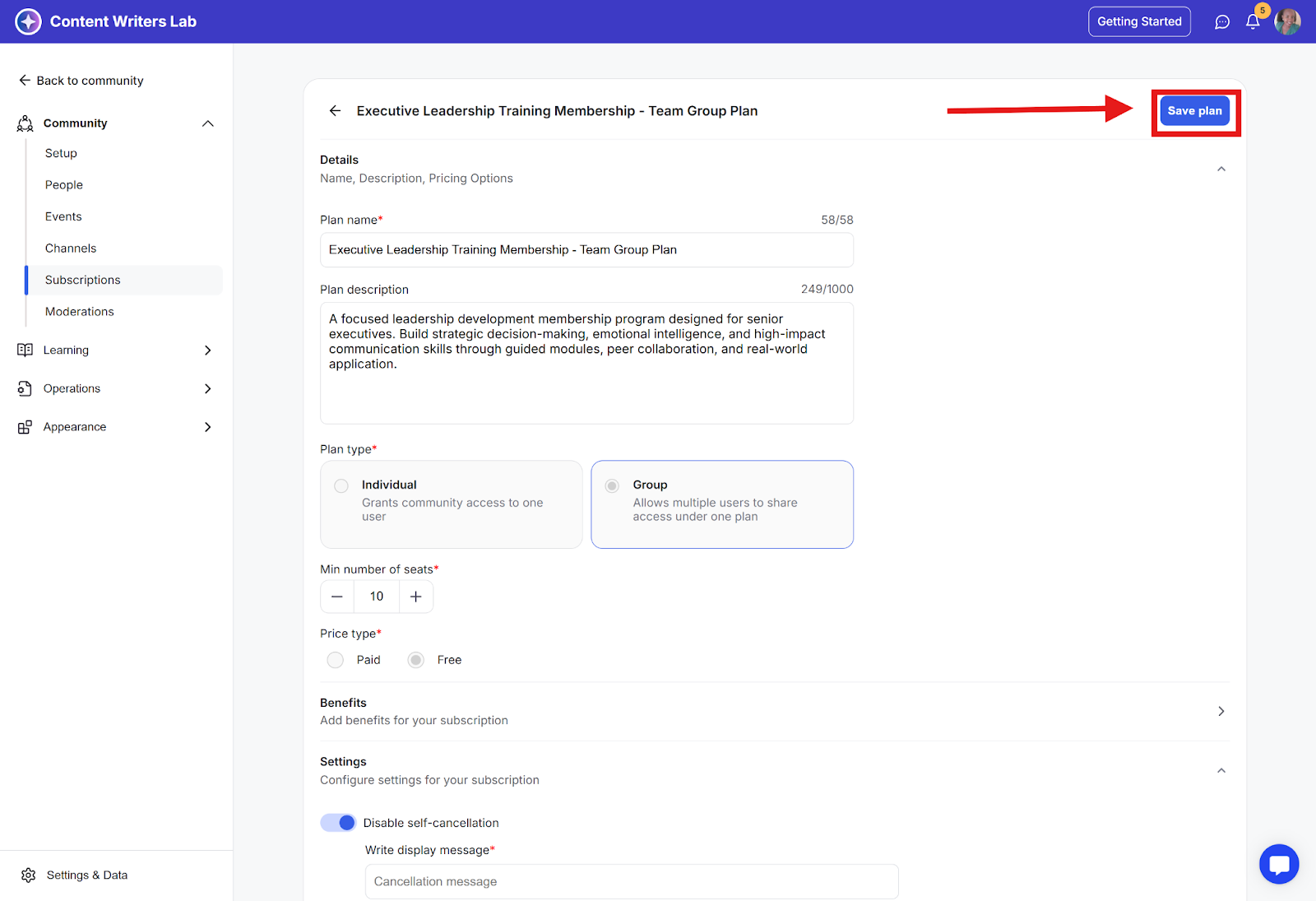
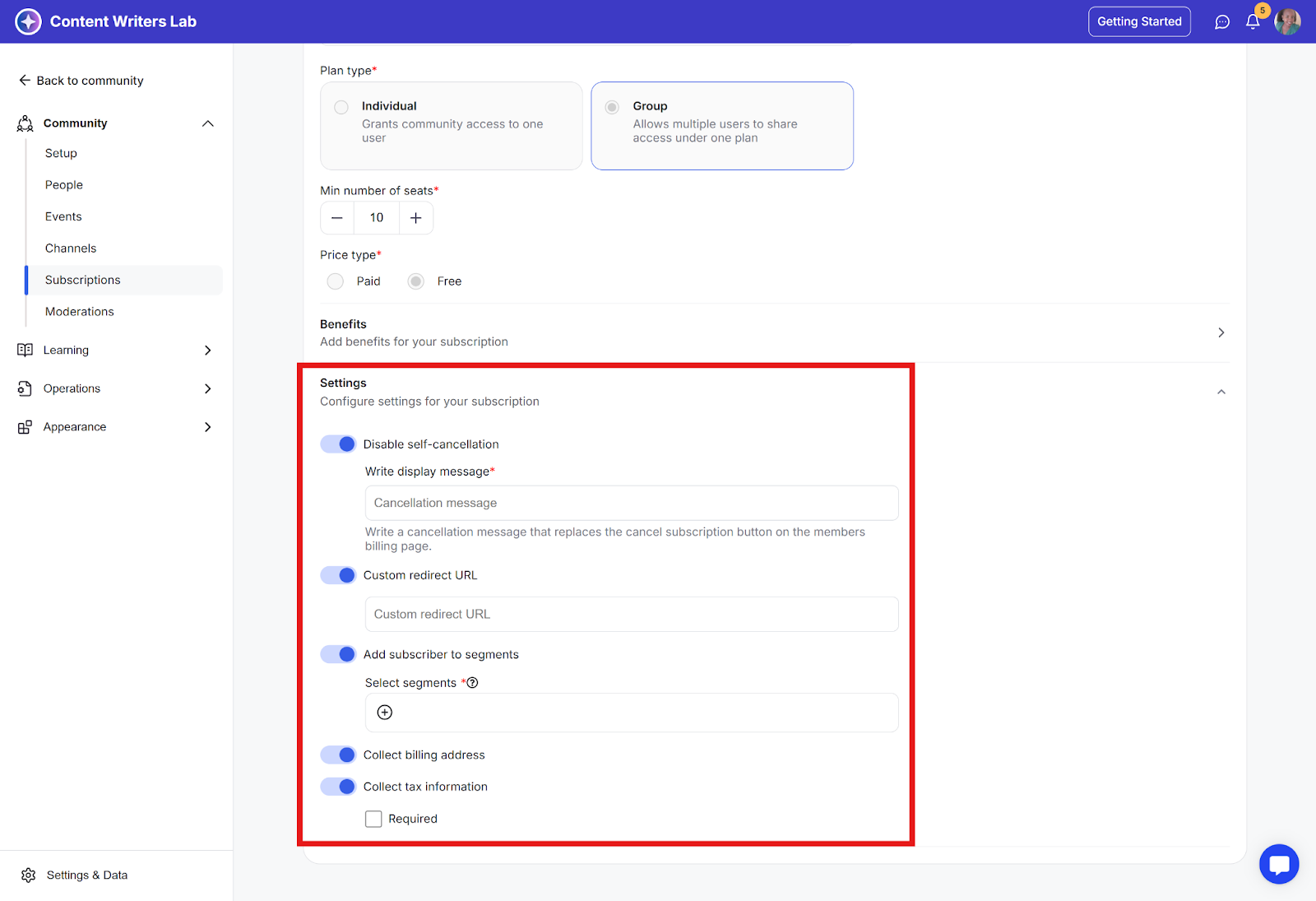
You can configure various settings for your subscription by enabling toggles and filling in the details. These include:
Disable self-cancellation: Prevents end users from canceling their subscription.
Custom redirect URL: Enter the link to send new subscribers after checkout, such as a community welcome page or privacy policy.
Add subscribers to segments: Automatically assign new subscribers to specific segments. Learn more about segments here.
Collect billing address: Gather billing information during checkout.
Collect tax information: Capture tax details on the checkout page.
How to Access and Configure Subscription Settings
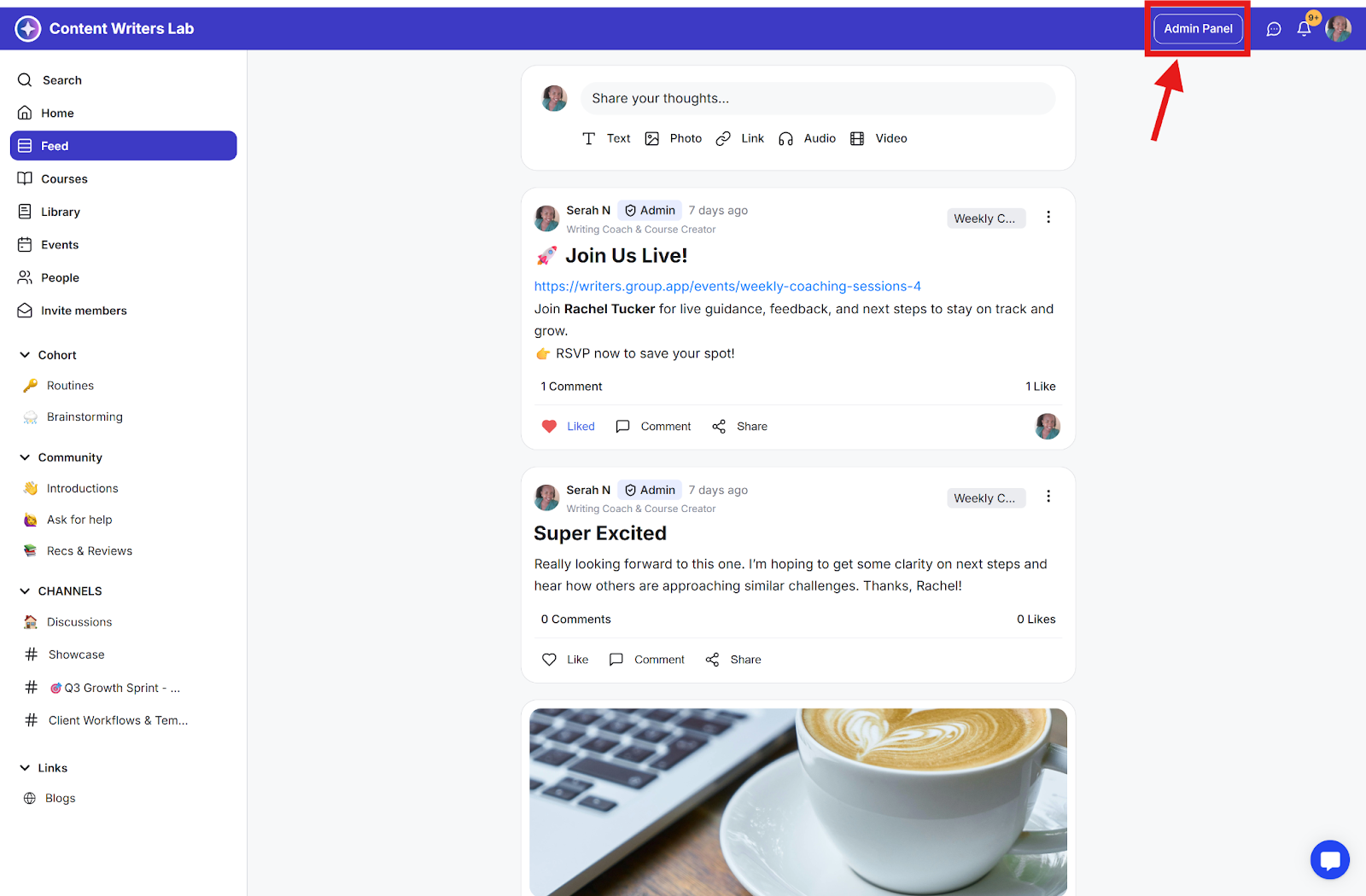
Step 1: Click the Admin Panel button.
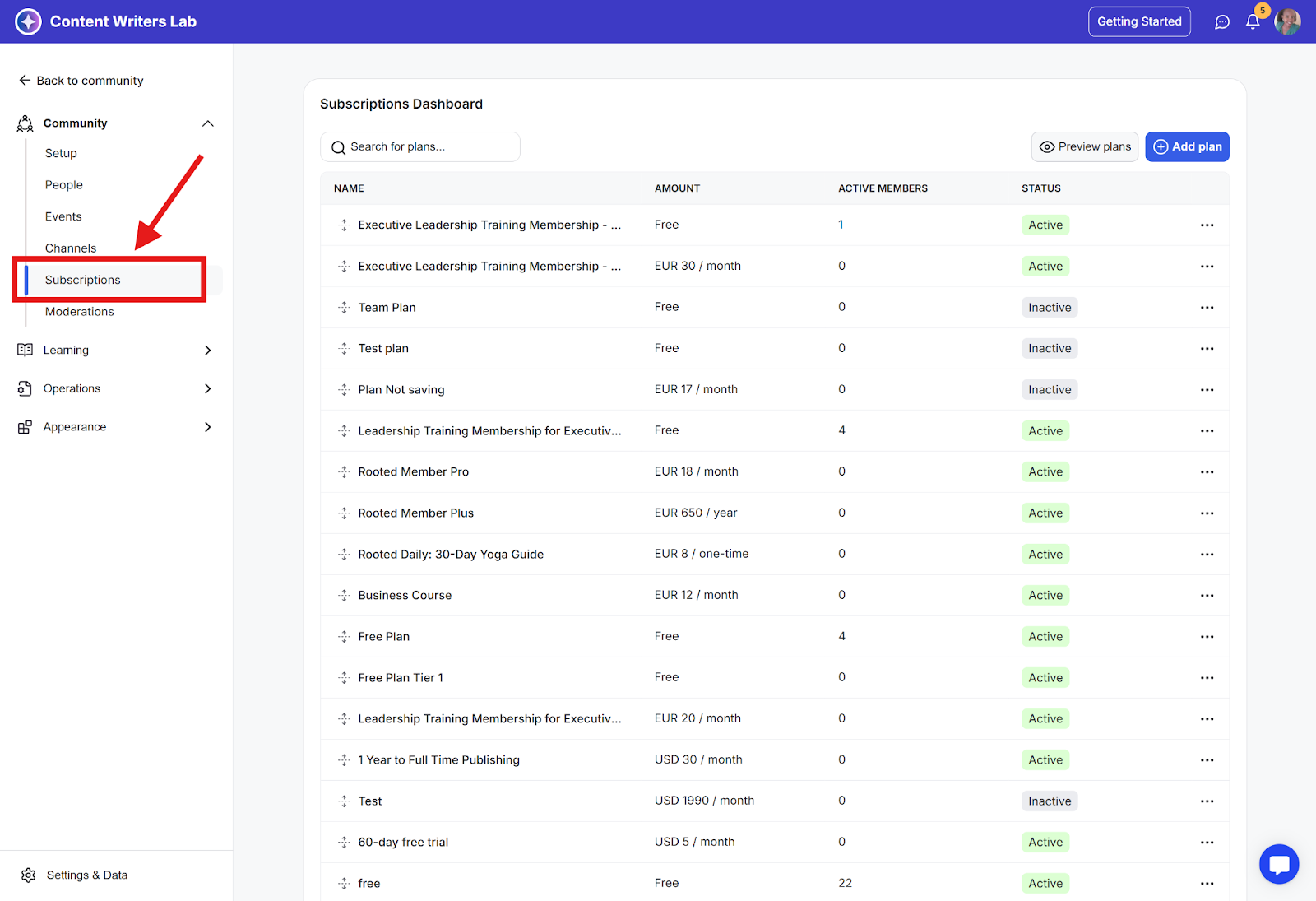
Step 2: Go to Subscriptions in the side menu.
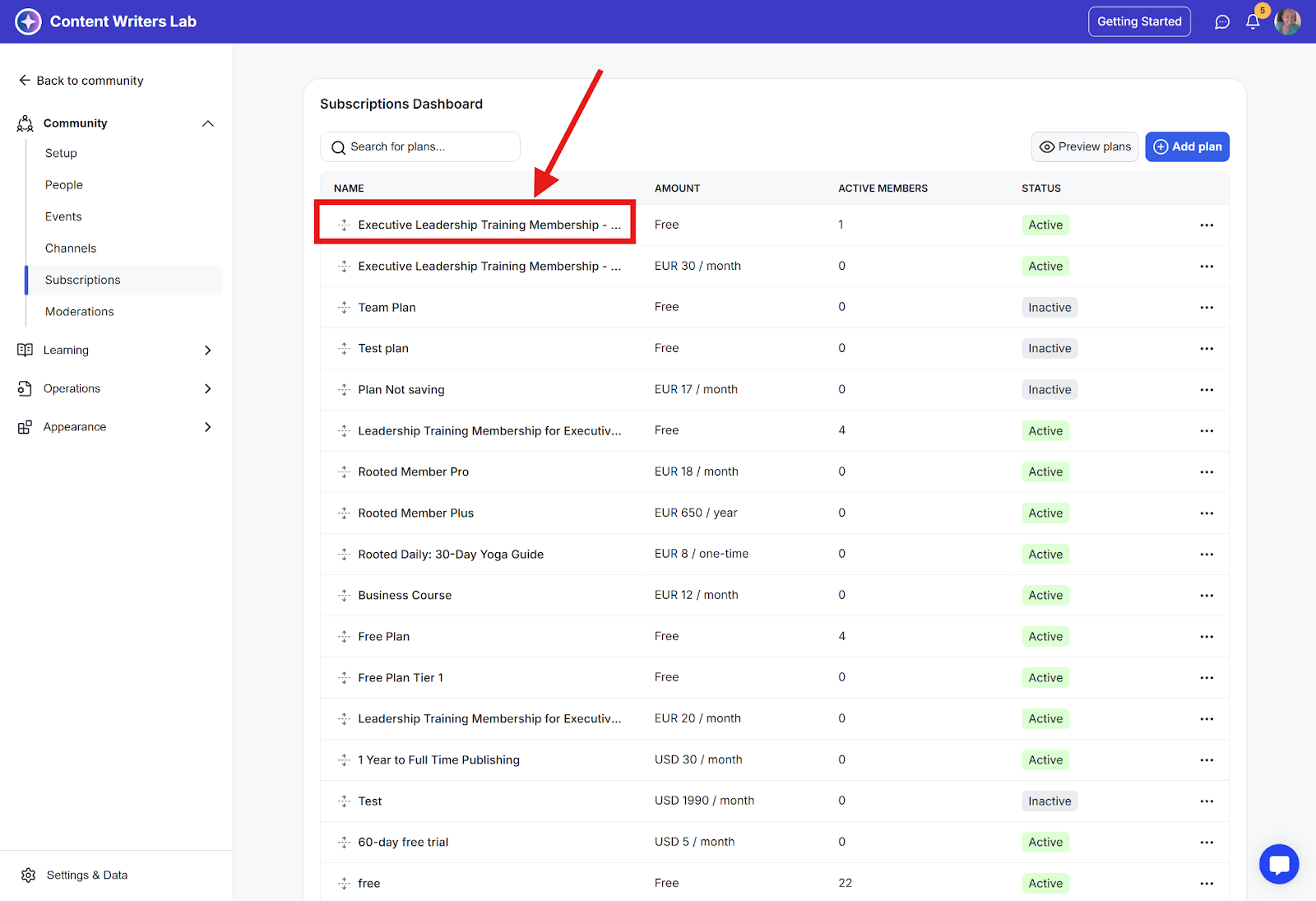
Step 3: Click on the subscription you want to edit.
Step 4: On the plan editor page, scroll down to the Settings section.
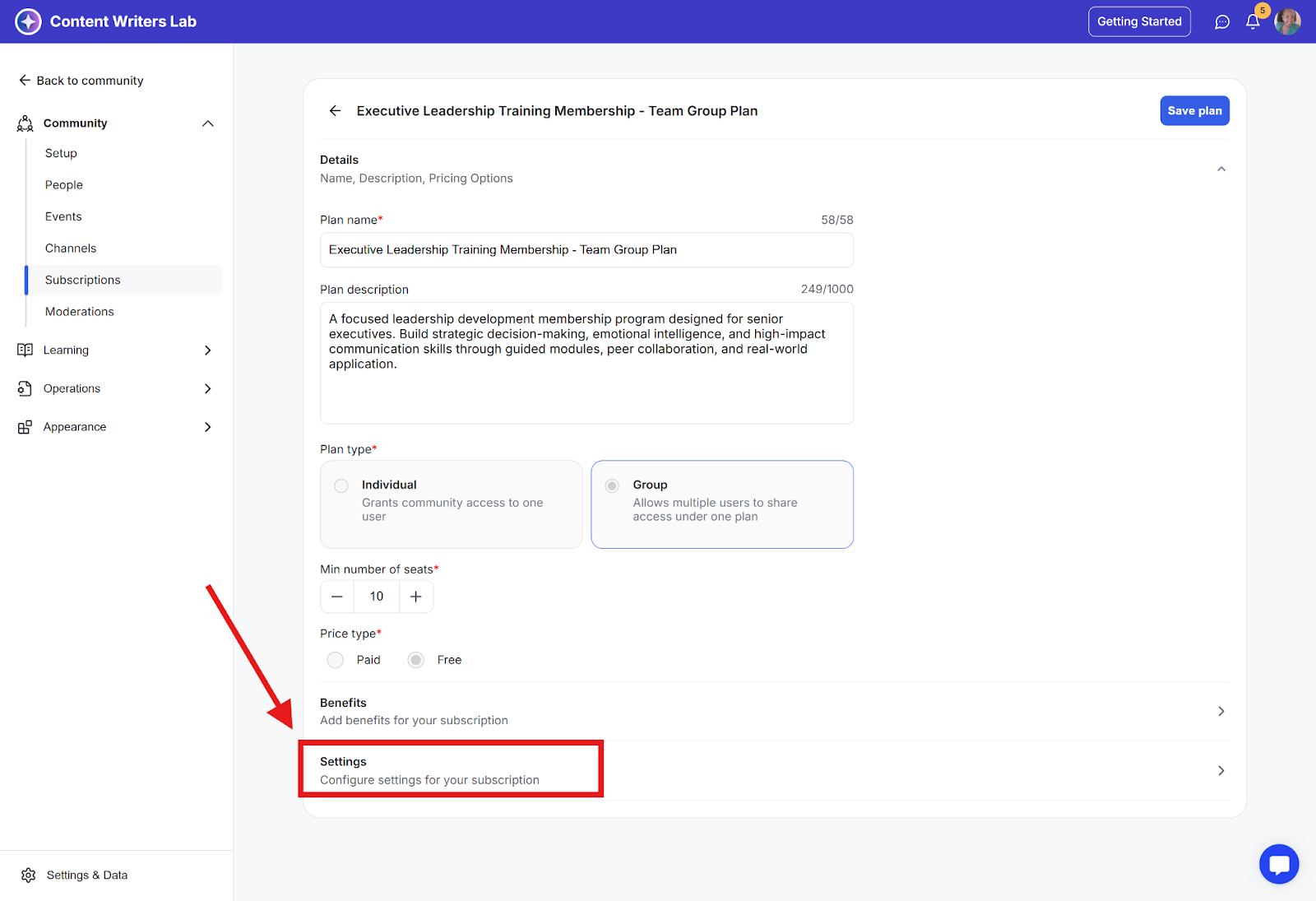
Step 5: Enable the toggles and fill in the details for the functions you want to use.
Step 6: Click Save Plan on the top-right to update your changes.