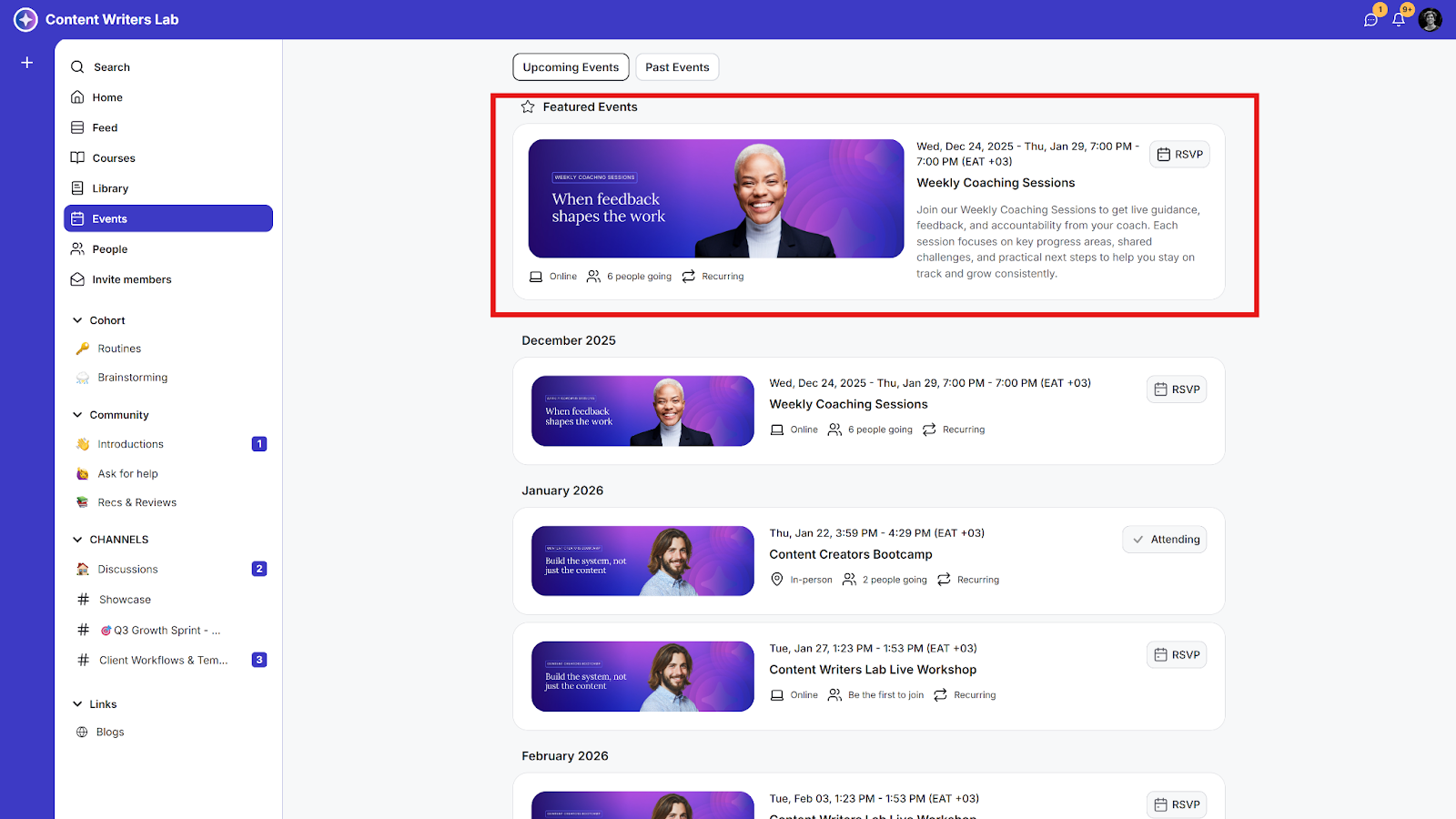
Featuring an event makes it more prominent on your community’s Events page.
When an event is featured, it appears highlighted and appears under a Featured Events label, helping it stand out and attract more attention from members.
How to Feature an Event
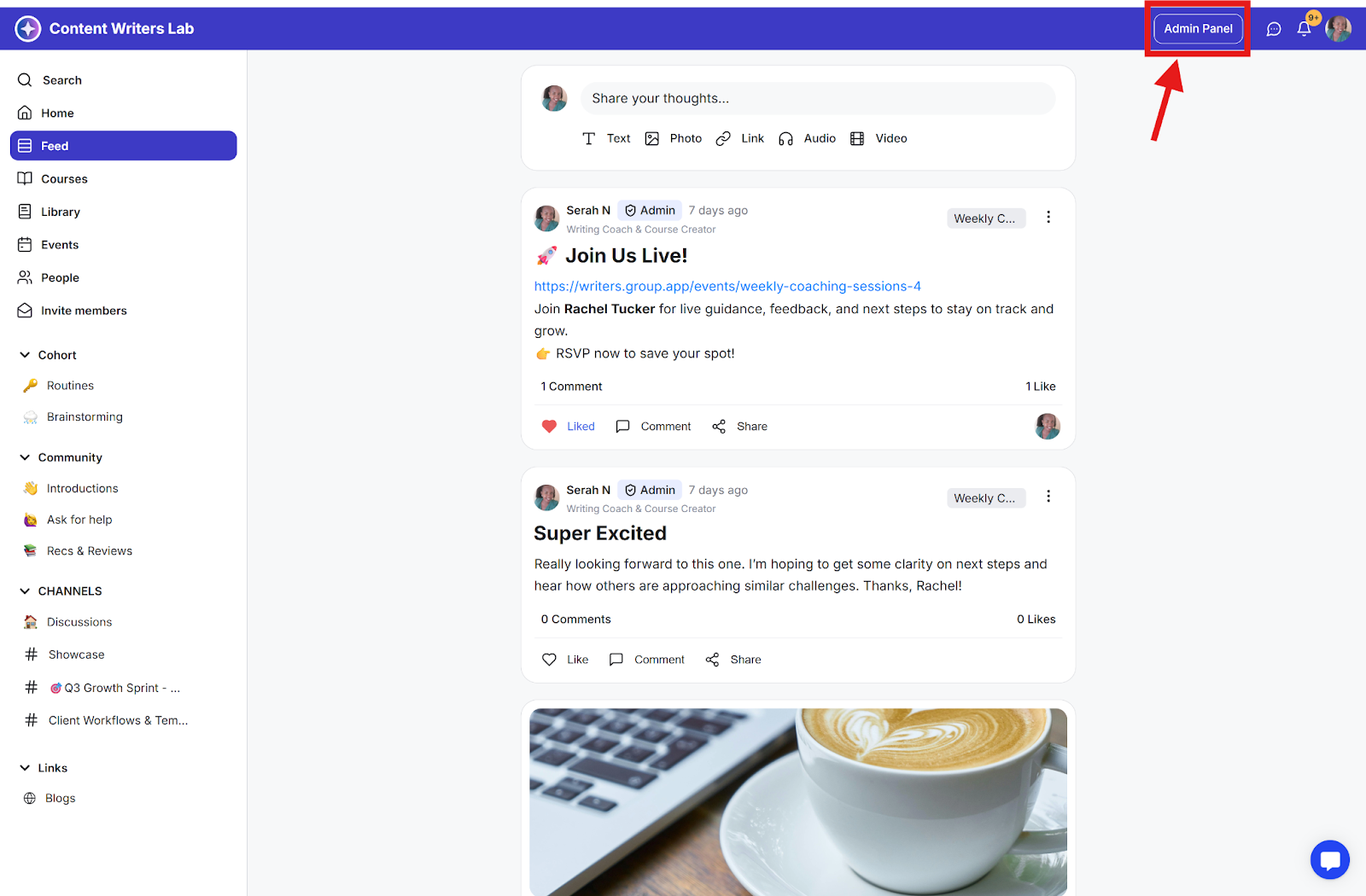
Step 1: Click on the Admin Panel button.
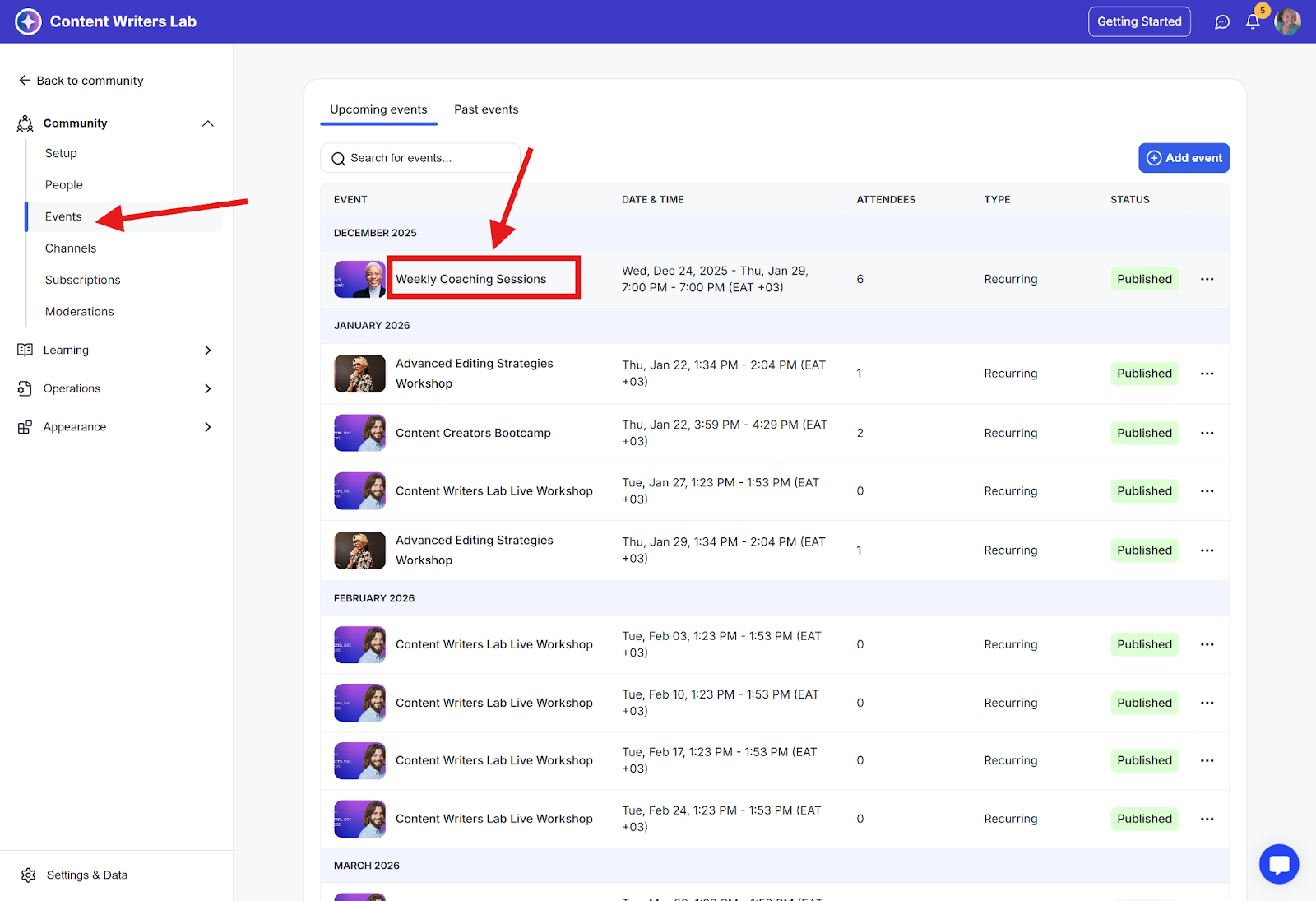
Step 2: Click on Events in the side menu and locate the event you want to feature.
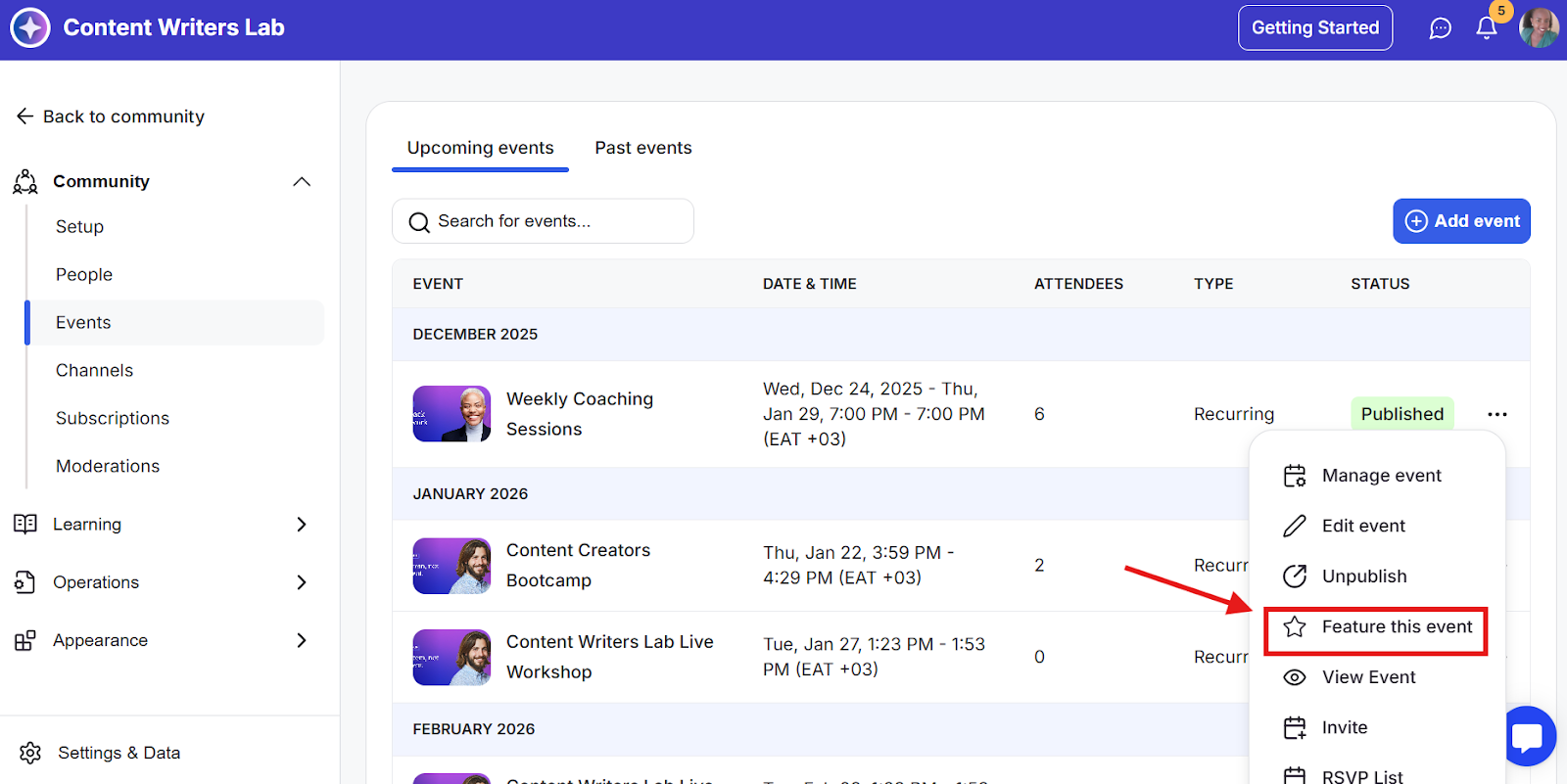
Step 3: Click the three dots next to the event you want to feature and select Feature This Event.