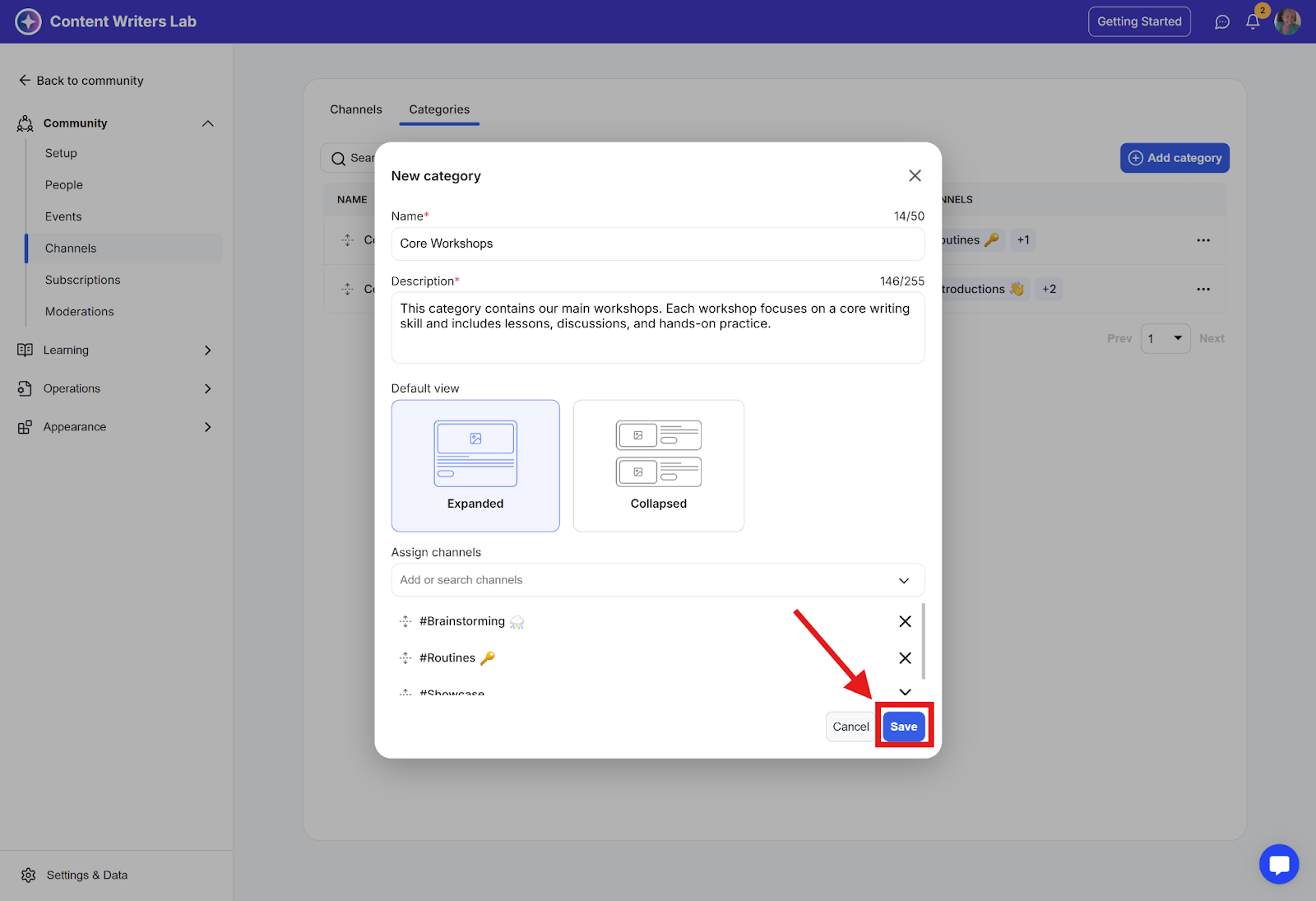
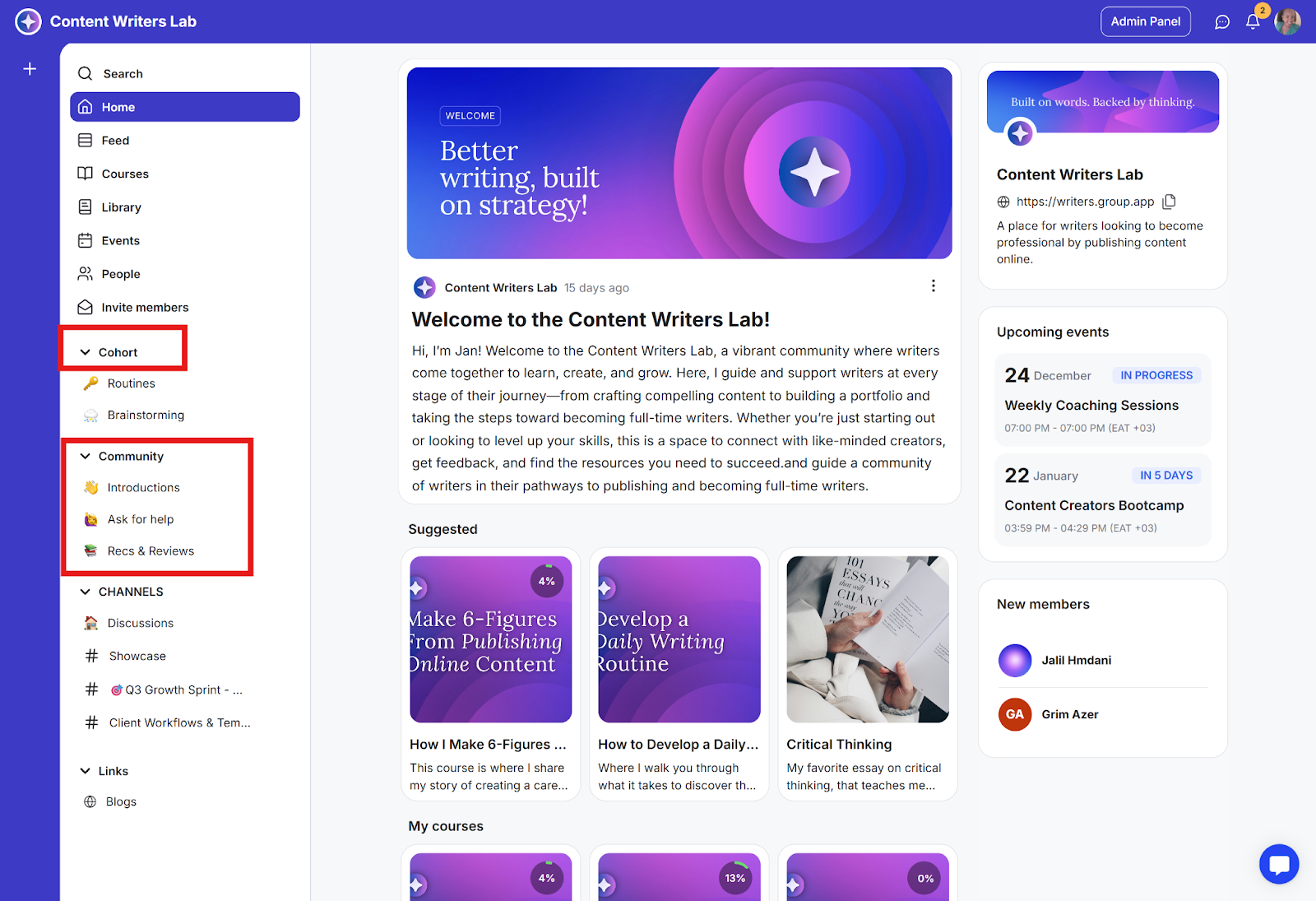
A channel category lets you group multiple related channels under one section in your community. It appears in the left-side navigation menu as a section with a dropdown that expands to show all channels inside it, making your layout cleaner and easier to navigate.
Note: Channel categories and Segments are NOT the same.
Categories are used to organize related channels for easier navigation.
Segments are used to group members based on certain criteria (like role, subscription, or access).
How to Create a Channel Category
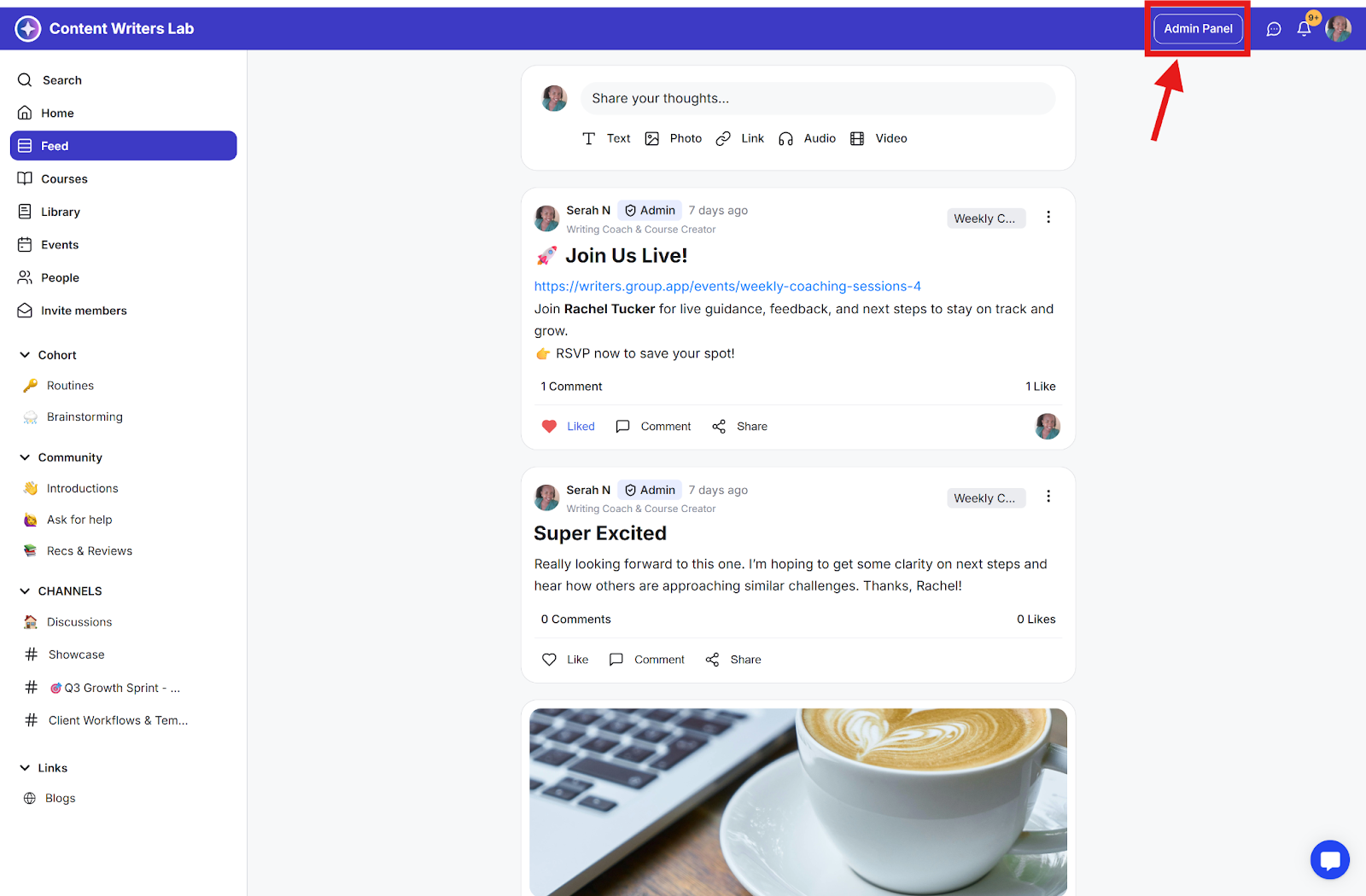
Step 1: Click Admin Panel on the top right of your community dashboard.
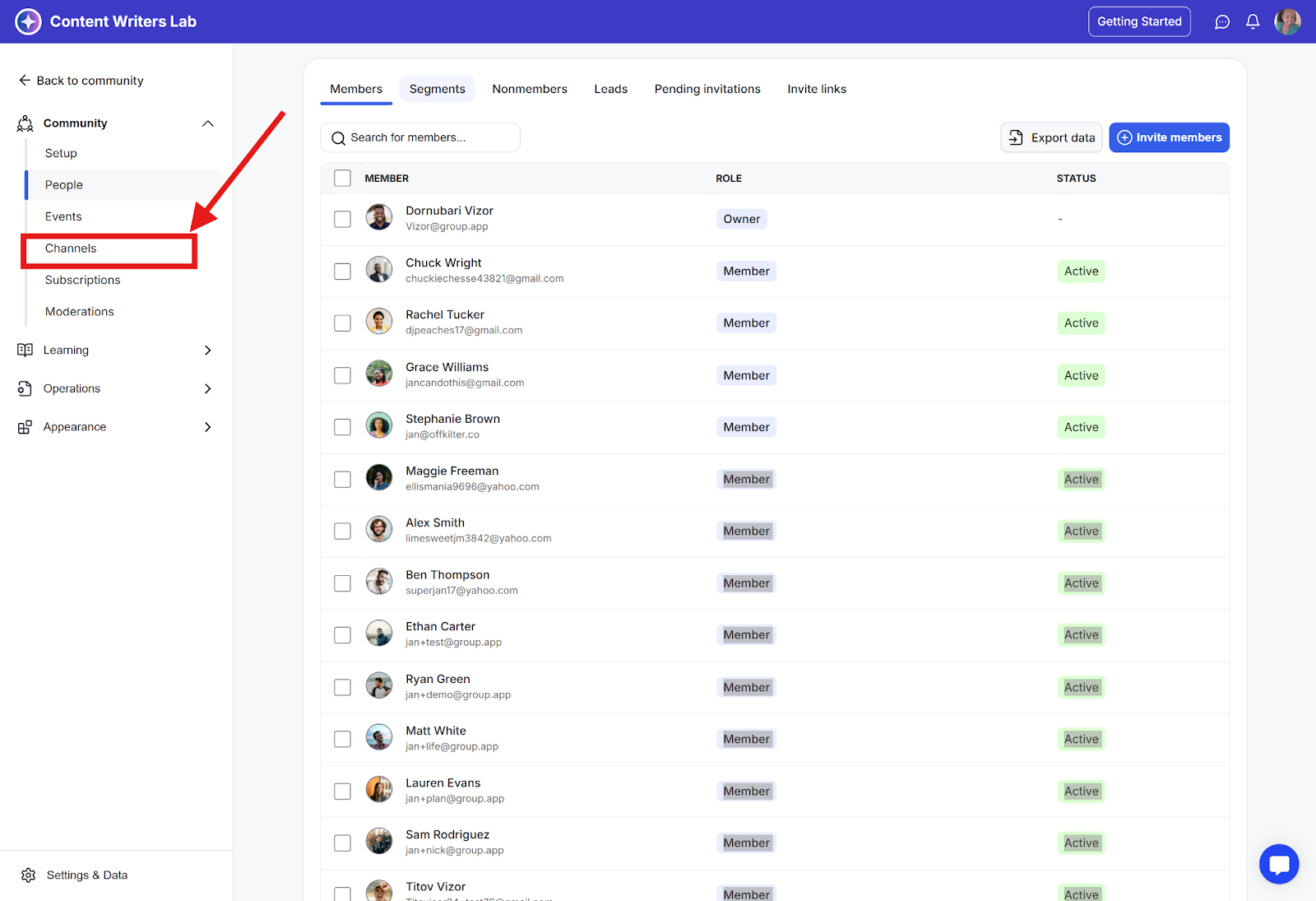
Step 2: From the side menu, select Channels to open the Channels dashboard.
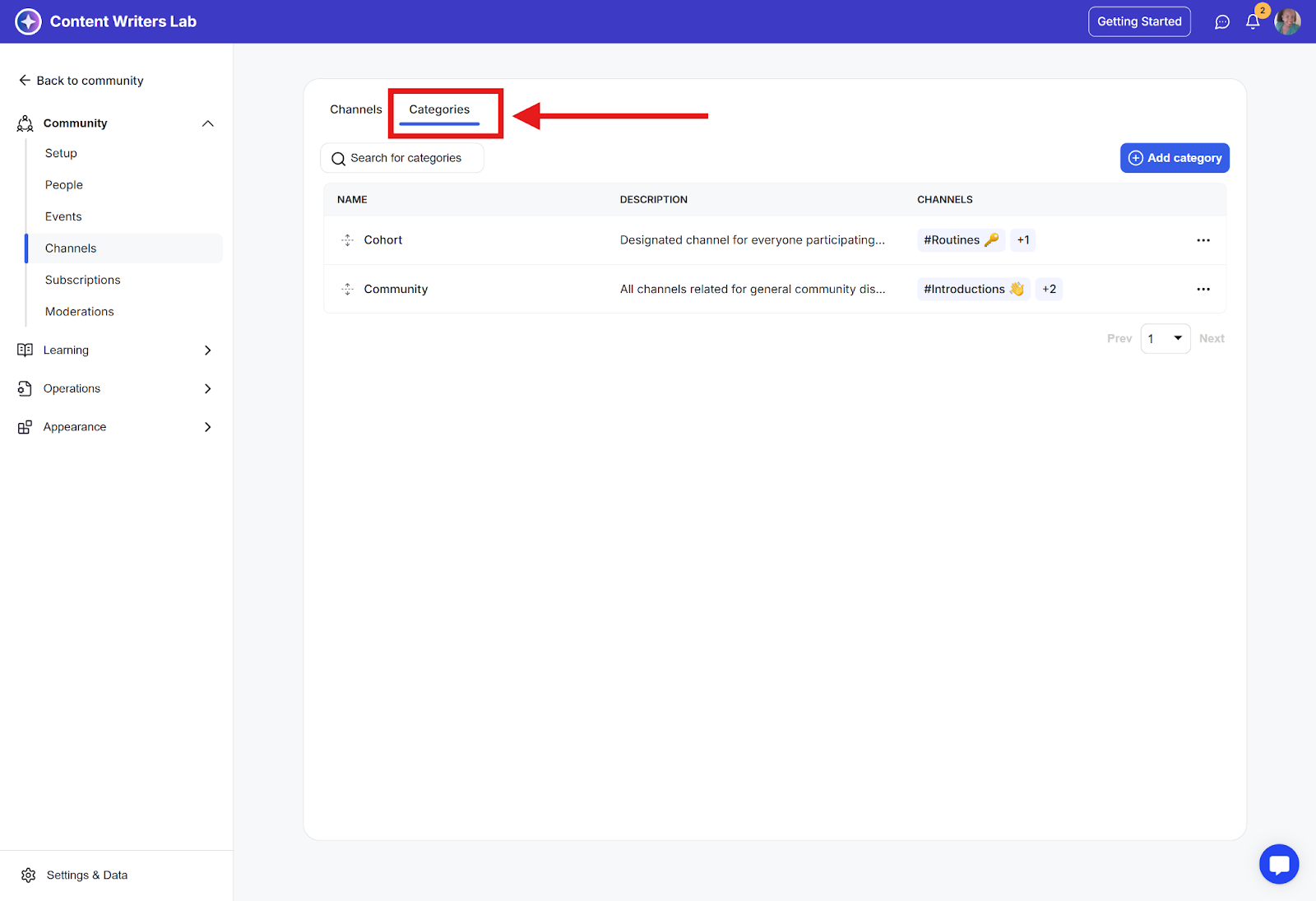
Step 3: Click on the Categories tab.
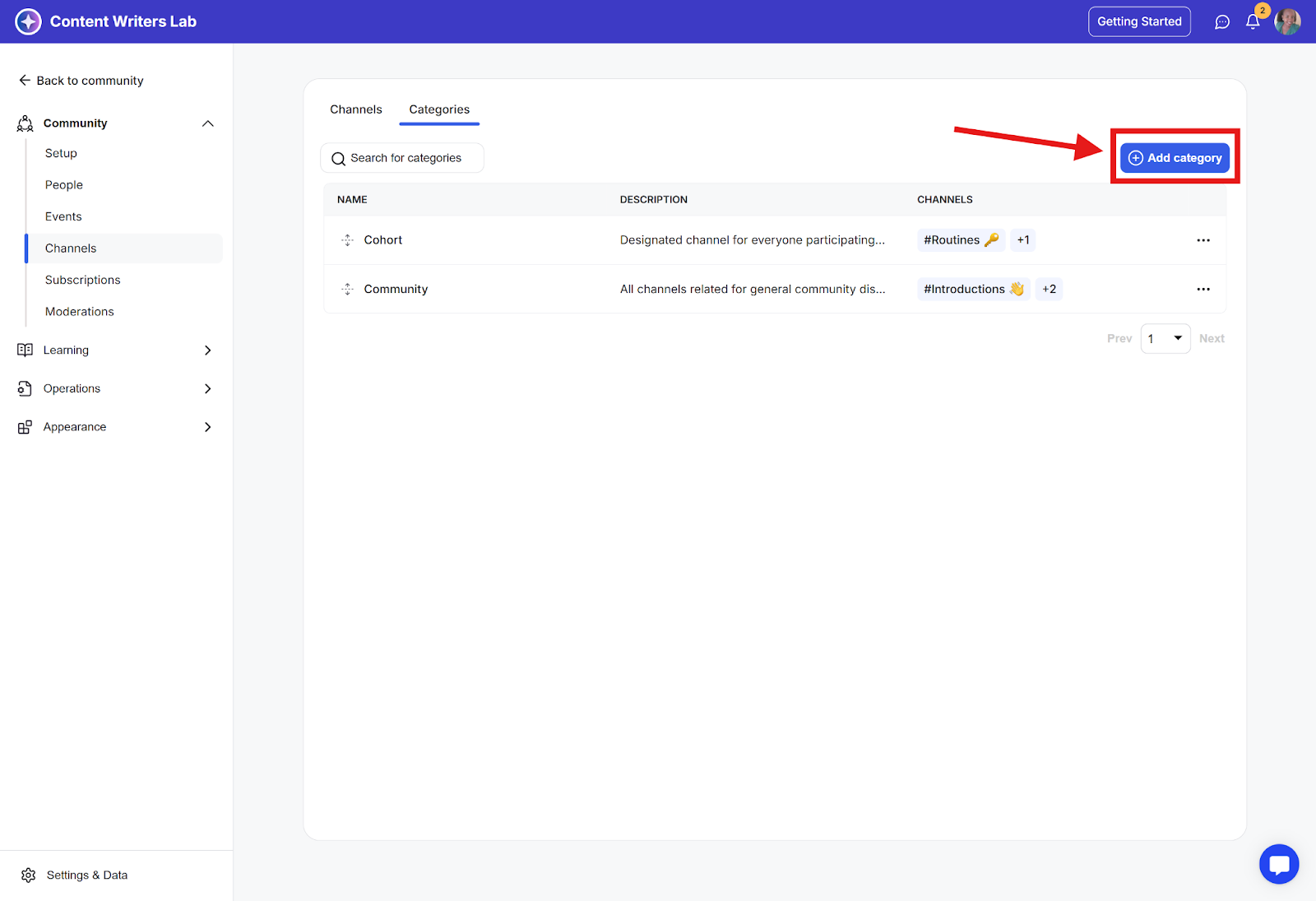
Step 4: Click the Add Category button.
Step 5: On the category creation page, fill in the required information:
Category Name
Description
Default View for channels in this category
Assign Channels to this category
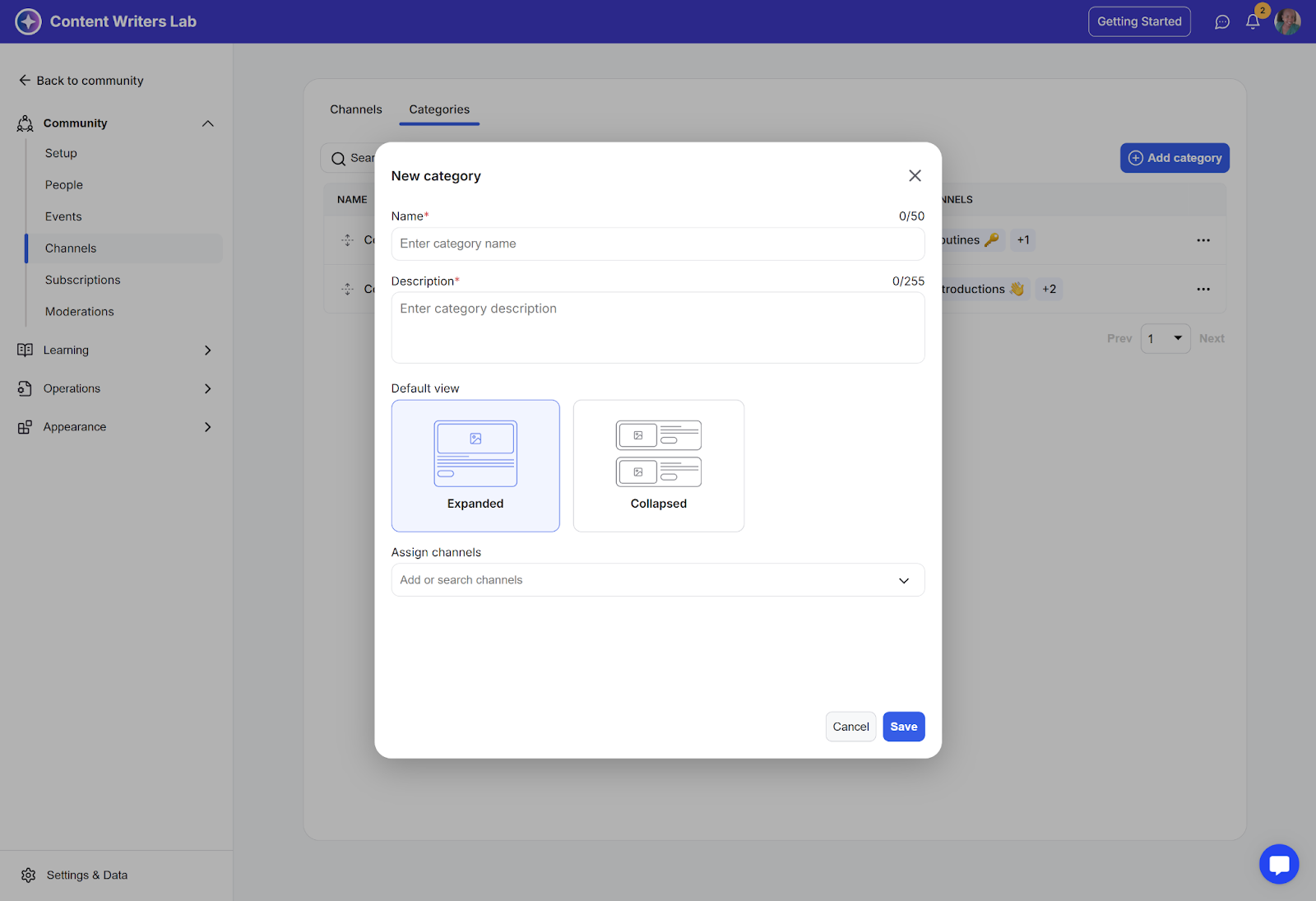
Step 6: Click Save in the bottom-right corner.