
There are two ways to invite members when the community member sign-up is closed:
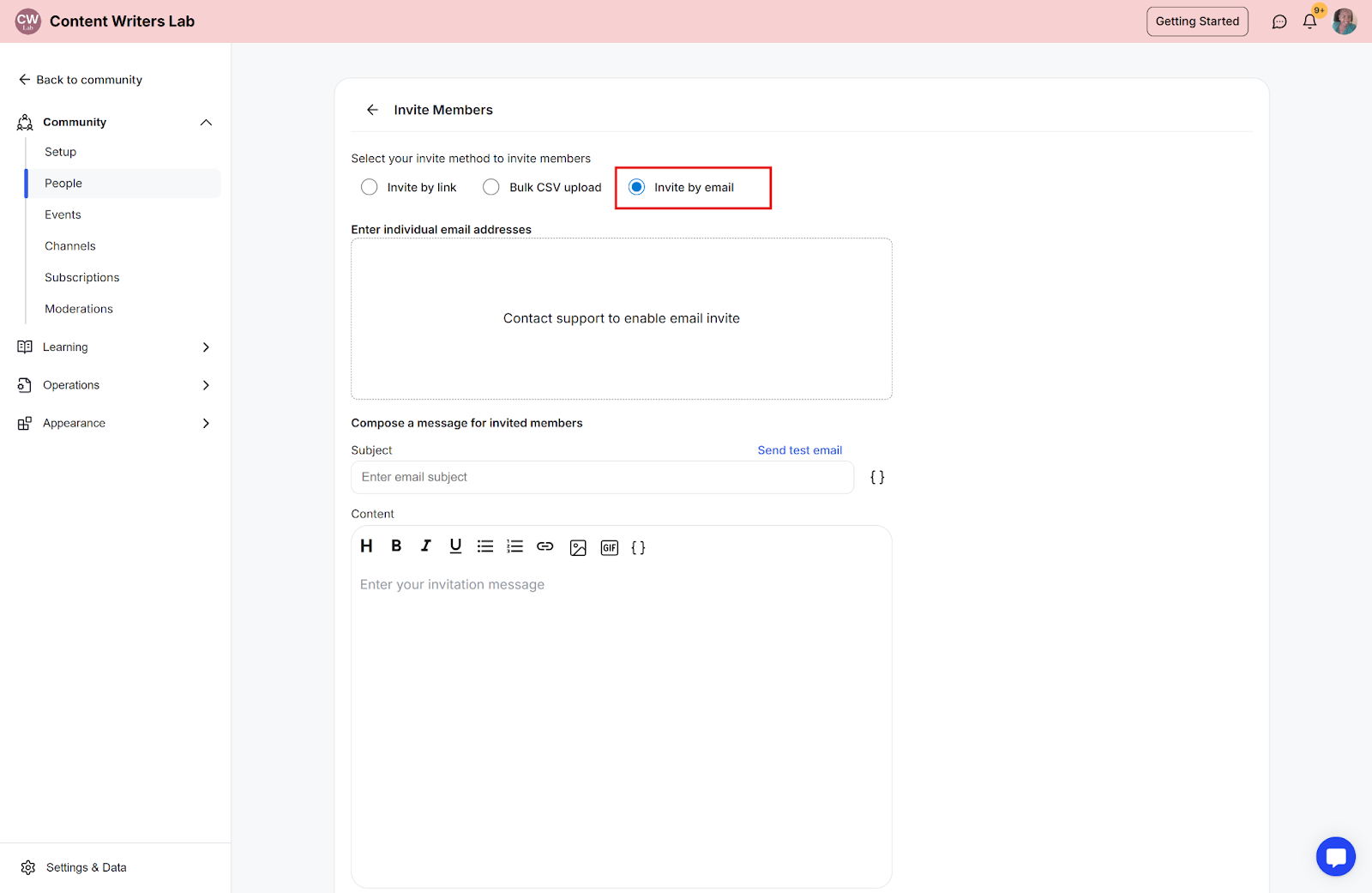
Invite by email
Invite by link
This guide will teach you how to invite members when the community sign-up is closed.
1. Invite by Email
This invitation method works similarly to a bulk CSV upload. In both cases, invitations are sent directly to specific email addresses, and only the people listed can join the community.
2. Invite by Link
This is a method of inviting prospective members by sending them a direct link to the invite. Anyone with the invite link can join the community.
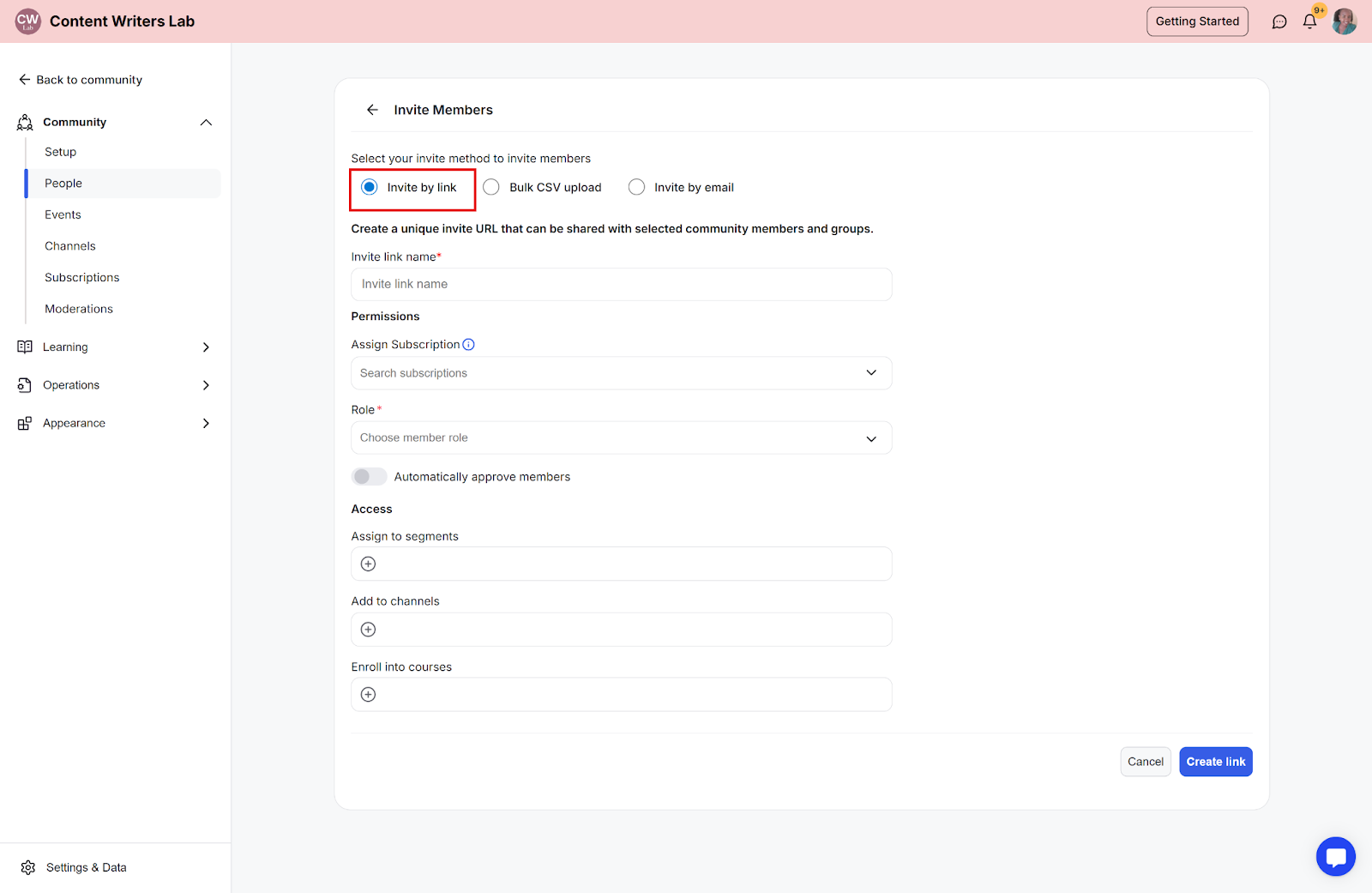
Invite Fields Explained
1. Invite Permission Options
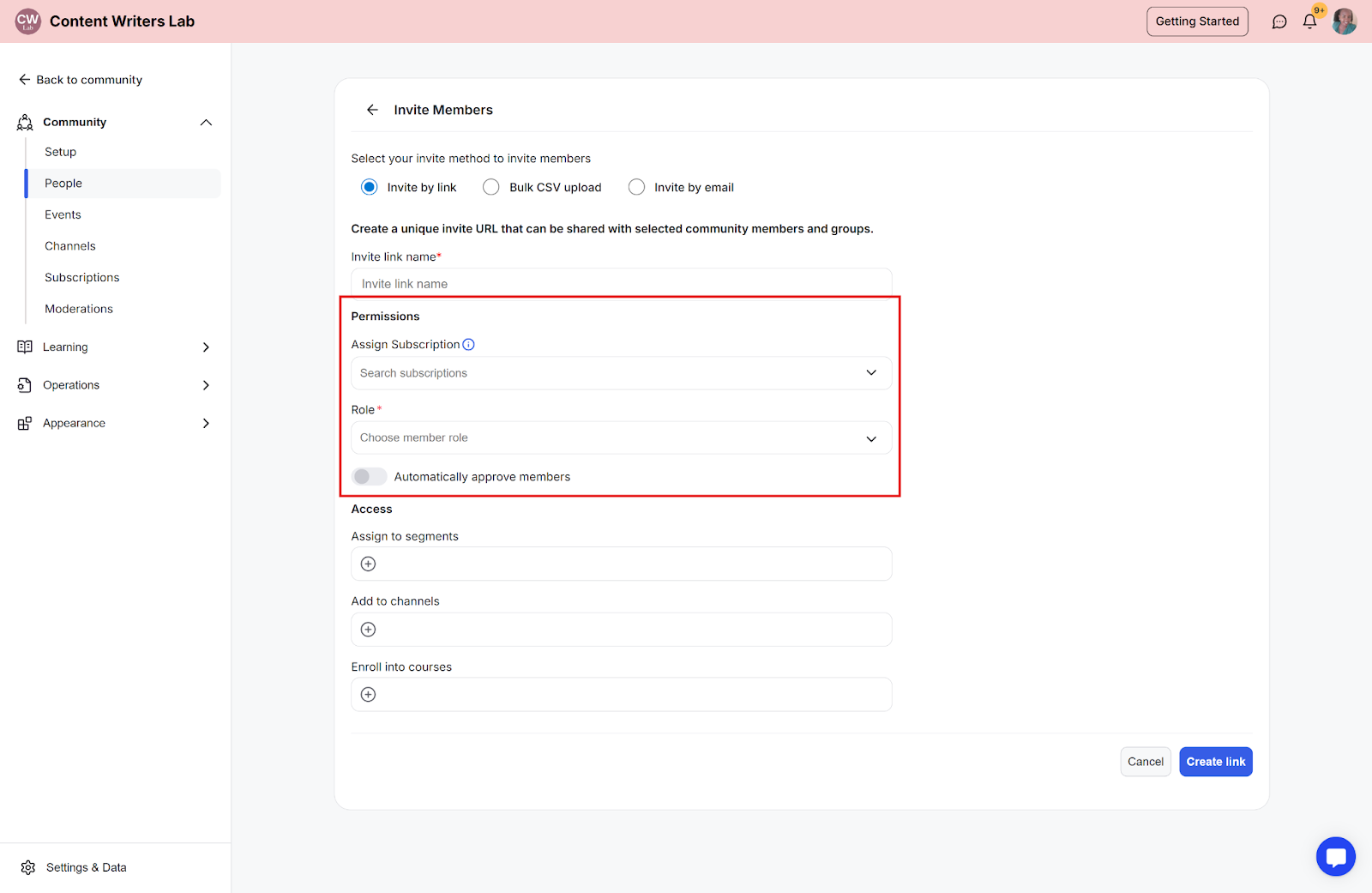
When configuring your membership invitation, you have three options available to you:
Role: You can assign the role you want an invited member to have inside your community.
Assign subscription: You can assign a specific membership subscription plan to an invitation. Invited members will then see this subscription plan during the sign-up process.
Automatically approve members: When this option is turned on, membership requests are automatically approved as soon as users sign up for your community.
2. Invite Access Options
You can use the invite access options to control what members get access to after they join.
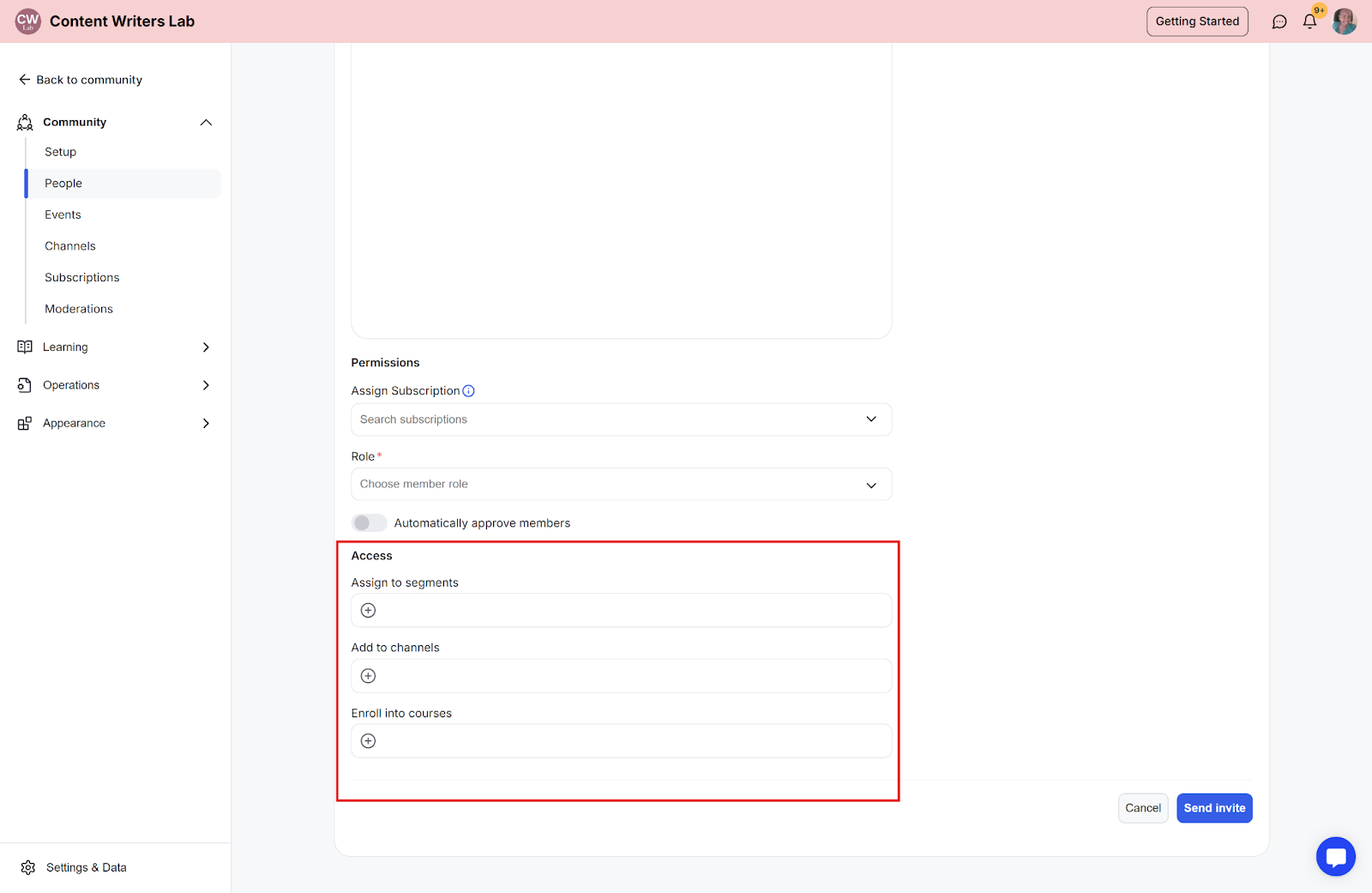
Assign to segments: After completing the sign-up process, the invited member will be added to the community segments that you select.
Add to channels: After completing the sign-up process, the invited member will be added and given access to the channel that you select.
Enroll into courses: After completing the sign-up process, invited members will be automatically enrolled in the courses you select.