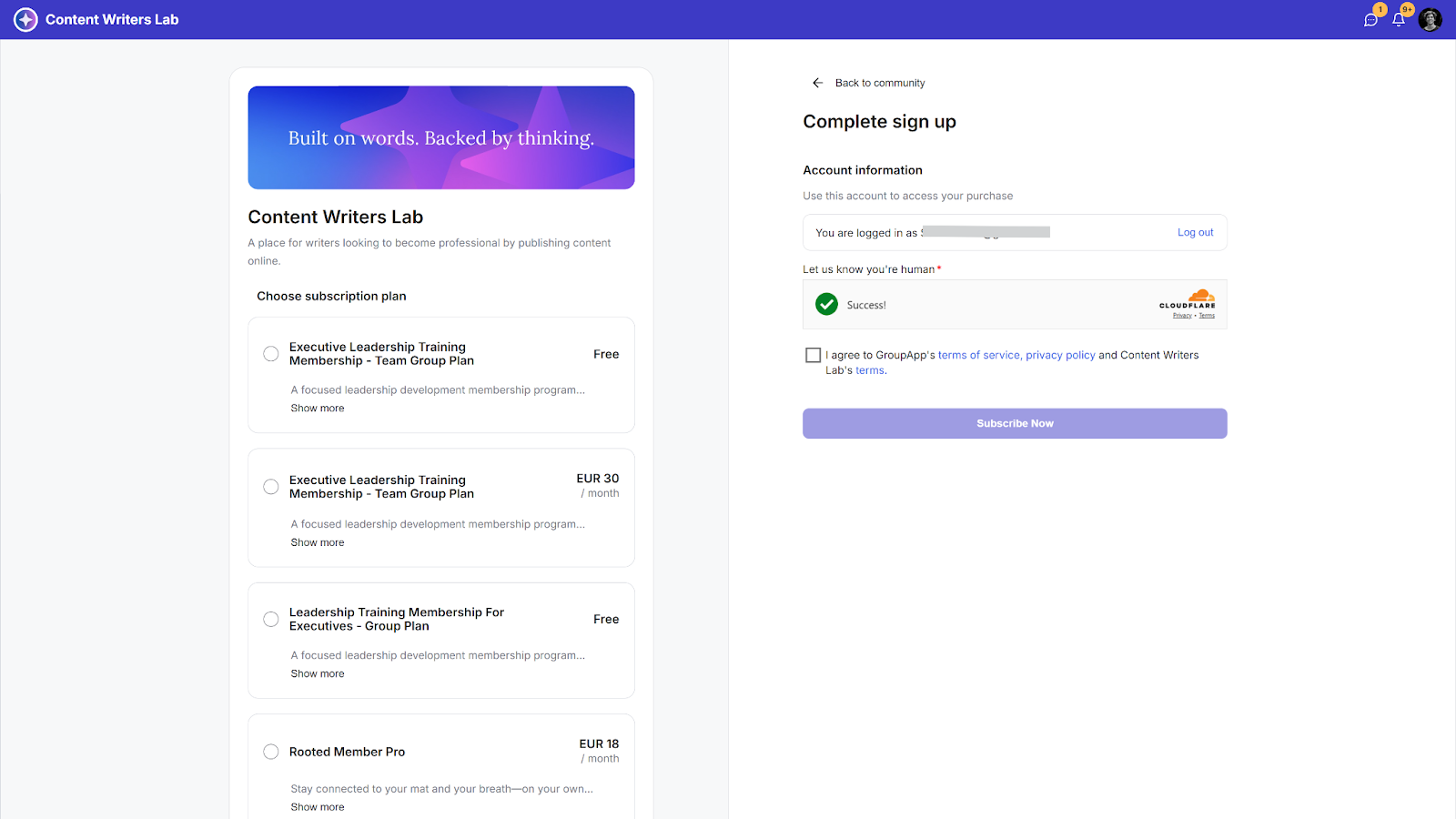
When members stop paying for their membership, Stripe will attempt to charge them before canceling the subscription. This will depend on your Stripe settings.
How to Check Your Failed Subscription Settings in Stripe
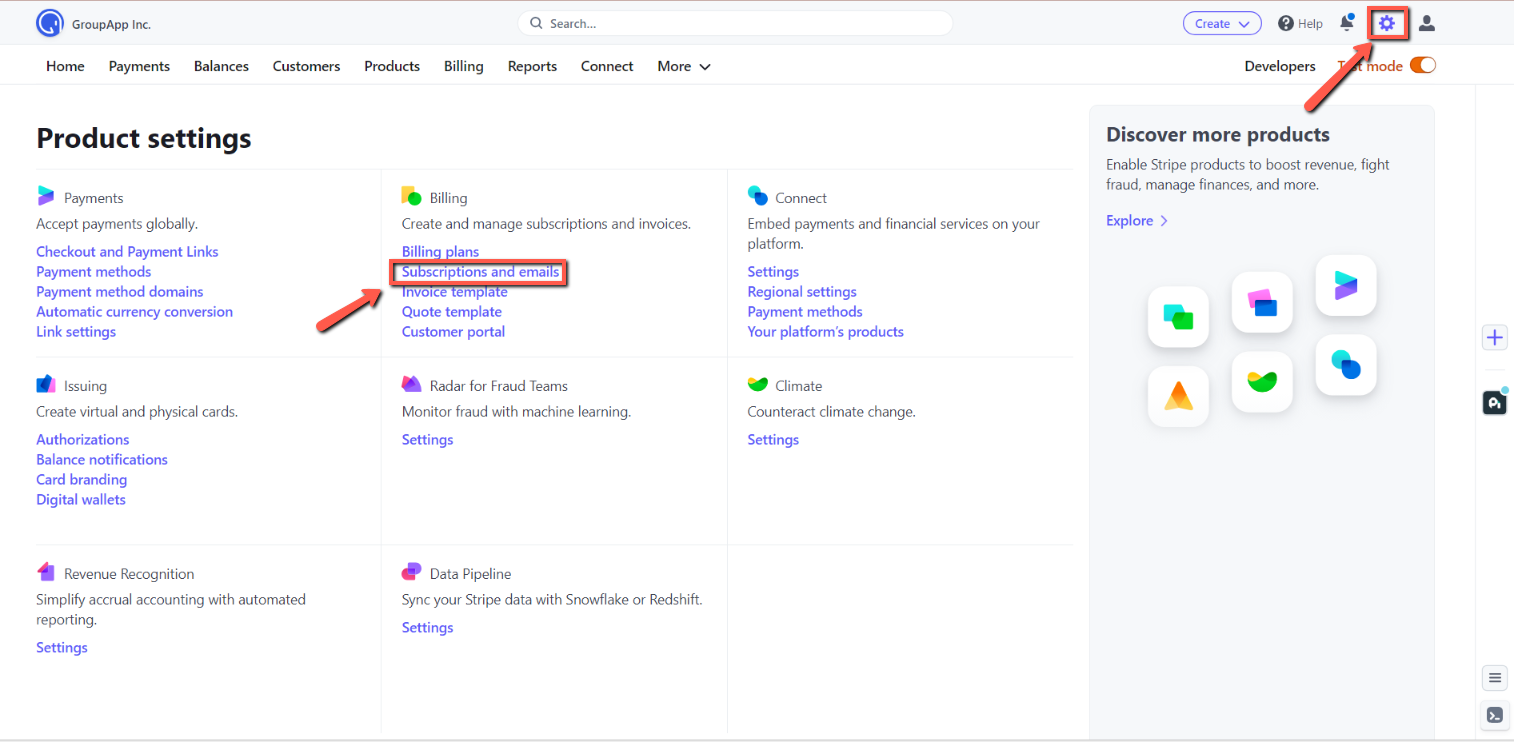
Step 1: Click the Settings icon on the top right menu and click Subscriptions and Emails under the Billing section.
Step 2: Go to the Manage Failed Payments section and customize your retry schedule and subscription status when all retries for a payment fail.
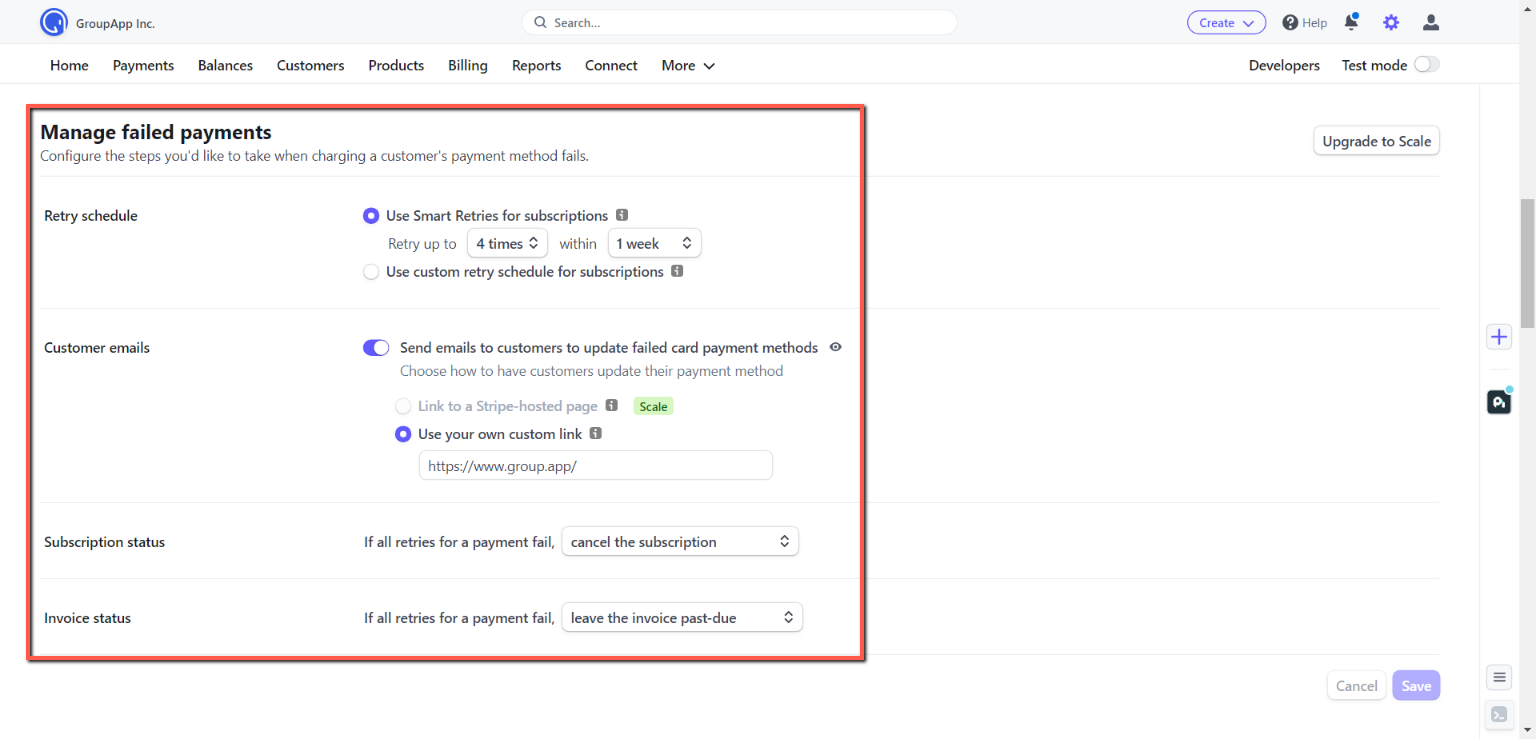
NOTE: Once Stripe cancels a subscription, the community member will lose access to the community and will need to resubscribe to regain access.
What will the member see in the community when they stop paying, or their account is canceled?
Members whose subscriptions were canceled and who stopped paying will only see the subscription plans page. They will not be able to access the community unless they resubscribe to a plan.