You can keep track of everything you’ve done in the community, including your posts, comments, and events, by viewing your profile activity history. This guide shows you how to access each section easily.
View Your Profile Activity History
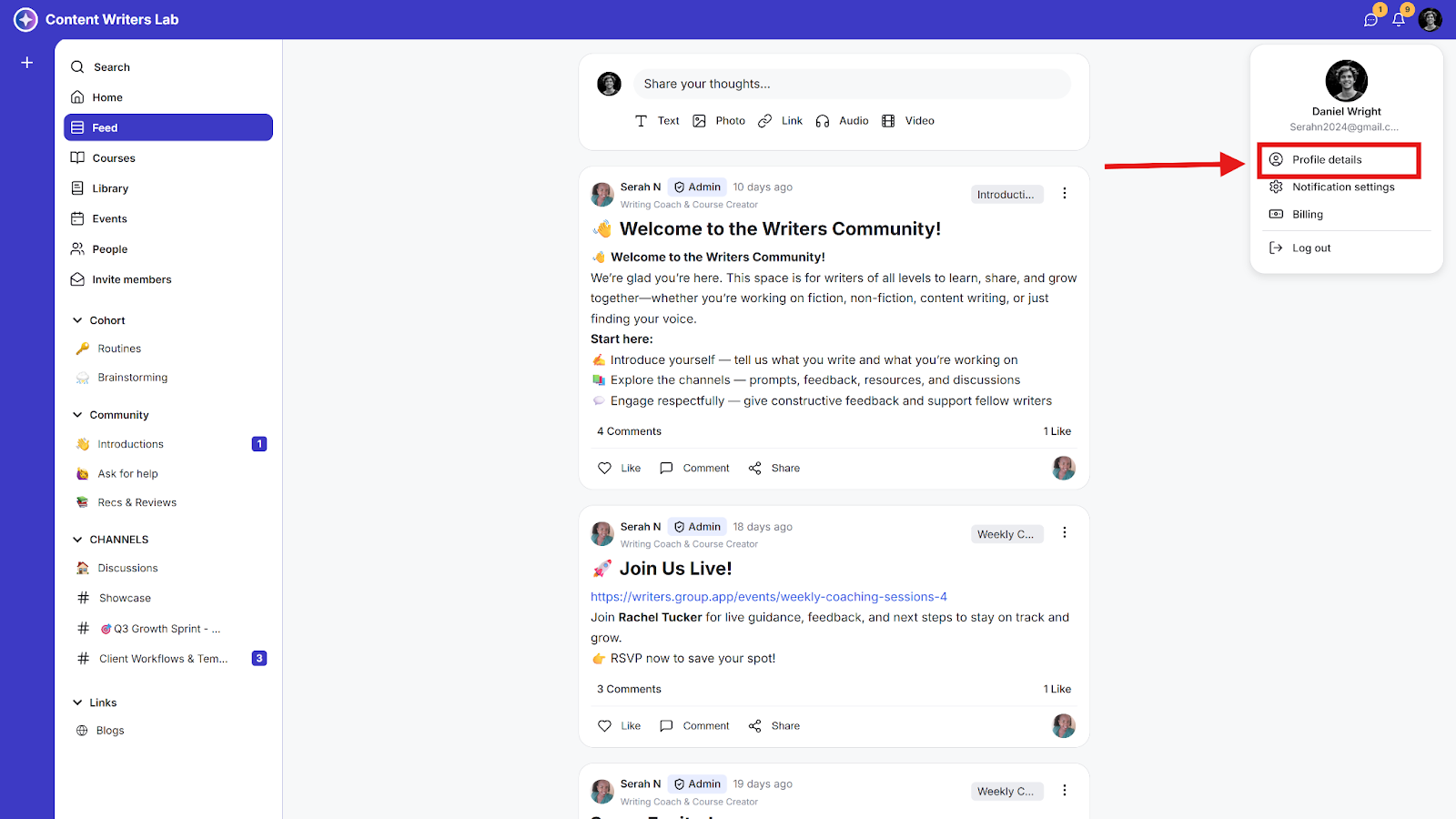
Step 1: Click on your Profile Image in the top-right-hand corner and select Profile Details.
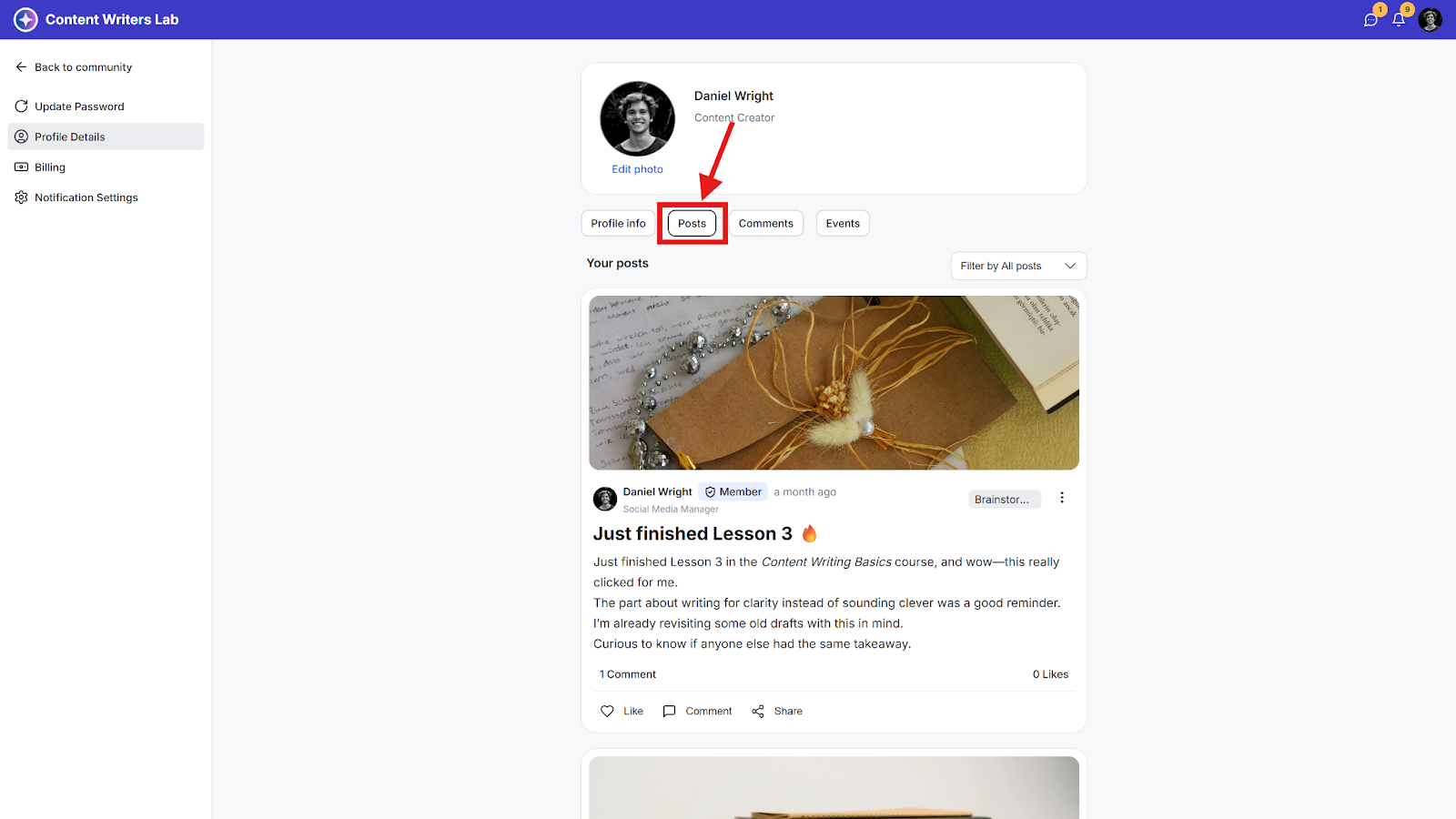
Step 2: To view your posts on all channels or discussion pages, click the Posts tab.
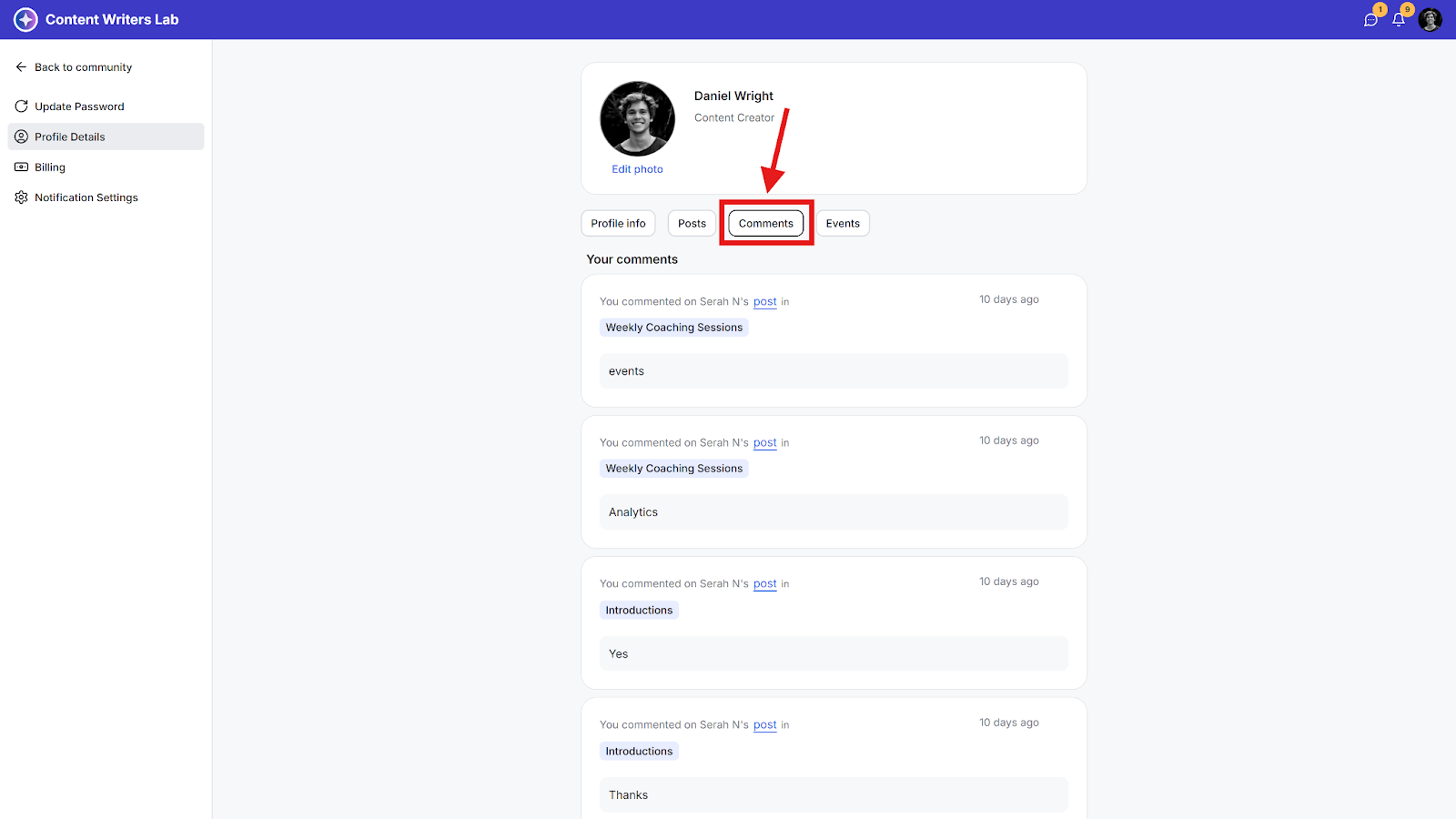
Step 3: To view your comments on all channels or discussion pages, click the Comments tab.
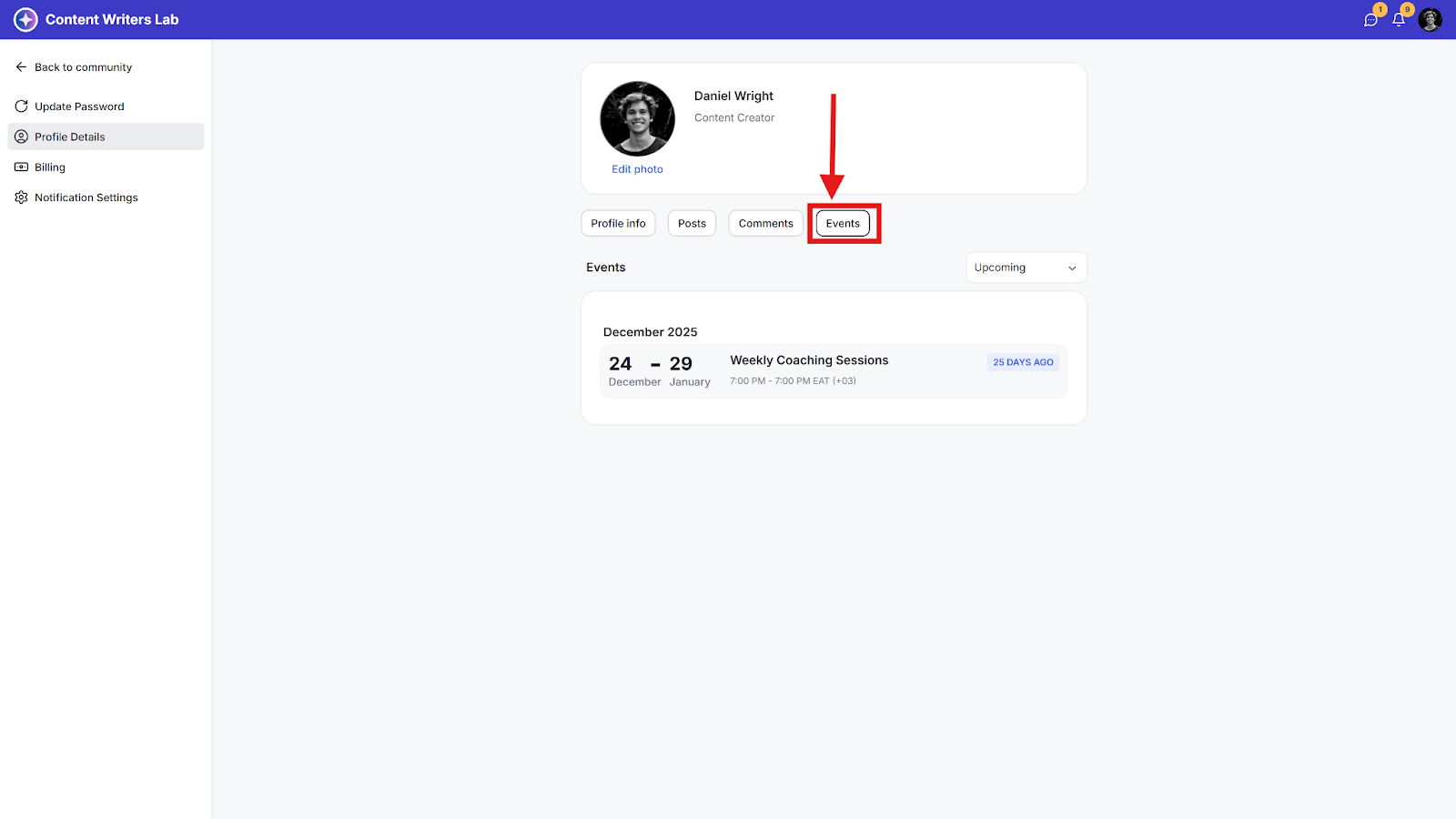
Step 4: To view your events, click the Events tab.