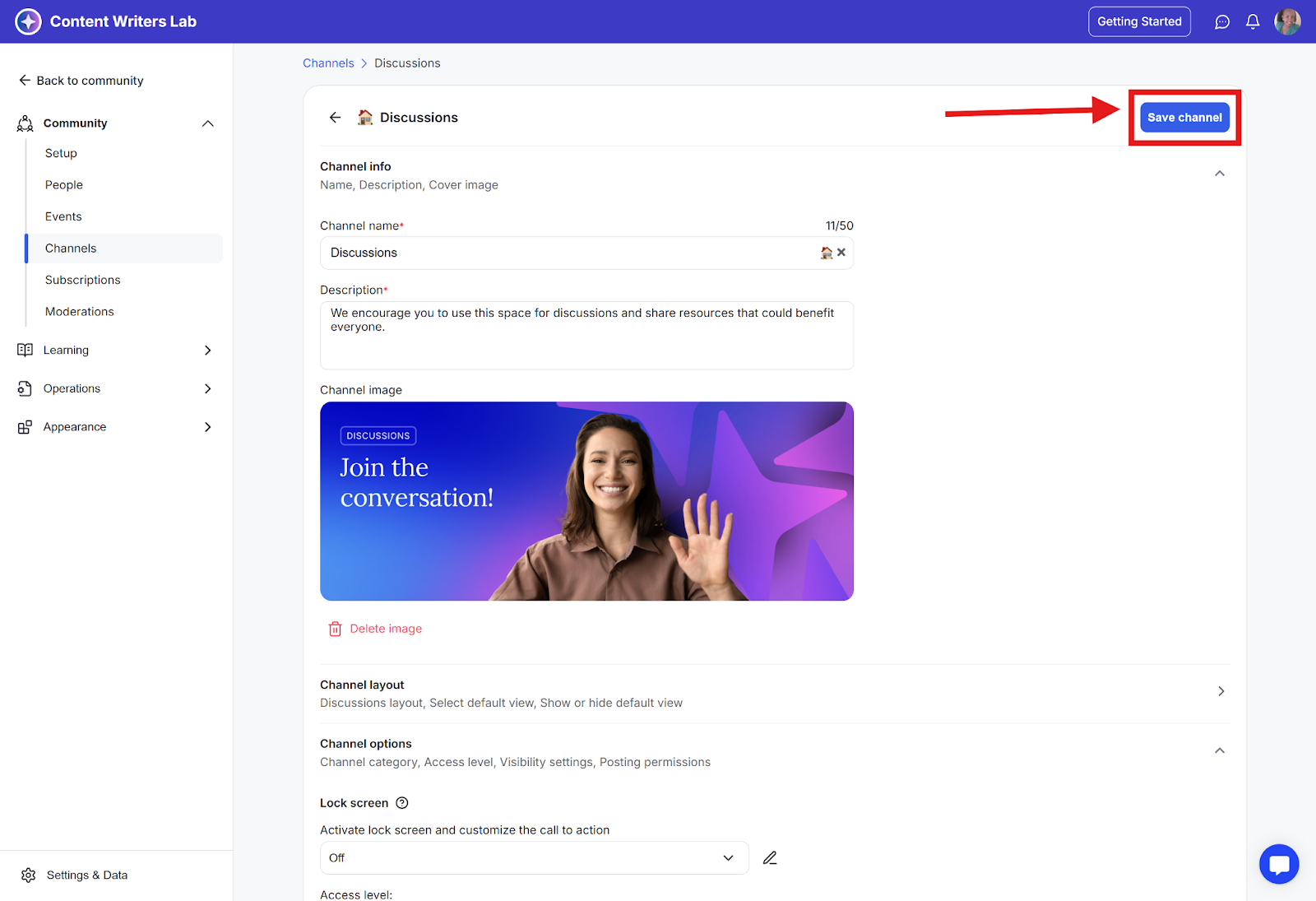
Channel posting permissions let you decide who can create posts inside a channel. This helps you keep conversations organized and gives you control over how active or structured a channel should be.
There are three posting permission options:
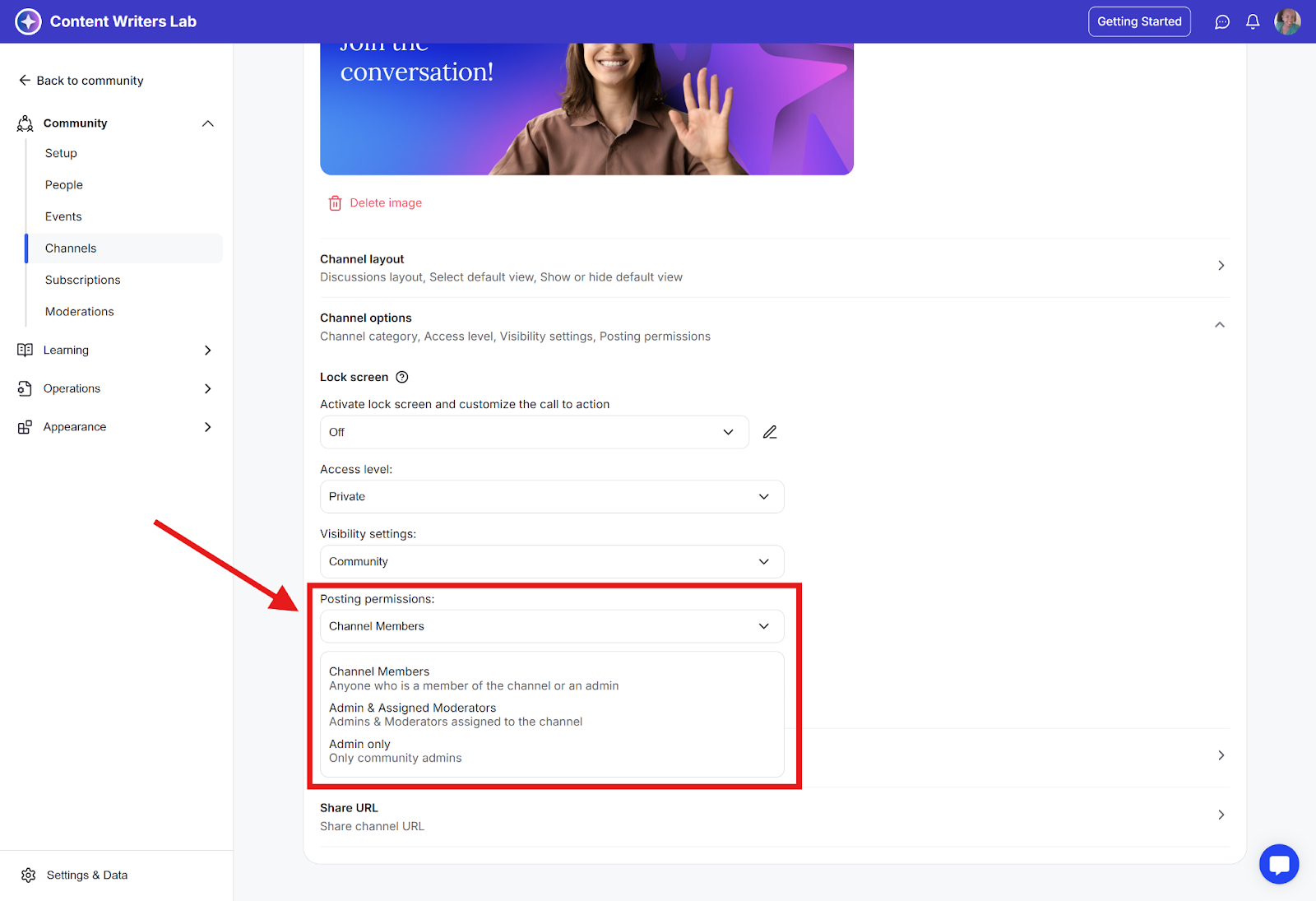
Channel Members: Any channel member, including admins, can create posts.
Admins and Assigned Moderators: Only community admins and moderators assigned to that specific channel can post.
Admin Only: Only community admins can post. This is great for announcement-style channels.
Depending on the purpose of the channel, you can allow everyone to post or limit posting to admins and moderators.
How to Set Channel Posting Permissions
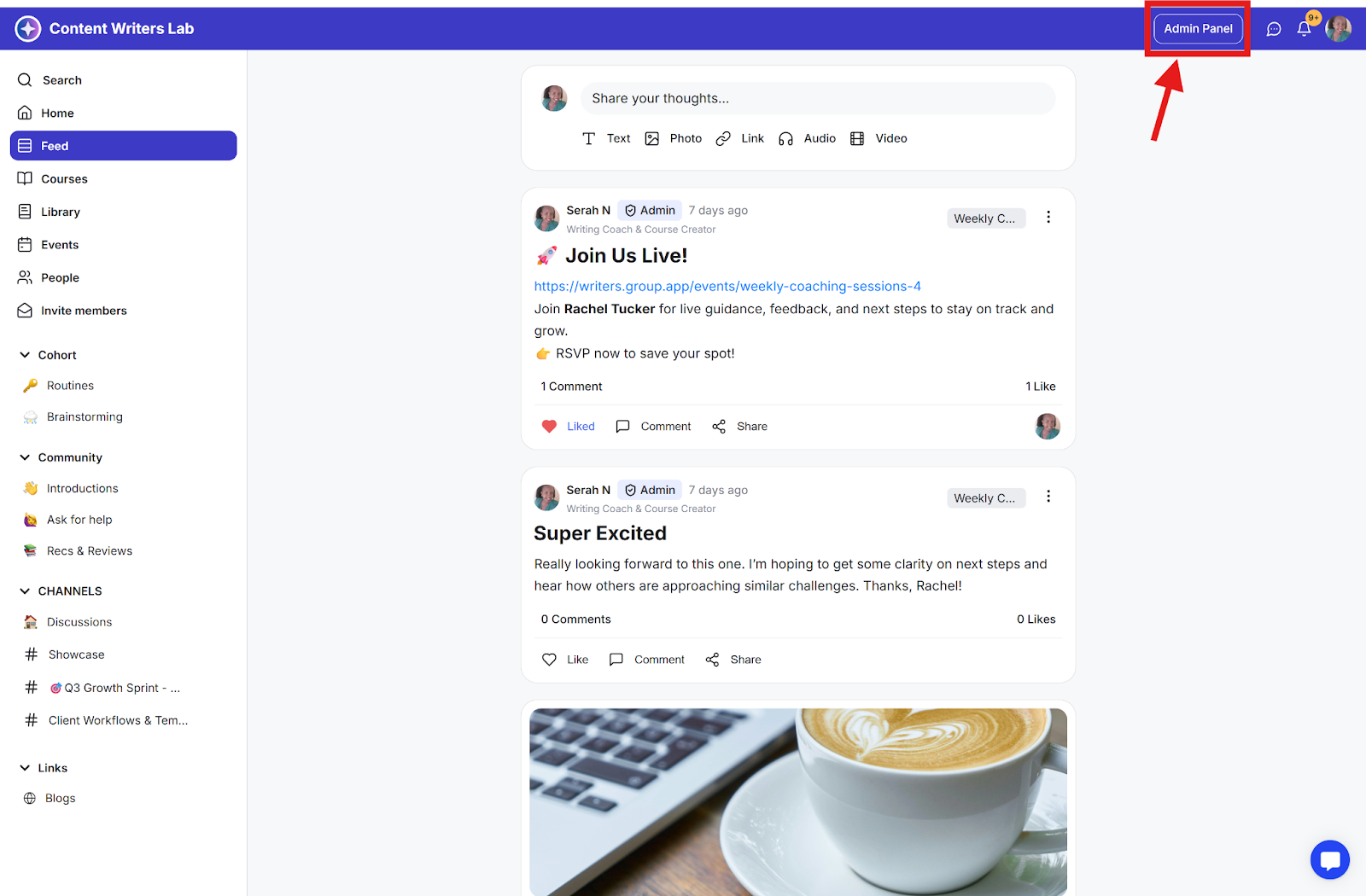
Step 1: Go to the Admin Panel.
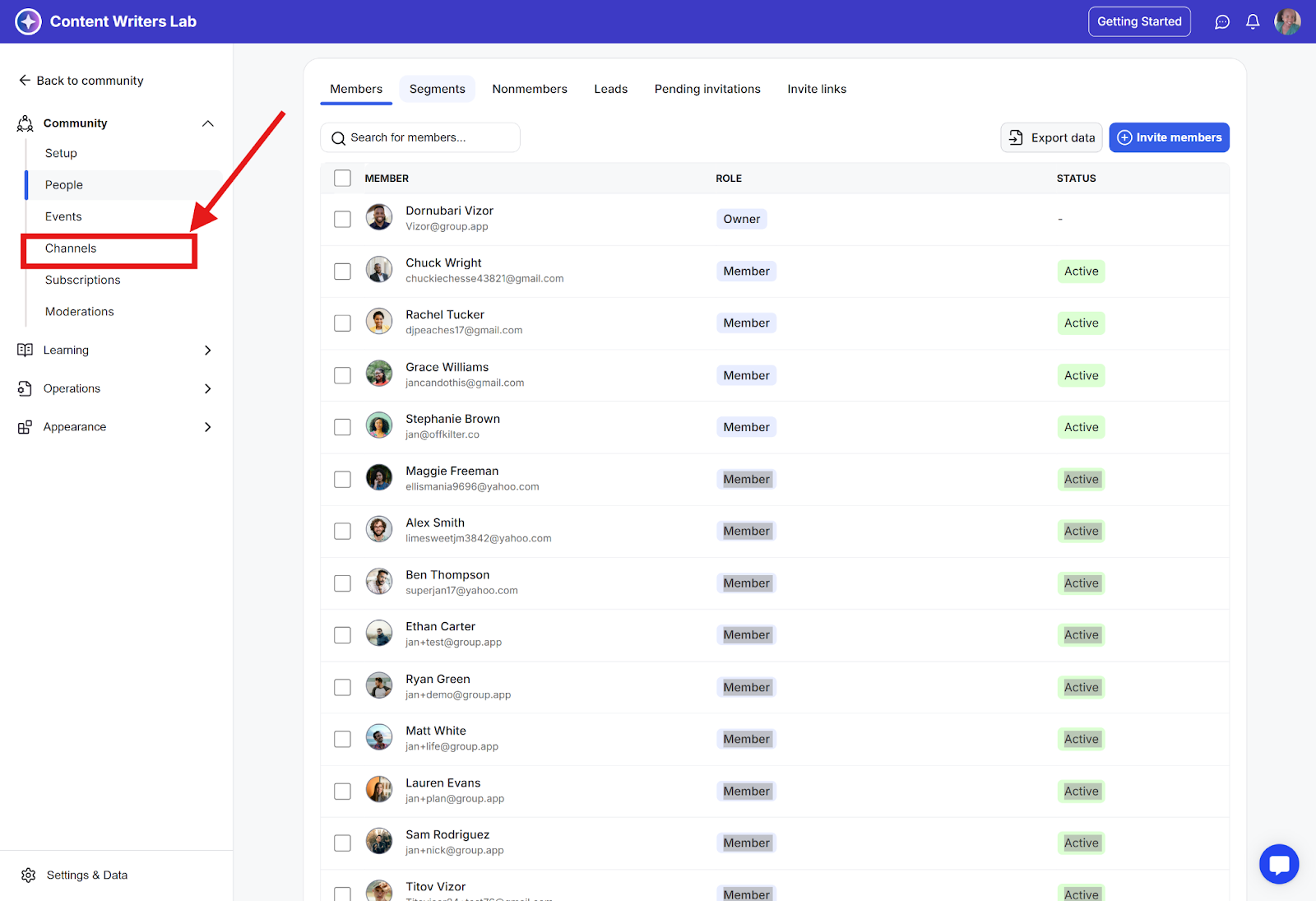
Step 2: Click on Channels.
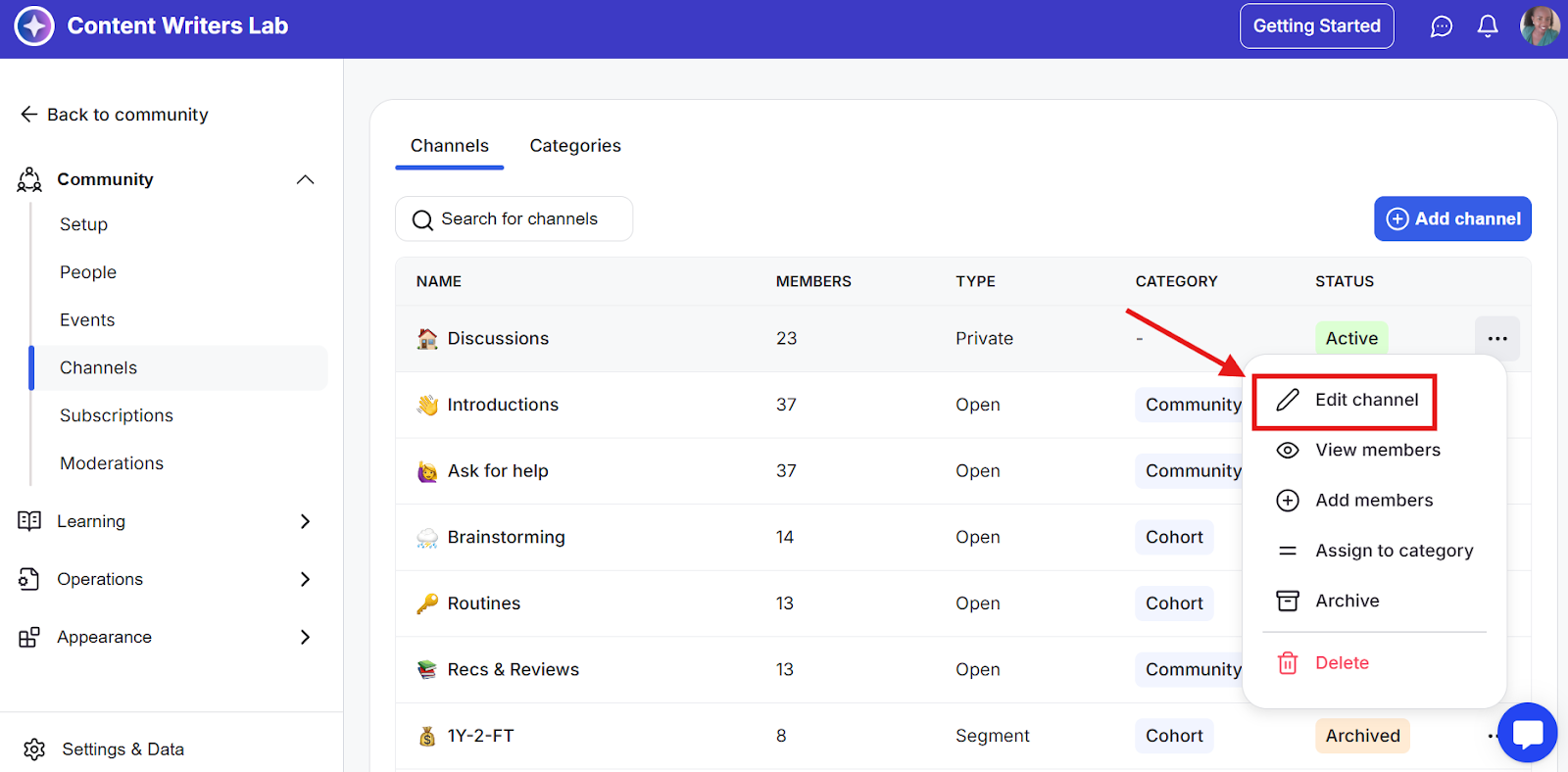
Step 3: Click the three-dot menu next to the channel name and select Edit Channel.
Step 4: Scroll down and click Channel Options.
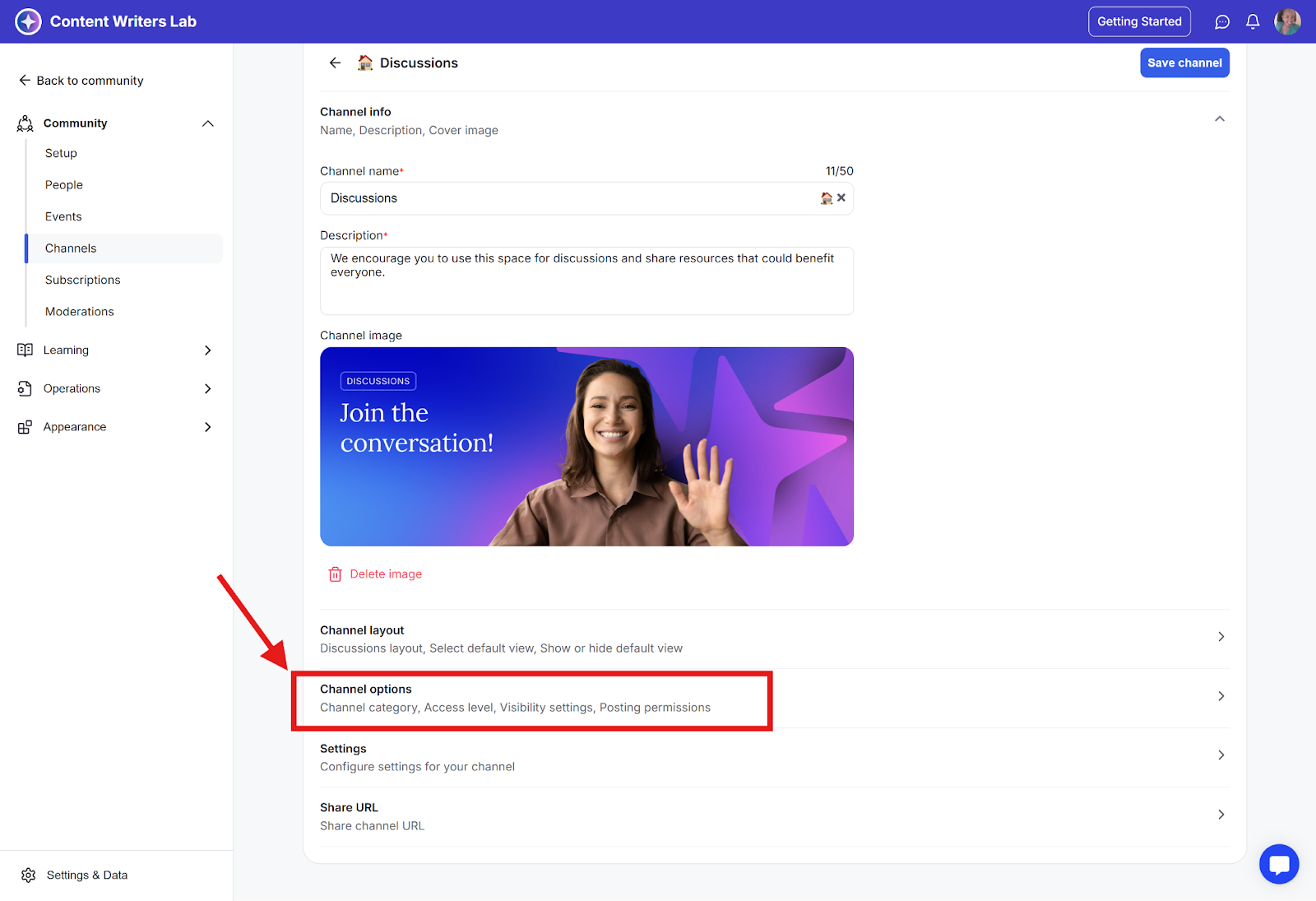
Step 5:Scroll down to Posting Permissions and open the dropdown menu. Select your preferred permission.
Step 6: Scroll back up and click Save Channel.